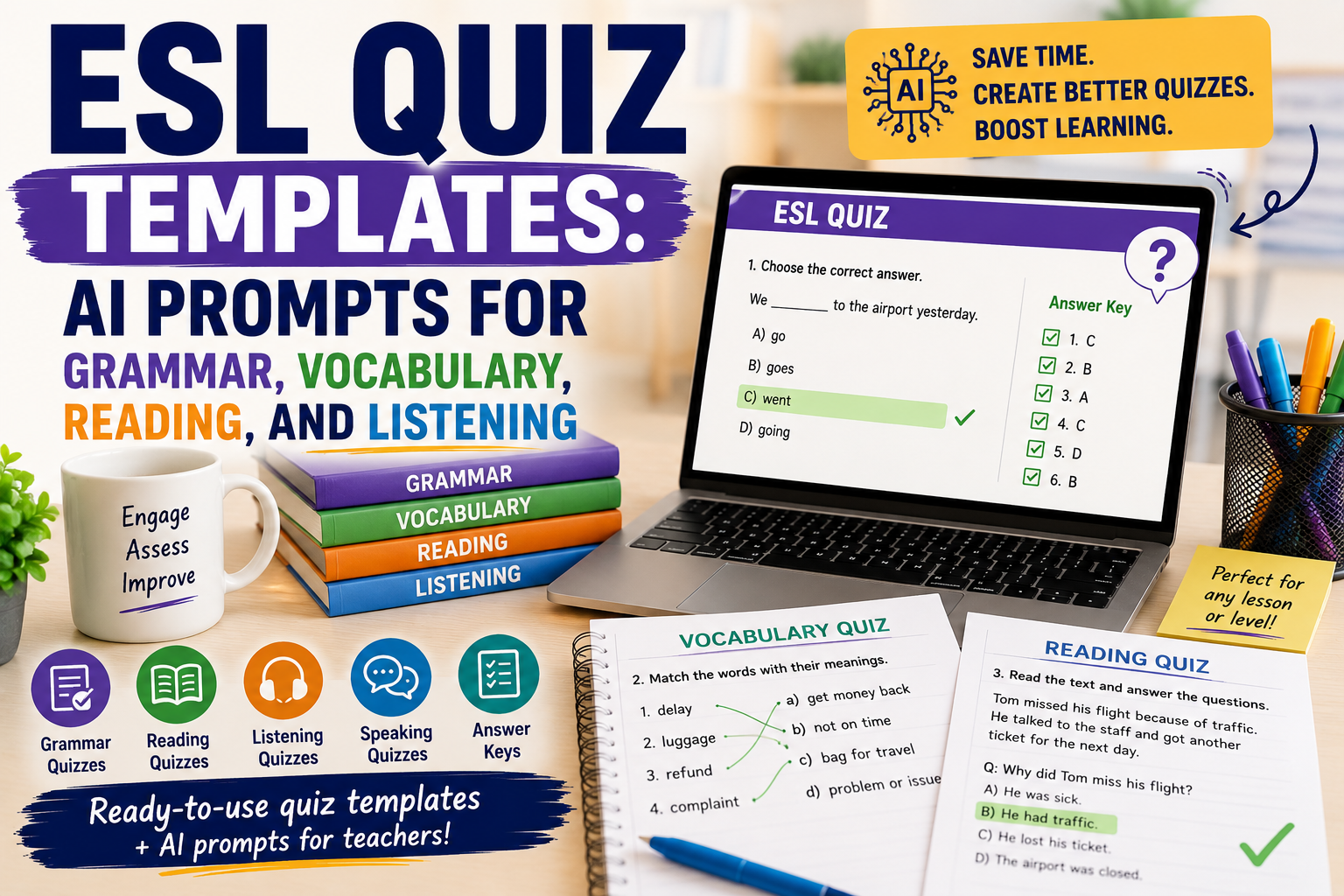
An ESL quiz can do more than check answers. Used well, it can help English teachers review grammar, practise vocabulary, check reading comprehension, support listening lessons, and quickly see what students need next.
The problem is that quiz preparation takes time. Teachers need clear questions, suitable difficulty, answer keys, distractors, instructions, and sometimes different versions for different levels. This is where AI can help.
With the right prompt, you can create better ESL quiz templates faster. You can ask AI to generate grammar quizzes, vocabulary checks, reading comprehension questions, listening tasks, video quizzes, exit tickets, and review activities. The teacher still reviews the quiz, edits weak questions, and checks the answer key, but AI gives a useful first draft.
In this guide, you will find practical ESL quiz templates and AI prompts you can copy, adapt, and use for your English classes.
If you already use AI to create worksheets, you may also find these guides useful: AI Worksheet Generator for English Teachers: 7 Ways to Create Better ESL Worksheets, Reading Worksheet Generator: 7 AI Prompts for Better ESL Reading Lessons, and AI Video Question Maker: 9 Prompts for Better ESL Listening Lessons.
What Makes a Good ESL Quiz?
A good ESL quiz is not just a list of random questions. It should match the lesson aim, student level, and language skill you want to check.
A useful ESL quiz should be:
- clear enough for students to understand;
- focused on one main skill or lesson goal;
- suitable for the students’ English level;
- short enough to complete without stress;
- fair, with no confusing trick questions;
- easy for the teacher to mark;
- connected to what students studied recently.
For example, if your lesson focused on the past simple, the quiz should not suddenly test advanced conditionals. If your students are A2 learners, the instructions should not be written at a B2 level.
AI can help with quiz creation, but only when you give it enough context.
How AI Can Help English Teachers Create ESL Quizzes
AI can support quiz preparation by helping you create:
- multiple-choice questions;
- gap-fill questions;
- matching activities;
- true/false questions;
- short-answer questions;
- vocabulary quizzes;
- grammar quizzes;
- reading comprehension quizzes;
- listening comprehension quizzes;
- video-based quizzes;
- answer keys;
- easier or harder versions of the same quiz.
The key is to avoid vague prompts like:
Make an ESL quiz.
That usually produces a generic quiz.
A better prompt includes the level, topic, skill, target language, number of questions, question type, and answer key.
Use this basic structure:
Create an ESL quiz for [LEVEL] learners.

Topic:
[TOPIC]

Skill or language focus:
[GRAMMAR / VOCABULARY / READING / LISTENING / SPEAKING PREPARATION]

Create:
[NUMBER] questions.

Question types:
[QUESTION TYPES]

Add:
- clear student instructions;
- an answer key;
- simple language suitable for [LEVEL].
Now let’s look at specific ESL quiz templates.
ESL Quiz Template 1: Grammar Quiz
A grammar quiz helps you check whether students can use a structure accurately. It works best when it focuses on one grammar point.
Use this prompt:
Act as an experienced ESL teacher.

Create a grammar quiz for [LEVEL] English learners.

Grammar focus:
[GRAMMAR POINT]

Lesson context:
[BRIEF CONTEXT]

Create:
1. 5 multiple-choice questions;
2. 5 gap-fill questions;
3. 3 sentence correction questions;
4. an answer key.

Use clear, natural sentences.
Avoid trick questions.
Make the quiz suitable for [LEVEL] learners.
Example
Create a grammar quiz for A2 English learners.

Grammar focus:
Past simple regular and irregular verbs

Lesson context:
Students studied daily activities and weekend routines.

Create:
1. 5 multiple-choice questions;
2. 5 gap-fill questions;
3. 3 sentence correction questions;
4. an answer key.
Teacher tip
Keep grammar quizzes focused. A short quiz on one grammar point is usually more useful than a long quiz that mixes too many structures.
ESL Quiz Template 2: Vocabulary Quiz
A vocabulary quiz should test meaning, use, and context — not only spelling or translation.
Use this prompt:
Create a vocabulary quiz for [LEVEL] ESL learners.

Topic:
[TOPIC]

Target vocabulary:
[PASTE WORD LIST]

Create:
1. 5 matching questions;
2. 5 multiple-choice meaning questions;
3. 5 gap-fill sentences;
4. 3 short personalisation questions;
5. an answer key.

Use simple example sentences and make the vocabulary useful in context.
Example
Create a vocabulary quiz for B1 ESL learners.

Topic:
Healthy habits

Target vocabulary:
sleep well, drink water, exercise, screen time, routine, reduce, improve, energy

Create:
1. 5 matching questions;
2. 5 multiple-choice meaning questions;
3. 5 gap-fill sentences;
4. 3 short personalisation questions;
5. an answer key.
This connects well with Spelling Worksheet Maker: 7 AI Prompts to Create Better English Worksheets article because spelling, vocabulary, and short quizzes often work together.
ESL Quiz Template 3: Reading Comprehension Quiz
A reading quiz should check different levels of understanding: main idea, details, vocabulary, and inference.
Use this prompt:
Act as an ESL reading teacher.

Create a reading comprehension quiz for [LEVEL] learners.

Reading text:
[PASTE TEXT]

Create:
1. 3 main-idea questions;
2. 5 detail questions;
3. 4 vocabulary-in-context questions;
4. 2 inference questions;
5. an answer key.

Make the questions clear and suitable for [LEVEL].
Do not ask questions that cannot be answered from the text.
Why this works
This prompt avoids one common problem: AI sometimes creates questions that are too broad or not directly supported by the text. By telling it to use only the text, you get a fairer quiz.
ESL Quiz Template 4: Listening Quiz
A listening quiz should help students focus while listening. It should not overload them with too many details.
Use this prompt:
Create a listening comprehension quiz for [LEVEL] ESL learners.

Listening topic:
[TOPIC]

Transcript or summary:
[PASTE TRANSCRIPT OR SUMMARY]

Create:
1. 3 gist questions;
2. 5 detail questions;
3. 4 vocabulary-in-context questions;
4. 2 short-answer questions;
5. an answer key.

Make the questions follow the order of the listening text.
Use clear and simple wording.
Teacher tip
For listening, question order matters. If the questions follow the order of the audio or video, students can listen with a clear purpose.
ESL Quiz Template 5: Video Quiz
A video quiz combines listening, visual context, comprehension, and discussion.
Use this prompt:
Create an ESL video quiz for [LEVEL] learners.

Video topic:
[TOPIC]

Video transcript or summary:
[PASTE TRANSCRIPT OR SUMMARY]

Create:
1. 3 pre-watching prediction questions;
2. 5 while-watching comprehension questions;
3. 4 vocabulary questions;
4. 3 post-watching discussion questions;
5. an answer key.

Make the quiz suitable for a classroom or online lesson.
ESL Quiz Template 6: Multiple Choice Question Template
Multiple-choice questions are useful, but weak answer options can make the quiz too easy or confusing. AI can help you create better distractors.
Use this prompt:
Create a multiple-choice ESL quiz for [LEVEL] learners.

Topic:
[TOPIC]

Language focus:
[FOCUS]

Create 10 multiple-choice questions.

For each question:
- write one clear question;
- give 4 answer options;
- make only one answer correct;
- make the wrong options realistic but fair;
- avoid confusing trick options.

Add an answer key and a short explanation for each answer.
Example
Create a multiple-choice ESL quiz for B1 learners.

Topic:
Travel problems

Language focus:
Past simple and travel vocabulary

Create 10 multiple-choice questions.
Teacher tip
Always check the wrong answers. Good distractors should be possible mistakes, not silly answers.
ESL Quiz Template 7: Exit Ticket Quiz
An exit ticket is a very short quiz at the end of a lesson. It helps you see what students understood before they leave.
Use this prompt:
Create a 5-minute ESL exit ticket for [LEVEL] learners.

Lesson topic:
[TOPIC]

Today’s lesson aim:
[LESSON AIM]

Create:
1. 2 quick checking questions;
2. 1 short production task;
3. 1 self-assessment question;
4. 1 question students can ask if they need help.

Make it easy to complete at the end of class.
Example
Create a 5-minute ESL exit ticket for A2 learners.

Lesson topic:
Giving advice

Today’s lesson aim:
Students can use should and shouldn’t to give simple advice.
This kind of quiz is useful because it gives you fast feedback on the lesson. For a quick digital version, you can transfer the questions into Google Forms, which is useful for collecting responses and reviewing results.
ESL Quiz Template 8: Review Quiz
A review quiz helps students remember language from previous lessons. It is especially useful before a test or after finishing a unit.
Use this prompt:
Create an ESL review quiz for [LEVEL] learners.

Unit topics:
[LIST TOPICS]

Grammar covered:
[LIST GRAMMAR POINTS]

Vocabulary covered:
[LIST VOCABULARY AREAS]

Create:
1. 5 grammar questions;
2. 5 vocabulary questions;
3. 3 reading or sentence-context questions;
4. 2 short writing questions;
5. an answer key.

Mix the questions, but keep them suitable for [LEVEL].
Teacher tip
Review quizzes should help students revise, not punish them. Keep the tone supportive and use questions that reflect what you actually taught. Platforms such as Quizizz can make review practice more interactive, especially when students need repeated low-stakes practice.
ESL Quiz Template 9: Speaking Preparation Quiz
A speaking quiz does not have to be a traditional test. You can use it to prepare students for discussion, role play, or oral practice.
Use this prompt:
Create a speaking preparation quiz for [LEVEL] ESL learners.

Speaking topic:
[TOPIC]

Lesson goal:
[GOAL]

Create:
1. 5 useful vocabulary questions;
2. 5 sentence starter completion items;
3. 4 opinion questions;
4. 3 pair-work follow-up questions.

Do not make it a grammar-only quiz.
Help students prepare ideas and language for speaking.
Example
Create a speaking preparation quiz for B1 ESL learners.

Speaking topic:
Online learning

Lesson goal:
Students can express opinions about the advantages and disadvantages of online learning.
This type of quiz helps students prepare before speaking, especially if they need vocabulary and sentence starters. For a lively whole-class warm-up or review round, Kahoot can turn selected questions into a live quiz game.
ESL Quiz Template 10: Error Correction Quiz
Error correction quizzes are useful when students keep making the same mistakes.
Use this prompt:
Create an ESL error correction quiz for [LEVEL] learners.

Common student errors:
[LIST ERRORS]

Create 10 sentences.
Some sentences should contain one error.
Some sentences should be correct.

Students must:
1. decide if the sentence is correct or incorrect;
2. correct the mistake if there is one.

Add an answer key with short explanations.
Example
Create an ESL error correction quiz for B1 learners.

Common student errors:
- missing third-person -s;
- incorrect past simple verbs;
- article mistakes;
- word order in questions.
This can also connect to your AI Writing Feedback: 7 Ways English Teachers Can Give Better Student Feedback article, especially if you turn repeated writing errors into future practice.
How to Improve AI-Generated ESL Quizzes
AI-generated quizzes are useful, but they are not always ready to use. You should review and improve them before giving them to students.
Use these follow-up prompts.
Make the quiz easier
Simplify this ESL quiz for [LEVEL] learners.
Use shorter sentences, easier vocabulary, and clearer instructions.
Make the quiz more challenging
Make this ESL quiz more challenging for [LEVEL] learners.
Add more context, better distractors, and questions that require understanding, not guessing.
Add an answer key
Add an answer key to this ESL quiz.
For each answer, include a short teacher explanation.
Check if the quiz matches the level
Review this ESL quiz for level suitability.

Student level:
[LEVEL]

Tell me:
1. which questions are too easy;
2. which questions are too difficult;
3. which instructions need simplification;
4. what changes you recommend.
Turn the quiz into a printable worksheet
Format this ESL quiz as a printable worksheet.

Include:
- title;
- level;
- student instructions;
- sections;
- space for answers;
- answer key on a separate section.
This links naturally to your AI Worksheet Generator for English Teachers post.
Common Mistakes to Avoid When Creating ESL Quizzes with AI
Mistake 1: Asking for a quiz without a level
Always include the student level. A quiz for A2 learners should look very different from a quiz for B2 learners.
Mistake 2: Testing too many things at once
One quiz should have a clear purpose. Do not mix grammar, reading, vocabulary, listening, speaking, and writing unless it is a review quiz.
Mistake 3: Trusting the answer key automatically
AI can make mistakes. Always check the answer key before using the quiz.
Mistake 4: Making multiple-choice questions too obvious
If the wrong answers are silly, students do not need to understand the language. Ask AI to create realistic but fair distractors.
Mistake 5: Forgetting instructions
Students need to know exactly what to do. Add short instructions before each section.
Mistake 6: Ignoring student anxiety
Quizzes can help learning, but they can also make students nervous. Use low-stakes quizzes, review quizzes, and exit tickets to support learning.
Mistake 7: Using AI output without teacher judgement
AI can create a draft. The teacher makes it suitable, fair, accurate, and useful.
Simple ESL Quiz Planning Checklist
Before using an AI-generated quiz, check:
- Is the quiz level appropriate?
- Does it match the lesson aim?
- Are the instructions clear?
- Are the questions fair?
- Are the wrong options realistic?
- Is the answer key correct?
- Is the quiz short enough?
- Does it help students learn, not only test them?
- Can the results help me decide what to teach next?
Practical Example: Creating a B1 ESL Quiz with AI
Imagine you taught a B1 lesson about travel problems. Your students learned vocabulary such as delayed flight, lost luggage, booking, complaint, refund, and customer service. They also practised the past simple.
You could use this prompt:
Create a B1 ESL quiz about travel problems.

Lesson focus:
- travel problem vocabulary;
- past simple;
- short complaint sentences.

Create:
1. 5 vocabulary matching questions;
2. 5 multiple-choice grammar questions;
3. 3 short reading comprehension questions based on a short travel complaint;
4. 2 short writing questions;
5. an answer key.

Use clear instructions and natural English.
The result could become a short classroom quiz, homework task, or printable worksheet. If you want to turn it into a polished handout, Canva can help you arrange the questions, answer spaces, headings, and visual elements in a printable format.
FAQ: ESL Quiz Templates and AI Prompts
What is an ESL quiz?
An ESL quiz is a short assessment activity used to check English learners’ understanding of grammar, vocabulary, reading, listening, speaking preparation, or lesson content.
How can AI help create ESL quizzes?
AI can help teachers create question drafts, answer keys, different quiz versions, multiple-choice options, vocabulary tasks, grammar questions, and reading or listening comprehension checks.
What should I include in an ESL quiz prompt?
Include the learner level, topic, skill, target language, number of questions, question type, and whether you want an answer key.
Can AI create grammar quizzes for ESL students?
Yes. AI can create grammar quizzes if you provide the grammar point, student level, and preferred question types.
Can AI create vocabulary quizzes?
Yes. You can give AI a vocabulary list and ask it to create matching questions, gap-fill sentences, multiple-choice questions, and personalisation tasks.
Can I use AI to create multiple-choice questions?
Yes. AI can create multiple-choice questions, but you should check that only one answer is correct and that the distractors are fair.
Should I use AI-generated ESL quizzes without editing?
No. Always review the questions, instructions, level, and answer key before using them with students.
Conclusion
An ESL quiz can be a powerful teaching tool when it is clear, focused, level-appropriate, and connected to the lesson. With AI, English teachers can create quiz drafts faster for grammar, vocabulary, reading, listening, video lessons, speaking preparation, review, and exit tickets.
The best results come from specific prompts. Tell AI the student level, topic, skill, language focus, question type, and quiz purpose. Then review the output carefully and adapt it for your learners.
AI can save preparation time, but teacher judgement is what makes the quiz useful. Used well, AI helps you create quizzes that check understanding, guide revision, and support better English learning.
Comments
One response to “ESL Quiz Templates: AI Prompts for Grammar, Vocabulary, Reading, and Listening”
[…] If you want a broader bank of ready-to-use quiz prompts, see ESL Quiz Templates: AI Prompts for Grammar, Vocabulary, Reading, and Listening. […]