Author: Ab

  • Guided Notes Generator for ESL: Free AI Prompts & Examples

    Guided Notes Generator for ESL: Free AI Prompts & Examples

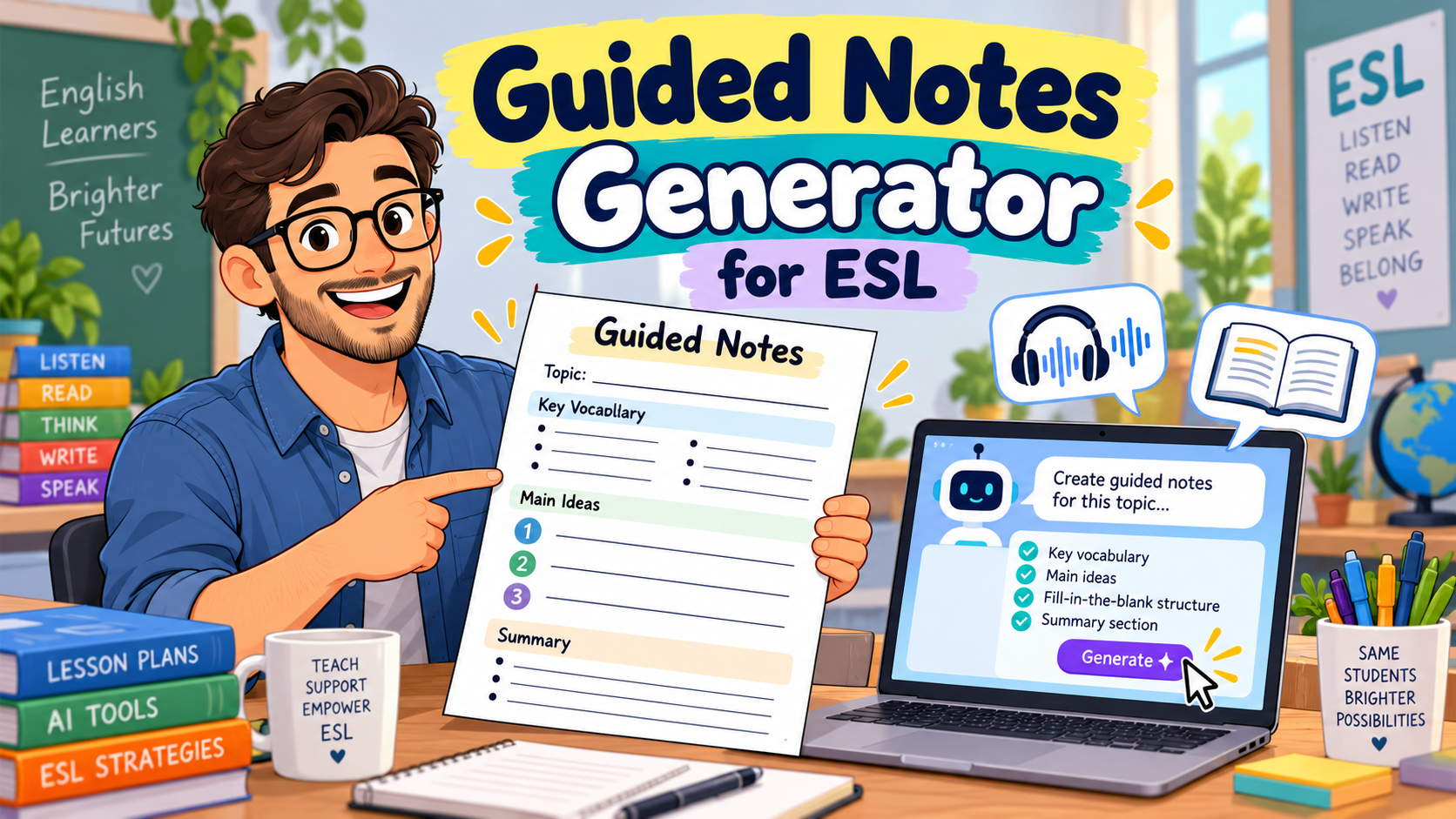
    A guided notes generator can help English teachers turn a reading passage, listening transcript, or lesson presentation into a structured note-taking activity. Instead of handing students a blank page and asking them to write down everything, you give them an outline with carefully chosen gaps, questions, and spaces for their own ideas.

    Imagine preparing a B1 listening lesson about sustainable cities. You want students to understand the main ideas, recognise cause-and-effect relationships, and record important examples. Creating those notes manually takes time, particularly when you teach several classes at different levels.

    With AI, you can generate a first draft of guided notes from your existing lesson materials and then adapt it to your students’ needs.

    In this guide, you’ll learn how guided notes work, which AI tools can help create them, and how to write effective prompts for ESL listening and reading lessons. You’ll also get a complete classroom example with a student worksheet and answer key.

    What Is a Guided Notes Generator?

    A guided notes generator is a tool or AI-assisted workflow that creates partially completed notes for learners to finish while reading, listening, or following a presentation.

    Guided notes are sometimes called skeleton notes because they provide the structure while leaving selected information for students to complete.

    For example, instead of telling students to take notes about an entire listening passage, you might give them this outline:

    Topic: Healthy Eating

    • The speaker recommends eating more __________.
    • Drinking enough __________ helps the body function properly.
    • One problem with eating too much fast food is __________.
    • The speaker’s main advice is __________.

    Students still need to listen carefully, but the worksheet directs their attention towards important information.

    This differs from a traditional comprehension worksheet. Comprehension questions usually check understanding after students have read or listened. Guided notes support the process of identifying, organising, and recording information as students encounter it.

    For ESL/EFL learners, this structure can be particularly useful when they are still developing their ability to process spoken English, recognise main ideas, and distinguish essential information from minor details.

    Why Use Guided Notes in ESL Lessons?

    Taking notes in another language can be demanding. Students must follow the speaker or text, identify important information, understand unfamiliar vocabulary, and decide what to write.

    Guided notes reduce some of the organisational demands by providing an outline in advance.

    The University of Massachusetts Amherst’s guidance on scaffolded note-taking recommends designing guided notes around learning goals, difficult concepts, and meaningful student engagement rather than simply removing random words.

    Research on guided notes has identified potential benefits for learning and achievement in several educational contexts. However, the research does not establish that every guided-notes format will improve every ESL learner’s performance.

    For English teachers, the practical value lies in making note-taking more purposeful.

    A well-designed activity can help students:

    • Focus on key information during listening or reading.
    • Recognise relationships such as cause and effect, comparison, and sequence.
    • Organise vocabulary and concepts.
    • Practise completing notes using keywords or short phrases.
    • Review the lesson afterwards.
    • Build confidence before moving towards independent note-taking.

    The important point is that guided notes should support students’ thinking, not replace it.

    If every sentence is already written and students only copy an occasional word, the activity may become little more than a transcription exercise.

    Best AI Tools for Creating Guided Notes

    You don’t necessarily need software built exclusively for note-taking. A general AI assistant can create structured notes from a text, while some education-focused platforms offer more specialised workflows.

    Here are three practical options worth considering.

    1. ChatGPT: Best for Flexible, Custom ESL Guided Notes

    ChatGPT is useful when you want control over the type of guided notes being generated.

    You can provide a reading passage or transcript and specify the learner level, lesson objective, note-taking format, and number of gaps.

    For example, you could ask ChatGPT to create:

    • A2 listening notes with a small word bank.
    • B1 reading notes organised by main idea and supporting details.
    • B2 academic listening notes using cause-and-effect relationships.
    • Differentiated versions of the same activity.
    • A separate teacher answer key.

    The advantage is flexibility. You can revise the output through follow-up instructions instead of starting again.

    OpenAI’s guidance for educators also emphasises that AI-generated teaching materials should be reviewed and adapted by the teacher.

    Possible limitation: ChatGPT does not automatically know your learners’ actual proficiency, and it may introduce information that isn’t in the original material. Give it the source text and check the completed worksheet.

    2. Brisk Teaching: Best for Creating Guided Notes from Existing Resources

    Brisk Teaching provides a dedicated guided-notes creation option.

    Its documentation describes workflows for creating structured notes from articles, videos, and lesson topics. This makes it particularly relevant when your lesson already revolves around a specific resource.

    For instance, an English teacher could start with a suitable educational video and use Brisk to generate notes that students complete while watching.

    You can then revise the notes to match your lesson goals and language level.

    Best suited to: Teachers who regularly work with existing online content, documents, and presentations.

    Possible limitation: Automatically generated notes may emphasise details that are less important for your ESL lesson. Review the language demands and instructional focus before using them.

    3. Diffit: Best for Differentiated Reading and Lesson Resources

    Diffit supports creating differentiated instructional materials, including lesson kits with guided notes.

    This can be useful when students need help understanding a challenging reading passage or when you want a structured set of resources around one topic.

    For example, you might prepare a lesson about climate change and create guided reading notes alongside vocabulary activities and comprehension questions.

    Best suited to: Teachers who want guided notes as part of a wider differentiated lesson.

    Possible limitation: You may still need to adjust the vocabulary, sentence length, and activity structure to reflect your learners’ specific needs.

    Which Guided Notes Generator Should You Choose?

    Teaching needSuggested option
    Fully customised ESL listening notesChatGPT
    Notes based on an existing article or videoBrisk Teaching
    Differentiated reading and lesson materialsDiffit
    Complete control over final formattingChatGPT plus Google Docs or Word

    Feature availability and free-plan restrictions can change, so check each provider before choosing a subscription.

    If you’re already using a general AI assistant, start there. The quality of your instructions often matters more than the number of specialised features available.

    How to Create Guided Notes with AI in 5 Steps

    Using a guided notes generator is straightforward, but the quality of the final activity depends on the decisions you make before writing the prompt.

    Step 1: Start with Your Lesson Objective

    Ask yourself what students should understand or be able to do.

    For a B1 reading lesson, your objective might be:

    Students will identify the main problem, proposed solution, and results described in a short informational text.

    For an A2 listening lesson, it might be:

    Students will identify specific information about times, places, and activities in a short announcement.

    These objectives lead to different note-taking formats.

    The B1 lesson could use a problem–solution–result outline, while the A2 lesson might use a simple table.

    Step 2: Choose Your Source Material

    A good starting point is a text or transcript you’re already planning to use.

    Suitable materials include:

    • Short informational passages.
    • Dialogues or interviews.
    • Teacher-written listening scripts.
    • Educational video transcripts.
    • Lecture outlines.
    • Lesson presentation notes.

    Whenever possible, give the AI the actual text.

    If you only provide a topic, the AI may generate plausible information rather than notes based on the material your students will encounter.

    Use resources you have permission to process, and avoid uploading private student information.

    Step 3: Specify the Note-Taking Format

    Don’t simply write, “Create guided notes.”

    Tell the AI what students need to record.

    For example:

    “Create guided notes for B1 learners. Organise them into main problem, causes, proposed solution, and results. Leave eight meaningful gaps. Include one short question requiring students to explain the main idea in their own words.”

    This produces a more purposeful task than removing random words from a paragraph.

    Step 4: Review the AI-Generated Notes

    Before distributing the worksheet, check four things:

    Accuracy: Can every factual answer be supported by the source?

    Language level: Are the instructions and expected answers manageable for your students?

    Learning objective: Do the gaps and questions focus on the information you want students to understand?

    Answer key: Are all acceptable answers included, especially when students may use different wording?

    If an answer requires a word that never appears in the text or transcript, revise the item.

    Step 5: Format and Use the Worksheet

    Once the content is ready, copy it into Google Docs, Microsoft Word, or your preferred worksheet editor.

    Leave enough writing space, use clear headings, and provide accessible formatting.

    For listening activities, consider letting students read the headings before the recording begins.

    Afterwards, ask students to compare notes in pairs before checking the answers together.

    If you want to expand the activity into a complete language worksheet, our AI worksheet generator guide includes additional approaches for vocabulary, grammar, and comprehension practice.

    Three Free AI Prompts for Generating ESL Guided Notes

    The following prompts are free to copy and adapt. They work as templates for a general AI assistant, although the specific results will vary.

    Prompt 1: Guided Notes Generator for A2 Listening

    Use this when students need support recognising details in a short conversation, announcement, or interview.

    Copy-and-paste prompt:

    Act as an experienced ESL listening teacher.

    Create guided listening notes for A2 English learners.

    Lesson information:

    • Topic: [TOPIC]
    • Listening duration: [DURATION]
    • Learning objective: Identify specific information from a short spoken text.

    Transcript:

    [PASTE LISTENING TRANSCRIPT]

    Create the following:

    1. A clear worksheet title and one short instruction.
    2. A note-taking table or simple outline that follows the order of the recording.
    3. Six meaningful gaps focusing on key details such as times, places, reasons, or activities.
    4. A small word bank only if needed for learner support.
    5. One simple question about the main message.
    6. A separate teacher answer key.

    Use language appropriate for A2 learners.

    Every factual answer must be supported by the transcript. Do not invent information, and do not make every gap a random missing word from a sentence.

    Keep the worksheet suitable for printing on one page.

    Teacher tip: If learners struggle to process the recording, play it once for general understanding and again for completing the notes. A third listening can be used to check difficult answers.

    Prompt 2: Guided Notes Generator for B1 Reading

    This prompt is useful for informational texts, short articles, and classroom readings.

    Copy-and-paste prompt:

    Act as an experienced B1 ESL reading teacher.

    Turn the following passage into a guided-notes worksheet.

    Reading text:

    [PASTE TEXT]

    Lesson objective:

    Students will identify the main idea, important details, and relationships between ideas.

    Requirements:

    1. Create a short title and clear student instructions.
    2. Organise the notes under logical headings based on the content.
    3. Include eight meaningful gaps or partially completed statements.
    4. Include at least one relationship between ideas, such as cause and effect, problem and solution, or comparison.
    5. Add one question requiring students to summarise an idea in their own words.
    6. Provide an accurate answer key with acceptable alternative wording.
    7. Keep the expected answers concise and appropriate for B1 learners.

    Use only information supported by the passage.

    Avoid simply copying every sentence and deleting one word. The activity should help students organise information while reading.

    Teacher tip: Ask students to skim the passage before completing the notes. This helps them understand the overall topic rather than searching immediately for isolated answers.

    For more activities before and after reading, explore our reading worksheet generator prompts.

    Prompt 3: Guided Notes Generator for B2 Academic Listening

    At B2 level, students can practise recognising more complex relationships and organising extended explanations.

    This is particularly useful for learners preparing for university study or academic presentations.

    Copy-and-paste prompt:

    Act as an experienced academic English teacher working with B2 ESL/EFL learners.

    Create guided notes based on the lecture transcript below.

    Lecture topic:

    [TOPIC]

    Lecture transcript:

    [PASTE TRANSCRIPT]

    Learning objectives:

    Students will identify the lecture’s central argument, supporting explanations, examples, and relationships between ideas.

    Create:

    1. A structured note-taking outline with three or four main sections.
    2. Ten strategically chosen gaps or prompts.
    3. At least two prompts focusing on relationships between ideas, such as cause and effect, contrast, or problem and solution.
    4. Space for students to record a supporting example.
    5. One final task asking students to summarise the lecture’s central message in two sentences.
    6. A teacher answer key, including acceptable paraphrases.

    Do not turn the activity into a full lecture transcription.

    Use the language of academic note-taking where appropriate, but keep the student instructions clear.

    Do not invent concepts or examples that are absent from the transcript.

    Teacher tip: After students finish, remove some of the scaffolding in the next lesson. The long-term goal is for learners to become more independent note-takers.

    Complete Classroom Example: B1 Guided Reading Notes

    Let’s see what a finished activity could look like.

    Imagine you’re teaching a B1 reading lesson about community services. The reading is short enough to use in a regular classroom session, and the lesson objective is to identify a problem, actions taken, and results.

    Original Reading Text

    A Library That Listened to Students

    Last year, the Green Street Library noticed that many teenagers had stopped visiting after school. The library staff asked students what would make the space more useful.

    Most students wanted a quiet area for homework and a place to work on group projects.

    In response, the library moved several bookshelves and created two study zones. Volunteers also started free conversation clubs for students learning English.

    After three months, the number of teenage visitors rose from 40 to 65 per week.

    The library now asks students for feedback at the end of every term.

    Student Worksheet: Guided Reading Notes

    Level: B1

    Topic: Community Services

    Objective: Identify a problem, the actions taken to address it, and the results.

    Instructions: Read the article. Complete the notes with information from the text. Use short answers.

    1. The Problem

    • The library noticed that fewer __________ were visiting after school.
    • To understand the problem, staff asked students for __________.

    2. What Students Needed

    Students wanted:

    • A quiet place to do __________.
    • Somewhere to work on __________ projects.

    3. The Library’s Response

    • The library created __________ study zones.
    • Volunteers organised free __________ clubs for English learners.

    4. Results

    • Before the changes: __________ teenage visitors per week.
    • Three months later: __________ teenage visitors per week.

    5. Think About the Main Idea

    In one or two sentences, explain how the library responded to students’ needs.


    Teacher Answer Key

    ItemAnswer
    1teenagers
    2feedback / their opinions
    3homework
    4group
    5two
    6conversation
    740
    865

    Possible answer to the final question:

    The library listened to students and created spaces for studying and group work. It also introduced conversation clubs, and more teenagers started visiting.

    Accept other answers that accurately explain the connection between student feedback and the library’s changes.

    Why This Example Works

    The worksheet follows the organisation of the reading passage: problem, needs, response, and results.

    Students must locate important details, but they also encounter a logical structure that helps them understand how the information is connected.

    The final question goes beyond gap-filling by asking learners to explain the main idea in their own words.

    This is one way to make guided notes more meaningful than a simple missing-words exercise.

    How to Adapt Guided Notes for Different English Levels

    A good guided notes generator should help you adjust the amount of support rather than merely changing a worksheet’s level label.

    LevelRecommended structureStudent task
    A1–A2Short headings, word banks, simple tablesRecord familiar words, numbers, and basic details
    B1Partially completed outlinesIdentify main ideas, details, and basic relationships
    B2Structured notes with fewer gapsRecord explanations, contrasts, and supporting examples
    C1Minimal scaffolding and open promptsSummarise arguments, evaluate ideas, and organise complex information

    For mixed-level classes, try creating two versions of the same notes.

    Supported version: Provide headings, sentence starters, and selected answer choices.

    Independent version: Keep the main headings but leave students to decide which details to record.

    This allows students to work with the same reading or listening material while receiving different levels of support.

    You can use this follow-up AI prompt:

    “Create two differentiated versions of these guided notes. Version A should provide more scaffolding for learners who need support. Version B should offer fewer hints and require more independent note-taking. Keep the same source material and learning objective.”

    The teacher should still check both versions and ensure the more supported worksheet does not unintentionally reveal all the important answers.

    Common Mistakes to Avoid with AI-Generated Guided Notes

    1. Removing Words at Random

    A worksheet that deletes every fifth word may test isolated vocabulary rather than comprehension.

    Better approach: Leave gaps for details, key concepts, and meaningful relationships.

    2. Providing Too Many Gaps

    When students have to complete a gap almost every few seconds, listening can become frustrating.

    Better approach: Choose a manageable number of important answers. For a short A2 recording, five or six carefully selected gaps may be more useful than fifteen.

    3. Making the Notes Too Complete

    If the entire passage is already summarised, students may have little reason to process the material themselves.

    Better approach: Leave space for short explanations or personal summaries, not just single-word answers.

    4. Trusting the AI Answer Key

    AI can misread a text, invent a detail, or overlook an alternative answer.

    Better approach: Check every answer against the original material. For open-ended tasks, include acceptable variations.

    5. Treating Guided Notes as the Final Goal

    Some learners may become dependent on structured worksheets if they never practise taking notes independently.

    Better approach: Gradually reduce the level of support as learners develop confidence and skill.

    6. Ignoring Accessibility and Classroom Practicality

    A worksheet with tiny text, narrow writing spaces, or complicated tables may be difficult to use.

    Better approach: Provide readable formatting, sufficient writing space, and clear headings. Consider accessible digital formats where appropriate.

    Also avoid uploading identifiable student records to AI services without proper authorisation and compliance with your institution’s data policies.

    Free ESL Guided Notes Template

    You can use the following structure whenever you need to build a simple reading or listening note-taking worksheet.

    Guided Notes: [LESSON TOPIC]

    Level: [A2 / B1 / B2]

    Learning objective: [WHAT STUDENTS SHOULD IDENTIFY OR EXPLAIN]

    Before Reading or Listening

    What do you already know about this topic?


    Part 1: Main Idea

    The text or speaker is mainly about:


    Part 2: Important Details

    • Detail 1: ________________________________
    • Detail 2: ________________________________
    • Detail 3: ________________________________

    Part 3: Connections Between Ideas

    The main problem or cause is:


    The solution or result is:


    Part 4: My Summary

    In two sentences, summarise what you learned.


    Teacher Answer Key

    [INSERT EXPECTED ANSWERS AND ACCEPTABLE ALTERNATIVES]

    This template works as a starting point, but don’t feel obliged to use every section. Adapt the structure to the skill being practised.

    If you want more control over the layout, editing, and exporting of generated worksheets, read our comparison of customizable worksheet software for English teachers.

    Free Resource: AI Worksheet Prompts for English Teachers

    Guided notes are just one way to use AI in lesson preparation.

    If you regularly create grammar, vocabulary, reading, and assessment activities, our Free AI Worksheet Prompt Pack for English Teachers offers 25 reusable prompts to help you prepare classroom materials.

    You can adapt them to your lesson objectives and students’ English levels.

    Get the free AI Worksheet Prompt Pack and spend less time starting worksheets from scratch.

    [WORDPRESS EDITOR NOTE: Insert your existing MailerLite AI Worksheet Prompt Pack form here. Remove this note before publishing.]

    Frequently Asked Questions About Guided Notes Generators

    What is the best guided notes generator for teachers?

    The best option depends on your teaching workflow. ChatGPT is useful for fully customised notes, Brisk Teaching offers a dedicated guided-notes tool, and Diffit supports guided notes within broader lesson resources. Review the outputs before assigning them to students.

    Can I create guided notes with ChatGPT?

    Yes. Provide the reading passage or listening transcript, learner level, lesson objective, and desired structure. Ask ChatGPT to generate partially completed notes and a separate answer key.

    Is there a free guided notes generator?

    You can use the free prompts in this article with an AI tool available to you. Free access, usage limits, and specialised features depend on the platform and may change.

    Can a guided notes generator work with videos?

    Yes, some tools support generating materials from video content or transcripts. For more predictable results, provide an accurate transcript and ask the AI to follow the same sequence as the recording.

    Are guided notes suitable for ESL listening activities?

    They can be useful when students need help focusing on specific details, main ideas, or relationships. The number of gaps and expected answers should match the recording’s length and the learners’ proficiency.

    What’s the difference between guided notes and fill-in-the-blank worksheets?

    Fill-in-the-blank worksheets generally require students to complete missing words or phrases. Guided notes can include gaps, but their broader purpose is to help learners identify and organise important information through outlines, tables, headings, and short written responses.

    How many gaps should guided notes include?

    There is no universal ideal number. A short beginner listening task might use five or six meaningful gaps, while an advanced lecture activity might include fewer prompts requiring more substantial note-taking. Choose the number based on the learning objective, text complexity, and students’ needs.

    Should I provide an answer key for guided notes?

    Yes, especially when AI helped generate the worksheet. A checked answer key helps you identify inaccurate or ambiguous questions and allows students to review their work. For open-ended responses, include possible answers rather than insisting on one exact sentence.

    Conclusion: Use AI to Support Better Note-Taking

    A guided notes generator can make ESL lesson preparation more manageable, especially when you regularly create reading and listening activities.

    The real benefit is not simply producing worksheets faster. It is being able to design a note-taking activity around what you actually want students to learn.

    Start with a clear objective, provide the source material, choose a suitable structure, and ask AI to create a first draft. Then review the questions, gaps, language level, and answer key before using the material.

    Most importantly, give students opportunities to move beyond completing missing words. Encourage them to explain ideas, compare notes, summarise information, and gradually take more responsibility for their own learning.

    Want more practical AI prompts for your English lessons? Get our free AI Worksheet Prompt Pack and start building reusable classroom resources.
  • Lesson Planning Software: 7 Best Options for ESL Teachers

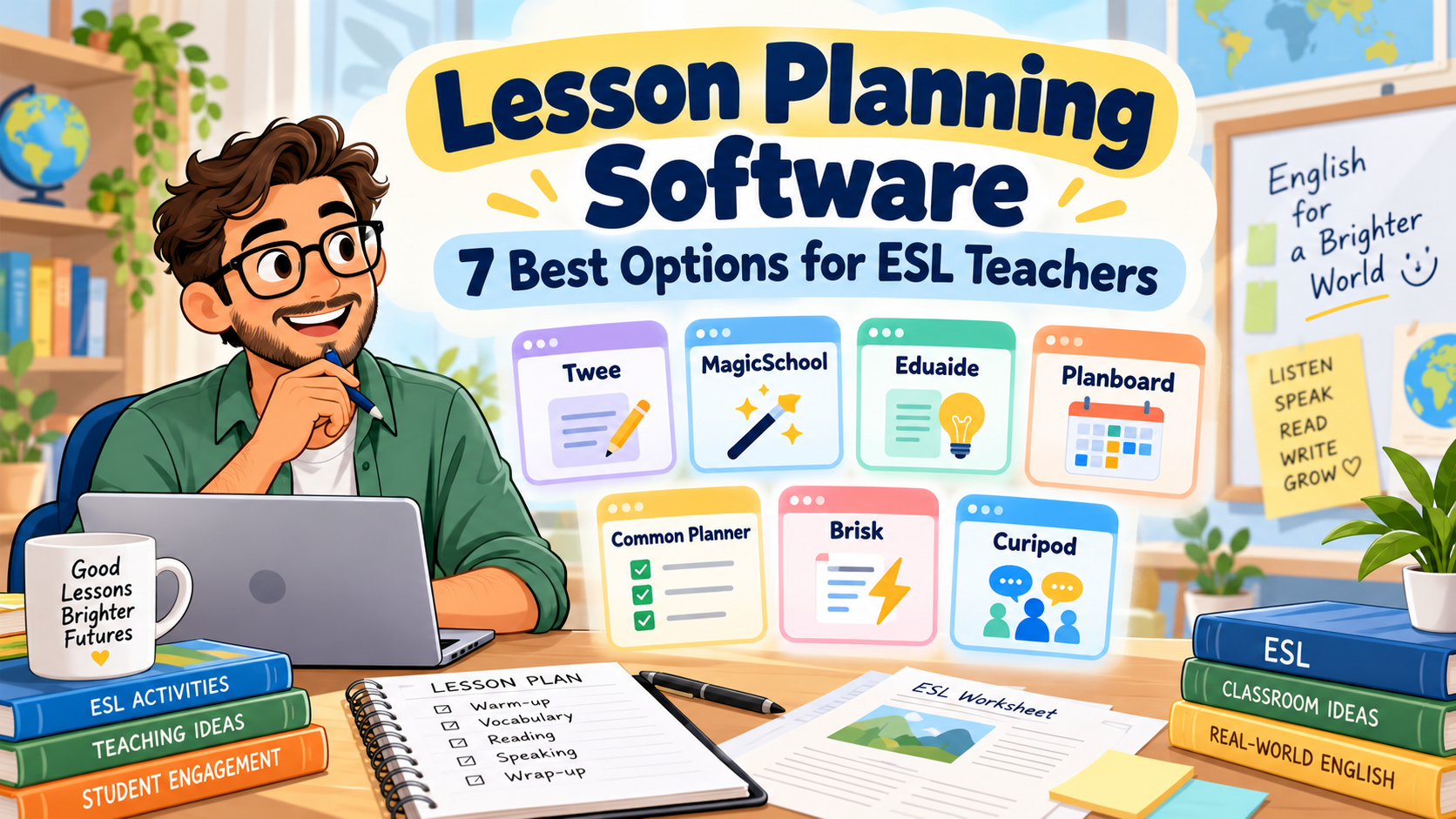
    Lesson Planning Software: 7 Best Options for ESL Teachers

    It’s Sunday evening. You’ve got three English classes to prepare for Monday, a reading worksheet that needs simplifying, and a lesson plan from last semester that you know is saved somewhere.

    You open your laptop, look through a few folders, and wonder why something as ordinary as preparing tomorrow’s lesson still takes so much time.

    Sometimes the problem isn’t a lack of teaching ideas. It’s the amount of work involved in turning those ideas into organised, classroom-ready lessons.

    That’s where lesson planning software can make a difference.

    Some tools use AI to generate lesson plans, worksheets, and activities from a short description. Others work more like digital planbooks, helping you organise classes, reuse previous lessons, and keep track of what you’re teaching throughout the week.

    For ESL and EFL teachers, the distinction matters. Creating an interesting speaking activity is one thing. Building a coherent lesson around a language objective—and making sure you can find it again next semester—is another.

    In this guide, we’ll compare seven lesson planning tools, looking at what they offer, where they fit into English teaching, and which limitations are worth considering before paying for a subscription.

    We’ll also use one practical example throughout: preparing a 50-minute B1 English lesson on expressing and supporting opinions.

    A note about this comparison: The descriptions reflect official product information available in October 2026. This is a feature-based comparison, not a claim that all seven platforms were independently tested in classroom conditions. Prices and plan limits may change.

    Best Lesson Planning Software for ESL Teachers: Quick Comparison

    Not every platform on this list solves the same problem. Before comparing them, it helps to separate AI resource generators from digital lesson organisers.

    SoftwareBest suited toFree option
    TweeESL-specific materials and CEFR-based lessonsLimited trial and free resources
    MagicSchool AIStructured AI lesson plans and teacher resourcesYes, with usage limits
    Eduaide.AIDeveloping, revising, and differentiating lesson materialsYes, limited monthly resources
    PlanboardOrganising weekly lessons and teaching schedulesYes, for teachers
    Common PlannerReusable planbooks and collaborative planningYes
    Brisk TeachingCreating lessons from existing documents and resourcesYes
    CuripodInteractive lessons and AI-supported writing activitiesYes, with session limits

    If you mainly want AI to create classroom materials, start by looking at Twee, MagicSchool, Eduaide, or Brisk.

    If you want to manage your teaching schedule, Planboard and Common Planner deserve more attention.

    Curipod is different again: it becomes interesting when you want to turn lesson content into an interactive student experience.

    That distinction is the key to choosing useful lesson planning software, rather than paying for a platform that doesn’t really solve your problem.

    1. Twee: Best for ESL-Specific Lesson Materials

    Website: twee.com

    Of the seven tools, Twee is particularly relevant to English-language teachers.

    While many AI education platforms support a wide range of school subjects, Twee focuses on language teaching. It provides tools for generating reading passages, dialogues, discussion questions, vocabulary exercises, grammar activities, and listening tasks.

    You can work with CEFR levels, including A1 through C2, and build lessons around the language proficiency of your students.

    Twee also provides a library of ready-to-teach ESL lesson plans. According to its official lesson-library guidance, teachers can search by level, age group, duration, and other criteria before adapting a lesson.

    How could you use Twee in a B1 lesson?

    Imagine tomorrow’s topic is:

    Should university students use AI for their homework?

    The lesson objective is:

    By the end of the lesson, students will be able to express an opinion, provide a reason, and respond politely to a different opinion.

    You could use Twee to prepare a short reading about AI in education, vocabulary related to the topic, comprehension questions, and discussion prompts.

    Those materials could form the preparation stages before students begin a pair discussion.

    Twee’s lesson-building workflow allows teachers to combine different generated activities into a lesson rather than treating every exercise as a separate document.

    What makes it useful?

    Its language-teaching focus is its strongest advantage.

    You don’t have to explain to a generic tool why CEFR levels matter or why a reading activity for B1 learners should be different from one for C1 students.

    Still, specifying B1 does not guarantee that every generated sentence will be perfectly appropriate. You’ll want to review vocabulary, question difficulty, and the amount of support students receive.

    What about pricing?

    Twee offers limited trial use and access to free resources.

    Its published annual-billing rates include Basic at $6.50 per month and Pro at $10.50 per month, with different generation limits and features.

    Check the latest details on Twee’s pricing page.

    Main limitation

    Twee is primarily a tool for preparing and delivering language-learning materials. It isn’t the same kind of weekly timetable organiser as Planboard.

    If your main frustration is losing track of which lesson belongs to which class on which day, you may need a separate planner.

    Best choice for: ESL/EFL teachers who regularly prepare level-appropriate reading, grammar, vocabulary, listening, and speaking activities.

    2. MagicSchool AI: Best for Structured Lesson Planning

    Website: magicschool.ai

    MagicSchool is a broader AI platform built for education.

    Its tools cover lesson planning, worksheets, quizzes, rubrics, differentiation, and other classroom preparation tasks.

    The dedicated AI Lesson Plan Generator can produce a structured lesson from information such as a learning objective, subject, class level, and available teaching time.

    That makes MagicSchool particularly relevant for teachers who already know what they want students to learn but need help organising the lesson.

    Our B1 lesson example

    Let’s use the same lesson objective:

    Students will be able to express and support opinions about AI in education.

    You could enter:

    Class: B1 EFL university students

    Duration: 50 minutes

    Topic: AI in education

    Objective: Students express an opinion, justify it, and respond politely to disagreement.

    Requirements: Include a warm-up, language preparation, guided practice, pair discussion, and exit ticket.

    MagicSchool could generate a first-draft sequence with estimated timing and suggested activities.

    You would then review whether the stages fit your class.

    For instance, if the generated plan spends twenty minutes explaining opinion expressions and leaves only five minutes for speaking, it needs adjusting.

    The software can create the structure quickly. You still decide whether that structure makes pedagogical sense.

    Where MagicSchool stands out

    MagicSchool is useful when lesson planning connects to several other preparation tasks.

    After drafting a lesson, you may also need:

    • a differentiated worksheet;
    • comprehension questions;
    • an assessment rubric;
    • a short review quiz;
    • additional examples.

    Its broader tool collection allows you to handle several of those tasks within the same platform.

    Pricing

    MagicSchool has a free teacher plan with usage limits.

    Its published Plus pricing is $8.33 per month when billed annually, or $12.99 per month on monthly billing.

    The official pricing page explains the differences between Free, Plus, and institutional plans.

    What to watch out for

    MagicSchool serves teachers across many school subjects. You may need to provide more explicit ESL instructions than you would with a language-specific tool.

    For example, specify the CEFR level, communicative aim, target expressions, and expected student output.

    Don’t assume a general grade-level setting captures those requirements automatically.

    Best choice for: Teachers who want structured first-draft lesson plans alongside quizzes, worksheets, and assessment resources.

    3. Eduaide.AI: Best for Developing and Refining Lesson Materials

    Website: eduaide.ai

    One weakness of some AI tools is that they generate something impressive-looking, but revising it becomes a separate task.

    You copy the output into another document, remove unnecessary material, change the examples, and reorganise the stages.

    Eduaide approaches this problem with a document-based lesson-planning workspace.

    According to its official lesson-planning documentation, teachers can start with an objective or topic, generate materials, and then revise, differentiate, evaluate, and export them within the workspace.

    It also offers various instructional structures, including lesson plans, questions, activities, and assessment resources.

    How it fits our B1 lesson

    Suppose you already have a rough plan:

    • Introduce the topic of AI in education.
    • Teach opinion expressions.
    • Read a short text.
    • Hold a group discussion.
    • Finish with a reflection.

    The lesson outline is reasonable, but you still need the materials.

    You might use Eduaide to develop the reading text, create discussion questions, add language support, and prepare a final learning check.

    You could also examine the language difficulty and revise the materials before distributing them.

    The useful distinction

    Eduaide isn’t only about producing the first draft. Its workspace is designed to support what happens afterwards.

    That could be helpful if you regularly adapt the same lesson for students with different levels of proficiency.

    For example, your stronger B1 learners might discuss the ethical implications of AI tools, while students who need more support could receive sentence starters and a shorter reading passage.

    The learning objective could remain the same.

    Pricing

    Eduaide offers a free plan with an allowance equivalent to approximately eight resources per month.

    Its published Pro price is $5.99 monthly, or $49.99 annually.

    You can check the current limits, exports, and features on Eduaide’s official facts page.

    Main limitation

    Eduaide is designed around broad educational planning and curriculum workflows. As with MagicSchool, you’ll need to make the ESL context explicit.

    If you want ready-made CEFR-focused language exercises with minimal setup, Twee may be a more natural first stop.

    But if you frequently generate, revise, and differentiate complete teaching resources, Eduaide is worth investigating.

    Best choice for: Teachers who want to refine AI-generated materials in an organised editing workflow.

    4. Planboard: Best for Organising a Teaching Week

    Website: Planboard by Chalk

    Here is a familiar situation.

    You’ve prepared three lessons for Monday, four for Tuesday, and another two for Wednesday.

    Everything is saved in documents.

    Unfortunately, the documents aren’t connected to your teaching schedule, and finding last week’s lesson takes longer than you’d like.

    This is the sort of problem Planboard is designed to solve.

    Unlike the first three platforms, Planboard is primarily a digital lesson planner.

    It lets teachers organise classes, subjects, timetables, lesson plans, curriculum standards, and attached resources.

    Its Google Play listing also confirms mobile access and synchronisation with the web version.

    How could you use Planboard?

    Imagine you teach three B1 groups.

    All three are covering expressing opinions, but the classes meet on different days.

    You could organise the lesson in your schedule, attach the relevant materials, and make notes about what needs adjusting for each group.

    After teaching, you could record:

    Group A needed more vocabulary support.

    Group B completed the discussion early.

    Group C struggled with polite disagreement.

    Those notes would be useful when preparing the following lessons.

    Where Planboard is stronger

    Its value is organisational rather than generative.

    If you already know how to build good lessons and simply want a more reliable way to manage them, a dedicated planner may solve more problems than another AI generator.

    Planboard’s teacher-facing app is advertised as free, although you should check whether any optional features or institutional arrangements affect your intended workflow.

    Main limitation

    Planboard isn’t primarily an AI resource generator.

    It won’t replace a tool such as Twee when you need a new B1 reading activity or vocabulary worksheet.

    But it may be more useful than Twee when what you need is a clear view of tomorrow’s schedule.

    Best choice for: Teachers who want to organise lessons, timetables, and teaching resources across several classes.

    5. Common Planner: Best for Reusable Plans and Team Collaboration

    Website: commonplanner.com

    You may remember this platform under its previous name, Common Curriculum.

    It now uses the name Common Planner.

    Like Planboard, Common Planner focuses on organising teaching rather than simply generating activities.

    It offers digital planbooks, daily and weekly views, reusable lessons, and options for collaborative planning.

    Its current platform also includes an AI-powered lesson assistant.

    You can review the available features on Common Planner’s official website.

    Think beyond a single lesson

    Suppose you and another English teacher both teach the same B1 course.

    You share the overall learning objectives, but your students progress differently.

    A collaborative planbook gives you a common structure while allowing each teacher to make appropriate adjustments.

    For example, you could build a lesson sequence:

    Week 1: Giving opinions

    Week 2: Agreeing and disagreeing

    Week 3: Supporting arguments with examples

    Week 4: Participating in a structured discussion

    Instead of preparing these lessons independently every year, you can reuse and refine the sequence.

    That is a different kind of time saving.

    It becomes more valuable over months and semesters rather than just during one afternoon of preparation.

    Features worth considering

    Common Planner’s published features include reusable planbooks, lesson templates, standards tracking, and collaboration.

    Its free plan supports daily, weekly, and monthly planning, while paid options add capabilities such as expanded collaboration and unit planning.

    Check Common Planner’s pricing page for the latest plan details.

    Main limitation

    If you teach only one class and rarely reuse plans, the organisational features may be more than you need.

    Common Planner becomes particularly useful when your planning has structure across several classes, courses, or teachers.

    Best choice for: Teachers who want reusable digital planbooks, coordinated lesson sequences, or collaborative planning.

    6. Brisk Teaching: Best for Building Lessons from Existing Resources

    Website: briskteaching.com

    Sometimes the problem isn’t creating a lesson from scratch.

    You already have the material.

    Perhaps it’s a PDF from your textbook, an article you found online, or a video you want students to watch.

    What you need is a way to turn that source into something teachable.

    Brisk is particularly interesting in that situation.

    It works as a browser-based teaching assistant and provides tools for generating lesson plans, quizzes, presentations, feedback, and adapted content.

    Its official lesson-plan generator explains how teachers can specify a topic, grade level, and instructional requirements, then refine the generated plan.

    Using Brisk for our B1 lesson

    Imagine you’ve found an article discussing whether students should use AI to complete homework.

    The article has useful ideas, but it’s too long for a 50-minute lesson.

    You could use Brisk to help create a shorter teaching sequence based on the source material.

    You might request:

    Use this article to create a B1 EFL lesson focused on expressing and supporting opinions. Include a short reading task, useful expressions, a pair discussion, and an exit ticket.

    You would then review the result against the original text.

    Check whether the main ideas remain accurate, the vocabulary suits your learners, and the discussion questions actually support your objective.

    Why teachers may appreciate it

    Brisk fits a workflow many teachers already have: working from existing documents, websites, and videos.

    Instead of starting in a completely separate content-generation platform, you can build resources around materials you’ve already selected.

    Its free teacher offering includes a lesson-plan generator and several other classroom tools.

    What to watch out for

    Not every article makes a good lesson.

    Brisk can help adapt source material, but it can’t replace your judgment about whether the source is appropriate, accurate, and relevant to the class.

    You’ll also want to check compatibility with your usual browser, document platforms, and school technology policies.

    Best choice for: Teachers who regularly turn existing reading passages, online articles, PDFs, or videos into classroom materials.

    7. Curipod: Best for Interactive Lessons and Student Responses

    Website: curipod.com

    Most lesson planners focus on what the teacher prepares.

    Curipod becomes more interesting when you focus on what students will do during the lesson.

    The platform supports AI-generated interactive lessons with slides, polls, short-answer questions, drawing activities, and written responses.

    Its official lesson-creation guide explains how teachers can generate lessons using selected skills, topics, and teaching context.

    Our B1 lesson in Curipod

    Return to the topic:

    Should university students use AI for homework?

    You could begin with a poll:

    Have you ever used AI to help with an assignment?

    Then show a short text presenting two perspectives.

    Students might respond to:

    Give one advantage and one disadvantage of using AI in education.

    Next, ask them to write a short opinion paragraph.

    Finally, use the collected responses to identify useful ideas and common language difficulties.

    That creates a connection between the presentation, student participation, and formative assessment.

    AI-supported feedback

    Curipod also offers activities where students can receive AI-generated feedback and revise their writing.

    This can be interesting for English teachers who want students to improve a response during the lesson rather than submit a first attempt and move on.

    However, teachers should check the feedback and decide how it fits their instructional and assessment policies.

    Free-plan limits

    Curipod currently offers a free plan that allows lesson creation and editing, but places limits on live teaching sessions.

    Its free-plan documentation describes an allowance of two teaching sessions per week, with additional conditions for certain activities.

    That makes it worth testing before deciding whether it fits your weekly teaching schedule.

    Main limitation

    Curipod is an interactive lesson-delivery platform rather than a traditional weekly planner.

    It won’t replace a complete planbook if your main concern is scheduling and organising multiple courses.

    But it is worth considering when student participation and written responses are central to your teaching.

    Best choice for: Teachers who want interactive lessons with polls, writing practice, and opportunities for immediate feedback.


    Which Lesson Planning Software Is Best for Your Teaching Style?

    After looking at all seven platforms, the most important question isn’t which one offers the largest number of features.

    It’s which one solves the problem you actually have.

    If you mainly teach ESL/EFL language skills

    Start with Twee.

    Its CEFR-oriented activities and language-teaching focus make it particularly relevant for preparing reading, listening, vocabulary, grammar, and speaking materials.

    If you want AI-generated lesson structures

    Consider MagicSchool or Eduaide.

    MagicSchool is a useful starting point for teachers looking for structured planning tools, while Eduaide may be particularly interesting if editing, evaluating, and differentiating generated resources are important to you.

    If your problem is organisation

    Look at Planboard or Common Planner.

    They help with the less glamorous but essential work of keeping lessons organised, reusing materials, and managing teaching schedules.

    If you usually start with existing content

    Try Brisk Teaching.

    Its workflow may suit teachers who frequently work from webpages, PDFs, videos, and other materials.

    If you want a more interactive classroom experience

    Explore Curipod.

    It offers a different approach to lesson preparation by connecting teacher-created content with student responses and activities.

    The best lesson planning software for a language teacher is ultimately the one that fits their teaching routine—not necessarily the newest or most heavily advertised platform.

    A Practical B1 Lesson: What Would These Tools Help You Create?

    Let’s put the comparison into a real teaching situation.

    You need to prepare a 50-minute lesson for B1 university students.

    Topic: AI in education

    Learning objective:

    By the end of the lesson, students will be able to express an opinion about AI in education, support it with a reason, and respond politely to an opposing view.

    A workable lesson could look like this.

    Lesson stageActivityTime
    Lead-inAgree/disagree poll about AI use5 min
    Language preparationIntroduce opinion expressions8 min
    InputRead a short model discussion7 min
    SpeakingPair discussion and exchange of viewpoints15 min
    WritingWrite a short opinion paragraph10 min
    Exit checkGive an opinion with one reason5 min
    Total50 min

    Different tools could help with different parts of this lesson.

    Twee could help generate a CEFR-appropriate reading passage and discussion questions.

    MagicSchool could help organise the sequence and produce a structured lesson draft.

    Eduaide could help refine that draft, adapt materials, and add assessment resources.

    Planboard could store the plan under the correct class and teaching day.

    Common Planner could help you reuse the sequence and share it with another teacher.

    Brisk could help turn an existing article into a lesson resource.

    Curipod could help present the content interactively and collect student responses.

    These are suggested workflows based on the products’ documented capabilities, not the results of a controlled comparison test.

    One thing should remain consistent regardless of the software: the learning objective.

    The lesson should not suddenly become a long AI quiz or a collection of unrelated activities just because a platform can generate them.

    The British Council’s lesson-planning guidance emphasises connecting objectives, classroom procedures, resources, and realistic timing.

    That’s still the standard to apply when AI helps prepare your materials.

    Free vs Paid Lesson Planning Software: Do You Need a Subscription?

    It’s tempting to assume that a paid tool will automatically produce better lessons.

    Sometimes paying does improve the workflow, especially when you regularly need more generations, advanced exports, collaborative features, or access to specific resource types.

    But a free plan may be enough.

    If you prepare two or three lessons per week, you may find that limited AI generations cover your essential needs.

    If you teach several different levels every day, your requirements will probably be higher.

    Before upgrading any lesson planning software, I recommend trying it with one normal week of teaching.

    Use actual lesson objectives.

    Create the resources you genuinely need.

    Then ask:

    • Did the tool reduce preparation work?
    • Did I spend too long correcting its output?
    • Could I reuse the result easily?
    • Did it improve organisation?
    • Would I miss it if I stopped using it?

    The last question is surprisingly revealing.

    A tool can seem exciting during the first hour and become unnecessary by the end of the week.

    A sensible starting setup

    For many individual ESL teachers, a combination of one AI resource generator and one simple planning system may be enough.

    You might prepare materials using Twee or MagicSchool and organise the finished lessons using a planbook or ordinary folders.

    There is no need to pay for multiple overlapping subscriptions before you know which capabilities matter.

    How to Choose Lesson Planning Software Without Wasting Money

    Before selecting a platform, consider five practical questions.

    1. Does it fit your learners’ language level?

    If you teach A2 or B1 students, you need more than a generic grade setting.

    The tool should let you control vocabulary, instructions, activity complexity, and the communicative demands of the lesson.

    The Council of Europe’s CEFR descriptors provide a useful basis for thinking about language-learning objectives.

    2. Can you edit the results easily?

    No AI-generated plan will perfectly match every class.

    Look at how easy it is to change the timing, replace an activity, simplify instructions, and remove unnecessary content.

    A tool that creates a plan quickly but makes revision difficult may not save much time.

    3. Can you reuse materials?

    If you prepare a useful lesson in October, will you be able to find and adapt it next semester?

    This is where dedicated planbooks can have a real advantage over standalone AI generations.

    4. Does it work with your existing tools?

    Think about whether you already use Google Docs, Word, PowerPoint, Google Classroom, or a university LMS.

    A new platform should fit your workflow wherever possible.

    5. How much teacher review will it require?

    Every AI output needs checking.

    The relevant question is how much work remains after generation.

    If you spend twenty minutes fixing a lesson that would have taken fifteen minutes to prepare yourself, the tool hasn’t helped.

    Common Mistakes When Using AI Lesson Planning Software

    There are a few problems I would watch for, regardless of which platform you choose.

    Starting with a vague objective. If you enter only “B1 lesson about technology,” don’t be surprised if you receive a collection of loosely connected activities.

    Accepting unrealistic timing. AI plans can underestimate how long students need for instructions, pair work, and transitions.

    Including too much material. A 50-minute lesson doesn’t need a reading text, video, debate, group presentation, vocabulary quiz, and extended writing assignment.

    Trusting the stated level. A resource labelled B1 may still contain vocabulary or sentence structures that are unnecessarily difficult.

    Forgetting interaction. A lesson filled with teacher explanations and worksheets may look complete but offer little meaningful language use.

    Neglecting privacy. Avoid entering identifiable student information into AI systems without appropriate authorisation and safeguards.

    Buying tools with overlapping functions. Three subscriptions that all generate similar worksheets may provide less value than one good generator and a reliable way to organise your materials.

    The purpose of lesson planning software should be to reduce routine preparation and support instructional decisions, not create additional tasks for the teacher.

    A Reusable AI Prompt for ESL Lesson Planning

    Even when you use specialised platforms, it helps to have a clear description of the lesson you want.

    Save this prompt and adapt it when preparing new lessons.

    Copy-and-Paste Prompt

    Act as an experienced ESL/EFL teacher.

    Student level: [CEFR LEVEL]

    Learner context: [AGE / UNIVERSITY / SCHOOL / ADULT]

    Lesson length: [MINUTES]

    Topic: [TOPIC]

    Main learning objective: [OBJECTIVE]

    Target language or skill: [TARGET]

    Class size: [NUMBER]

    Available materials: [TEXTBOOK / VIDEO / TEXT / NONE]

    Create a coherent lesson plan.

    Include:

    • a short lead-in;
    • necessary language preparation;
    • guided practice;
    • meaningful communicative practice;
    • a final assessment or learning check;
    • realistic timing for every stage;
    • one adaptation for students needing support;
    • one extension for faster learners.

    Keep the learning objective central.

    Do not add activities simply to fill time.

    Make sure students have sufficient opportunities to use English.

    At the end, check whether the lesson stages realistically fit the available time.

    This prompt can work with a general-purpose AI assistant or help you prepare the information you’ll enter into specialist teaching tools.

    For a more detailed sequence, see ChatGPT Lesson Planning: A Prompt Sequence for Better ESL Lessons.

    You can also read How to Create a Lesson Plan: 7 Easy Steps for English Teachers if you want to strengthen the underlying planning process before introducing AI.

    Frequently Asked Questions About Lesson Planning Software

    What is lesson planning software?

    Lesson planning software helps teachers create, organise, edit, store, and reuse lesson plans. Some platforms use AI to generate instructional materials, while others provide digital planbooks, calendars, collaboration features, and resource management.

    What is the best lesson planning software for ESL teachers?

    The answer depends on your needs. Twee is particularly relevant for language-specific materials, MagicSchool and Eduaide support structured AI-assisted planning, Planboard and Common Planner help organise lessons, Brisk works well with existing resources, and Curipod focuses on interactive learning experiences.

    Is there free lesson planning software for teachers?

    Yes. Planboard advertises free access for teachers, while Common Planner offers a free plan. MagicSchool, Eduaide, Brisk, Curipod, and Twee also provide free access or limited trial resources, though their features and usage limits differ.

    Can AI create a complete ESL lesson plan?

    AI can generate a lesson-plan draft with objectives, stages, activities, and assessments. Teachers should still review language difficulty, timing, activity quality, and alignment with the learning objective.

    What is the difference between an AI lesson generator and a digital lesson planner?

    An AI lesson generator helps produce teaching content. A digital lesson planner primarily helps organise teaching schedules, lessons, resources, and reusable plans. Some platforms combine elements of both.

    Can lesson planning software create worksheets?

    Some platforms can. Twee, MagicSchool, Eduaide, and Brisk offer tools for generating different kinds of classroom materials. However, worksheet features vary, and some digital planners focus mainly on organisation.

    Which tools are useful for CEFR-based lesson planning?

    Twee has an explicit focus on CEFR-oriented language learning materials. Other tools can support CEFR-based planning when teachers specify the appropriate level, learning objective, and required language complexity.

    Can I use lesson planning software for online or blended learning?

    Yes. Many planning and resource-creation tools can support online lessons, digital assignments, and classroom materials. The best choice depends on how students access resources and whether the software integrates with your existing platforms.

    Should teachers rely entirely on AI lesson plans?

    No. AI can help teachers prepare first drafts, generate activities, and adapt materials. Teachers remain responsible for the accuracy, appropriateness, assessment, and overall quality of the lessons they deliver.

    Final Thoughts

    Choosing the right lesson planning software isn’t about finding a platform that promises to do everything.

    It’s about identifying the part of lesson preparation that takes the most time—and finding a tool that handles that part well.

    If you spend hours creating vocabulary and comprehension activities, an ESL-focused generator may help.

    If you struggle to organise lessons across several classes, a digital planbook could make a bigger difference.

    If you already have good materials but want to adapt them faster, a resource-based AI assistant may fit more naturally into your routine.

    And if your priority is student participation, you might benefit from a tool that turns lesson content into interactive activities.

    For most teachers, the best approach is to begin with one platform, use it for a genuine teaching week, and evaluate the results.

    Keep what works.

    Change what doesn’t.

    And remember that a well-organised plan is not necessarily a good lesson until students can actually learn from it.

    Technology can help prepare the lesson.

    The teacher still makes it work.

    Free AI Worksheet Prompt Pack for English Teachers

    Want to create classroom materials faster without starting every activity from scratch?

    Download our Free AI Worksheet Prompt Pack for English Teachers, featuring 25 copy-and-paste prompts for grammar, vocabulary, reading, speaking, quizzes, differentiation, and other teaching tasks.

    Use the prompts with your preferred AI tools and adapt the results to your students’ levels and learning objectives.

  • ESL Activities: 15 Easy Classroom Ideas for Every Language Skill

    ESL Activities: 15 Easy Classroom Ideas for Every Language Skill

    You have twenty minutes left in an English lesson. The students have finished the textbook exercise, and you want them to practise what they’ve learned.

    You could give them another worksheet or ask a few questions and hope everyone participates.

    But sometimes you need something better: an activity that gives students a real reason to use English.

    Good ESL activities don’t need elaborate materials, expensive subscriptions, or hours of preparation. Some of the most useful classroom tasks begin with something as simple as two different worksheets, a short conversation, or a sentence that needs improving.

    What matters is what students actually do with the language.

    Do they explain something? Ask a question? Interpret what they’ve heard? Make a decision? Work with someone else to solve a problem?

    Those are the experiences worth building into a language lesson.

    Below are 15 practical classroom activities organised around speaking, listening, reading, writing, grammar, and vocabulary. Each includes the suggested CEFR level, approximate classroom time, preparation, teaching procedure, and a ready-to-copy AI prompt if you’d like to adapt the material.

    The activities work particularly well with teenagers, university students, and adult English learners, although several can be simplified for younger students.

    How to Choose the Right ESL Activity

    Before choosing an activity, think about what students should be able to do afterwards.

    If the objective is to ask for information, choose an information-gap task. If students need to understand announcements, practise listening for specific details. If you’re working on narrative writing, let them develop a story rather than complete another isolated grammar exercise.

    The Council of Europe’s CEFR descriptors provide useful reference points because they describe language proficiency in terms of communicative abilities.

    Here’s a quick overview of the activities in this guide.

    #ActivityMain skillSuggested levelTime
    1Missing TimetableSpeakingA1–A215 min
    2Opinion CornersSpeakingB1–B215–20 min
    3Customer Service ChallengeSpeakingA2–B115 min
    4Predict, Listen, CheckListeningA2–B110–15 min
    5Missing DetailsListeningA2–B115 min
    6Audio DetectivesListeningB1–B215 min
    7Jigsaw ReadingReadingB120 min
    8Rebuild the StoryReadingA2–B115 min
    9Reading Scavenger HuntReadingA2–B115 min
    10Collaborative StorytellingWritingB1–B220–25 min
    11Sentence Expansion ChallengeWritingA2–B110–15 min
    12Real-World Email WritingWritingB120 min
    13Vocabulary AuctionVocabularyB1–B215 min
    14Error DetectivesGrammarA2–B115 min
    15Collocation Match and SpeakVocabularyA2–B115 min

    These levels are starting points, not strict requirements. The difficulty depends on the language you choose and the support you give students.

    Speaking ESL Activities

    Speaking practice works best when students have a reason to communicate.

    Simply telling learners to “talk about holidays” can lead to interesting conversations, but it can also result in a lot of silence.

    A task with missing information, a decision to make, or a problem to solve gives students something more concrete to work toward.

    1. Missing Timetable: An Information-Gap Challenge

    Level: A1–A2
    Time: 15 minutes
    Materials: Two different timetable worksheets
    Language focus: Days, times, school subjects, asking for information

    An information-gap activity gives two students different pieces of information. Neither can complete the task alone.

    That creates a genuine reason to ask questions.

    For this activity, prepare two versions of a weekly timetable.

    Student A

    DayTimeSubjectRoom
    Monday09:00Grammar2
    Tuesday11:00??
    Wednesday10:00Listening3
    Thursday14:00??

    Student B

    DayTimeSubjectRoom
    Monday09:00??
    Tuesday11:00Reading5
    Wednesday10:00??
    Thursday14:00Speaking1

    Give each student one sheet.

    They must complete the missing information by asking their partner questions. They aren’t allowed to show each other their papers.

    How to run it

    First, model the exchange with one student.

    Student A: What class do we have on Tuesday at eleven?

    Student B: Reading, in Room Five.

    Student A: Thank you. What room is the Monday grammar class in?

    Then allow students to work independently.

    Circulate and listen for errors involving days, time expressions, and question formation.

    At the end, pairs compare their completed timetables.

    This is a good example of a classroom activity where the language is genuinely necessary to finish the task.

    The British Council’s explanation of information-gap activities describes the value of learners exchanging missing information and practising clarification and communication.

    AI prompt

    Create an information-gap speaking activity for [LEVEL] ESL learners.

    Topic: [TOPIC]

    Prepare Student A and Student B worksheets.

    Each student should have information the other student needs.

    Include:

    • two complementary information tables;
    • 5 useful question structures;
    • short teacher instructions;
    • one completed answer sheet.

    Make sure students cannot complete the task without speaking to each other.

    2. Opinion Corners: Get Students to Take a Position

    Level: B1–B2
    Time: 15–20 minutes
    Materials: Four signs or a presentation slide
    Language focus: Giving opinions, agreeing, disagreeing, giving reasons

    Some speaking activities fail because students don’t have much to say.

    Opinion Corners addresses that problem by asking them to make a decision before speaking.

    Put four signs around the classroom:

    Strongly Agree — Agree — Disagree — Strongly Disagree

    Display a statement:

    Students should be allowed to use smartphones during lessons.

    Ask students to move toward the position that represents their opinion.

    Give them one minute to think of a reason.

    Students then discuss their reasons with someone who chose the same position. Afterwards, invite them to explain their views to someone from a different corner.

    Useful expressions include:

    In my opinion…

    One reason is…

    I understand your point, but…

    I partly agree because…

    Keep the discussion moving

    The first statement is rarely enough for a full activity.

    After a few minutes, introduce another statement:

    Homework should be optional.

    Or:

    Online classes are more effective than face-to-face classes.

    Students may change corners for each statement.

    If you teach in a crowded classroom where moving around is difficult, ask students to hold up cards numbered 1–4 instead.

    AI prompt

    Generate 8 opinion statements for [LEVEL] ESL learners.

    General theme: [THEME]

    The statements should encourage discussion without requiring specialised knowledge.

    Avoid questions with one obvious correct answer.

    For each statement, provide:

    • 2 follow-up questions;
    • 3 useful opinion expressions;
    • one way to make the discussion more challenging.

    For more speaking prompts, see our AI Discussion Questions Generator guide.

    3. Customer Service Challenge: Role-Play with a Goal

    Level: A2–B1
    Time: 15 minutes
    Materials: Situation cards
    Language focus: Requests, complaints, apologies, problem-solving

    Role-play can be awkward when students aren’t sure what they’re supposed to achieve.

    Giving each character a clear goal makes the exchange more natural.

    In this activity, students work in pairs as customers and employees.

    Student A: Customer

    You ordered a vegetarian sandwich at a café.

    Unfortunately, the sandwich contains chicken.

    You have only ten minutes before you must leave.

    Your goal is to explain the problem politely and ask for a solution.

    Student B: Café employee

    A customer says their order is incorrect.

    You can offer a replacement sandwich, but it will take fifteen minutes.

    You can also offer a refund.

    Your goal is to apologise and solve the problem politely.

    Classroom procedure

    Give students two minutes to read their cards.

    Before they begin, review useful phrases:

    Excuse me, I think there’s a problem with…

    I’m sorry about that.

    Would it be possible to…?

    We can offer you…

    That would be fine, thank you.

    Students perform the role-play without reading a prepared script.

    After five minutes, partners exchange roles and receive a different problem.

    For stronger learners, add complications: an unavailable product, a misunderstanding, or a limited budget.

    AI prompt

    Create 5 realistic customer-service role-play scenarios for [LEVEL] ESL learners.

    Each scenario must include:

    • a separate Student A card;
    • a separate Student B card;
    • different goals for each character;
    • one small complication;
    • useful expressions;
    • a clear outcome students should try to achieve.

    Do not write complete dialogues. Students should create their own conversations.

    Listening ESL Activities

    Listening lessons can become frustrating when students hear an unfamiliar recording and are immediately asked detailed questions.

    A better sequence often starts with preparing them for what they might hear.

    The British Council’s pre-listening guidance recommends activities such as prediction, brainstorming, and preparing relevant vocabulary.

    The next three activities take slightly different approaches: prediction, listening for specific information, and understanding speakers’ intentions.

    4. Predict, Listen, Check

    Level: A2–B1
    Time: 10–15 minutes
    Materials: Short audio recording or teacher-read script
    Language focus: Listening for gist and identifying events

    Before playing an audio recording, write three predictions on the board.

    For example:

    The recording will be about:

    A. A student who loses something
    B. A student who misses an examination
    C. A student planning a holiday

    Students choose the most likely answer based on a title or image.

    Then play or read the following short text.

    Ready-to-use listening script

    On Tuesday evening, Maya went to the library to study for her history exam. When she left, she forgot her blue umbrella beside a reading table.

    The next morning, she noticed it was missing. She called the library and spoke to the receptionist.

    Luckily, someone had found the umbrella and handed it in. Maya collected it after her afternoon class.

    Now ask students to check their prediction.

    Correct answer: A.

    Play or read the text a second time.

    This time, ask:

    1. Where did Maya leave her umbrella?
    2. When did she notice it was missing?
    3. Who helped her find it?

    Answers: Beside a reading table at the library; the following morning; the library receptionist, after someone had handed it in.

    Why this works

    Students have a reason to listen the first time: confirming or rejecting a prediction.

    The second listening has a different purpose: identifying details.

    That distinction is more useful than playing the same audio twice without changing the task.

    AI prompt

    Write a short listening script for [LEVEL] ESL students.

    Topic: [TOPIC]

    Length: approximately [WORD COUNT] words.

    Create:

    • 3 possible predictions about the content;
    • 1 gist question;
    • 4 detail questions;
    • an answer key.

    Ensure that the questions can be answered from the script.

    Use natural, level-appropriate English.

    5. Missing Details: Listen for Specific Information

    Level: A2–B1
    Time: 15 minutes
    Materials: Short announcement and information sheet
    Language focus: Times, places, instructions, dates

    Imagine students need to understand a voicemail announcing a change to a meeting.

    Rather than asking them to remember the whole message, give them an information sheet with several gaps.

    Student worksheet

    English Club Announcement

    Original meeting time: 3:30 PM

    New meeting time: __________

    New location: __________

    Students should bring: __________

    Listening script

    Read the following message aloud twice at a natural but accessible pace.

    Hello, everyone. This is a reminder about tomorrow’s English Club meeting.

    We originally planned to meet at half past three, but the meeting will now begin at quarter past four.

    We won’t be using Classroom Eight. Instead, please come to the school library.

    And don’t forget to bring a short poem you’d like to share.

    See you tomorrow!

    Students complete the missing information.

    Answer key

    • New time: 4:15 PM
    • New location: School library
    • Bring: A short poem

    Make it more challenging

    For B1 learners, remove the original meeting time from the worksheet and ask students to identify both the original and updated arrangements.

    For lower-level students, offer three possible answers for each gap.

    AI prompt

    Create a realistic short announcement for [LEVEL] ESL students.

    Setting: [SCHOOL / TRAIN STATION / WORKPLACE / EVENT]

    Include four or five important details involving times, places, instructions, or changes.

    Then create an information-gap listening worksheet.

    Students should complete missing details while listening.

    Provide:

    • the complete listening script;
    • a student worksheet;
    • an answer key.

    Check that every missing detail appears clearly in the script.

    This format also works with recorded videos. Our AI Video Question Maker guide explains how to develop comprehension questions from video material.

    6. Audio Detectives: What Does the Speaker Really Mean?

    Level: B1–B2
    Time: 15 minutes
    Materials: Short spoken exchanges
    Language focus: Speaker intention, tone, implied meaning

    Listening isn’t only about recognising words.

    Students also need to understand what a speaker is trying to communicate.

    Consider:

    “It’s a little cold in here, isn’t it?”

    Depending on the situation, the speaker might simply be making an observation—or indirectly asking someone to close the window.

    In Audio Detectives, students listen to short exchanges and decide what the speaker means.

    Example exchanges

    Conversation 1

    A: Could you turn the music down a little? I’m trying to study.

    B: Oh, sorry. Of course.

    Question: What does Speaker A want?

    A. Someone to change the music
    B. Someone to reduce the volume
    C. Someone to stop studying

    Correct answer: B.

    Conversation 2

    A: Are you coming to the café with us?

    B: I’d love to, but I’ve got an assignment due tomorrow.

    Question: What does Speaker B mean?

    A. They are politely declining.
    B. They want to invite someone else.
    C. They have already finished the assignment.

    Correct answer: A.

    Conversation 3

    A: Have you finished the project?

    B: Not quite. I just need to check the references.

    Question: What can we understand?

    A. The project has not been started.
    B. The project has been cancelled.
    C. The project is nearly complete.

    Correct answer: C.

    Read the exchanges aloud before showing the transcript. If possible, vary your tone naturally.

    After students answer, ask them what words helped them decide.

    A useful follow-up is to have pairs create one new exchange containing an indirect request or polite refusal.

    AI prompt

    Create 6 short listening dialogues for [LEVEL] ESL students.

    Focus on understanding speaker intention.

    Include situations involving:

    • polite requests;
    • refusals;
    • suggestions;
    • uncertainty;
    • agreement or disagreement.

    For each dialogue, write one multiple-choice comprehension question with three plausible answers.

    Include an answer key and a brief explanation of the implied meaning.

    Reading ESL Activities

    Reading doesn’t have to mean handing students a passage followed by ten comprehension questions.

    You can also use texts as the basis for collaboration, reconstruction, or information searches.

    These three ESL activities are useful when you want students to engage with a text more actively.

    7. Jigsaw Reading: Each Student Has Part of the Answer

    Level: B1
    Time: 20 minutes
    Materials: Two short texts, printed separately
    Language focus: Reading for information, summarising, speaking

    A jigsaw reading gives students different texts and asks them to combine information through discussion.

    The British Council’s jigsaw reading activity describes this approach as a way to bring genuine communication into a reading lesson.

    Here’s a complete example.

    Student A: City Food Festival

    The City Food Festival takes place on Saturday from 10 AM until 6 PM in Central Square.

    Visitors can try traditional dishes from different countries, watch cooking demonstrations, and enjoy live music.

    Entry is free, although food and drinks must be purchased separately.

    The festival is especially popular with families and visitors interested in discovering new foods.

    Student B: Creative Art Workshop

    The Creative Art Workshop takes place on Sunday from 11 AM until 3 PM at the Community Arts Centre.

    Visitors can try painting, drawing, and simple pottery activities. All materials are provided.

    Tickets cost $5 per person, and advance registration is recommended.

    The workshop is designed for beginners and people who enjoy making things.

    The task

    Explain:

    Two visitors are spending a weekend in the city.

    Sara loves cooking and wants to avoid spending money on entry fees.

    Daniel prefers practical creative activities and doesn’t mind paying a small fee.

    Which activity would you recommend to each person?

    Students first read their own text.

    They underline the most important information, then explain it to their partner without exchanging papers.

    Finally, they make their recommendations together.

    Suggested answers: Sara — City Food Festival; Daniel — Creative Art Workshop.

    For a more demanding task, ask pairs to recommend only one activity for both visitors and justify their decision.

    AI prompt

    Create a jigsaw reading activity for [LEVEL] ESL students.

    Topic: [TOPIC]

    Write two different texts, approximately [WORD COUNT] words each.

    Each text must contain useful information that the other student does not have.

    Create a shared problem or decision task that requires students to exchange information.

    Include:

    • Student A text;
    • Student B text;
    • discussion questions;
    • a final decision task;
    • teacher answer notes.

    Make sure neither student can complete the task using only their own text.

    8. Rebuild the Story: A Text Reconstruction Challenge

    Level: A2–B1
    Time: 15 minutes
    Materials: Sentence strips or a scrambled paragraph
    Language focus: Text organisation, sequencing, cohesion

    Give students a short story with the sentences in the wrong order.

    Their task is to reconstruct the text using clues such as time expressions, pronouns, and cause-and-effect relationships.

    Student worksheet

    Put these sentences in the correct order.

    A. Finally, he found his classroom and arrived just before the lesson began.

    B. On his first day at university, Adam arrived early because he didn’t know the campus.

    C. Unfortunately, he entered the wrong building and couldn’t find his classroom.

    D. A student noticed that he looked confused and offered to help.

    E. At first, he followed the signs toward the language department.

    F. After checking Adam’s timetable, she showed him the correct building.

    Correct order: B → E → C → D → F → A.

    What students should notice

    Don’t simply reveal the correct order.

    Ask:

    Which sentence introduces the character and situation?

    What does at first tell us?

    Why must the sentence about checking the timetable come after the student offers help?

    Which expression signals the ending?

    Students are now examining how connected writing works.

    This can also serve as preparation for narrative writing. Our Narrative Writing Graphic Organizer guide includes additional planning structures for stories.

    AI prompt

    Write a coherent narrative of 100–130 words for [LEVEL] ESL learners.

    Divide it into 6 sentences that can be reordered logically.

    Scramble the sentence order.

    Include meaningful sequencing clues.

    Provide:

    • the student version;
    • the correct order;
    • short explanations of the clues.

    Ensure that the reconstruction has one defensible intended sequence.

    9. Reading Scavenger Hunt: Find the Information

    Level: A2–B1
    Time: 15 minutes
    Materials: Notice, timetable, webpage extract, or information poster
    Language focus: Scanning for specific information

    Not every reading task requires students to understand every sentence in detail.

    In real life, we often read to find something specific: a time, a price, an instruction, or a contact detail.

    This activity develops that skill.

    Sample text: Community Library Notice

    Riverside Community Library

    Opening hours:

    Monday–Friday: 9 AM–6 PM

    Saturday: 10 AM–2 PM

    Sunday: Closed

    Summer Reading Club

    Every Wednesday, 4–5 PM

    Open to students aged 12–16.

    Participation is free.

    Please register at the library desk before Friday, June 12.

    For more information, contact the library reception.

    Student challenges

    Find the answers as quickly and accurately as possible.

    1. What time does the library close on weekdays?
    2. Is the library open on Sunday?
    3. When does the reading club meet?
    4. How much does the club cost?
    5. Where should students register?
    6. Can a 17-year-old student join the club?
    7. When must students register?

    Answer key

    1. 6 PM
    2. No
    3. Wednesdays, 4–5 PM
    4. Free
    5. At the library desk
    6. No, the stated age range is 12–16
    7. Before Friday, June 12

    You can run this individually or in pairs.

    For a less competitive version, give students ten minutes and ask them to underline the evidence supporting each answer.

    AI prompt

    Create a realistic information text for [LEVEL] ESL learners.

    Format: [EVENT POSTER / LIBRARY NOTICE / TIMETABLE / WEBSITE PAGE]

    Include clear details about dates, times, locations, costs, and instructions.

    Create 8 reading-scavenger questions that require students to locate information.

    Provide an answer key.

    Make sure every answer is explicitly supported by the text.

    For additional text-based tasks, explore our Reading Worksheet Generator article.

    Writing ESL Activities

    Writing practice doesn’t always require a complete essay.

    Short, purposeful tasks can help students develop specific writing skills before they tackle longer assignments.

    These ESL activities focus on storytelling, sentence development, and functional writing.

    10. Collaborative Storytelling: One Story, Several Writers

    Level: B1–B2
    Time: 20–25 minutes
    Materials: Paper or shared document
    Language focus: Narrative development, sequencing, past tenses

    Give each group a story opening:

    When Noor opened her schoolbag, she found someone else’s train ticket.

    Ask the first student to continue the story with two sentences.

    After three minutes, they pass the paper to the next student.

    The next writer must continue the story using the information already provided.

    Repeat this process until each group has a complete narrative.

    Add a structure

    To prevent the story from becoming a collection of unrelated events, give each round a purpose.

    Round 1 — Setting: Introduce the situation.

    Round 2 — Problem: Something unexpected happens.

    Round 3 — Complication: The problem becomes more difficult.

    Round 4 — Resolution: Bring the story to an ending.

    Groups reread their finished stories and make small corrections before sharing them.

    You can also ask them to underline all the past-tense verbs.

    A useful variation

    Instead of passing paper around the room, students can work in a shared digital document.

    This is especially convenient in an online or blended class.

    AI prompt

    Generate 5 creative but realistic story openings for [LEVEL] ESL learners.

    Each opening should contain a character, setting, and unusual event.

    The stories must be suitable for collaborative writing.

    Avoid complicated vocabulary and overly dramatic fantasy situations.

    For each opening, suggest a four-stage structure:
    setting, problem, complication, and resolution.

    11. Sentence Expansion Challenge

    Level: A2–B1
    Time: 10–15 minutes
    Materials: Board or worksheet
    Language focus: Sentence development and descriptive language

    Some students struggle to develop ideas because they write only very short sentences.

    You might see:

    The girl waited.

    She was tired.

    The bus arrived.

    There’s nothing grammatically wrong with these sentences, but students could often communicate more.

    Sentence Expansion gives them a manageable way to add information.

    Write:

    The girl waited.

    Ask students to answer:

    Who?

    The young girl waited.

    Where?

    The young girl waited at the bus stop.

    When?

    The young girl waited at the bus stop early in the morning.

    Why?

    The young girl waited at the bus stop early in the morning because she had an important exam.

    Students can then try the same process with:

    The man opened the door.

    The children played.

    The teacher smiled.

    Encourage students to improve meaning, not simply produce the longest sentence possible.

    Sometimes two clear sentences are better than one overloaded sentence.

    AI prompt

    Create a sentence expansion activity for [LEVEL] ESL learners.

    Provide 8 short, simple sentences.

    For each sentence, suggest questions that help students add useful details about:

    • who;
    • where;
    • when;
    • why;
    • how.

    Include one sample expanded sentence per item.

    Keep the final sentences natural and grammatically correct.

    12. Real-World Email Writing

    Level: B1
    Time: 20 minutes
    Materials: Writing prompt and checklist
    Language focus: Functional writing, tone, organisation

    Students are often more motivated when they can imagine actually using the language outside the classroom.

    A practical email-writing task gives them that opportunity.

    Student task

    You recently joined an English course, but you cannot attend next Monday’s lesson.

    Write an email to your teacher.

    In your email:

    • explain why you cannot attend;
    • apologise politely;
    • ask whether you can receive the lesson materials;
    • thank the teacher.

    Write approximately 80–100 words.

    Before students write

    Elicit expressions such as:

    Dear…

    Unfortunately, I won’t be able to attend…

    I apologise for…

    Would it be possible to…?

    Thank you for your understanding.

    Students then plan the content and write their emails.

    Peer review

    Before collecting the work, ask students to exchange drafts and check:

    • Is the reason for the absence clear?
    • Is the tone appropriate?
    • Has the writer made a polite request?
    • Is the email easy to follow?

    For stronger students, introduce less familiar situations such as requesting an appointment, asking for clarification, or making a formal complaint.

    AI prompt

    Create a realistic email-writing task for [LEVEL] ESL learners.

    Situation: [SITUATION]

    Include:

    • a clear communicative purpose;
    • 3–4 content requirements;
    • a suggested word count;
    • 6 useful expressions;
    • a student-friendly self-assessment checklist.

    Do not write the complete email.

    Students should produce their own responses.

    You can use the feedback techniques in our AI Writing Feedback guide when reviewing the completed emails.

    Grammar and Vocabulary ESL Activities

    Grammar and vocabulary practice doesn’t need to involve repetitive gap-fill worksheets.

    A small amount of challenge, discussion, or decision-making can make familiar language more memorable.

    13. Vocabulary Auction: Buy the Correct Sentences

    Level: B1–B2
    Time: 15 minutes
    Materials: Sentence list and imaginary points
    Language focus: Collocations, grammar, language accuracy

    Give each team 100 imaginary points.

    Display eight sentences. Some are correct, and others contain errors.

    Teams must decide which sentences are worth “buying.”

    They should bid only when they believe a sentence is correct.

    Sentences for the auction

    1. I made a decision yesterday.
    2. She did her homework before dinner.
    3. We had a strong rain yesterday.
    4. He is interested in learning Spanish.
    5. Could you borrow me your pen?
    6. Let’s take a break.
    7. It depends of the weather.
    8. Please pay attention to the instructions.

    Answer key

    Correct: 1, 2, 4, 6, 8.

    Incorrect:

    1. More natural: We had heavy rain yesterday.
    2. Could you lend me your pen?
    3. It depends on the weather.

    How to run it

    Start each team with 100 points.

    Display one sentence at a time and let teams decide whether to bid.

    If the highest bidder buys a correct sentence, they earn the amount they bid as points.

    If the sentence is incorrect, they lose those points.

    Ask teams to explain their reasoning before revealing the answer.

    There is no real money involved, and you can make the game cooperative rather than competitive if that better suits the class.

    The real learning happens when students justify their decisions.

    AI prompt

    Create a vocabulary and grammar auction for [LEVEL] ESL students.

    Target language: [GRAMMAR OR VOCABULARY]

    Write 10 natural sentences.

    Include 6 correct sentences and 4 with realistic learner errors.

    Mix them in random order.

    Provide a separate answer key explaining every incorrect sentence.

    Avoid ambiguous cases where more than one interpretation is acceptable.

    14. Error Detectives: Find the Pattern

    Level: A2–B1
    Time: 15 minutes
    Materials: Sentence worksheet
    Language focus: Grammar correction and explanation

    Students often recognise a grammar rule when you explain it but struggle to apply it to unfamiliar sentences.

    Error Detectives turns that problem into a task.

    Instead of asking students to complete gaps, present a mixture of correct and incorrect sentences.

    Example: Past Simple vs Present Perfect

    Instructions: Some sentences are correct. Others contain one grammar error. Identify the incorrect sentences and rewrite them.

    1. I have visited London last year.
    2. She has lived here since 2020.
    3. We went to the cinema yesterday.
    4. He has finished his homework two hours ago.
    5. They have never tried sushi.
    6. I didn’t saw him at the meeting.

    Answer key

    1. Incorrect — I visited London last year.
    2. Correct
    3. Correct
    4. Incorrect — He finished his homework two hours ago.
    5. Correct
    6. Incorrect — I didn’t see him at the meeting.

    The discussion stage

    Students first work individually.

    Then pairs compare answers and explain their corrections.

    Ask:

    Which time expression helped you choose the tense?

    Why is the verb after didn’t in its base form?

    It’s the explanation that tells you whether students understand the rule.

    AI prompt

    Create an error-detection activity for [LEVEL] ESL learners.

    Target grammar:
    [GRAMMAR POINT]

    Write 10 sentences:

    • 6 containing one realistic grammatical error;
    • 4 fully correct.

    Mix the sentences randomly.

    Give clear student instructions.

    Include a separate teacher answer key explaining every error.

    Ensure there are no ambiguous or accidentally incorrect sentences.

    15. Collocation Match and Speak

    Level: A2–B1
    Time: 15 minutes
    Materials: Word cards or worksheet
    Language focus: Collocations and spoken production

    Students can know the meanings of individual words without knowing which words naturally go together.

    They may say:

    do a decision

    or:

    make homework

    because the individual verbs are familiar.

    This activity combines recognition with actual use.

    Part 1: Match the expressions

    Match each verb with a suitable phrase.

    VerbsPhrases
    1. MakeA. A bus
    2. DoB. A photo
    3. TakeC. In touch
    4. CatchD. Homework
    5. PayE. A decision
    6. KeepF. Attention

    Answer key: 1-E, 2-D, 3-B, 4-A, 5-F, 6-C.

    Part 2: Use the expressions

    Now ask students to discuss:

    Tell your partner about a time you had to make an important decision.

    What homework did you do yesterday?

    When do you usually take photos?

    Have you ever missed a bus you wanted to catch?

    How do you keep in touch with old friends?

    What helps you pay attention during a difficult lesson?

    Students must use at least three collocations in their answers.

    The activity now moves beyond matching words on paper.

    AI prompt

    Create a collocation matching activity for [LEVEL] ESL students.

    Topic: [TOPIC]

    Include:

    • 10 useful collocations;
    • a scrambled matching worksheet;
    • an answer key;
    • 6 personalised speaking questions using the collocations.

    Choose natural, common English expressions.

    Avoid awkward or uncommon combinations.


    How to Adapt ESL Activities for Different Student Levels

    You don’t always need a different activity for every class.

    Often, the same activity can work at several levels if you adjust the language and support.

    Take the information-gap timetable activity.

    A1 version

    Students exchange simple information:

    What time is English?

    Where is the class?

    Give them model questions and a small vocabulary box.

    B1 version

    Students compare two event schedules and arrange a meeting.

    They might say:

    I can’t attend on Thursday because I have a class until four. Would Friday afternoon work for you?

    The basic task is the same.

    The language demand is very different.

    For lower levels, reduce the amount of information, simplify instructions, provide useful expressions, and model the first exchange.

    For stronger students, introduce more complex situations, require explanations, or remove some scaffolding.

    You can adapt most ESL activities this way without redesigning everything.

    A Reusable AI Prompt for Any Classroom Activity

    If you use ChatGPT to prepare materials, you don’t need fifteen different tools or subscriptions.

    One well-written prompt can help you adapt the activities in this article.

    Master prompt

    Act as an experienced ESL/EFL teacher.

    I want to prepare the following activity:

    [ACTIVITY NAME]

    Student level: [CEFR LEVEL]

    Learner age or context: [CONTEXT]

    Lesson topic: [TOPIC]

    Main learning objective: [OBJECTIVE]

    Available classroom time: [TIME]

    Class size: [NUMBER]

    Materials available: [MATERIALS]

    Create a classroom-ready version of this activity.

    Include:

    • concise teacher instructions;
    • student-facing instructions;
    • all worksheets, cards, or texts needed;
    • a realistic example;
    • an answer key where appropriate;
    • one easier variation;
    • one more challenging variation.

    Make the activity practical for the classroom.

    Do not add unnecessary stages or unrelated content.

    Check the materials for language accuracy before presenting them.

    For more prompts organised by language skill, visit our ChatGPT Prompts for ESL Teachers library.

    How to Fit These ESL Activities into a 50-Minute Lesson

    You don’t have to use several activities simply because they’re available.

    In fact, using too many can make a lesson feel disjointed.

    Imagine you’re teaching B1 students a lesson about travel experiences.

    Your main objective is:

    Students will be able to describe a past travel problem and explain how it was resolved.

    A simple lesson could look like this:

    StageActivityTime
    Lead-inDiscuss common travel problems5 min
    ListeningPredict, Listen, Check10 min
    Language focusReview useful past-tense forms10 min
    SpeakingCustomer Service Challenge15 min
    WritingWrite a short summary of the problem7 min
    ReflectionIdentify one new expression3 min
    Total50 min

    The activities complement one another because they serve the same objective.

    That’s more valuable than squeezing five unrelated games into one lesson.

    If you want help building complete lessons rather than selecting individual activities, see ESL Lesson Plans: How to Build a Full Week of Lessons with AI.

    Making Activities Work in Large or Mixed-Ability Classes

    A classroom activity might look excellent when demonstrated with twelve students.

    With forty students, limited space, and uneven language levels, it needs a little adjustment.

    Here are a few things I would prioritise.

    Keep the instructions short. Explain what students must produce, model one example, and then start.

    Use pairs before whole-class sharing. More students get a chance to practise, and quieter learners have space to prepare their thoughts.

    Prepare an easier entry point. Sentence starters, sample answers, and vocabulary banks are often enough to help learners begin.

    Give faster students a meaningful extension. Ask for a justification, follow-up question, or alternative solution rather than simply more questions of the same type.

    Use paper when paper is easier. Most of the activities in this guide don’t require laptops, internet access, or expensive software.

    Digital tools can be helpful, but they shouldn’t become a barrier to participation.

    The Cambridge English teaching resources collection also offers additional classroom and independent-practice ideas across different learner levels.

    Common Mistakes When Choosing ESL Activities

    One of the easiest traps is choosing an activity because it looks fun.

    Fun is welcome. It just isn’t enough on its own.

    A vocabulary game can be lively while giving students almost no opportunity to use the target words in meaningful sentences.

    A discussion can last twenty minutes while two students do nearly all the talking.

    And a beautifully designed worksheet can still be too difficult for the class.

    Before teaching, ask yourself:

    • Does this activity support today’s learning objective?
    • Will students actually use or process English?
    • Is the challenge appropriate for their level?
    • Can I explain the task clearly in under two minutes?
    • Is the timing realistic?
    • What will I do if students struggle or finish early?

    These questions make it much easier to select worthwhile ESL activities and avoid wasting preparation time.

    ESL Activity Planning Checklist

    Use this before trying a new classroom task.

    • The activity has one clear learning purpose.
    • The target language or skill is appropriate for the class.
    • Students know what they must do or produce.
    • Instructions and examples are ready.
    • Materials are complete and accurate.
    • Timing is realistic.
    • Students have enough language support.
    • Everyone has a reasonable opportunity to participate.
    • There is a way to check whether the task was successful.
    • I have one small adjustment ready for learners who need more support.

    You don’t need to tick every box mechanically for every short task. Treat the checklist as a reminder of what makes an activity work in a real classroom.

    FAQ: ESL Activities for English Teachers

    What are ESL activities?

    ESL activities are classroom or independent-learning tasks designed to help students develop their English language abilities. They may focus on speaking, listening, reading, writing, vocabulary, grammar, pronunciation, or a combination of skills.

    What are some easy ESL classroom activities?

    Information-gap tasks, opinion discussions, role-plays, listening prediction, sentence reconstruction, error correction, and collocation matching are relatively simple to prepare and can be adapted for different levels.

    Which ESL activities work best for adults?

    Adult learners often respond well to realistic communication tasks, such as arranging meetings, handling customer-service problems, writing emails, discussing opinions, and understanding announcements. The topic should match their interests and language needs.

    What are good ESL speaking activities?

    Information-gap activities, role-plays, decision-making tasks, and opinion discussions are useful because they provide students with reasons to communicate. Offering preparation time and useful expressions can make the tasks more accessible.

    How can I make ESL activities more engaging?

    Give students a clear challenge, problem, decision, or communicative goal. Use meaningful topics, vary interaction patterns, and make sure everyone has an opportunity to participate rather than simply watch.

    Can ESL activities work in large classes?

    Yes. Many activities can be adapted for pairs or small groups. Information gaps, sentence reconstruction, peer review, and grammar challenges are particularly adaptable when space and technology are limited.

    Can ChatGPT create ESL activities?

    Yes. ChatGPT can help generate role-play cards, short reading passages, listening scripts, grammar tasks, vocabulary exercises, and level-based variations. Teachers should check the output for accuracy, appropriateness, and alignment with their learning objectives.

    Do all ESL activities need technology?

    No. Most classroom language activities can be completed with paper, a board, and student interaction. Technology can help with preparation or delivery, but it is not essential.

    How long should an ESL activity last?

    It depends on the purpose. A vocabulary review might take five to ten minutes, while a jigsaw reading or collaborative writing task may need twenty minutes or more. Give students enough time to complete the communication or learning task meaningfully.

    Final Thoughts

    The most useful ESL activities aren’t necessarily the most original ones.

    They’re the activities that create opportunities for students to use English with a clear purpose.

    A simple information gap can generate more meaningful speaking than a complicated classroom game. A short listening task can teach students to focus on the information they need. And a five-minute sentence expansion exercise can help a reluctant writer express an idea more clearly.

    You don’t have to try all fifteen activities in one week.

    Choose one that matches your next lesson. Prepare it carefully, see how students respond, and adjust it for the next class.

    Over time, you’ll develop a small collection of reliable tasks you can reuse with different topics, language levels, and groups of students.

    That collection is often more valuable than a folder full of impressive activities you’ve never had time to teach.

    And when you’re short on preparation time, AI can help you adapt what already works rather than reinventing the whole lesson.

    Free AI Worksheet Prompt Pack for English Teachers

    Want to prepare classroom activities faster?

    Download our Free AI Worksheet Prompt Pack for English Teachers, featuring 25 ready-to-copy prompts for vocabulary, grammar, reading, speaking, quizzes, differentiation, and more.

    Use the prompts to develop classroom resources around your own lesson objectives while keeping control over what your students learn.

  • Multiple Choice Question Template: 5 Free ESL Quiz Formats

    Multiple Choice Question Template: 5 Free ESL Quiz Formats

    You’ve finished teaching a grammar point, and you want to check whether students have understood it. Nothing complicated. Just five questions before they leave.

    Then you open a blank document.

    How should you word the questions? Should there be three or four answers? What should the wrong answers look like? And how do you avoid spending half an hour preparing a quiz that students will complete in five minutes?

    A good multiple choice question template can take care of much of that preparation.

    Instead of building every quiz from scratch, you start with a structure, replace the content, check the answers, and adapt the difficulty to your students.

    The trick is to choose the right template for what you’re assessing. A quick grammar check needs a different structure from a reading comprehension quiz, and an online self-check activity needs more than a list of correct answers.

    Below, you’ll find five free, copy-ready ESL quiz formats. Each includes a reusable template, completed classroom examples, an answer key, and a ChatGPT prompt for creating your own version.

    You can copy the templates directly into Google Docs, adapt them into printable worksheets, or enter the questions into Google Forms.

    No download or registration is required to use these templates.

    What Makes a Good Multiple Choice Question Template?

    A multiple-choice question usually contains three essential elements: a question or incomplete statement, one correct answer, and several plausible incorrect options known as distractors.

    That sounds straightforward. Writing effective distractors is often the difficult part.

    Consider this question:

    She _____ English every evening.

    A. studies
    B. elephant
    C. yesterday
    D. beautiful

    Students can choose the correct answer without understanding the target grammar. Three options obviously don’t belong.

    Now consider:

    She _____ English every evening.

    A. study
    B. studies
    C. studying
    D. studied

    This version is more useful because the incorrect options represent grammatical forms learners might genuinely confuse.

    When you use a multiple choice question template, keep three principles in mind.

    Clarity: Students should understand what the question is asking.

    Plausibility: Incorrect answers should be believable but unambiguously wrong in the given context.

    Alignment: The question should test something students have learned or are expected to know.

    The British Council’s guidance on multiple-choice questions explains that these items can assess distinctions involving meaning, collocation, and language use.

    Meanwhile, Yale University’s guide to designing assessment questions recommends clear stems, plausible distractors, and avoiding clues that reveal the correct answer.

    With those principles in mind, let’s look at five useful formats.


    Template 1: Basic Multiple Choice Question Template

    Best for: Vocabulary and grammar checks
    Suggested level: A1–B1
    Preparation time: Approximately 5–10 minutes once the content is ready

    This is the format you’ll probably use most often.

    It’s simple, adaptable, and suitable for a worksheet, quick classroom quiz, or homework assignment.

    Copy-and-Paste Template

    Quiz Title: [TOPIC]

    Student Level: [CEFR LEVEL]

    Instructions: Read each question and choose the best answer.

    Question 1

    [WRITE YOUR QUESTION OR SENTENCE.]

    A. [OPTION 1]
    B. [OPTION 2]
    C. [OPTION 3]
    D. [OPTION 4]

    Question 2

    [WRITE YOUR QUESTION OR SENTENCE.]

    A. [OPTION 1]
    B. [OPTION 2]
    C. [OPTION 3]
    D. [OPTION 4]

    Question 3

    [WRITE YOUR QUESTION OR SENTENCE.]

    A. [OPTION 1]
    B. [OPTION 2]
    C. [OPTION 3]
    D. [OPTION 4]

    Teacher Answer Key

    1. [CORRECT LETTER] — [BRIEF EXPLANATION]
    2. [CORRECT LETTER] — [BRIEF EXPLANATION]
    3. [CORRECT LETTER] — [BRIEF EXPLANATION]

    Duplicate the question structure as many times as necessary. For a short review, three to eight questions may be enough.

    Completed ESL Example

    Topic: Past Simple and Everyday Vocabulary
    Level: A2

    1. Yesterday, we _____ to the museum.

    A. go
    B. went
    C. going
    D. goes

    2. She usually _____ breakfast at seven.

    A. have
    B. having
    C. has
    D. had

    3. The train was crowded. What does “crowded” mean?

    A. Almost empty
    B. Full of people
    C. Very quiet
    D. Far away

    Answer key: 1-B, 2-C, 3-B.

    The first two questions assess grammar in context, while the third checks vocabulary meaning.

    AI Prompt to Generate Your Own Version

    Copy this into ChatGPT:

    Act as an experienced ESL teacher.

    Create a multiple choice question template filled with 8 questions for [LEVEL] learners.

    Topic: [TOPIC]

    Target language: [GRAMMAR POINT OR VOCABULARY]

    Requirements:

    • Use four options per question.
    • Make exactly one answer correct.
    • Use natural, level-appropriate language.
    • Make incorrect options reflect common learner mistakes.
    • Vary the position of correct answers.
    • Provide a separate answer key with short explanations.

    Check every question for ambiguity before presenting the final quiz.

    This template is especially useful when you have already taught the language and want a quick way to check it.

    For a more detailed explanation of question construction, see our Online Multiple Choice Questions guide.


    Template 2: Five-Question Exit Quiz

    Best for: End-of-lesson checks
    Suggested level: A1–B2
    Classroom time: Approximately 3–5 minutes

    There is something useful about ending a lesson with a small question instead of simply asking, “Does everyone understand?”

    Students usually say yes.

    That doesn’t necessarily mean they can use the language independently.

    A five-question exit quiz gives you a quick look at what has stuck and what might need attention tomorrow.

    The multiple choice question template below is designed for the end of a lesson rather than a formal test.

    Copy-and-Paste Template

    Exit Quiz: [LESSON TOPIC]

    Learning Objective: [WHAT STUDENTS SHOULD NOW BE ABLE TO DO]

    Instructions: Choose the best answer. Work independently.

    Q1 — Basic recall

    [QUESTION ABOUT A KEY IDEA OR FORM]

    A. [OPTION]
    B. [OPTION]
    C. [OPTION]

    Q2 — Meaning

    [QUESTION CHECKING UNDERSTANDING]

    A. [OPTION]
    B. [OPTION]
    C. [OPTION]

    Q3 — Correct language use

    [SHORT SENTENCE COMPLETION]

    A. [OPTION]
    B. [OPTION]
    C. [OPTION]

    Q4 — Application

    [SHORT REALISTIC SITUATION]

    A. [OPTION]
    B. [OPTION]
    C. [OPTION]

    Q5 — Common mistake

    [QUESTION TARGETING A FREQUENT ERROR]

    A. [OPTION]
    B. [OPTION]
    C. [OPTION]

    Teacher Answer Key: [INSERT ANSWERS]

    Completed A2 Example: Giving Advice

    Instructions: Choose the best answer.

    1. You look tired. You _____ go to bed earlier.

    A. should
    B. shouldn’t
    C. mustn’t

    2. You _____ stay up all night before an important exam.

    A. should
    B. shouldn’t
    C. can

    3. Which sentence is correct?

    A. You should to rest.
    B. You should resting.
    C. You should rest.

    4. Your friend wants to improve their English vocabulary. Which advice is most helpful?

    A. You should practise new words regularly.
    B. You should avoid reading anything in English.
    C. You shouldn’t review vocabulary.

    5. Which sentence gives negative advice?

    A. You should drink more water.
    B. You shouldn’t spend all night on your phone.
    C. You should ask your teacher.

    Answer key: 1-A, 2-B, 3-C, 4-A, 5-B.

    Question 3 reveals whether students understand the verb form after should. Questions 4 and 5 check whether they can recognise appropriate advice.

    What to Do With the Results

    Suppose most students answer Questions 1, 2, 4, and 5 correctly, but half choose the wrong answer for Question 3.

    That’s useful information.

    You probably don’t need to repeat the whole lesson. You may only need a short follow-up on should + base verb.

    A small exit quiz can reveal that far more clearly than a general question about understanding.

    AI Prompt

    Create a five-question multiple-choice exit ticket for [LEVEL] ESL students.

    Today’s lesson objective: [OBJECTIVE]

    Include:

    • one recall question;
    • one meaning question;
    • one language-use question;
    • one application question;
    • one question targeting a common mistake.

    Use three options per question.

    Provide the answer key and identify what a wrong answer might reveal about student understanding.

    Keep the entire activity suitable for the final five minutes of class.

    For more quick end-of-lesson ideas, see AI Classroom Activities: 10 Quick ESL Ideas.


    Template 3: Context-Based Grammar and Vocabulary Quiz

    Best for: Grammar accuracy, vocabulary usage, and collocations
    Suggested level: A2–B2
    Suggested length: 5–10 questions

    One problem with traditional vocabulary quizzes is that students can sometimes memorise definitions without knowing how words actually work.

    Consider the word decision.

    A student may understand what a decision is but still write:

    I did a decision.

    A context-based multiple choice question template helps you assess whether students know how language is used, not merely whether they recognise a word.

    Copy-and-Paste Template

    Quiz: Grammar and Vocabulary in Context

    Level: [LEVEL]

    Instructions: Read each sentence carefully and choose the word or phrase that fits best.

    1. Grammar in context

    [WRITE A SENTENCE WITH A GRAMMATICAL CLUE AND ONE GAP.]

    A. [GRAMMATICAL FORM]
    B. [GRAMMATICAL FORM]
    C. [GRAMMATICAL FORM]
    D. [GRAMMATICAL FORM]

    2. Vocabulary meaning

    [WRITE A SHORT SITUATION CONTAINING THE TARGET WORD.]

    What does [TARGET WORD] mean in this sentence?

    A. [MEANING]
    B. [MEANING]
    C. [MEANING]
    D. [MEANING]

    3. Collocation

    [WRITE A SENTENCE WITH A MISSING COLLOCATION.]

    A. [VERB OR WORD]
    B. [VERB OR WORD]
    C. [VERB OR WORD]
    D. [VERB OR WORD]

    4. Grammar application

    [WRITE A REALISTIC SENTENCE REQUIRING THE TARGET STRUCTURE.]

    A. [OPTION]
    B. [OPTION]
    C. [OPTION]
    D. [OPTION]

    Answer key: [INSERT CORRECT ANSWERS AND EXPLANATIONS]

    Completed B1 Example

    1. I’ve lived in this town _____ 2022.

    A. for
    B. during
    C. since
    D. ago

    2. The instructions were complicated, so several students felt confused. What does “complicated” mean here?

    A. Difficult to understand
    B. Quick to complete
    C. Interesting to hear
    D. Easy to remember

    3. We need to _____ a decision before Friday.

    A. do
    B. make
    C. build
    D. take

    4. If I _____ more free time, I would join the photography club.

    A. have
    B. will have
    C. having
    D. had

    Answer key

    1. C — Since introduces the starting point of a continuing situation.
    2. A — Complicated describes something difficult to understand or deal with.
    3. B — The standard collocation is make a decision.
    4. D — The second conditional uses a past form in the if-clause.

    Why Context Matters

    The question about make a decision is more revealing than asking students to match the word decision to a definition.

    Likewise, a question about since becomes meaningful when students encounter it in an actual sentence.

    This is particularly important when assessing learners who can explain grammatical rules but struggle to use them naturally.

    The British Council’s multiple-choice guidance highlights the value of asking learners to identify the best choice when dealing with language distinctions such as collocation and formality.

    AI Prompt

    Act as an ESL assessment designer.

    Create 10 context-based multiple-choice questions for [LEVEL] students.

    Target grammar: [GRAMMAR POINTS]

    Target vocabulary: [WORD LIST]

    Include:

    • 4 grammar questions;
    • 3 vocabulary-in-context questions;
    • 3 collocation questions.

    Use four plausible options per question.

    Avoid isolated word-definition questions where a meaningful sentence would work better.

    Include an answer key and a short explanation of the relevant language rule or usage.

    You can easily convert this format into a worksheet using the methods in our AI Worksheet Generator guide.


    Template 4: Reading and Listening Comprehension Quiz

    Best for: Reading and listening comprehension
    Suggested level: A2–B2
    Suggested length: 4–8 questions per text

    This format needs a slightly different approach.

    With grammar, students choose a form that fits a sentence. With reading or listening, they need to understand information from a passage or recording.

    A well-designed comprehension quiz should check more than whether students remember individual words.

    You may want questions about:

    • the main idea;
    • important details;
    • reasons and causes;
    • vocabulary in context;
    • inferences supported by the material.

    Cambridge English’s B2 teaching guidance discusses how distractors in listening questions can contain words heard in a recording without actually being correct. This is a useful reminder that students should focus on meaning, not merely matching familiar words.

    Copy-and-Paste Template

    Reading/Listening Quiz: [TITLE]

    Level: [LEVEL]

    Instructions: Read the text or listen to the recording. Then choose the best answer.

    Source Text or Audio: [INSERT TEXT, TRANSCRIPT, OR MEDIA]

    1. Main idea

    What is the text or recording mainly about?

    A. [OPTION]
    B. [OPTION]
    C. [OPTION]

    2. Detail

    According to the text, what happened when [EVENT]?

    A. [OPTION]
    B. [OPTION]
    C. [OPTION]

    3. Reason

    Why did [CHARACTER] decide to [ACTION]?

    A. [OPTION]
    B. [OPTION]
    C. [OPTION]

    4. Inference

    What can we reasonably understand from the text?

    A. [OPTION]
    B. [OPTION]
    C. [OPTION]

    5. Vocabulary in context

    What does [WORD OR PHRASE] mean in this context?

    A. [OPTION]
    B. [OPTION]
    C. [OPTION]

    Answer key: [INSERT ANSWERS]

    Completed Example: Community Library

    Level: A2–B1

    Read the text.

    Every Thursday, Lina volunteers at a community library. She helps younger children choose books and encourages them to read.

    Last month, Lina noticed that many children returned their books without finishing them. When she asked why, several said the stories were too difficult.

    Lina decided to organise ten-minute reading circles. She reads the first page aloud, explains a few unfamiliar words, and then lets the children decide whether to continue reading.

    After a month, the librarian noticed that more children were finishing their books. Lina now plans to invite older students to help with the reading circles.

    1. Why did Lina start the reading circles?

    A. The library needed more books.
    B. Some children found their books too difficult.
    C. The library was closing early.

    2. What does Lina read aloud?

    A. The first page
    B. The final chapter
    C. The entire book

    3. What changed after one month?

    A. The library became smaller.
    B. The children stopped visiting.
    C. More children finished their books.

    4. Who does Lina want to invite to help?

    A. Older students
    B. Parents from another town
    C. Professional writers

    5. Why might reading the first page aloud help children?

    A. It means they never need to read alone.
    B. It can make a difficult story easier to begin.
    C. It guarantees every book will be interesting.

    Answer key: 1-B, 2-A, 3-C, 4-A, 5-B.

    Notice that Question 5 requires some interpretation. The answer isn’t simply a sentence copied from the passage.

    Adapting the Same Template for Listening

    You could read the library text aloud or record it yourself, then use the same question structure as a listening activity.

    Let students listen once for the general meaning and again for details.

    For a real listening recording, however, write questions based on what students can actually hear. Don’t rely on an AI-generated summary that may leave out or change important details.

    AI Prompt

    Act as an experienced ESL reading and listening assessment designer.

    Student level: [LEVEL]

    Source text or transcript:
    [PASTE MATERIAL]

    Create:

    • 1 main-idea multiple-choice question;
    • 2 detail questions;
    • 1 inference question;
    • 1 vocabulary-in-context question.

    Use three options per question.

    Make sure every correct answer is supported by the material.

    Keep the distractors plausible but clearly incorrect.

    Provide an answer key and briefly identify the evidence supporting each correct response.

    For more listening and video-based tasks, explore our AI Video Question Maker guide.


    Template 5: Self-Checking Online Multiple Choice Quiz

    Best for: Independent revision, homework, and self-paced practice
    Suggested level: A2–B2
    Recommended platform: Google Forms or another quiz-capable learning platform

    A printable quiz tells students whether their answer is right or wrong once you mark it.

    A self-checking online quiz can go further by providing an explanation immediately or when you release the results.

    That difference is useful for homework and independent study.

    This multiple choice question template adds three fields that the previous formats don’t require:

    • the correct answer;
    • a short explanation;
    • feedback that addresses a likely misconception.

    Copy-and-Paste Template

    Online Quiz Title: [TOPIC]

    Level: [LEVEL]

    Instructions: Choose the best answer. Review the feedback after completing the quiz.

    Question 1

    [WRITE QUESTION.]

    A. [OPTION]
    B. [OPTION]
    C. [OPTION]
    D. [OPTION]

    Correct answer: [LETTER]

    Points: 1

    Correct-answer feedback: [SHORT EXPLANATION]

    Incorrect-answer feedback: [HINT OR RELEVANT RULE]

    Repeat this structure for every question.

    Completed B1 Example: Writing Polite Emails

    1. Could you _____ me the timetable, please?

    A. send
    B. to send
    C. sending
    D. sent

    Correct answer: A

    Feedback: After Could you, use the base form of the verb: Could you send…?

    2. I look forward to _____ from you.

    A. hear
    B. heard
    C. hearing
    D. have heard

    Correct answer: C

    Feedback: In look forward to, the word to is a preposition, so the following verb takes the -ing form.

    3. Which opening is most suitable for an email to a teacher you do not know well?

    A. Hey you!
    B. Dear Ms Lewis,
    C. Yo!
    D. What’s up?

    Correct answer: B

    Feedback: Dear Ms Lewis is appropriate for a polite, relatively formal message.

    4. Please let me know if you have any _____.

    A. question
    B. questions
    C. questioning
    D. asked

    Correct answer: B

    Feedback: Any questions is the natural expression in this context.

    5. Thank you _____ your help.

    A. for
    B. to
    C. at
    D. from

    Correct answer: A

    Feedback: Use thank you for followed by a noun or an -ing form.

    Why This Format Is Useful

    Students can complete the quiz outside class and review an explanation rather than seeing only a mark.

    You can also examine the results and identify questions that caused difficulty.

    If half the class misses Question 2, for example, you may want a short follow-up on look forward to + -ing.

    AI Prompt

    Act as a B1 ESL teacher.

    Create a self-checking multiple-choice quiz about [TOPIC].

    Generate 8 questions.

    For each question, provide:

    • four answer options;
    • exactly one correct answer;
    • a one-sentence explanation for the correct answer;
    • a short hint for learners who answer incorrectly;
    • one point per question.

    Make the output easy to transfer into Google Forms.

    Review the questions for ambiguous answers and unnatural English.

    This format works well for teachers who want students to practise independently without turning every activity into a formal examination.


    How to Turn a Multiple Choice Question Template into a Google Forms Quiz

    Once you have chosen a template, you can turn it into an online assessment.

    Google Forms supports multiple-choice questions, answer keys, point values, and answer feedback. The official Google Forms quiz instructions explain how to set these up and review responses.

    Here’s a straightforward workflow.

    Step 1: Create a new form

    Open Google Forms and create a blank form.

    Give your quiz a title, such as:

    B1 English — Writing Polite Emails

    Step 2: Enable quiz mode

    Open Settings and turn on Make this a quiz.

    This allows you to add correct answers and scores.

    Step 3: Add your questions

    Select Multiple choice as the question type.

    Copy your question stem and answer options into the appropriate fields.

    Step 4: Set the answer key

    Open Answer key, choose the correct option, and assign the points.

    Step 5: Add feedback

    Use Add answer feedback to include a brief explanation or useful reminder.

    For a grammar question, this might be:

    Remember: look forward to is followed by an -ing form.

    Step 6: Review the result settings

    Check whether students will see missed questions, correct answers, and point values.

    Also check whether scores are released immediately or after teacher review.

    Step 7: Preview the quiz

    Complete it yourself before sharing it.

    Check that the answers, feedback, and scoring work as expected.

    This final step is worth the extra minute. A small answer-key mistake can undermine an otherwise useful quiz.

    Teacher tip: If the quiz is only for formative practice, you may not need to collect student names or email addresses. Use the response settings that suit your teaching purpose and your institution’s privacy requirements.


    Which Multiple Choice Question Template Should You Use?

    All five templates are reusable, but they solve slightly different problems.

    TemplateMain purposeSuggested level
    Basic multiple-choiceQuick vocabulary and grammar checksA1–B1
    Five-question exit quizCheck the lesson objectiveA1–B2
    Context-based grammar and vocabularyAssess language useA2–B2
    Reading and listening comprehensionAssess understanding of source materialA2–B2
    Self-checking online quizIndependent practice and feedbackA2–B2

    The CEFR levels are suggestions, not strict limits. You can adapt each multiple choice question template for other levels by changing the language, task complexity, and amount of support.

    For example, a B2 grammar quiz may use subtle differences in meaning, while an A1 quiz should usually use shorter sentences and clearer contexts.

    The structure can remain familiar even when the difficulty changes.

    How to Improve Multiple Choice Templates with ChatGPT

    One of the most useful ways to work with AI is to give it an existing template and ask it to adapt the content, rather than requesting an entirely new assessment without any constraints.

    Suppose you’ve just taught B1 students a lesson about travel problems.

    You could use this prompt:

    I am an ESL teacher preparing a short B1 quiz.

    Lesson topic: Travel problems

    Target vocabulary: delayed flight, lost luggage, booking, refund, customer service

    Target grammar: Past simple

    Use the following multiple choice question template:

    [PASTE YOUR CHOSEN TEMPLATE]

    Fill it with realistic questions based only on the target content.

    Include plausible distractors reflecting common learner errors.

    Make sure each question has one clearly best answer.

    Provide an answer key and short explanations.

    Do not add advanced vocabulary unrelated to the lesson.

    You can then refine the output:

    If it is too easy: Ask for more meaningful contexts and stronger distractors.

    If it is too difficult: Ask for shorter sentences and fewer unfamiliar words.

    If the questions feel repetitive: Ask for a greater variety of situations without changing the learning objective.

    If the answer key seems questionable: Ask AI to justify each answer, then check those explanations yourself.

    You can find additional reusable prompts in our ChatGPT Prompts for ESL Teachers collection.

    AI can shorten preparation time, but the teacher still needs to decide whether the finished questions are fair, accurate, and appropriate for the class.

    Common Mistakes When Using a Multiple Choice Question Template

    A ready-made format makes preparation easier, but it doesn’t guarantee that the questions themselves are good.

    There are a few mistakes worth watching for.

    Making every correct answer obvious

    If the distractors are unrelated to the question, students may answer correctly through elimination alone.

    Use realistic grammatical errors, nearby meanings, or commonly confused expressions.

    Testing more than the lesson objective

    If the lesson focused on past-tense verbs, don’t fill the quiz with difficult vocabulary that students have never encountered.

    You may accidentally test vocabulary knowledge instead of grammar.

    Using two acceptable answers

    This is surprisingly easy to do, especially with vocabulary, collocations, and questions involving natural language.

    Always read every option in the complete sentence.

    Ask yourself whether another answer could also be reasonable.

    Making all correct answers the same letter

    A quiz with ten consecutive B answers may distract students and encourage guessing based on patterns.

    Vary the answer positions after you’ve checked that the options remain clear.

    Giving away answers through wording

    When creating reading and listening questions, avoid copying an entire sentence from the source text into the correct answer while all the distractors use different language.

    Students may recognise the repeated wording without understanding the meaning.

    Using too many questions

    A five-minute exit ticket doesn’t need twenty items.

    Match the quiz length to the purpose and available time.

    Trusting AI-generated answer keys

    AI can produce incorrect or ambiguous answers.

    Check every question and key yourself, particularly when preparing graded assessments.

    The British Council’s overview of test question types also discusses the advantages and limitations of multiple-choice testing, including the time required to create effective questions and the possibility of guessing.

    These are useful reminders that a multiple-choice format should be chosen because it suits the assessment objective, not simply because it is easy to mark.

    A Quick Quality-Check Template Before Publishing

    Before printing or sharing your quiz, run through this checklist.

    • Every question assesses something relevant to the lesson.
    • The instructions are appropriate for the students’ English level.
    • Every item has exactly one best answer.
    • Distractors represent realistic mistakes.
    • No answer is revealed by an obvious clue.
    • The correct answer positions are reasonably varied.
    • The answer key has been checked.
    • The number of questions fits the available time.
    • Feedback is included where it would help learning.
    • Any online quiz has been previewed from the student’s perspective.

    You don’t need to spend twenty minutes reviewing a five-question quiz. But a careful final check can save you from dealing with confusing or unfair questions during class.

    Frequently Asked Questions

    What is a multiple choice question template?

    A multiple choice question template is a reusable format containing a question stem, answer options, and usually an answer key. Teachers can replace the content to create quizzes for different topics, language levels, and assessment purposes.

    Can I use these multiple choice question templates for free?

    Yes. All five templates in this article are free to copy and adapt for classroom use. You can paste them into a document, create printable worksheets, or manually transfer them into an online quiz platform.

    How many answer options should a multiple-choice question have?

    Three or four options are common. What matters most is whether the incorrect choices are plausible and whether one answer is clearly best.

    Can I use a multiple choice question template in Google Forms?

    Yes. Create a quiz in Google Forms, add a multiple-choice question, enter the answer options, and set the answer key. You can also assign points and provide feedback.

    Can ChatGPT create multiple-choice questions for ESL learners?

    Yes. ChatGPT can generate question drafts, distractors, explanations, and different difficulty levels. You should review the results for accuracy, ambiguity, and appropriateness before using them.

    Which multiple choice question template is best for grammar?

    A context-based grammar template is often a good choice because it asks learners to select a grammatical form in a meaningful sentence instead of recognising isolated rules.

    Can multiple-choice questions assess reading and listening?

    Yes. They can assess main ideas, details, vocabulary in context, and reasonable inferences. However, speaking and extended writing usually require other forms of assessment when the goal is to evaluate students’ ability to produce language.

    How do I make multiple-choice questions more challenging?

    Use more meaningful contexts, realistic distractors, paraphrased answers, and questions requiring interpretation rather than simple recall. Difficulty should come from the intended language skill, not unnecessarily confusing wording.

    Should every multiple-choice quiz include feedback?

    Not necessarily, but feedback is particularly valuable in formative quizzes and independent practice. A short explanation can help students understand why an option was correct or incorrect.

    Final Thoughts

    The best quiz isn’t necessarily the longest or the most complicated.

    Sometimes, five well-written questions tell you everything you need to know about whether students understood a lesson.

    A reusable multiple choice question template makes that process faster. It gives you a consistent structure, keeps preparation manageable, and leaves more time for the part that requires genuine teacher judgment: choosing what to assess and interpreting what students’ answers mean.

    Start with the simplest template that fits your purpose.

    Use the basic format for quick checks. Choose the exit ticket when you need immediate feedback. Move to context-based questions when language use matters. Use comprehension templates when students need to interpret reading or listening material.

    And when students are working independently, consider a self-checking online quiz with explanations.

    You don’t need to reinvent the structure every time.

    You just need to make sure the questions are worth answering.

    Free Resource for English Teachers

    Want to create ESL worksheets and quiz activities without starting from scratch?

    Get our Free AI Worksheet Prompt Pack for English Teachers, featuring 25 copy-paste prompts for grammar, vocabulary, reading, speaking, quizzes, differentiation, and more.

    Use them to prepare classroom resources faster while keeping full control over what your students learn.

  • Writing Assessment: 7 Easy Methods for ESL Teachers

    Writing Assessment: 7 Easy Methods for ESL Teachers

    A student hands in a paragraph about a memorable holiday. The ideas are interesting, the meaning is clear, and the student has made a genuine effort to use new vocabulary.

    But the past-tense verbs are all over the place.

    What should you do? Take marks off for every error? Focus on the ideas? Correct the grammar? Or ask the student to revise the paragraph first?

    These are the everyday decisions behind writing assessment. And they’re not always straightforward, especially when your students are still learning how to express themselves in English.

    Effective assessment should help you understand what a student can already do, what needs attention, and what should happen next. A score might be part of that process, but a number on its own tells the student very little.

    The good news is that you don’t need an elaborate marking system to make better decisions. There are several practical writing assessment methods that work in ordinary ESL classrooms, including classes with limited time and mixed ability levels.

    In this article, we’ll explore seven approaches, from familiar rubrics to portfolios and AI-assisted feedback. We’ll also use the same example of student writing throughout, so you can see how different methods reveal different things about one piece of work.

    What Is Writing Assessment in ESL Teaching?

    Writing assessment is the process of collecting and interpreting evidence about a learner’s ability to communicate through writing.

    Sometimes that means grading a final essay or exam answer. At other times, it means reading a first draft, noticing a recurring problem, and deciding what to teach next.

    Those two purposes matter.

    Summative assessment looks at what students have achieved, usually at the end of a task, unit, or course. Formative assessment takes place during learning and provides information that can guide improvement.

    In an ESL classroom, good writing assessment considers more than grammar. Depending on the task, you might assess whether students have addressed the prompt, communicated successfully with the intended reader, organised their ideas, and used appropriate language.

    For example, Cambridge English’s B1 writing-assessment guide identifies four assessment areas: Content, Communicative Achievement, Organisation, and Language.

    These are useful dimensions to consider even when you’re not preparing students for a Cambridge examination.

    The important thing is to decide what matters for the particular writing task before you begin marking.

    One B1 Writing Sample, Seven Ways to Assess It

    Imagine you’ve given a B1 class the following assignment:

    Writing task: Your English-speaking friend Alex is visiting your city next month. Write an email recommending a place to visit. Explain what visitors can do there and why you like it. Write approximately 90–120 words.

    A student submits this email.

    Sample student response

    Hi Alex,

    You should visit the old market in my city. It is near the centre and there are many small shops. Last Saturday I go there with my sister and we buy some traditional cakes. The people was friendly and one seller tell us interesting stories.

    You can also take photos of the old buildings. I like the market because it is lively and you can learn about our culture. If you visit next month, I can take you there. I am sure you will enjoy it.

    See you,

    Samir

    This is a fictional student response created for illustration.

    There is plenty to like here. The writer answers the task, addresses the intended reader, and develops an understandable recommendation.

    There are also several tense and agreement errors:

    • I go instead of I went
    • we buy instead of we bought
    • the people was instead of the people were
    • one seller tell instead of one seller told

    Let’s see what happens when we assess this email in different ways.

    1. Analytic Rubrics: Assess Writing One Criterion at a Time

    An analytic rubric separates writing performance into individual criteria.

    Rather than giving a student one overall mark, you evaluate several dimensions independently.

    This is one of the most versatile writing assessment methods for ESL teachers because it makes the reasons behind a score more visible.

    For our B1 email, we could use this classroom rubric:

    CriterionMaximum
    Content and task completion4
    Communicative appropriateness4
    Organisation and coherence4
    Language range and accuracy4
    Total16

    Each criterion would need descriptors explaining what different scores mean.

    Here is an illustrative evaluation of Samir’s email.

    CriterionIllustrative scoreReason
    Content3/4Addresses the task and gives relevant details
    Communication3/4Friendly, understandable email with an appropriate tone
    Organisation3/4Ideas progress logically, though some connections could improve
    Language2/4Meaning is clear, but repeated verb-form errors reduce accuracy
    Total11/16Classroom illustration, not an official Cambridge grade

    Another teacher might make slightly different judgments. That is why the descriptors, task expectations, and consistent application of the rubric matter.

    The real value is the profile.

    Instead of telling Samir that his writing is simply “average,” you can show him that he is communicating successfully but needs more control over past-tense forms.

    When to use an analytic rubric

    Analytic rubrics are particularly useful for essays, emails, reports, stories, and other substantial writing assignments. They’re also helpful when students will revise their work, because they can see which criterion needs the most attention.

    If you want to build a rubric for a particular task, see our Rubric Creator guide for English teachers. You can also adapt the templates in our Free Rubric Maker guide.

    A practical warning: Don’t make your rubric more complicated than the assignment. A 100-word email rarely needs twelve separate marking categories.

    2. Holistic Scoring: Judge the Overall Quality

    Sometimes you need to assess a large number of short texts, or you simply want an overall impression of how successfully a student completed a writing task.

    That’s where holistic scoring can be useful.

    Instead of marking separate criteria, you assign one overall performance level based on a set of descriptions.

    For a classroom exercise, you might use a simple four-level scale:

    ScoreOverall description
    4Communicates fully and clearly, with few difficulties for the reader
    3Communicates successfully, despite noticeable language weaknesses
    2Communicates some ideas, but problems affect clarity or task completion
    1Communicates very little of the intended message

    Using this illustrative scale, Samir’s email might receive 3/4.

    Why?

    Because the message is understandable, the recommendation is relevant, and the reader would know where to go and what to expect.

    The grammar mistakes matter, but they do not prevent communication.

    Holistic scoring can be efficient. Its weakness is that it doesn’t tell Samir which part of his writing needs improvement unless you add feedback.

    It can also hide meaningful differences. Two students may receive the same score even though one struggles with organisation and the other with grammar.

    For that reason, I wouldn’t rely exclusively on holistic scoring when the main purpose is helping learners revise their writing.

    It has a place in writing assessment, but it’s not a complete feedback strategy.

    3. Formative Writing Assessment: Respond Before the Final Draft

    Here’s a question worth asking whenever you collect student writing:

    Is this piece of work finished, or is there still an opportunity to improve it?

    If students are going to revise their texts, marking every small error immediately may not be the most useful approach.

    You may achieve more by identifying one or two important problems and giving students time to address them.

    Consider Samir’s email.

    Instead of correcting all four verb errors, you could write:

    Your recommendation is clear, and you’ve included good reasons for visiting the market. Look again at the sentences beginning with “Last Saturday.” What tense should you use for these completed actions?

    The student now has something specific to investigate.

    In the next draft, he might change:

    Last Saturday I go there with my sister and we buy some traditional cakes.

    to:

    Last Saturday I went there with my sister and we bought some traditional cakes.

    That’s a small revision, but it shows learning.

    A simple formative assessment routine

    Try this sequence with a short writing assignment:

    1. Students write a first draft.
    2. You identify one clear strength and one priority for improvement.
    3. Students revise the relevant section.
    4. You check whether the revision addresses the feedback.

    You don’t necessarily need to assign a grade during this process.

    The Education Endowment Foundation’s guidance on teacher feedback emphasises feedback that moves learning forward and, importantly, planning opportunities for students to use it.

    That’s a useful principle for ESL writing assessment. Feedback has little value if students never have a chance to act on it.

    This approach is especially appropriate when you’re teaching students how to write, rather than only measuring their final performance.

    4. Portfolio Assessment: Look at Progress Across Several Tasks

    A single paragraph can tell you something about a student’s writing ability.

    It cannot tell you everything.

    Students have good days and difficult days. They may write confidently about familiar experiences but struggle with an unfamiliar genre. One assignment can reveal a problem without showing whether that problem is persistent.

    A writing portfolio gives you a longer view.

    Students collect selected pieces of writing over several weeks or months. These might include first drafts, revised drafts, different text types, and short reflections.

    Imagine Samir’s portfolio contains:

    • Week 1: a personal email
    • Week 3: a description of a memorable experience
    • Week 5: a short opinion paragraph
    • Week 7: a revised email with a reflection on improvements

    Rather than asking only, “How good is his latest paragraph?”, you can ask:

    Is he organising his ideas more clearly?

    Are past-tense errors becoming less frequent?

    Can he use feedback independently?

    Does he write effectively across different tasks?

    These are valuable questions, especially in courses where students are expected to develop writing ability over time.

    Keep the portfolio manageable

    A portfolio doesn’t have to contain every sentence a student has written.

    Three or four carefully selected pieces, each accompanied by a brief reflection, may be more useful than a folder full of unexamined assignments.

    You could ask students to finish each reflection with:

    One improvement I made in this piece was…

    One problem I still need to work on is…

    In my next writing task, I will focus on…

    Portfolio-based writing assessment makes progress easier to discuss. It also gives students evidence that their writing can improve through revision, not simply through completing more assignments.

    5. Peer Assessment: Teach Students to Read Like Writers

    If you’ve ever asked students to exchange paragraphs and “check each other’s work,” you’ll know the results can be unpredictable.

    Some learners correct every spelling mistake they notice.

    Others write “Good!” and hand the paper back.

    That doesn’t mean peer assessment is a bad idea. It usually means students need clearer guidance about what they’re supposed to look for.

    The British Council’s guidance on encouraging peer response offers practical ways to involve learners in commenting on one another’s writing, including its content and organisation.

    For Samir’s email, you could give a partner just three questions:

    Peer review card

    1. Does the writer recommend a clear place to visit?
    2. Can you find two reasons why the place is worth visiting?
    3. Is there one sentence you would like the writer to explain or improve?

    The partner might respond:

    I understand why you like the market. I especially like the detail about traditional cakes. Could you tell us what kind of cakes they were?

    This is a meaningful comment.

    It’s not a grade. It’s a reader asking the writer to make the message more interesting and specific.

    Introduce peer assessment gradually

    Model the process first with a sample paragraph. Demonstrate how to give specific feedback without being unkind or rewriting somebody else’s work.

    For early attempts, limit students to two strengths and one suggestion.

    You can introduce more detailed language checks later.

    Peer assessment can be especially valuable in large ESL classes, where providing extensive individual feedback on every draft is difficult. However, students’ comments should be monitored, and peer-generated scores should not automatically replace teacher judgments in high-stakes assessment.

    6. Self-Assessment: Help Students Recognise Their Own Progress

    Students often depend on the teacher to identify every problem.

    But imagine how much easier the writing process becomes when learners start noticing some of those problems independently.

    Self-assessment helps develop that habit.

    Rather than simply asking students, “Is your writing good?”, give them a checklist connected to the assignment.

    For Samir’s email, the checklist could look like this:

    B1 Email Self-Assessment Checklist

    • I recommended a specific place.
    • I explained what visitors can do there.
    • I gave at least one reason for my recommendation.
    • I used an appropriate opening and closing.
    • My ideas are in a logical order.
    • I checked verbs referring to past events.
    • I reread my email from the reader’s point of view.

    Notice that the checklist doesn’t ask students to judge everything at once.

    It directs their attention to the actual task.

    You could also ask them to underline the sentence they’re most satisfied with and circle one sentence they’d like to improve.

    Samir might underline:

    I like the market because it is lively and you can learn about our culture.

    Then circle:

    Last Saturday I go there with my sister…

    That gives you a useful starting point for a conversation about revision.

    The Council of Europe’s CEFR descriptors can also inform student-friendly self-assessment statements about what learners can do at different proficiency levels.

    The goal is not to make students perfectly accurate judges of their own writing overnight. It is to make assessment criteria more understandable and give learners greater responsibility for improvement.

    7. AI-Assisted Writing Assessment: Use Technology to Support Teacher Judgment

    AI can be helpful when you’re reviewing student writing, particularly if you need to identify repeated language problems or generate practice based on feedback.

    But I would be cautious about using it as an automatic examiner.

    An AI-generated score may appear precise, even when the underlying judgment is questionable. It may misunderstand the assignment, overcorrect acceptable language, or give different feedback when the same work is submitted again.

    For that reason, I recommend using AI primarily for preliminary analysis, feedback drafting, and revision support, not as the sole authority for grades.

    Example: Analysing Samir’s email with AI

    You could paste the fictional email into an AI tool and use this prompt:

    Act as an experienced B1 ESL writing teacher.

    Review the following student email against these criteria:

    • Content and task completion
    • Communicative appropriateness
    • Organisation
    • Language range and accuracy

    First identify two specific strengths.

    Then identify up to three recurring problems that would be useful for the student to revise.

    Explain your observations using short examples from the text.

    Do not assign a final grade. Do not rewrite the entire email.

    If a point is uncertain, say so.

    Writing task: [PASTE TASK]

    Student response: [PASTE ANONYMISED RESPONSE]

    You would then review the suggestions yourself.

    For example, the tool may notice the incorrect past-tense forms. You can check those observations and decide whether to address all of them or focus on the most important pattern.

    Turn feedback into practice

    AI can also help you create a targeted follow-up activity.

    After identifying the past-tense issue, you could ask:

    Create five short exercises for B1 students practising irregular past-tense verbs in the context of describing visits and experiences. Include an answer key, followed by two personalised writing questions.

    This creates a connection between assessment and the next learning activity.

    For a more detailed AI feedback workflow, read our AI Writing Feedback guide. If you want to generate task-specific marking criteria, our AI Rubric Generator guide covers that separately.

    A privacy reminder: Don’t upload identifiable student work to external AI tools without the required institutional authorisation and an appropriate basis for handling that information. For classroom use, anonymised or fictional examples are often the safer starting point.

    AI-assisted writing assessment is most useful when it saves teachers time on preliminary work while leaving the important educational decisions with them.

    Which Writing Assessment Method Should You Choose?

    You don’t need to use all seven methods for every assignment.

    In fact, that would probably make your marking workload worse.

    Choose according to what you need to find out.

    Your main goalMethod to consider
    Give a detailed, criterion-based gradeAnalytic rubric
    Make an overall judgment efficientlyHolistic scoring
    Improve a draft before submissionFormative assessment
    Track development over timePortfolio
    Develop audience awareness and collaborationPeer assessment
    Build student independenceSelf-assessment
    Speed up preliminary analysis or draft feedbackAI-assisted review

    These approaches can work together.

    For example, you might give students a self-assessment checklist before submission, use an analytic rubric to evaluate the completed writing, and ask them to revise one area based on your feedback.

    That’s already a fairly rich assessment process.

    There’s no need to make it more elaborate unless the learning objective justifies it.

    How to Create a Simple Writing Assessment Rubric

    If you haven’t built a rubric before, start with the assignment rather than a complicated template.

    Let’s use the B1 email task again.

    First, identify the main expectations. Students must recommend a place, explain why they like it, write appropriately to a friend, and use understandable English.

    Then translate those expectations into criteria.

    A simple four-criterion rubric might use:

    Content: Has the student addressed all important parts of the task?

    Communication: Is the tone and style appropriate for the intended reader?

    Organisation: Can the reader follow the ideas easily?

    Language: Are the vocabulary and grammar suitable and sufficiently accurate?

    Next, decide what stronger and weaker performance would look like.

    For a four-point content criterion, for example:

    ScoreContent descriptor
    4All parts of the task are addressed with relevant supporting detail
    3Main requirements are met, with some supporting detail
    2Some requirements are addressed, but important information is missing
    1Very little relevant information is communicated

    This is an illustrative classroom scale, not a standardised examination rubric.

    If you are preparing students for a specific examination, use the official assessment criteria instead.

    The key is that your descriptors should describe observable differences in performance. Words like “excellent,” “good,” and “weak” mean very little unless students understand what those judgments involve.

    How to Give Writing Feedback Students Can Actually Use

    A marked paper isn’t necessarily a useful paper.

    Imagine receiving this comment:

    Good effort. Improve your grammar.

    You would know the teacher was dissatisfied with something, but you wouldn’t know exactly what to change.

    Now compare:

    You included relevant details and your recommendation is easy to understand. Check the past-tense verbs in the sentences about last Saturday. Revise those sentences before submitting the final version.

    The second comment is actionable.

    It identifies a strength, names a specific issue, and gives the student a next step.

    That doesn’t mean every sentence needs a detailed explanation.

    In fact, feedback can become overwhelming when teachers correct too much at once.

    The Education Endowment Foundation’s evidence review on feedback emphasises information that helps learners understand how to improve and provides opportunities to act on it.

    For practical ESL writing assessment, I’d use three questions when reviewing your own comments:

    1. Does the student know what they’ve done successfully?
    2. Do they know what to improve next?
    3. Will they have an opportunity to use the feedback?

    If the answer to the third question is no, consider whether the assignment needs a short revision stage.

    A Manageable Writing Assessment Routine for Busy ESL Teachers

    Assessing thirty essays is different from assessing five.

    Even a well-designed rubric becomes exhausting if you try to write detailed comments on every criterion for every student.

    Here’s a routine that can help keep the work manageable.

    Before students write

    Share the task expectations and a short example of successful performance.

    During drafting

    Use quick formative checks. If several students are struggling with the same issue, address it with the class rather than writing the same comment repeatedly.

    Before submission

    Give students a short self-assessment checklist.

    During marking

    Use consistent criteria and focus your individual comments on the most important strengths and revision priorities.

    After returning work

    Allow time for students to revise at least one aspect of their writing.

    You might also keep a private note of recurring problems across the class. If twelve students struggle with paragraph organisation, that may suggest a useful focus for the next lesson.

    This is where writing assessment becomes more than a grading task. The information you collect helps you decide what to teach.

    Common Writing Assessment Mistakes to Avoid

    Correcting every error at once

    A page covered in corrections can discourage students and make it difficult to decide what to fix first. Prioritise errors that most affect the learning objective or communication.

    Changing the criteria after reading the work

    Students deserve to know what counts before they submit the assignment. Establish expectations in advance, especially for graded tasks.

    Overvaluing grammatical accuracy

    Accuracy matters, but an error-free paragraph that ignores the assignment is not necessarily better than a well-developed response containing a few language mistakes.

    Giving feedback that students cannot act on

    Comments should point toward a manageable improvement, not simply describe what is wrong.

    Treating peer and self-assessment as automatic

    Students need examples, clear criteria, and practice before they can give useful judgments.

    Trusting AI-generated scores too easily

    A detailed explanation from an AI tool can sound authoritative without being sufficiently reliable for grading. Check its claims against the task, rubric, and student’s actual text.

    Using one assessment method for every purpose

    A final examination, a first draft, and a semester-long writing portfolio serve different purposes. Their assessment procedures should reflect that.

    Writing Assessment Checklist for Teachers

    Before assessing your next ESL writing assignment, check the following.

    • The task has a clear communicative purpose.
    • Students understand what successful writing should include.
    • The assessment criteria match the assignment.
    • I am judging content and communication as well as language accuracy.
    • Any scores are based on consistent descriptors.
    • Feedback identifies specific, manageable improvements.
    • Students have an opportunity to act on feedback when appropriate.
    • I can use the results to inform future teaching.
    • Any AI assistance complies with student privacy and institutional requirements.

    You can adapt this checklist for emails, narratives, descriptions, reports, or essays.

    For narrative assignments in particular, a planning tool can prevent some organisational problems before they appear. See our Narrative Writing Graphic Organizer guide for five practical templates.

    Frequently Asked Questions About Writing Assessment

    What is writing assessment in ESL?

    Writing assessment is the process of evaluating how effectively English language learners communicate through written text. It can involve grading completed assignments, reviewing drafts, giving formative feedback, or examining progress across multiple writing tasks.

    What are the main criteria for assessing writing?

    Common criteria include content, communicative effectiveness, organisation, vocabulary, grammar, and overall language control. The criteria should depend on the writing task and the purpose of assessment.

    What is the difference between analytic and holistic writing assessment?

    Analytic assessment gives separate judgments for individual criteria, such as content and language. Holistic assessment gives one overall judgment of the complete piece of writing. Analytic approaches generally provide a more detailed performance profile, while holistic scoring can be quicker.

    How do you assess writing at B1 level?

    Start with a task suitable for B1 learners and clear descriptors. Consider whether students communicate the necessary content, use an appropriate style, organise ideas coherently, and demonstrate suitable language control. Cambridge English publishes a detailed B1 writing-assessment guide that teachers can consult for examination-specific criteria.

    What is formative writing assessment?

    Formative writing assessment takes place while learning is still developing. Teachers identify strengths and areas for improvement, provide feedback, and create opportunities for students to revise or apply what they’ve learned.

    Can students assess their own writing?

    Yes. Students can use checklists, rubrics, examples, and reflection questions to examine their work. Self-assessment becomes more useful when criteria are specific and teachers model how to apply them.

    Is peer assessment reliable for ESL writing?

    Peer assessment can support learning, but the quality of students’ judgments depends on their understanding of the criteria and the preparation they receive. It is particularly useful for feedback and revision, while formal grading may require additional teacher oversight.

    Can ChatGPT assess student writing?

    ChatGPT can help identify possible language issues, draft feedback, suggest rubric criteria, and create revision exercises. However, generated assessments may contain errors or inconsistencies. Teachers should review the suggestions and remain responsible for consequential grading decisions.

    Which writing assessment method is best?

    There isn’t one method that is best for every situation. Analytic rubrics work well for detailed grading, formative assessment for revision, portfolios for tracking development, and peer or self-assessment for increasing learner involvement. The strongest choice depends on your objective.

    Final Thoughts

    A student can write a grammatically imperfect paragraph and still communicate something meaningful.

    Another student can produce nearly flawless sentences and fail to answer the assignment.

    If our assessment looks only at errors, we risk missing that difference.

    The purpose of writing assessment is to understand what learners can do with written English, where they need support, and how we can help them move forward.

    You don’t need to abandon grades or rubrics to achieve that. You simply need to use them thoughtfully.

    Begin with clear criteria. Choose an assessment method that fits the task. Give feedback students can understand. And wherever possible, let them do something with that feedback.

    For your next writing assignment, try changing just one part of the process. Perhaps students complete a self-assessment checklist before submitting. Perhaps you comment on two priorities instead of correcting everything. Or perhaps you keep a first and final draft so progress becomes visible.

    Small changes are often enough to make assessment more informative—and more useful to the people doing the writing.

    Free resource for English teachers

    Want ready-made rubrics and practical feedback templates for your next ESL writing assignment?

    Get the Free Rubric & Feedback Templates for English Teachers, including writing and speaking rubrics, student checklists, AI prompts, and feedback examples you can adapt to your classes.

  • How to Create a Lesson Plan: 7 Easy Steps for English Teachers

    How to Create a Lesson Plan: 7 Easy Steps for English Teachers

    You sit down to plan tomorrow’s class.

    You have a textbook page, forty-five minutes, and a vague idea that your students need more speaking practice.

    Twenty minutes later, you have collected a warm-up, a video, a worksheet, and a pair activity.

    They all look useful.

    But do they actually make a lesson?

    That is the part of lesson planning that often takes longer than expected. Finding activities is usually easy. Deciding why each activity is there, how the stages connect, how long everything will take, and what students should be able to do by the end is harder.

    If you are wondering how to create a lesson plan, the most useful place to start is not with activities.

    Start with the destination.

    A good lesson plan answers a simple question:

    What should students be able to do by the end of this lesson that they could not do as confidently at the beginning?

    Once that answer is clear, the rest of the plan becomes much easier to build.

    The British Council’s TeachingEnglish resources make a similar point: a lesson plan should have a logical connection between activities, challenge learners appropriately, and remain flexible enough to respond to what actually happens in class.

    This guide shows how to create a lesson plan in seven practical steps, with examples for English and ESL teachers and a simple way to use AI without handing over the whole planning process.

    For a more AI-focused workflow, you can also read Lesson Plan Generator: AI Prompts for Better ESL Lessons and ChatGPT Lesson Planning: A Prompt Sequence for Better ESL Lessons on Prompted English.


    Step 1: Decide What Students Should Be Able to Do

    When teachers ask how to create a lesson plan, they often begin with the topic:

    Today’s lesson is about travel.

    That is a topic.

    It is not yet a learning objective.

    A stronger starting point would be:

    By the end of the lesson, students will be able to ask for and give simple travel information using Where is…?, How much is…?, and What time does…?

    Now you know what the lesson is trying to achieve.

    This distinction matters because a topic can lead almost anywhere.

    A clear objective helps you reject activities that look interesting but do not serve the lesson.

    A simple objective formula

    Try:

    By the end of the lesson, students will be able to [DO SOMETHING] using [LANGUAGE OR SKILL] in [CONTEXT].

    Examples:

    By the end of the lesson, students will be able to compare two places using comparative adjectives.

    By the end of the lesson, students will be able to identify the main idea and two supporting details in a short B1 reading text.

    By the end of the lesson, students will be able to give and justify an opinion using three target expressions.

    The Council of Europe’s CEFR is useful here because it frames language ability through communicative “can-do” descriptors rather than simply lists of grammar points. The framework is designed to support learning objectives, curricula, teaching materials, and assessment.

    Explore the official CEFR descriptors

    A quick test for your objective

    Ask yourself:

    Can I observe it?

    “Students will understand travel vocabulary” is difficult to observe.

    “Students will use eight travel words correctly in a short pair conversation” is much easier.

    The clearer your objective is, the easier every later decision becomes.

    That is the first principle to remember when learning how to create a lesson plan.


    Step 2: Check What Students Need Before They Can Reach the Objective

    Once the objective is clear, work backwards.

    Suppose your objective is:

    Students will be able to give advice about everyday problems using should and shouldn’t.

    Before they can do that successfully, they probably need:

    • the meaning of should;
    • the basic grammatical form;
    • examples in context;
    • useful vocabulary for common problems;
    • controlled practice;
    • an opportunity to use the structure more freely.

    That list gives you the bones of the lesson.

    This step is easy to skip.

    You find a speaking activity you like and think:

    Perfect. They’ll practise giving advice.

    But then the lesson starts and students do not have enough language to complete it.

    The activity was not necessarily bad.

    It arrived too early.

    Ask three questions

    Before choosing activities, ask:

    1. What do students already know?
    2. What new language, information, or strategy do they need?
    3. What support will help them move from one to the other?

    This is where knowing your particular class matters more than following a fixed lesson formula.

    Two B1 classes may have the same textbook level but very different needs.

    One may need more vocabulary support.

    Another may already know the language but hesitate to speak.

    Good planning responds to the learners in front of you.

    That is also why the British Council recommends thinking about learners’ existing knowledge, appropriate challenge, and possible difficulties before the lesson rather than simply filling a timetable with activities.


    Step 3: Build the Lesson in Stages

    If you are still learning how to create a lesson plan, it helps to think of the lesson as a sequence rather than a list.

    One simple sequence is:

    Engage → Prepare → Practise → Use → Check

    It is flexible enough for many English lessons.

    1. Engage

    Give students a reason to care about the topic.

    For a lesson on travel problems, you might display a picture of someone standing beside a cancelled flight board and ask:

    What do you think happened?

    You are not teaching the target grammar yet.

    You are opening the topic.

    2. Prepare

    Introduce or clarify the language, skill, or information students need.

    For a lesson on giving advice:

    You should call the airline.

    You shouldn’t wait too long.

    Keep this stage focused.

    Teachers sometimes spend so long explaining that there is little time left for students to use the language.

    3. Practise

    Give students a safer opportunity to try the target language.

    For example:

    My friend has a headache. He _____ see a doctor.

    Students choose should or shouldn’t.

    This is controlled practice.

    4. Use

    Now create a reason to communicate.

    Pairs receive problems:

    I have an exam tomorrow, but I haven’t studied.

    I want to improve my English speaking.

    I lost my phone.

    Students give advice and ask follow-up questions.

    5. Check

    Finish by finding out whether the objective was actually reached.

    You might ask students to write:

    Give one piece of advice to a student who wants to learn English faster.

    A lesson can contain more stages than these, but the important point is movement.

    Each stage should prepare students for the next one.

    The British Council’s planning resources similarly emphasize coherent stages, interaction patterns, recycling learning, feedback, and differentiated activities rather than isolated tasks.

    British Council: Planning lessons and courses


    Step 4: Choose Activities That Earn Their Place

    This is where lesson planning becomes surprisingly simple.

    For every activity, ask:

    Why is this here?

    If you cannot answer in one sentence, reconsider it.

    Suppose you find a fun vocabulary game.

    It may be excellent.

    But if today’s objective is reading for inference and the game takes fifteen minutes, it may not belong in this particular lesson.

    When figuring out how to create a lesson plan, one of the most useful habits is learning to say no to activities.

    You do not need more material.

    You need the right material.

    Example

    Imagine a 50-minute B1 lesson with this objective:

    Students will be able to express and support opinions about social media.

    You might choose:

    Warm-up poll: 5 minutes
    Purpose: activate the topic and generate interest.

    Useful language: 8 minutes
    Purpose: provide phrases such as In my view, I agree because, and I see your point, but…

    Short model dialogue: 7 minutes
    Purpose: show the target expressions being used naturally.

    Guided pair practice: 10 minutes
    Purpose: give students support before freer speaking.

    Small-group discussion: 15 minutes
    Purpose: achieve the main communicative objective.

    Exit check: 5 minutes
    Purpose: see whether students can produce an opinion with a reason.

    Everything has a job.

    That is a much stronger lesson than six unrelated “engaging activities.”

    If you need fast activity ideas for shorter gaps in a lesson, your AI Classroom Activities: 10 Easy ESL Ideas for the Last 10 Minutes of Class article is a better place to look than forcing extra activities into the main plan.


    Step 5: Be Realistic About Timing

    A lesson plan often looks beautifully efficient on paper.

    Then students enter the room.

    Someone cannot open the worksheet.

    Another student asks an excellent question.

    The pair activity that was supposed to take six minutes becomes ten because students are actually talking.

    This is normal.

    One of the most useful lessons in how to create a lesson plan is that timing is an estimate, not a contract.

    British Council guidance explicitly encourages teachers to use plans flexibly: if a useful activity is working well, it may deserve more time; if an activity is failing, it can be shortened or abandoned.

    Give transitions time

    Do not plan:

    Activity 1 — 10 minutes
    Activity 2 — 10 minutes
    Activity 3 — 10 minutes
    Activity 4 — 10 minutes

    for a 40-minute lesson.

    Students need time to:

    • move into pairs;
    • understand instructions;
    • ask questions;
    • collect materials;
    • change tasks;
    • hear feedback.

    A 50-minute lesson might contain only 42–45 minutes of planned activity.

    That breathing space is useful.

    Plan priorities

    Mark activities as:

    Essential

    The lesson objective probably cannot be reached without them.

    Useful

    They strengthen the lesson but can be shortened.

    Optional

    Use them only if time allows.

    This makes it much easier to adapt without panicking.


    Step 6: Plan How You Will Know Whether Students Learned

    A lesson plan is incomplete if it explains everything the teacher will do but never asks:

    How will I know whether students can do the thing I planned?

    Assessment does not have to mean a test.

    It can be small.

    For a vocabulary lesson:

    Students use five target words in new sentences.

    For a speaking lesson:

    Students give an opinion and support it with one reason.

    For reading:

    Students identify the main idea and justify their choice with evidence from the text.

    For grammar:

    Students complete two new examples without support.

    This is one of the most important parts of how to create a lesson plan, because it connects the final stage directly back to the objective.

    Use the objective as the assessment

    If the objective says:

    Students will be able to ask for directions.

    the end-of-lesson check should probably involve asking for directions.

    It should not suddenly become:

    Complete ten gap-fill sentences about prepositions.

    The grammar exercise may be useful during the lesson, but it does not fully show whether students can perform the communicative task.

    This is another place where CEFR-style “can-do” thinking can be useful: it encourages teachers to consider what learners can actually do with language rather than relying only on knowledge about language.


    Step 7: Add Differentiation and a Backup Plan

    Real classes are rarely level.

    One student finishes in three minutes.

    Another needs a sentence starter.

    A third understands the grammar but cannot remember the vocabulary.

    When learning how to create a lesson plan, you do not need to create a completely different lesson for every learner.

    Usually, small adjustments are enough.

    For students who need support

    You might provide:

    • vocabulary banks;
    • sentence starters;
    • model answers;
    • fewer items;
    • extra examples;
    • pair support.

    For a speaking task:

    I think _____ because _____.

    In my opinion, _____.

    I agree/disagree because _____.

    For stronger students

    You might add:

    • follow-up questions;
    • justification;
    • comparison;
    • extra constraints;
    • less scaffolding.

    Instead of:

    Which city is better?

    ask:

    Which city would be better for a university student, and what might be one disadvantage?

    Same topic.

    More demanding thinking.

    Have one backup

    Do not prepare five emergency activities.

    One is usually enough.

    For example:

    If students finish early, write three personalised questions using today’s target language and interview a partner.

    That gives you somewhere to go without adding much planning time.


    A Complete Example: How to Create a Lesson Plan for a B1 Speaking Class

    Let us put the seven steps together.

    Class

    B1 university EFL students

    Lesson length

    50 minutes

    Topic

    Online learning

    Objective

    By the end of the lesson, students will be able to express and support opinions about online learning using at least three opinion expressions.

    Stage 1: Lead-in — 5 minutes

    Write:

    Online learning is better than face-to-face learning.

    Students vote:

    Agree / Not sure / Disagree

    Ask two students for reasons.

    Purpose: activate ideas and create a reason to speak.

    Stage 2: Useful language — 8 minutes

    Present:

    In my opinion…

    From my point of view…

    I agree because…

    I see your point, but…

    One advantage is…

    Students match each phrase to a function.

    Purpose: give students language they will need later.

    Stage 3: Model — 7 minutes

    Students read a short dialogue in which two students disagree about online learning.

    They underline opinion expressions.

    Purpose: show the target language in context.

    Stage 4: Guided practice — 8 minutes

    Students complete sentence starters about:

    • recorded lectures;
    • online assignments;
    • group work;
    • studying from home.

    Purpose: reduce pressure before freer speaking.

    Stage 5: Pair discussion — 15 minutes

    Pairs discuss:

    Should universities offer more online classes?

    They must:

    • give an opinion;
    • provide a reason;
    • respond to their partner;
    • ask one follow-up question.

    Purpose: achieve the lesson objective.

    Stage 6: Exit check — 5 minutes

    Students write:

    Give your opinion about online learning in two sentences. Use one expression from today’s lesson and support your opinion with a reason.

    Purpose: collect individual evidence of learning.

    Backup

    If pairs finish early:

    Think of one disadvantage of your own opinion and explain it to your partner.

    That is a complete lesson.

    Nothing particularly complicated happened.

    The strength comes from the fact that each stage prepares students for the final task.


    How to Create a Lesson Plan Faster with AI

    AI can remove some of the repetitive work from lesson planning.

    It can help you:

    • brainstorm activities;
    • generate examples;
    • simplify instructions;
    • create differentiation;
    • produce exit tickets;
    • suggest common learner difficulties;
    • adapt material for different levels.

    But there is an important difference between:

    Help me develop this lesson.

    and:

    Create my whole lesson.

    The first keeps the teacher’s objective at the centre.

    The second can easily produce a polished-looking collection of activities that does not really fit your students.

    OpenAI’s current educator guidance also stresses that teachers should review model output because generated information can be inaccurate and teachers understand their own classes and contexts better than the model does.

    OpenAI’s educator guidance

    A useful AI prompt

    Act as an experienced ESL lesson-planning assistant.
    
    Student level:
    [LEVEL]
    
    Student context:
    [AGE / SCHOOL / UNIVERSITY / ADULT]
    
    Lesson length:
    [TIME]
    
    Main objective:
    [OBJECTIVE]
    
    Target language or skill:
    [TARGET]
    
    I already plan to use:
    [EXISTING MATERIAL OR ACTIVITY]
    
    Help me build a coherent lesson around this objective.
    
    Suggest:
    - a short lead-in;
    - preparation/input;
    - controlled or guided practice;
    - meaningful student use;
    - one learning check;
    - one differentiation idea;
    - one optional backup activity.
    
    Give realistic timing.
    
    Do not add activities unless they directly support the lesson objective.

    Notice that you decide the objective first.

    AI helps with the engineering.

    It does not decide where the lesson is going.

    For a more detailed AI workflow, see ChatGPT Lesson Planning: A Prompt Sequence for Better ESL Lessons and AI Teaching Assistant: How English Teachers Can Use AI Without Losing the Human Touch on Prompted English.


    A Simple Lesson Plan Template

    If you want a reusable format, keep it uncomplicated.

    Lesson information

    Level:


    Class:


    Lesson length:


    Topic:


    Main objective

    By the end of the lesson, students will be able to:


    Target language or skill


    Possible difficulty


    Planned support


    Lesson stages

    Stage 1

    Activity:


    Purpose:


    Time:


    Stage 2

    Activity:


    Purpose:


    Time:


    Stage 3

    Activity:


    Purpose:


    Time:


    Stage 4

    Activity:


    Purpose:


    Time:


    Final learning check


    Differentiation

    Support:


    Challenge:


    Backup activity


    After the lesson

    What worked?


    What would I change next time?


    The last two questions are worth keeping.

    A lesson plan becomes more useful when it helps you plan the next lesson, not only the current one.

    British Council guidance similarly suggests making notes about what worked and what did not so future planning improves over time.


    Common Mistakes When Learning How to Create a Lesson Plan

    Starting with activities instead of the objective

    This creates the classic “busy lesson.”

    Students do several things, but the lesson has no clear destination.

    Choose the objective first.

    Planning for yourself instead of the students

    A plan can become a list of teacher actions:

    Explain vocabulary.

    Show slide.

    Ask questions.

    A better plan also asks:

    What will students actually do?

    Trying to cover too much

    Three grammar points, twenty vocabulary items, a reading text, a video, and a debate probably do not belong in one 45-minute lesson.

    Depth usually beats quantity.

    Underestimating speaking time

    If twenty students need to say something individually, two minutes is not realistic.

    Timing should reflect how many people are participating.

    Keeping an activity because you spent time preparing it

    This is painful.

    But sometimes the beautiful worksheet you created simply does not serve tomorrow’s objective.

    Save it for another lesson.

    Treating the plan as a script

    Learning how to create a lesson plan does not mean learning how to predict every classroom moment.

    A plan gives direction.

    Teaching still requires decisions.

    Using AI output without checking it

    A generated lesson may contain:

    • unrealistic timings;
    • unsuitable vocabulary;
    • duplicated activities;
    • inaccurate answer keys;
    • too many stages;
    • tasks that do not match the objective.

    Use AI as a planning assistant, not as an autopilot.


    A 5-Minute Final Check Before You Teach

    Before closing your laptop, read the plan once from the student’s point of view.

    Ask:

    Objective: Is it clear what students should be able to do?

    Sequence: Does each stage prepare them for the next one?

    Student activity: Are students actually using English?

    Timing: Is the plan possible in the time available?

    Challenge: Is it appropriate for this class?

    Support: What will I do if students struggle?

    Assessment: How will I know whether the objective was reached?

    Flexibility: What can I remove if time runs short?

    If you can answer those questions, your plan is probably ready.


    FAQ: How to Create a Lesson Plan

    How do I create a lesson plan for the first time?

    Start with one clear learning objective. Then identify what students need in order to reach it, organise the lesson into logical stages, choose activities for each stage, estimate timing, plan a final learning check, and prepare simple differentiation.

    What should a lesson plan include?

    A practical lesson plan usually includes the class level, lesson length, topic, learning objective, target language or skill, lesson stages, activities, timing, assessment, differentiation, and an optional backup activity.

    How long should a lesson plan be?

    There is no universal length. New teachers or teachers being observed may need detailed plans, while experienced teachers often use shorter notes. British Council guidance similarly notes that the appropriate level of detail changes with experience and context.

    What is the most important part of a lesson plan?

    The learning objective. Without a clear objective, it becomes difficult to decide which activities belong in the lesson or whether students achieved what you intended.

    Should every lesson have a warm-up?

    Not necessarily. A warm-up is useful when it activates prior knowledge, creates interest, or prepares students for the lesson. It should have a purpose rather than being included automatically.

    How do I create a lesson plan for ESL students?

    When working out how to create a lesson plan for ESL learners, pay particular attention to language support, communicative practice, learner level, interaction patterns, and whether students have an opportunity to use the target language meaningfully.

    Can I use CEFR levels when planning lessons?

    Yes. CEFR descriptors can help frame communicative learning objectives across levels from A1 to C2, although they should be adapted to your particular learners and teaching context.

    Can ChatGPT create a lesson plan?

    Yes, but it is usually better to define the objective and learner context yourself and use ChatGPT to help develop activities, examples, differentiation, assessment, or timing. The final plan should still be reviewed by the teacher.

    What if my lesson does not go according to plan?

    Adapt it. A lesson plan is a guide, not a script. If students need more time on a useful task, give them more time. If an activity is not working, move on. Flexibility is part of effective lesson planning.


    Final Thoughts

    Learning how to create a lesson plan is less about mastering a perfect template and more about learning to make a series of sensible decisions.

    Start with what students should be able to do.

    Work backwards.

    Give them the language or knowledge they need.

    Let them practise.

    Give them a meaningful opportunity to use it.

    Then check whether they can actually do what you planned.

    Everything else is support.

    A good lesson plan does not need to look impressive.

    It needs to make tomorrow’s lesson easier to teach and easier for students to follow.

    And when the class takes an unexpected turn—which it eventually will—the plan should help you make a better decision, not prevent you from making one.

    That is the real value of knowing how to create a lesson plan.

  • Interactive Presentation Tools for Teachers: 9 Powerful Options for Better ESL Lessons

    Interactive Presentation Tools for Teachers: 9 Powerful Options for Better ESL Lessons

    There is a familiar moment in many language classes: the presentation is still on the screen, but the class has quietly stopped paying attention to it.

    A few students are following. A few are waiting for the answer. The rest have become spectators.

    That is where interactive presentation tools for teachers can genuinely help. Instead of using slides only to display information, you can ask students to vote, type, draw, rank, predict, discuss, or answer while the lesson is still moving.

    For an English teacher, that matters. A presentation can become a vocabulary check, a speaking prompt, a reading prediction task, a quick grammar diagnostic, or an exit ticket without forcing you to jump between five unrelated apps.

    The harder part is choosing the right platform.

    Some interactive presentation tools for teachers are strongest for live polling. Others are better for games, collaborative work, student-paced lessons, or simply making an existing PowerPoint more responsive.

    So rather than pretending there is one perfect tool, this guide looks at nine current options through an ESL/EFL lens: what each one does well, where it fits naturally into a language lesson, and where it might create more work than it saves.

    If you are still exploring AI and classroom technology more broadly, you may also want to read AI for Language Teachers: An Essential Practical Starting Guide.

    Interactive Presentation Tools for Teachers: Free vs Paid and Live vs Self-Paced

    Not every interactive presentation platform works the same way. Some are designed for live classroom participation, while others allow students to complete activities independently.

    Before choosing a tool, it’s worth checking what its free plan actually includes. A platform may be free to start using but limit class sizes, session numbers, or more advanced question types.

    Here’s how the nine tools compare.

    ToolFree planLive lessonsSelf-paced learning
    CanvaFree Education plan for eligible K–12 educatorsInteractive polls and quizzesShareable learning materials; not a dedicated paced-session system
    NearpodFree Silver plan; 40 student joins per lessonYesYes, Student-Paced mode
    MentimeterFree plan; 50 participants per monthYesYes, Survey mode
    Pear DeckFree teacher planYesYes, Student-Paced mode
    GeniallyFree interactive-content planYes, through presentationsYes, through self-directed interactive content
    WaygroundFree Starter plan with feature limitsYesYes, including homework assignments
    Kahoot!Free Go plan; 40 live participantsYesYes, assigned quizzes
    CuripodFree plan; 2 teaching sessions per weekYesPrimarily live teaching; check supported assignment options
    ClassPointFree Basic plan; 25 studentsYes, inside PowerPointPrimarily live PowerPoint lessons

    Free-plan conditions and feature availability can change. Some education plans also depend on institutional eligibility or geographic region. Check the official links before selecting a platform.

    Which Should You Choose?

    For live ESL lessons: Nearpod, Mentimeter, Pear Deck, and ClassPoint are worth considering when you want students to respond while you’re teaching.

    For independent practice or homework: Nearpod, Pear Deck, Wayground, and Kahoot! support activities that students can complete at their own pace.

    For visually engaging materials: Canva and Genially are attractive options, especially when presentation design and reusable content matter.

    For AI-supported classroom interaction: Curipod is worth exploring when written responses, polls, and feedback are central to the lesson.

    If you’re working with a limited budget, test the free version with a real classroom activity before upgrading. The best platform is the one that fits your teaching workflow and not necessarily the one with the longest feature list.

    1. Canva: Visual Lessons with More Interactivity Than You Might Expect

    Canva used to be the tool I associated mainly with attractive worksheets, posters, and presentation templates.

    That description is now too narrow.

    Canva Education currently supports interactive presentations, polls, quizzes, whiteboards, assignments, live learning activities, collaboration, and several AI-assisted creation tools.

    Explore Canva Education

    For ESL teaching, its biggest strength is that so many formats live in the same place.

    Imagine a B1 lesson on travel. You could begin with a photo-based prediction slide, run a quick poll on students’ preferred destinations, present useful travel expressions, move into a collaborative whiteboard, and finish with a short quiz.

    You are still teaching one lesson. You are just asking students to do more than look at slides.

    That makes Canva one of the more flexible interactive presentation tools for teachers, particularly if you already use it to make worksheets, visuals, or social content.

    I would choose Canva when presentation design matters and you want a tool that does more than classroom response.

    If your only goal is to ask three quick live questions, though, a more focused platform may get you there faster.

    2. Nearpod: A Strong Fit for Structured Interactive Lessons

    Nearpod feels less like a normal slide deck with a few extras and more like a complete interactive lesson pathway.

    Its current formative-assessment activities include Draw It, open-ended questions, quizzes, polls, Collaborate Board, fill-in-the-blanks, matching pairs, and the game-style Time to Climb activity.

    Explore Nearpod’s formative assessment tools

    That range is useful when you want interaction spread across the lesson rather than saved for the end.

    Take a grammar lesson on comparatives.

    You might:

    • start with a poll;
    • explain the target structure;
    • ask students to annotate two pictures;
    • collect student-generated examples;
    • finish with a five-question check.

    The technology does not need to become the point of the lesson. It simply gives students several ways to respond.

    Among interactive presentation tools for teachers, Nearpod makes particular sense for teachers who prefer a clear sequence and frequent formative checks.

    For language teaching, I would think of it less as “a presentation maker” and more as a route through the lesson.

    3. Mentimeter: When You Want More Than the Same Three Students Answering

    A question asked aloud and a question asked through Mentimeter can produce very different classrooms.

    Ask:

    What is one word you associate with social media?

    out loud, and perhaps four confident students answer.

    Ask it through a live word cloud, and suddenly almost everybody can contribute.

    Mentimeter currently supports live polls, quizzes, Q&A, word clouds, open-ended responses, scales, rankings and other response types, with students joining from their own devices.

    Explore Mentimeter for Education

    This makes it especially useful for language classes where participation tends to be uneven.

    You could use it to:

    • collect vocabulary before a reading;
    • run an anonymous opinion poll;
    • check understanding halfway through an explanation;
    • gather questions students are reluctant to ask aloud;
    • finish with a one-word reflection.

    If your main reason for investigating interactive presentation tools for teachers is to make whole-class teaching feel less one-way, Mentimeter is one of the most natural options.

    It is particularly good at turning “teacher asks, one student answers” into “teacher asks, everyone has a chance to answer.”

    4. Pear Deck: A Natural Choice If Your Lessons Already Live in Slides

    Not every teacher wants to rebuild years of presentations inside a new platform.

    Pear Deck is attractive precisely because you may not have to.

    Pear Deck works with Google Slides and PowerPoint Online, allowing students to respond directly to interactive slides. Its response types include text, numbers, drawing, draggable elements and multiple choice. Pear Deck also supports instructor-paced and student-paced sessions.

    Explore Pear Deck

    For an ESL reading lesson, imagine stopping before the final paragraph and asking every student to type a prediction.

    Later, you could put an “agree/disagree” scale on screen, ask students to move a marker, and then use those responses to start pair discussion.

    The technology gives you a bridge into speaking rather than replacing speaking.

    Some interactive presentation tools for teachers require a completely new authoring workflow. Pear Deck’s appeal is almost the opposite: it adds interaction to presentation software many teachers already know.

    That may not sound revolutionary, but in a busy teaching week, avoiding unnecessary rebuilding is a serious advantage.

    5. Genially: For Lessons Students Can Explore

    Most presentations move in one direction:

    Slide 1 → Slide 2 → Slide 3 → Slide 4.

    Genially gives you more room to break that pattern.

    Its education tools include interactive slides, quizzes, games, pop-ups, hotspots, hover and click interactions, drag-and-drop elements, animations and rich media. It can also import existing presentations and support interactive materials for live or asynchronous learning.

    Explore Genially for Schools

    For an English lesson, I like the idea of using Genially when exploration is part of the task.

    For example, you could build a “mystery city” lesson. Students click places on a map, reveal short clues, collect vocabulary, and eventually decide which city the clues describe.

    The presentation is no longer something the teacher simply advances.

    Students have something to uncover.

    That is where Genially stands apart from several other interactive presentation tools for teachers.

    The obvious trade-off is preparation time. Interactive paths, clickable elements and game mechanics take more thought than a standard deck.

    I would save that effort for lessons where the format genuinely improves the learning experience.

    6. Wayground: When Quizzes Start Becoming Lessons

    If the name Wayground is unfamiliar, the previous name probably is not: Quizizz.

    Wayground now positions itself more broadly as an AI-supported learning platform. Teachers can create quizzes, lessons, passages, flashcards and interactive videos, use more than 18 question types, run live sessions, assign work for later and view student performance information.

    Learn about Wayground

    For English teachers, this is useful when assessment and instruction start overlapping.

    You might present a grammar idea, insert two questions, continue teaching, move students into independent practice and then examine the results.

    It also suits teachers who already like quiz-based learning but have outgrown the idea of using a quiz platform only for revision games.

    When comparing interactive presentation tools for teachers, Wayground sits somewhere between a lesson tool and an assessment platform.

    That can reduce the number of separate systems you need to manage.

    For more ideas on quiz design, see Online Multiple Choice Questions: 9 Easy Ways to Create Better ESL Quizzes.

    7. Kahoot!: Still Useful, but Not Only for Fast Quizzes

    Kahoot! is probably the platform on this list that needs the least introduction.

    What is worth noting is that the current platform goes beyond a simple run of multiple-choice questions. Teachers can combine slides with quizzes, polls, puzzles, type-answer questions, word clouds and open-ended responses, and can deliver activities live or in student-paced formats.

    Explore Kahoot! for Schools

    For ESL classes, Kahoot! works particularly well for retrieval.

    Five minutes at the start of class can revisit vocabulary from the previous lesson.

    Ten minutes near the end can show whether students can distinguish two grammar forms.

    But I would resist the temptation to turn every language question into a speed test.

    Some questions need thought.

    A collocation question, reading inference item, or subtle grammar distinction may need twenty seconds of thinking rather than five seconds of frantic clicking.

    This matters when choosing interactive presentation tools for teachers: engagement is valuable, but visible excitement is not automatically evidence of learning.

    Use the game mechanics when they serve the task.

    8. Curipod: An Interesting Option for AI-Assisted Student Responses

    Curipod is one of the more interesting newer options because AI is woven directly into the lesson workflow.

    Its current activities include short answers, multiple choice, polls, word clouds, drawing, AI feedback and AI whiteboard tasks. Teachers can also use AI to generate or edit activities and lesson slides.

    See Curipod’s interactive activity types

    For language teaching, I find the written-response side more interesting than the quiz side.

    Suppose a B1 class responds to:

    Should homework be optional?

    Students could write three sentences, receive feedback, revise their response and then discuss the same issue with a partner.

    That is much richer language practice than simply selecting A, B, C or D.

    Among newer interactive presentation tools for teachers, Curipod is particularly worth investigating if you want students to produce and revise language during the presentation itself.

    The usual AI caution still applies: feedback should be checked against your teaching aims and your knowledge of the learner.

    AI can assist the feedback loop. It should not silently become the teacher.

    9. ClassPoint: If PowerPoint Is Staying, No Matter What

    Some teachers want a new platform.

    Others have years of carefully built PowerPoint decks and absolutely no interest in starting over.

    ClassPoint is made for the second group.

    It works inside PowerPoint and currently supports response types including multiple choice, word clouds, fill-in-the-blanks, short answers, video uploads, image uploads, slide drawing and audio recording. It also has AI question generation that can build questions from PowerPoint slides and target different Bloom’s taxonomy levels.

    Explore ClassPoint

    For language teachers, the audio-response option is particularly interesting.

    A speaking check does not always have to mean asking two students to perform in front of the whole class. A tool that can collect short recorded answers gives you another option.

    For teachers with a large archive of PowerPoint lessons, ClassPoint also illustrates an important point: the best interactive presentation tools for teachers are not necessarily the platforms with the longest feature list.

    Sometimes the best tool is simply the one that creates the least friction.

    Which Tool Fits Your ESL Classroom?

    If you mainly want visually polished lessons, Canva is a comfortable starting point.

    If you prefer a carefully structured lesson with repeated checks for understanding, Nearpod is stronger.

    If your biggest challenge is participation, especially in larger classes, Mentimeter can give quieter students another route into the lesson.

    If most of your teaching already lives in Google Slides or PowerPoint Online, Pear Deck lets you add interactivity without rebuilding everything.

    If you want students to explore clickable content, Genially offers more creative freedom.

    If quizzes, homework and assessment data are central to your workflow, Wayground deserves a closer look.

    If you want fast, familiar game-style revision, Kahoot! still makes sense.

    If you want AI-supported written responses and revision, Curipod takes a different approach.

    And if PowerPoint is non-negotiable, ClassPoint is the obvious place to investigate first.

    This is why I would be cautious about declaring one universal winner. Interactive presentation tools for teachers solve different classroom problems.

    Choose the classroom problem first.

    Then choose the software.

    How to Use Interactive Presentations Without Turning Every Lesson into a Game

    It is surprisingly easy to overdo interactivity.

    A lesson containing a poll, quiz, word cloud, drawing task, game, collaborative board and exit ticket might look impressive when you plan it.

    In the room, it can feel exhausting.

    A more useful pattern is to add interaction when you actually need information from students.

    Before teaching: Find out what they already know.

    During explanation: Check whether they are following.

    Before speaking: Collect ideas or useful vocabulary.

    After practice: Identify what still needs attention.

    At the end: Get one small piece of evidence that the lesson aim was achieved.

    The best interactive presentation tools for teachers make those moments easier.

    “Students are clicking something” is not, on its own, a learning objective.

    A Simple 40-Minute ESL Lesson Using One Interactive Tool

    Suppose you are teaching B1 students how to express and support opinions.

    Minutes 0–5: Display the statement “School uniforms should be compulsory” and run an agree/disagree poll.

    Minutes 5–12: Teach useful phrases such as:

    In my view…

    I see your point, but…

    One reason is…

    Minutes 12–18: Display three short opinions and ask students which one is best supported.

    Minutes 18–30: Students discuss a new statement in pairs.

    Minutes 30–35: Collect one sentence from each student through an open-response slide.

    Minutes 35–40: Finish with a confidence check or exit question.

    Notice what the technology does not do.

    It does not replace the speaking task.

    It prepares for it, checks understanding around it, and gives the teacher useful information afterwards.

    That balance matters when using interactive presentation tools for teachers in language classrooms.

    For quick activities that can fit into a similar lesson, see AI Classroom Activities: 10 Easy ESL Ideas for the Last 10 Minutes of Class.

    Can AI Help You Build Interactive Presentations Faster?

    Yes, especially for repetitive preparation.

    You can use AI to:

    • brainstorm poll questions;
    • create quiz distractors;
    • simplify prompts for lower CEFR levels;
    • generate discussion statements;
    • draft short reading texts;
    • create exit-ticket questions;
    • suggest vocabulary checks.

    I would not hand over the entire lesson design.

    A simple reusable prompt is often enough:

    Act as an experienced ESL teacher.
    
    My students are [LEVEL].
    
    Lesson topic:
    [TOPIC]
    
    Lesson aim:
    [AIM]
    
    I am creating an interactive presentation for a [TIME]-minute lesson.
    
    Suggest:
    - one opening poll;
    - one quick comprehension check;
    - one pair-discussion prompt;
    - one vocabulary activity;
    - one exit-ticket question.
    
    Keep each activity short.
    
    Do not turn the whole lesson into quizzes.
    
    The main aim is meaningful English use.

    If you want a larger prompt library, see ChatGPT Prompts for ESL Teachers: 30 Powerful Prompts by Language Skill.

    Common Mistakes with Interactive Presentation Tools for Teachers

    The first mistake is choosing the platform before deciding what students actually need to do.

    Start with the lesson aim.

    Then choose the interaction.

    Another common mistake is turning every check into a competition. Competitive quizzes are useful for recall and review, but less suitable for extended speaking, nuanced interpretation, or careful writing.

    There is also a tendency to digitise activities simply because we can.

    If a two-minute pair discussion already gets everybody speaking, it probably does not need a QR code.

    And then there is the practical side: Wi-Fi, logins, old devices and unfamiliar interfaces can quietly eat ten minutes of a lesson.

    Before using new interactive presentation tools for teachers, test the student joining process yourself.

    Finally, keep accessibility in mind. Small text, colour-dependent instructions, very fast timers and visually dense slides may make the activity harder for some learners.

    Technology should reduce friction.

    It should not create a new kind of friction.

    FAQ: Interactive Presentation Tools for Teachers

    What are interactive presentation tools for teachers?

    Interactive presentation tools for teachers are platforms that allow students to respond during or around a presentation through polls, quizzes, word clouds, drawings, open-ended questions, games, collaborative tasks, or other forms of participation.

    Which interactive presentation tool is best for ESL teachers?

    There is no single best platform for every ESL classroom. Canva works well for visual creation, Nearpod for structured lessons, Mentimeter for live participation, Pear Deck for existing slide workflows, Genially for exploratory content, Wayground and Kahoot! for quiz-based interaction, Curipod for AI-supported responses, and ClassPoint for PowerPoint users.

    Can interactive presentation tools be used for speaking lessons?

    Yes, but the tool should support the speaking rather than replace it. A poll can introduce an issue, a word cloud can supply vocabulary, or a short written response can help students prepare before pair discussion.

    Are interactive presentation tools useful for formative assessment?

    Yes. Polls, quizzes, open responses and exit tickets can give teachers quick evidence of what students understand while there is still time to adjust the lesson.

    Do students need accounts?

    It varies by platform and session settings. Some tools allow students to join with a code or link, while particular features or school configurations may require sign-in. Check the platform and your institution’s privacy requirements before using it with students.

    Can AI create interactive ESL presentations?

    Several current platforms include AI-supported creation, activity generation or question generation. AI can speed up the first draft, but teachers should still check accuracy, language level, timing and alignment with the lesson objective.

    Final Thoughts

    The strongest interactive presentation tools for teachers do not make good teaching unnecessary.

    They make it easier to hear from students while you teach.

    That is the standard I would use when choosing one.

    Do students get more opportunities to use English?

    Can you notice misunderstanding earlier?

    Does the tool eventually save preparation time?

    And does it fit the way you already teach?

    If the answer is yes, the platform is probably earning its place in your classroom.

    If the technology itself starts becoming the lesson, it probably is not.

    Start small.

    Take one interaction you already use — a show of hands, a vocabulary brainstorm, a comprehension check — and move that into one of these interactive presentation tools for teachers.

    Once that feels natural, add more only when it genuinely improves the lesson.

  • Online Multiple Choice Questions: 9 Easy Ways to Create Better ESL Quizzes

    Online Multiple Choice Questions: 9 Easy Ways to Create Better ESL Quizzes

    Online multiple choice questions can help English teachers check vocabulary, grammar, reading, listening, and language use quickly.

    But creating a useful multiple-choice quiz is not simply a matter of writing one correct answer and three random wrong answers.

    Good online multiple choice questions should make students think about the language or skill being assessed. The question should be clear, the correct answer should be defensible, and the distractors should be believable enough to reveal what students actually understand.

    That distinction becomes especially important when teachers use AI to generate quizzes. AI can produce a large number of questions quickly, but those questions still need teacher review.

    OpenAI’s guidance for educators similarly recommends treating generated material as a starting point rather than assuming that every output is automatically correct or appropriate for a particular class. OpenAI’s guidance for educators using ChatGPT

    In this guide, you will learn nine practical ways to create better online multiple choice questions, along with ESL examples and copy-paste AI prompts.

    If you want a broader bank of ready-to-use quiz prompts, see ESL Quiz Templates: AI Prompts for Grammar, Vocabulary, Reading, and Listening.


    What Are Online Multiple Choice Questions?

    Online multiple choice questions ask students to select an answer from a set of possible options in a digital quiz, form, learning platform, or assessment tool.

    A typical item contains:

    Stem: the question or incomplete sentence.

    Correct answer: the best answer.

    Distractors: incorrect alternatives designed to be plausible.

    For example:

    She _____ to university every morning.

    A. go
    B. goes
    C. going
    D. gone

    The correct answer is goes.

    The other answers are not random. Each represents a possible learner error.

    That is what makes the item useful.

    The British Council describes multiple-choice items as questions in which learners choose from several provided options, and notes that they can be designed so students identify the best answer rather than merely an obviously correct one. British Council: Multiple choice in language teaching


    1. Start Every Question with One Clear Learning Objective

    Before creating online multiple choice questions, decide exactly what you want to measure.

    Do not begin with:

    I need ten quiz questions.

    Begin with:

    I need ten questions that check whether B1 students can distinguish the past simple from the present perfect.

    That small change makes the quiz more focused.

    A question should normally test one main thing.

    For example, if the lesson objective is:

    Students can choose the correct past tense in a completed past-time context.

    A suitable item could be:

    We _____ the museum last Saturday.

    A. visit
    B. have visited
    C. visited
    D. are visiting

    Here, the phrase last Saturday provides a clear past-time context.

    The item directly tests the target language.

    A weaker question would include unnecessarily difficult vocabulary that distracts students from the grammar point.

    AI prompt

    Act as an experienced ESL assessment designer.
    
    Student level:
    [LEVEL]
    
    Learning objective:
    [OBJECTIVE]
    
    Create 8 online multiple choice questions that assess only this objective.
    
    For each question:
    - provide one correct answer;
    - provide three plausible distractors;
    - keep vocabulary appropriate for [LEVEL];
    - avoid testing unrelated language;
    - include the correct answer separately.
    
    Do not make the correct option noticeably longer than the distractors.

    When generating online multiple choice questions, defining the objective first is one of the easiest ways to prevent a quiz from becoming a collection of unrelated items.


    2. Write Clear Question Stems

    The stem should tell students exactly what they need to do.

    Avoid unnecessary wording.

    Compare these two examples.

    Weak

    Considering everything that we discussed in today’s lesson concerning the grammatical forms used to express situations that occurred at a particular time in the past, which of the following sentences would be considered grammatically correct?

    Better

    Which sentence is correct?

    The second version measures English rather than the student’s ability to decode the teacher’s instructions.

    For ESL learners, especially at lower levels, complicated instructions can distort assessment results.

    A student might understand the target grammar but misunderstand the question.

    Example

    Instead of:

    Which one of these alternatives would be considered the most suitable lexical selection to complete the sentence below?

    Use:

    Choose the best word.

    Then give the sentence.

    A useful rule

    When writing online multiple choice questions, try reading the stem without the answer choices.

    Students should still understand what they are being asked.


    3. Make Sure There Is One Clearly Best Answer

    One common problem with online multiple choice questions is accidental ambiguity.

    Consider:

    I _____ football yesterday.

    A. played
    B. enjoyed
    C. watched
    D. liked

    Depending on the intended meaning, several answers could work.

    That makes the item difficult to score fairly.

    Now compare:

    I _____ football with my friends yesterday.

    A. played
    B. made
    C. did
    D. took

    Played is clearly the best answer.

    Before publishing a question, ask:

    • Could another option also be correct?
    • Does the sentence contain enough context?
    • Am I testing the intended language point?
    • Would two experienced teachers choose the same answer?

    If not, revise the item.

    This is particularly important when AI generates online multiple choice questions, because grammatically possible alternatives can occasionally appear among the supposed distractors.


    4. Use Plausible Distractors

    Distractors are what make online multiple choice questions diagnostically useful.

    Consider:

    My sister _____ coffee every morning.

    A. drinks
    B. elephant
    C. yesterday
    D. quickly

    Only one option can grammatically fit.

    Students do not need to understand third-person singular -s. They only need to notice that three options are impossible.

    A better version is:

    My sister _____ coffee every morning.

    A. drink
    B. drinks
    C. drinking
    D. drank

    Now every distractor reflects a possible learner error.

    Sources of useful distractors

    You can build distractors from:

    • common grammatical errors;
    • similar vocabulary;
    • incorrect word forms;
    • confusing collocations;
    • false friends;
    • tense confusion;
    • spelling mistakes;
    • errors you have already observed in class.

    Vocabulary example

    We need to _____ a decision soon.

    A. make
    B. do
    C. create
    D. build

    The distractors are believable because students may know all four verbs.

    The item therefore tests knowledge of the collocation make a decision.

    The British Council specifically notes that multiple-choice questions can be useful for distinctions involving collocation, connotation, and formality when learners must select the best alternative.

    AI prompt for stronger distractors

    Act as an ESL assessment designer.
    
    Student level:
    [LEVEL]
    
    Correct answer:
    [ANSWER]
    
    Question:
    [QUESTION]
    
    Create three plausible distractors.
    
    The distractors should represent realistic errors that [LEVEL] English learners might make.
    
    Avoid:
    - obviously ridiculous options;
    - answers from unrelated word classes;
    - options much longer or shorter than the correct answer.
    
    Explain briefly what misconception each distractor represents.

    This prompt can significantly improve AI-generated online multiple choice questions.


    5. Avoid Giving Students Accidental Clues

    Sometimes students can answer online multiple choice questions without knowing the language because the question itself contains clues.

    Clue 1: One answer is much longer

    A. went
    B. saw
    C. made
    D. had been travelling to the city

    Students may assume D is correct simply because it looks more detailed.

    Clue 2: Grammar reveals the answer

    She bought _____ umbrella.

    A. a
    B. an
    C. some
    D. many

    This is fine if the target is articles.

    But if you are trying to test vocabulary related to weather, the article an may unintentionally reveal the answer.

    Clue 3: Repeated wording

    If the reading text says:

    The company decided to postpone the meeting because of severe weather.

    and the question asks:

    Why did the company postpone the meeting?

    A. Because of severe weather
    B. Because employees were tired
    C. Because the building was closed
    D. Because the manager was travelling

    Students can simply match identical wording.

    For stronger reading assessment, paraphrase the answer.

    A. Dangerous weather conditions made the meeting difficult to hold.

    That requires more comprehension.

    Clue 4: Correct answers follow a pattern

    If the answer sequence is:

    A
    B
    C
    D
    A
    B
    C
    D

    students may notice the pattern.

    Randomise the order when appropriate.


    6. Match the Question Type to the Language Skill

    You can use online multiple choice questions for much more than grammar.

    Cambridge English assessment formats, for example, use multiple-choice tasks across reading and listening, including questions based on longer texts and recordings. Cambridge English example assessment formats

    Here are several classroom applications.

    Vocabulary

    The word exhausted is closest in meaning to:

    A. very tired
    B. very angry
    C. very excited
    D. very hungry

    Grammar

    If I _____ more time, I would learn another language.

    A. have
    B. had
    C. will have
    D. am having

    Reading

    After a short text:

    Why did Lina decide to leave early?

    A. She felt unwell.
    B. She had finished her work.
    C. Her friend called her.
    D. The building was closing.

    Listening

    After students hear a conversation:

    What are the speakers mainly discussing?

    A. changing their travel plans
    B. buying a new car
    C. preparing for an exam
    D. choosing a restaurant

    Language use

    Which sentence sounds most natural?

    A. I made my homework.
    B. I did my homework.
    C. I created my homework.
    D. I worked my homework.

    Pragmatics

    Your classmate says, “I’m really nervous about tomorrow’s presentation.”

    Which response is most appropriate?

    A. Never mind.
    B. That’s impossible.
    C. I’m sure you’ll do well.
    D. You are nervous yesterday.

    This variety prevents online multiple choice questions from becoming nothing more than grammar drills.

    For listening and video assessment ideas, see AI Video Question Maker: 9 Prompts for Better ESL Listening Lessons.


    7. Include Some Questions That Require Thinking

    Not every question should test simple recall.

    Students can also interpret, compare, infer, or apply information.

    Compare:

    Recall question

    Where did the character go?

    Inference question

    Why was the character probably worried?

    The second question requires students to combine information from the text.

    You can therefore mix easier online multiple choice questions with questions that require deeper processing.

    A simple reading quiz could contain:

    • 2 gist questions;
    • 3 detail questions;
    • 2 vocabulary-in-context questions;
    • 2 inference questions;
    • 1 main-idea question.

    That creates a more balanced assessment.

    AI prompt

    Act as an experienced ESL reading assessment designer.
    
    Student level:
    [LEVEL]
    
    Reading text:
    [PASTE TEXT]
    
    Create 10 online multiple choice questions.
    
    Include:
    - 2 gist questions;
    - 3 detailed comprehension questions;
    - 2 vocabulary-in-context questions;
    - 2 inference questions;
    - 1 main-idea question.
    
    Each question should have:
    - one clearly correct answer;
    - three plausible distractors;
    - an answer key;
    - a one-sentence explanation.
    
    Avoid copying full sentences directly from the text into the correct answers.

    If you are building reading materials first, you can combine this with Reading Worksheet Generator: 7 AI Prompts for Better ESL Reading Lessons.


    8. Add Feedback Instead of Showing Only a Score

    One advantage of digital assessment is that online multiple choice questions can potentially become learning activities rather than simple tests.

    Instead of showing:

    Incorrect.

    provide something more useful:

    Correct answer: B — has lived

    We use the present perfect because the situation began in the past and continues now.

    That feedback helps students understand why the answer was wrong.

    Google Forms, for example, allows teachers to turn a form into a quiz, identify correct answers, assign points, and add answer feedback. Teachers can also control which information respondents see after the quiz. Google’s official guide to creating quizzes in Google Forms

    AI prompt for feedback

    For the following online multiple choice questions, create concise feedback for each item.
    
    Student level:
    [LEVEL]
    
    Questions:
    [PASTE QUESTIONS]
    
    For every question provide:
    
    Correct answer:
    [ANSWER]
    
    Explanation:
    Explain why the correct option works in 1-2 sentences.
    
    Common mistake:
    Explain why students might choose the most tempting distractor.
    
    Keep explanations appropriate for [LEVEL].

    This is particularly useful for self-study or low-stakes revision quizzes.


    9. Review AI-Generated Questions Before Publishing

    AI can generate online multiple choice questions quickly, but speed does not guarantee assessment quality.

    Before publishing, check:

    • Is the correct answer actually correct?
    • Could another answer also work?
    • Are the distractors plausible?
    • Is the vocabulary appropriate?
    • Does the question match the learning objective?
    • Is there an accidental clue?
    • Is the answer key correct?
    • Is the difficulty suitable?
    • Does the question require information students were actually taught?

    OpenAI’s educator guidance explicitly reminds teachers that model-generated information can be incorrect and that educators should review outputs based on their knowledge of their own class.

    AI quality-check prompt

    Act as an experienced ESL assessment reviewer.
    
    Review these online multiple choice questions:
    
    [PASTE QUESTIONS]
    
    For each question check:
    
    1. Is the stem clear?
    2. Is there exactly one best answer?
    3. Are the distractors plausible?
    4. Are there accidental clues?
    5. Is the vocabulary appropriate for [LEVEL]?
    6. Does the question assess the intended objective?
    7. Is the answer key correct?
    
    Rewrite only questions that genuinely need improvement.
    
    Explain each change briefly.

    This second-pass workflow is usually better than accepting the first AI-generated quiz unchanged.


    Example: Weak vs Better Online Multiple Choice Questions

    The difference between weak and effective online multiple choice questions becomes clearer when you compare them directly.

    Vocabulary

    Weak

    What does enormous mean?

    A. big
    B. sandwich
    C. yesterday
    D. walk

    Better

    The apartment was enormous. It had six bedrooms and three living rooms.

    What does enormous mean?

    A. extremely large
    B. unusually quiet
    C. very expensive
    D. recently built

    The second version provides context and believable alternatives.


    Grammar

    Weak

    Choose the past tense.

    A. go
    B. went
    C. going
    D. goes

    Better

    We _____ to the beach last Sunday.

    A. go
    B. went
    C. have gone
    D. are going

    The improved version requires students to interpret time context.


    Reading

    Weak

    Text:

    Tom missed the bus because he woke up late.

    Question:

    Why did Tom miss the bus?

    A. Because he woke up late
    B. Because he woke up early
    C. Because he likes buses
    D. Because he ate a sandwich

    Better

    What caused Tom to miss the bus?

    A. He did not get up on time.
    B. The bus arrived earlier than expected.
    C. He decided to walk instead.
    D. The bus route had changed.

    The stronger item tests comprehension rather than simple word matching.


    AI Prompts for Creating Online Multiple Choice Questions

    The following prompts can help you generate online multiple choice questions for common ESL teaching tasks.

    Vocabulary prompt

    Create 10 online multiple choice questions for [LEVEL] ESL students.
    
    Target vocabulary:
    [WORDS]
    
    For each item:
    - place the target word in a natural context;
    - ask students to identify meaning, usage, or collocation;
    - include one correct answer and three plausible distractors;
    - avoid dictionary-style questions where possible.
    
    Provide a separate answer key.

    Grammar prompt

    Create 10 online multiple choice questions for [LEVEL] students.
    
    Target grammar:
    [GRAMMAR POINT]
    
    Use meaningful sentence contexts.
    
    Distractors should reflect common learner errors.
    
    Do not make every question follow the same sentence pattern.
    
    Provide:
    - correct answer;
    - short explanation;
    - misconception represented by each distractor.

    Reading prompt

    Create 8 online multiple choice questions from this reading text:
    
    [PASTE TEXT]
    
    Student level:
    [LEVEL]
    
    Include:
    - gist;
    - detail;
    - vocabulary in context;
    - inference.
    
    Use three or four options per question.
    
    Paraphrase the correct answer instead of copying complete phrases from the text.
    
    Provide an answer key.

    Listening prompt

    Create online multiple choice questions from this listening transcript.
    
    Student level:
    [LEVEL]
    
    Transcript:
    [PASTE TRANSCRIPT]
    
    Create:
    - 2 gist questions;
    - 4 detail questions;
    - 2 inference questions.
    
    Each question should include:
    - one correct answer;
    - three plausible distractors.
    
    Do not ask about information that cannot be heard or reasonably inferred.

    Rewrite weak questions

    Improve these online multiple choice questions:
    
    [PASTE QUESTIONS]
    
    Keep the same learning objectives.
    
    Improve:
    - stem clarity;
    - distractor quality;
    - level appropriateness;
    - answer balance;
    - context.
    
    Remove accidental clues.
    
    Make sure every item has exactly one best answer.

    Differentiate a quiz

    Adapt these online multiple choice questions for a mixed-level ESL class.
    
    Original level:
    [LEVEL]
    
    Questions:
    [PASTE QUIZ]
    
    Create:
    
    SUPPORT VERSION
    - simpler wording;
    - more context;
    - slightly easier distractors.
    
    CORE VERSION
    - retain the original difficulty.
    
    CHALLENGE VERSION
    - more subtle distractors;
    - greater inference or language discrimination.
    
    Keep the same learning objectives across all versions.

    For more reusable teaching prompts, see ChatGPT Prompts for ESL Teachers: 30 Powerful Prompts by Language Skill.


    How to Put Online Multiple Choice Questions into Google Forms

    After you create the questions, you need somewhere students can answer them.

    Google Forms is one simple option for online multiple choice questions.

    According to Google’s current documentation, teachers can turn a form into a quiz, add question types, specify correct answers, assign points, and provide answer feedback.

    A basic workflow is:

    1. Create a new Google Form.
    2. Open Settings.
    3. Enable Make this a quiz.
    4. Add your multiple-choice question.
    5. Enter the answer options.
    6. Open the answer key.
    7. select the correct answer.
    8. Assign points.
    9. Add answer feedback if useful.
    10. Preview the quiz before sharing it.

    Google Forms official quiz instructions

    You do not have to use Google Forms. The same online multiple choice questions can be transferred into many LMSs and quiz platforms.

    The more important issue is question quality.

    A sophisticated platform cannot rescue a poorly designed question.


    A Simple ESL Online Quiz Structure

    If you want a balanced 15-question quiz, try this structure:

    Questions 1–3: vocabulary

    Questions 4–7: grammar or language use

    Questions 8–11: reading or listening comprehension

    Questions 12–13: vocabulary in context

    Questions 14–15: application or inference

    This prevents the quiz from relying entirely on one question type.

    For a shorter exit quiz, try:

    • 2 recall questions;
    • 2 language-use questions;
    • 1 application question.

    You can generate the initial quiz with AI and then review the online multiple choice questions manually before publishing.


    Common Mistakes with Online Multiple Choice Questions

    Mistake 1: Making the wrong answers ridiculous

    If three answers are obviously impossible, the question does not measure much.

    Use learner errors as distractors instead.

    Mistake 2: Testing difficult vocabulary unintentionally

    If the quiz is meant to assess grammar, the vocabulary should not become the real challenge.

    Mistake 3: Creating two correct answers

    Always check whether another option could work in a different interpretation.

    Mistake 4: Copying exact phrases from a reading text

    This may encourage word matching rather than comprehension.

    Paraphrase where appropriate.

    Mistake 5: Making every question simple recall

    Include some interpretation, inference, collocation, or application questions when appropriate.

    Mistake 6: Using AI output without review

    AI-generated online multiple choice questions should be checked for accuracy, ambiguity, difficulty, and distractor quality.

    Mistake 7: Creating too many questions

    A longer quiz is not automatically a better quiz.

    Ten focused questions may provide more useful information than thirty repetitive ones.

    Mistake 8: Giving only a final score

    For practice activities, short explanations can turn mistakes into learning opportunities.

    Mistake 9: Ignoring what wrong answers tell you

    Distractors can reveal misconceptions.

    If many students choose the same incorrect option, that may tell you something important about what needs reteaching.


    Teacher Checklist for Online Multiple Choice Questions

    Before publishing your quiz, check each item.

    Question

    • Is the stem clear?
    • Is unnecessary wording removed?
    • Is the language suitable for the students’ level?
    • Does the question test the intended objective?

    Answers

    • Is there one clearly best answer?
    • Are distractors believable?
    • Are options similar in length and style?
    • Have accidental clues been removed?

    Assessment

    • Is the difficulty appropriate?
    • Are several skills or cognitive demands represented where appropriate?
    • Are students being tested on material they had an opportunity to learn?

    Technical check

    • Is the answer key correct?
    • Are point values correct?
    • Does the quiz display properly?
    • Have you previewed it as a student?

    This checklist can catch many problems before students encounter the online multiple choice questions.


    FAQ: Online Multiple Choice Questions

    What are online multiple choice questions?

    Online multiple choice questions are digital assessment items in which learners select an answer from several options. They can be used for vocabulary, grammar, reading, listening, language use, revision, and formative assessment.

    How many options should online multiple choice questions have?

    Three or four options are common. What matters more than the number is whether the incorrect options are plausible and whether there is one clearly best answer.

    Can I create online multiple choice questions with AI?

    Yes. AI can generate drafts of online multiple choice questions, distractors, answer explanations, and differentiated versions. Teachers should still review the questions for accuracy and appropriateness before using them.

    What makes a good multiple-choice distractor?

    A good distractor is incorrect but believable. Common learner errors, confusing vocabulary, incorrect grammatical forms, and similar collocations can all provide useful distractors.

    Can online multiple choice questions assess reading?

    Yes. They can assess gist, detail, vocabulary in context, main ideas, inference, and interpretation. Major language assessments also use multiple-choice formats in reading tasks.

    Can online multiple choice questions assess listening?

    Yes. Students can listen to a recording and answer questions about main ideas, details, speaker purpose, attitudes, or inference. Cambridge English assessment formats include multiple-choice listening tasks.

    How do I create online multiple choice questions in Google Forms?

    Turn the form into a quiz in Settings, add your questions and answer options, then use the answer key to mark correct answers and assign points. Google Forms also supports answer feedback.

    Should I explain wrong answers?

    For formative assessment or independent practice, brief explanations can be valuable because they help students understand the reason for an error instead of seeing only a score.

    How many questions should an ESL quiz contain?

    It depends on the objective and available time. A focused review quiz may need only five to ten questions, while a broader assessment may require more.

    Should I use only multiple-choice questions?

    Not necessarily. Online multiple choice questions are efficient for many purposes, but speaking, extended writing, production, and open-ended reasoning may require other assessment formats as well.


    Final Recommendation

    Well-designed online multiple choice questions can do much more than produce a quick score.

    They can help English teachers identify:

    • vocabulary gaps;
    • grammar confusion;
    • reading problems;
    • listening difficulties;
    • common misconceptions;
    • areas that need reteaching.

    The key is to design the questions carefully.

    Start with a clear learning objective.

    Write a simple stem.

    Create one clearly best answer.

    Use realistic distractors.

    Remove accidental clues.

    Match the item to the skill being assessed.

    Add deeper-thinking questions where appropriate.

    Provide useful feedback.

    And review AI-generated online multiple choice questions before students see them.

    AI can dramatically reduce preparation time, but the teacher still decides whether the assessment actually measures what students are supposed to learn.

    For additional quiz workflows, explore ESL Quiz Templates for English Teachers and AI Teaching Assistant for English Teachers.

  • Narrative Writing Graphic Organizer: 5 Easy Templates for ESL Students

    Narrative Writing Graphic Organizer: 5 Easy Templates for ESL Students

    A narrative writing graphic organizer can help ESL students with story writing.

    Rather than asking learners to start from scratch and instantly come up with a story, a graphic organizer allows them to break down the writing process in smaller steps and make several important decisions first.

    They will have to think about:

    • the characters;
    • the setting;
    • what happens first;
    • what problem emerges;
    • how events unfold;
    • how the problem is resolved;
    • how the story ends.

    For English language learners, it will be particularly helpful since writing a narrative involves managing ideas, organisation, vocabulary, grammar, and sequencing simultaneously.

    A graphic organizer relieves some of the pressure.

    It gives students a place to organise ideas before drafting them in full sentences.

    In this guide, you will find five narrative writing graphic organizers for ESL students, as well as example applications and AI prompts you can use to adapt each graphic organizer to the needs of your students.

    If you already use AI to generate your classroom materials, you may find the article AI Worksheet Generator for English Teachers helpful for creating printable worksheets out of the organisers below.

    What Is a Narrative Writing Graphic Organizer?

    A narrative writing graphic organizer is a tool that enables students to organise the essential elements of a story before starting to write the narrative.

    Depending on the graphic organizer, the student will have to plan:

    • characters;
    • setting;
    • beginning;
    • middle;
    • ending;
    • problem;
    • solution;
    • events;
    • climax;
    • feelings;
    • dialogue;
    • reflection at the end of the story.

    The graphic organizer is an intermediate step between ideas and writing.

    Without a planning stage, students might immediately start writing a narrative, which could lead to problems like:

    • lack of a logical flow;
    • repetitive ideas;
    • omission of some important parts of the story;
    • unnecessary changes in tenses;
    • unclear ending;
    • loss of the main problem.

    A graphic organizer will allow the students to see the structure of the narrative in advance.

    Why Narrative Writing Can Be Difficult for ESL Students

    Narrative writing is not just about imagination.

    It involves language, which students need to manage.

    In a narrative, the learners may need to use:

    • the past simple;
    • the past continuous;
    • sequencing expressions;
    • descriptive adjectives;
    • adverbs;
    • dialogue;
    • pronouns;
    • time expressions;
    • cohesive devices.

    On top of that, students have to keep the logical order of events.

    For instance, they may come up with an interesting idea but fail to link the events of the story together:

    I went to the park. I saw a dog. The dog was afraid. I called my friend. We went home.

    The language will be correct, but there won’t be any development in the story.

    A graphic organizer will force the student to ask themselves the following questions:

    Who is the main character?

    Why is the dog important?

    What problem is there?

    What does the character do?

    What happens because of that?

    How does the story end?

    It is the solid base for writing the story.

    Template 1: Beginning–Middle–End Organizer

    The Beginning–Middle–End organizer is the simplest narrative graphic organizer.

    It works best for:

    • A1–A2 learners;
    • younger students;
    • students new to narrative writing;
    • short stories;
    • picture-based writing;
    • simple personal narratives.

    The student breaks the story into three main parts.

    Template

    BEGINNING

    Who is in the story?

    Where does the story happen?

    What is happening at the start?


    MIDDLE

    What happens next?

    What problem or surprising event occurs?

    What does the character do?


    ENDING

    How is the problem solved?

    What happens at the end?

    How does the character feel?

    Example

    Let’s imagine the writing topic is:

    Write about a day when something unexpected happened.

    Then the student can plan the story:

    Beginning

    I went to school in the morning.

    It was raining.

    I was carrying my school bag.

    Middle

    I saw a small dog near the school gate.

    The dog was wet and frightened.

    I called my teacher.

    Ending

    We found the dog’s owner.

    The owner thanked us.

    I felt happy because we helped the dog.

    The student will get a logically organised story sequence.

    The next step is turning those notes into coherent sentences.

    AI prompt for this organizer

    Act as an experienced ESL writing teacher.
    
    Create a Beginning-Middle-End narrative writing graphic organizer for [LEVEL] English learners.
    
    Writing topic:
    [TOPIC]
    
    Include simple planning questions for:
    
    BEGINNING
    - characters;
    - setting;
    - opening situation.
    
    MIDDLE
    - important events;
    - problem;
    - character actions.
    
    ENDING
    - solution;
    - final event;
    - character feelings.
    
    Use short, student-friendly questions.
    
    Do not write the story for the student.


    This is useful when you want the planning questions to match a particular writing task.

    Template 2: Story Map Graphic Organizer

    A story map graphic organizer will give the students more detail compared to the Beginning–Middle–End format.

    It works well for A2–B1 learners who are able to plan more elements of the narrative.

    Template

    Title:


    Main character:


    Other characters:


    Setting — Where?


    Setting — When?


    Beginning:


    Main problem:


    Event 1:


    Event 2:


    Event 3:


    Solution:


    Ending:


    How does the main character feel at the end?


    Why this organizer works

    Many students understand the structure of the story but forget one crucial aspect.

    For example, they may list several events but fail to create a problem, or they may list a problem but suddenly end the story.

    The story map forces the students to consider all aspects of the story structure before drafting the narrative.

    Classroom example

    The topic is:

    Write a story about someone who loses something important.

    The student might plan the story as follows:

    Main character: Adam

    Setting: city centre, Saturday afternoon

    Problem: Adam loses his phone

    Event 1: He checks his bag

    Event 2: He returns to a café

    Event 3: He asks a waiter for help

    Solution: The waiter finds the phone under a chair

    Ending: Adam thanks him and becomes more careful

    It is a complete pathway of a story.

    AI prompt for this organizer

    Create a story map graphic organizer for [LEVEL] ESL learners.
    
    Writing topic:
    [TOPIC]
    
    Include sections for:
    - title;
    - main character;
    - other characters;
    - setting;
    - beginning;
    - main problem;
    - three important events;
    - solution;
    - ending;
    - final feeling.
    
    Use clear, simple English.
    
    After the organizer, provide 5 useful sequencing phrases suitable for [LEVEL].
    
    Do not write the student's story.


    You could also turn this into a printable classroom resource using the workflow in AI Worksheet Generator for English Teachers.

    Template 3: Character and Setting Planner

    There are cases when students begin writing without knowing enough information about their characters and setting.

    This could make the story vague.

    A Character and Setting Planner helps the students to develop the story’s world before considering the events.

    This is especially useful for:

    • B1 learners;
    • creative writing;
    • descriptive writing;
    • longer stories;
    • narrative projects.

    Template

    Main Character

    Name:


    Age:


    Appearance:


    Personality:


    What does this character want?


    What is this character worried about?


    Setting

    Where does the story happen?


    When does it happen?


    What can the character see?


    What can the character hear?


    What is the weather or atmosphere like?


    How does the place make the character feel?


    Story Connection

    What problem happens in this setting?


    Why is this place important to the story?


    Example

    Let’s say the topic is:

    Write a story that begins in an empty train station.

    The students could plan it in the following way:

    Character: Sara, 19, university student

    Personality: independent but impatient

    Goal: catch the last train home

    Setting: an old station late at night

    Sound: rain hitting the windows

    Atmosphere: quiet and uncomfortable

    Problem: the train is cancelled

    All these details would help to create descriptive writing later on.

    AI prompt for character and setting planning

    Create a character and setting planning worksheet for [LEVEL] ESL learners.
    
    Narrative topic:
    [TOPIC]
    
    Include student-friendly questions about:
    
    CHARACTER
    - name;
    - appearance;
    - personality;
    - goal;
    - problem;
    - feelings.
    
    SETTING
    - place;
    - time;
    - weather;
    - sounds;
    - sights;
    - atmosphere.
    
    STORY CONNECTION
    - what happens;
    - why the setting matters.
    
    Add 8 useful descriptive adjectives suitable for [LEVEL].
    
    Do not generate the complete story.


    This type of planning can also be useful before giving students feedback on their first drafts. For feedback workflows, see AI Writing Feedback for English Teachers.

    Template 4: Plot Mountain Graphic Organizer

    The Plot Mountain is particularly helpful for students who are ready to write developed narratives.

    It will enable learners to see that the story needs to move towards an important event rather than just list unrelated events.

    A plot mountain includes:

    Beginning → Rising Action → Climax → Falling Action → Resolution

    This is best for B1–B2 learners.

    Template

    1. Opening / Introduction

    Who is the main character?

    Where and when does the story begin?

    What is normal at the beginning?


    2. Problem

    What changes?

    What challenge does the character face?


    3. Rising Action

    What happens first?


    What happens next?


    What makes the problem harder?


    4. Climax

    What is the most important or dramatic moment?


    What decision does the character make?


    5. Falling Action

    What happens immediately after the climax?


    6. Resolution

    How does the story end?


    What changes for the main character?


    Example

    The topic is:

    Write a story about a journey that does not go as planned.

    The student could plan the story as follows:

    Opening: Two friends begin a hiking trip.

    Problem: They realise they are on the wrong trail.

    Rising Action 1: Their phone battery becomes low.

    Rising Action 2: It begins raining.

    Rising Action 3: They cannot find the main path.

    Climax: They hear someone calling and must decide whether to follow the voice.

    Falling Action: A park guide finds them.

    Resolution: They return safely and decide to prepare better next time.

    This will create a much more developed story than just listing events chronologically.

    AI prompt for a Plot Mountain

    Create a Plot Mountain graphic organizer for [LEVEL] ESL students.
    
    Writing topic:
    [TOPIC]
    
    Include these stages:
    
    1. Opening
    2. Problem
    3. Rising Action
    4. Climax
    5. Falling Action
    6. Resolution
    
    For each stage, include 2-3 short guiding questions.
    
    Add useful sequencing expressions students could use when writing.
    
    Keep the language appropriate for [LEVEL].
    
    Do not provide a completed story.


    Template 5: Problem–Solution–Ending Organizer

    There are situations when students have problems with traditional story structures because there are too many elements to organize.

    A Problem–Solution–Ending organizer focuses on the central challenge of the story.

    It works well for A2–B1 learners.

    Template

    Before the Problem

    Who is the main character?


    Where is the character?


    What is happening normally?


    The Problem

    What goes wrong?


    Why is this a problem?


    How does the character feel?


    Attempt 1

    What does the character try first?


    Does it work?


    Attempt 2

    What does the character try next?


    What happens?


    The Solution

    How is the problem finally solved?


    The Ending

    What happens afterwards?


    What does the character learn or feel?


    Example

    The topic is:

    Write about a difficult situation you solved.

    Then the student could plan it in the following way:

    Situation: Nadia is travelling to another town.

    Problem: She misses her bus.

    Attempt 1: She tries to buy another ticket.

    Result: The next bus is full.

    Attempt 2: She calls her cousin.

    Solution: Her cousin drives her.

    Ending: She arrives late but safely.

    This structure naturally leads to cause and effect.

    AI prompt for this organizer

    Create a Problem-Solution-Ending narrative graphic organizer for [LEVEL] ESL learners.
    
    Writing topic:
    [TOPIC]
    
    Include planning boxes for:
    - situation before the problem;
    - main problem;
    - feelings;
    - first attempt;
    - second attempt;
    - final solution;
    - ending;
    - lesson or reflection.
    
    Keep the questions short and clear.
    
    Add 6 useful sequencing phrases for narrative writing.
    
    Do not write the story for the student.


    Which Narrative Writing Graphic Organizer Should You Use?

    The choice depends on the student’s level and the complexity of the writing task.

    Beginning–Middle–End

    Best for:

    • A1–A2;
    • beginners;
    • short narratives;
    • younger learners.

    Story Map

    Best for:

    • A2–B1;
    • structured story writing;
    • students who have problems with narrative elements.

    Character and Setting Planner

    Best for:

    • B1 and higher;
    • descriptive narratives;
    • creative stories;
    • pre-writing development.

    Plot Mountain

    Best for:

    • B1–B2;
    • longer narratives;
    • stories requiring stronger plot development.

    Problem–Solution–Ending

    Best for:

    • A2–B1;
    • personal narratives;
    • problem-based stories;
    • students who need a simple cause-and-effect structure.

    You do not have to use the same organizer with each class.

    The organizer should fit the writing task, not complicate it unnecessarily.

    How to Use a Narrative Writing Graphic Organizer in Class

    A graphic organizer works best as part of a writing process, not as a single worksheet.

    A typical sequence of classroom activities could look like this.

    Step 1: Present the writing topic

    Provide the students with a clear situation.

    For example:

    Write a story about a day when your plans suddenly changed.

    Step 2: Brainstorm ideas

    Have the students generate ideas for:

    • characters;
    • places;
    • problems;
    • events;
    • endings.

    The students can work individually or in pairs.

    Step 3: Fill the organizer

    Choose the organizer that will work best for the level.

    The students should fill the template with notes, not with full sentences.

    For example:

    missed train

    raining

    phone battery dead

    stranger helps

    Short notes make planning faster.

    Step 4: Compare ideas

    Have the students discuss their plans with the partner.

    Have the partners ask each other the following questions:

    Is the problem clear?

    Does the story have a logical ending?

    Is anything missing?

    This gives the students the opportunity to refine their plans before drafting.

    Step 5: Write the first draft

    The students use their organizers as a guide.

    The students do not have to stick to their notes literally; their ideas can develop during the writing process.

    Step 6: Review and revise

    The students can check:

    • the story structure;
    • the sequencing;
    • the verb tenses;
    • the vocabulary;
    • the paragraphing;
    • the clarity.

    For teacher-supported revision, see AI Writing Feedback and learn how to use prompts to generate feedback without making decisions instead of your students.

    How to Turn a Graphic Organizer into a Writing Task with AI

    Once the students complete the graphic organizer, use AI to provide them with supplementary resources without generating a narrative for them.

    For instance,

    Act as an experienced ESL writing teacher.
    
    My students are [LEVEL].
    
    They are going to create a narrative about:
    [TOPIC]
    
    They are using this graphic organizer:
    [PASTE ORGANIZER]
    
    Create:
    
    1. 8 useful sequencing expressions;
    2. 8 useful descriptive words;
    3. 5 sentence starters;
    4. a simple narrative writing checklist;
    5. a self-editing checklist.
    
    Do not write the narrative itself.


    It will provide language support without taking the writing part away from the students.

    If you need more prompts for your classes, read ChatGPT Prompts for ESL Teachers: 30 Powerful Prompts by Language Skill.

    Useful Sequencing Language for Narrative Writing

    Organisers help students organise their ideas but they also need language to connect them.

    Expressions for A2–B1 students are:

    Beginning

    • One day…
    • Last weekend…
    • It all started when…
    • At first…
    • Early that morning…

    Moving the story forward

    • Then…
    • Next…
    • A few minutes later…
    • After that…
    • Suddenly…
    • While…
    • When…

    Building tension

    • Unfortunately…
    • To my surprise…
    • Suddenly…
    • Just then…
    • The problem was…

    Ending

    • Eventually…
    • In the end…
    • Finally…
    • Luckily…
    • From that day on…

    You can include a small “useful language” box along with the organiser rather than requiring students to memorise these expressions.

    Example: From Organiser to Narrative

    Here is a simple outline:

    • Character: Yasmine
    • Setting: train station
    • Problem: left her bag on the train
    • First action: told a station employee
    • Second action: called the train company
    • Climax: the next train arrived with her bag
    • Ending: got the bag back

    In response, students can write:

    Last Saturday, Yasmine travelled by train to meet her cousin. When she reached the station, she suddenly realised that her bag was left on the train. She immediately talked to a station employee and explained the situation. He tried to reach the next station but the station employees could not find her bag there. Yasmine became worried since she had her phone and wallet in the bag. About half an hour later, another train came to the station. To her surprise, the driver carried her bag with him. Some passenger found it and gave it to him. In the end, Yasmine got everything back and promised herself to check the seat before leaving a train next time.

    The organiser did not write the story for students.

    It just provided a base for them.

    How to Differentiate Narrative Organisers

    Students do not all need the same level of support.

    For students who need more help

    Provide more support in your organisers, including:

    • sentence starters,
    • vocabulary banks,
    • example ideas,
    • pictures,
    • fewer planning boxes,
    • guiding questions,
    • sequencing phrases.

    For example:

    • The story begins when…
    • Suddenly…
    • The main problem is…
    • In the end…

    For stronger students

    Reduce the level of scaffolding.

    Instead of asking:

    • What does the character do first?

    ask:

    • How does the situation become more complicated?

    You can also add:

    • dialogues,
    • flashbacks,
    • multiple characters,
    • better description,
    • character motivation,
    • alternative endings.

    AI differentiation prompt

    Differentiate this narrative writing graphic organizer for a mixed-level ESL class.
    
    Main level:
    [LEVEL]
    
    Organizer:
    [PASTE ORGANIZER]
    
    Create:
    
    SUPPORT VERSION
    - simpler questions;
    - sentence starters;
    - vocabulary support;
    - fewer planning elements.
    
    CORE VERSION
    - keep the original level of support.
    
    CHALLENGE VERSION
    - remove some scaffolding;
    - require stronger description;
    - add character motivation;
    - add a complex plot element.
    
    Keep the same writing objective for all students.


    Common Mistakes in Narrative Organisers

    Mistake 1: Organising the story in a too complicated way

    An A2 narrative does not require 15 planning boxes.

    Make sure the organisers are proportional to the task.

    Mistake 2: Asking students to write complete paragraphs inside the organisers

    Organisers are planning tools.

    Short notes are enough.

    Mistake 3: Treating the organiser as a formula

    Although students can use it as a guide, the story should not follow the box-to-box format.

    Mistake 4: Not paying attention to language support

    Sometimes students have good story ideas but do not know how to say them in English.

    Provide more language support:

    • useful verbs,
    • sequencing phrases,
    • adjectives,
    • sentence starters.

    Mistake 5: Missing out peer discussion

    Often, students spot possible problems in the story easier if they share the plan with someone.

    Discuss it briefly in pairs before starting the draft.

    Mistake 6: Letting AI write the story

    AI can help you generate:

    • organisers,
    • prompts,
    • vocabulary,
    • models,
    • checklists,
    • feedback.

    However, if the writing is the objective, let the students produce the story.

    Narrative Writing Checklist for ESL Students

    Before writing a narrative, students can ask themselves:

    • Who is my main character?
    • Where and when does the story take place?
    • Is there any problem or important event in it?
    • Are my events logical?
    • Is there a climactic moment in it?
    • Does the story have an ending?
    • Do I know what tense I will use?
    • Do I have useful expressions?

    After writing:

    • Did I divide the story into paragraphs?
    • Did I use past tenses consistently?
    • Did I connect events clearly?
    • Did I describe important characters or settings?
    • Did I proofread for spelling and punctuation?
    • Does my ending make sense?

    FAQ: Narrative Writing Organiser

    What is a narrative writing graphic organiser?

    Narrative writing graphic organiser is a tool that helps students organise elements of their future story like characters, setting, problem, events, climax, solution, and ending.

    How does a graphic organiser help ESL students?

    It reduces the amount of information that learners have to cope with. They can organise ideas first and focus on language after they start the drafting.

    What is the easiest narrative organiser?

    A Beginning-Middle-End organiser is usually the simplest one because students only need to organise three stages of the story.

    What is a story map organiser?

    The story map organiser includes the main character, setting, problem, important events, solution, and ending.

    What is a Plot Mountain?

    A Plot Mountain shows how the story develops through its stages: opening, problem, rising action, climax, falling action, resolution.

    Which narrative organiser is suitable for A2 students?

    Beginning-Middle-End and Problem-Solution-Ending organisers are usually sufficient for A2 students.

    Which organiser is suitable for B1 or B2 students?

    Story maps, character and setting planners, and Plot Mountains can be used for B1-B2 students because they allow organising a more complicated narrative and descriptions.

    Can AI create narrative graphic organisers?

    Yes. AI can help teachers to create or adapt organisers for a particular level, topic, and writing task. The teacher should review the output and make sure that the organiser suits the objective.

    Should students use the organiser while writing?

    Yes. They can use the organiser as a planning guide while drafting although they can change or improve ideas during the writing process.

    Can the narrative organiser be used for personal writing?

    Yes. The organiser is useful not only for fictional stories but also for the personal ones.

    Final recommendation

    A narrative writing graphic organiser can make the writing process easier for ESL students.

    Instead of asking students to come up with ideas, organise the story, choose vocabulary, control grammar and write paragraphs, provide them with the starting point.

    Start with:

    Beginning → Middle → End

    When the students feel more confident, use other organisers:

    • Story Maps;
    • Character and Setting Planners;
    • Plot Mountains;
    • Problem–Solution structure.

    The purpose is not to create the same stories for all students.

    The purpose is to provide them with enough structure to compose their narratives.

    AI can help to create these organisers quickly.

    The student should remain the storyteller.

  • ChatGPT Prompts for ESL Teachers: 30 Powerful Prompts by Language Skill

    ChatGPT Prompts for ESL Teachers: 30 Powerful Prompts by Language Skill

    The best ChatGPT prompts for ESL teachers do more than ask AI to “make an activity.”

    They tell ChatGPT who the learners are, what they need to practise, how difficult the task should be, and what the teacher wants the final activity to look like.

    That difference matters.

    Compare:

    Make some speaking questions.

    with:

    Create six B1 speaking questions about travel. Start with two personal questions, then move to opinion questions. Avoid yes/no questions and add one follow-up prompt to each.

    The second prompt gives ChatGPT far more useful teaching context.

    For English teachers, this can help with almost every part of lesson preparation: speaking, listening, reading, writing, grammar, vocabulary, worksheets, quizzes, differentiation, and feedback.

    OpenAI’s current educator guidance recommends treating generated material as a starting point rather than assuming it is automatically correct. It specifically reminds educators that they know their classes best and should review and adapt model output before using it.

    That is the approach throughout this guide.

    Below are 30 copy-paste ChatGPT prompts for ESL teachers, organised by language skill and everyday teaching task.

    If you are still exploring where AI fits into your teaching, read AI for Language Teachers: An Essential Practical Starting Guide. For a broader teacher-assistant workflow, see AI Teaching Assistant for English Teachers.

    How to Get Better Results from ChatGPT Prompts

    Before the 30 prompts, it helps to know what information makes an ESL prompt useful.

    Whenever possible, include:

    • learner level;
    • age or learner type;
    • lesson topic;
    • lesson aim;
    • target vocabulary or grammar;
    • lesson length;
    • activity type;
    • number of items;
    • required output format;
    • anything ChatGPT should avoid.

    The CEFR organises language proficiency from A1 to C2 and provides communicative “can-do” descriptors, so giving ChatGPT a CEFR level can be a useful starting point when adapting language difficulty.

    A reusable structure is:

    Act as an experienced ESL teacher.
    
    Student level:
    [LEVEL]
    
    Learner context:
    [AGE / SCHOOL / UNIVERSITY / ADULT / PRIVATE TUTORING]
    
    Lesson topic:
    [TOPIC]
    
    Lesson aim:
    [LESSON AIM]
    
    Target language or skill:
    [TARGET]
    
    Create:
    [DESCRIBE THE ACTIVITY]
    
    Requirements:
    [NUMBER OF ITEMS / LENGTH / FORMAT / SUPPORT]
    
    Keep the language appropriate for [LEVEL].
    

    You do not need to include every field every time. But the more relevant context you provide, the easier it is to refine the output.

    Speaking Prompts

    Prompt 1: Create Level-Appropriate Discussion Questions

    Use this when you need conversation questions around almost any topic.

    Act as an experienced ESL speaking teacher.
    
    Create 10 discussion questions for [LEVEL] English learners.
    
    Topic:
    [TOPIC]
    
    Organise the questions as follows:
    - 3 easy personal questions;
    - 3 experience-based questions;
    - 3 opinion questions;
    - 1 deeper discussion question.
    
    Avoid yes/no questions.
    
    Add one natural follow-up question to each item.
    
    Use clear, natural English appropriate for [LEVEL].
    

    This works especially well for conversation classes, speaking clubs, pair work, and the final stage of a topic-based lesson.

    For more specialised speaking workflows, see AI Discussion Questions Generator: 9 Easy Prompts for Better ESL Speaking.

    Prompt 2: Build a Pair-Work Speaking Activity

    Create a 15-minute pair-work speaking activity for [LEVEL] ESL learners.
    
    Topic:
    [TOPIC]
    
    Lesson aim:
    [LESSON AIM]
    
    Include:
    1. a 2-minute warm-up;
    2. 5 main questions;
    3. useful vocabulary;
    4. 4 sentence starters;
    5. follow-up questions;
    6. a final task where partners must reach a decision or agreement.
    
    Make sure both students have plenty of speaking time.
    

    The final “decision” stage gives students a reason to communicate rather than simply answering isolated questions.

    Prompt 3: Create a Speaking Fluency Challenge

    Create a speaking fluency challenge for [LEVEL] English learners.
    
    Topic:
    [TOPIC]
    
    Give students:
    - 5 short speaking topics;
    - 30 seconds of preparation for each;
    - a suggested speaking time of 60 seconds;
    - 3 useful phrases for organising ideas;
    - one self-reflection question after each attempt.
    
    Do not focus heavily on grammatical accuracy.
    
    The main goal is fluency and confidence.
    

    You can use this with individuals, pairs, or small groups.

    Listening Prompts

    ChatGPT works best for listening activities when you provide a transcript, summary, or the key content yourself rather than expecting it to know exactly what happened in a particular recording.

    Prompt 4: Turn a Transcript into Listening Questions

    Act as an ESL listening teacher.
    
    Student level:
    [LEVEL]
    
    Transcript:
    [PASTE TRANSCRIPT]
    
    Create:
    1. 2 prediction questions;
    2. 3 gist questions;
    3. 6 detailed comprehension questions;
    4. 3 vocabulary-in-context questions;
    5. 3 post-listening discussion questions;
    6. an answer key.
    
    Make sure the questions can be answered from the transcript.
    

    Prompt 5: Create a Two-Listening Sequence

    Turn this transcript into a two-stage ESL listening activity.
    
    Student level:
    [LEVEL]
    
    Transcript:
    [PASTE TRANSCRIPT]
    
    For the first listening:
    Create 3 simple gist questions.
    
    For the second listening:
    Create 6 more detailed questions.
    
    Then add:
    - 5 useful words or phrases;
    - one pair discussion task;
    - an answer key.
    
    Do not require students to understand every word.
    

    This gives students a clear reason to listen twice.

    Prompt 6: Turn a Video into Listening and Speaking Practice

    Create an ESL lesson activity based on this video transcript or summary.
    
    Student level:
    [LEVEL]
    
    Video topic:
    [TOPIC]
    
    Transcript or detailed summary:
    [PASTE HERE]
    
    Create:
    1. 3 pre-watching questions;
    2. 3 gist questions;
    3. 5 detail questions;
    4. 3 useful vocabulary items;
    5. 4 post-video discussion questions;
    6. one short follow-up speaking task.
    
    Provide answers where appropriate.
    

    For a more complete workflow, use AI Video Question Maker: 9 Prompts for Better ESL Listening Lessons.

    Reading Prompts

    Prompt 7: Create a Complete Reading Activity

    Act as an experienced ESL reading teacher.
    
    Student level:
    [LEVEL]
    
    Reading text:
    [PASTE TEXT]
    
    Create:
    1. 3 pre-reading questions;
    2. 5 key vocabulary items;
    3. 2 gist questions;
    4. 6 detailed comprehension questions;
    5. 3 inference or interpretation questions;
    6. 3 post-reading discussion questions;
    7. an answer key.
    
    Keep all tasks appropriate for [LEVEL].
    

    Prompt 8: Simplify a Reading Text Without Changing Its Meaning

    Adapt this reading text for [LEVEL] English learners.
    
    Original text:
    [PASTE TEXT]
    
    Requirements:
    - preserve the main ideas;
    - shorten overly complex sentences;
    - replace unnecessarily difficult vocabulary;
    - keep useful topic-specific vocabulary where possible;
    - do not oversimplify the content.
    
    After the adapted text, provide:
    1. 5 potentially difficult words;
    2. simple definitions;
    3. 5 comprehension questions.
    

    Always compare the adaptation with the original before using it, especially when factual accuracy matters.

    Prompt 9: Turn a Reading into Post-Reading Speaking

    Turn this reading into a communicative post-reading activity.
    
    Student level:
    [LEVEL]
    
    Text:
    [PASTE TEXT]
    
    Do not create comprehension questions.
    
    Instead, create:
    - 3 reaction questions;
    - 4 personal connection questions;
    - 4 opinion questions;
    - one pair-work task;
    - one small-group decision task;
    - 5 useful phrases students can use during discussion.
    

    You can combine these prompts with Reading Worksheet Generator: 7 AI Prompts for Better ESL Reading Lessons.

    Writing Prompts

    Prompt 10: Create a Guided Writing Task

    Act as an ESL writing teacher.
    
    Student level:
    [LEVEL]
    
    Writing type:
    [EMAIL / PARAGRAPH / ESSAY / STORY / REVIEW / REPORT]
    
    Topic:
    [TOPIC]
    
    Create:
    1. a clear student-friendly task;
    2. a suggested structure;
    3. 5 useful expressions;
    4. a short planning checklist;
    5. a self-editing checklist.
    
    Do not write the complete answer for the student.
    

    That final instruction is useful when you want AI to support learning rather than simply complete the task.

    Prompt 11: Create a Model Text for Analysis

    Write a model [TEXT TYPE] for [LEVEL] English learners.
    
    Topic:
    [TOPIC]
    
    Length:
    [WORD COUNT]
    
    Target features:
    [GRAMMAR / VOCABULARY / ORGANISATION FEATURES]
    
    After the model, identify:
    1. the introduction;
    2. main ideas;
    3. linking expressions;
    4. useful vocabulary;
    5. examples of the target language.
    
    Then create 4 noticing questions for students.
    

    A model becomes more pedagogically useful when students analyse it instead of simply copying it.

    Prompt 12: Turn Writing Errors into a Revision Activity

    Act as a supportive ESL writing teacher.
    
    Student level:
    [LEVEL]
    
    Student text:
    [PASTE ANONYMISED TEXT]
    
    Do not rewrite the whole composition.
    
    Instead:
    1. identify up to 5 important patterns for improvement;
    2. explain each one simply;
    3. quote only a short example where necessary;
    4. create one practice item for each problem;
    5. give the student a revision checklist.
    
    Prioritise the errors that most affect communication.
    

    For a fuller feedback workflow, read AI Writing Feedback: 7 Ways English Teachers Can Give Better Student Feedback.

    Vocabulary Prompts

    Prompt 13: Turn Vocabulary into a Complete Practice Sequence

    Create a vocabulary practice sequence for [LEVEL] ESL learners.
    
    Topic:
    [TOPIC]
    
    Target vocabulary:
    [PASTE WORDS]
    
    Create:
    1. simple definitions;
    2. one example sentence for each word;
    3. a matching activity;
    4. 5 gap-fill questions;
    5. 5 personalised speaking questions;
    6. one short pair-work challenge;
    7. an answer key.
    
    Make sure the vocabulary is used naturally.
    

    Prompt 14: Generate Vocabulary from a Topic

    Suggest 12 useful vocabulary items for [LEVEL] English learners studying:
    
    [TOPIC]
    
    For each item provide:
    - the word or phrase;
    - a simple definition;
    - one natural example;
    - a common collocation where appropriate.
    
    Then choose the 8 most useful items for active classroom practice.
    
    Avoid rare or overly academic vocabulary unless the level requires it.
    

    Prompt 15: Create a Retrieval Vocabulary Game

    Create a 10-minute vocabulary retrieval game for [LEVEL] learners.
    
    Target words:
    [PASTE WORDS]
    
    Create a mixture of:
    - definitions;
    - incomplete sentences;
    - synonyms or antonyms;
    - example situations;
    - speaking challenges.
    
    Do not show the target word inside the clue.
    
    Provide answers separately.
    

    This also works well as one of the quick activities in AI Classroom Activities: 10 Easy ESL Ideas for the Last 10 Minutes of Class.

    Grammar Prompts

    Prompt 16: Explain a Grammar Point Simply

    Explain this grammar point to [LEVEL] ESL learners:
    
    [GRAMMAR POINT]
    
    Use:
    1. a short explanation;
    2. the basic form;
    3. 4 clear examples;
    4. 2 common learner mistakes;
    5. a short comparison with a commonly confused structure;
    6. 5 quick checking questions.
    
    Avoid unnecessary grammatical terminology.
    

    Prompt 17: Create Controlled and Freer Grammar Practice

    Create grammar practice for [LEVEL] English learners.
    
    Target grammar:
    [GRAMMAR POINT]
    
    Topic:
    [TOPIC]
    
    Create:
    1. 5 highly controlled practice items;
    2. 5 sentence-completion items;
    3. 4 personalised questions;
    4. one pair speaking activity requiring the target grammar;
    5. an answer key.
    
    Move gradually from controlled practice to meaningful language use.
    

    Prompt 18: Generate Realistic Error-Correction Sentences

    Create an error-correction activity for [LEVEL] ESL learners.
    
    Target grammar:
    [GRAMMAR POINT]
    
    Create 8 sentences.
    
    Requirements:
    - 6 sentences should contain one realistic learner error;
    - 2 sentences should be correct;
    - do not make the errors too obvious;
    - keep the vocabulary appropriate for [LEVEL].
    
    Provide:
    1. corrected versions;
    2. a short explanation for each correction.
    

    Lesson Planning Prompts

    Prompt 19: Create a Full ESL Lesson Plan

    Act as an experienced ESL teacher.
    
    Create a [TIME]-minute lesson plan for [LEVEL] English learners.
    
    Topic:
    [TOPIC]
    
    Main lesson aim:
    [LESSON AIM]
    
    Target language or skill:
    [TARGET]
    
    Class context:
    [AGE / CLASS SIZE / ONLINE OR FACE-TO-FACE]
    
    Include:
    1. warm-up;
    2. input or presentation;
    3. controlled practice;
    4. freer practice;
    5. feedback;
    6. assessment or checking;
    7. homework if appropriate;
    8. timing for every stage.
    
    Make the timing realistic.
    

    Prompt 20: Improve an Existing Lesson Plan

    Review this ESL lesson plan as an experienced teacher.
    
    Student level:
    [LEVEL]
    
    Lesson length:
    [TIME]
    
    Lesson aim:
    [AIM]
    
    Current plan:
    [PASTE PLAN]
    
    Evaluate:
    - alignment with the lesson aim;
    - timing;
    - student talking time;
    - task difficulty;
    - transitions;
    - opportunities for meaningful language use.
    
    Then recommend only the changes that would genuinely improve the lesson.
    
    Do not redesign everything unnecessarily.
    

    Prompt 21: Create a Lesson from Existing Materials

    Help me build an ESL lesson around this material.
    
    Student level:
    [LEVEL]
    
    Lesson length:
    [TIME]
    
    Material:
    [PASTE TEXT / ACTIVITY / DESCRIPTION]
    
    Create:
    1. one clear lesson aim;
    2. a short lead-in;
    3. a way to use the material;
    4. one language-focused activity;
    5. one communicative activity;
    6. a final learning check.
    
    Use the material as the centre of the lesson rather than creating an unrelated plan.
    

    For more detailed workflows, see ChatGPT Lesson Planning: A Prompt Sequence for Better ESL Lessons and Lesson Plan Generator: AI Prompts for Better ESL Lessons.

    Worksheet Prompts

    Prompt 22: Create a Mixed-Practice Worksheet

    Create a printable ESL worksheet for [LEVEL] learners.
    
    Topic:
    [TOPIC]
    
    Target language:
    [TARGET]
    
    Include:
    1. a short warm-up;
    2. 5 matching items;
    3. 5 gap-fill items;
    4. 5 language-use questions;
    5. one speaking task;
    6. one short writing task;
    7. an answer key.
    
    Use clear student-facing instructions.
    
    Keep the worksheet focused on one main learning aim.
    

    Prompt 23: Differentiate One Worksheet for Three Levels

    Adapt this ESL worksheet for a mixed-ability class.
    
    Original worksheet:
    [PASTE ACTIVITY]
    
    Create three versions:
    
    SUPPORT VERSION:
    - simpler instructions;
    - vocabulary support;
    - sentence starters;
    - fewer items where necessary.
    
    CORE VERSION:
    - appropriate for the main class level.
    
    CHALLENGE VERSION:
    - less scaffolding;
    - more open-ended language use;
    - one extension task.
    
    Keep the same overall learning objective across all three versions.
    

    Prompt 24: Turn Lesson Notes into a Worksheet

    Turn these lesson notes into a student-friendly ESL worksheet.
    
    Student level:
    [LEVEL]
    
    Lesson notes:
    [PASTE NOTES]
    
    Lesson aim:
    [AIM]
    
    Create:
    1. a short title;
    2. clear instructions;
    3. an introductory task;
    4. controlled practice;
    5. meaningful practice;
    6. one pair or speaking task;
    7. a brief review;
    8. an answer key.
    
    Remove information students do not need to see.
    

    For more worksheet-specific prompts, use AI Worksheet Generator for English Teachers: 7 Ways to Create Better ESL Worksheets.

    Quiz and Assessment Prompts

    Prompt 25: Create a Quick Review Quiz

    Create a 10-question review quiz for [LEVEL] English learners.
    
    Lesson content:
    [PASTE OR DESCRIBE CONTENT]
    
    Create:
    - 3 vocabulary questions;
    - 3 language-use questions;
    - 2 comprehension or meaning questions;
    - 2 application questions.
    
    Use a mixture of question types.
    
    Provide a separate answer key.
    
    Only test material students have had an opportunity to learn.
    

    Prompt 26: Create an ESL Exit Ticket

    Create a 5-minute exit ticket for [LEVEL] ESL learners.
    
    Lesson aim:
    [LESSON AIM]
    
    Target language or skill:
    [TARGET]
    
    Create:
    1. one recall question;
    2. one language-use question;
    3. one application question;
    4. one confidence or reflection question.
    
    Keep it short enough to complete before students leave.
    

    Prompt 27: Generate a Rubric Draft

    Create a draft assessment rubric for this ESL task.
    
    Student level:
    [LEVEL]
    
    Assessment task:
    [DESCRIBE TASK]
    
    Create 4 criteria that directly match the task.
    
    Use 4 performance levels.
    
    For each descriptor:
    - use clear observable language;
    - avoid vague words such as "good" unless explained;
    - distinguish performance levels meaningfully.
    
    Then explain briefly why each criterion is relevant.
    
    This is a draft for teacher review, not an automatic grading system.
    

    For quizzes, use ESL Quiz Templates: AI Prompts for Grammar, Vocabulary, Reading, and Listening. For rubrics, your Rubric Creator guide provides more specialised prompts.

    Differentiation and Feedback Prompts

    Prompt 28: Differentiate an Activity Without Changing the Aim

    Differentiate this ESL activity for a mixed-ability class.
    
    Main level:
    [LEVEL]
    
    Activity:
    [PASTE ACTIVITY]
    
    Learning aim:
    [AIM]
    
    Create:
    1. extra support for students who need it;
    2. the standard version;
    3. an extension for stronger students.
    
    Possible support may include:
    - vocabulary;
    - sentence starters;
    - examples;
    - fewer items;
    - guided steps.
    
    Keep the same core learning objective for everyone.
    

    Prompt 29: Draft Supportive Writing Feedback

    Act as a supportive ESL writing feedback assistant.
    
    Student level:
    [LEVEL]
    
    Writing task:
    [PASTE TASK]
    
    Student text:
    [PASTE ANONYMISED TEXT]
    
    Provide feedback in this order:
    
    1. Two specific strengths
    2. Two priority areas for improvement
    3. One example showing how an issue could be improved
    4. Three questions that guide the student to revise independently
    5. One clear next step
    
    Do not give a final grade.
    
    Keep the tone encouraging but specific.
    

    When using student work with any external AI service, follow your institution’s privacy rules and avoid sharing unnecessary identifying information.

    Prompt 30: Create Personalised Revision Practice

    Create targeted revision practice for an ESL learner.
    
    Student level:
    [LEVEL]
    
    Areas that need more practice:
    [PASTE SKILLS / ERRORS / TOPICS]
    
    Create a short 15-minute revision activity with:
    1. one quick reminder;
    2. 5 focused practice items;
    3. one personalised language-use task;
    4. one speaking or writing challenge;
    5. an answer key where appropriate;
    6. one final self-check question.
    
    Focus only on the stated learning needs.
    

    One Master ChatGPT Prompt for ESL Teachers

    Sometimes you do not need a specialised prompt.

    You need one flexible template that can be reused for almost anything.

    Save this version:

    Act as an experienced ESL/EFL teacher.
    
    My learners:
    [LEVEL + AGE / CONTEXT]
    
    Lesson topic:
    [TOPIC]
    
    Main learning aim:
    [AIM]
    
    Target language or skill:
    [TARGET]
    
    Available time:
    [TIME]
    
    I need:
    [DESCRIBE WHAT YOU WANT]
    
    Requirements:
    - make it appropriate for the learners' level;
    - use natural English;
    - keep instructions clear;
    - make students actively use English;
    - include an answer key where appropriate;
    - keep the activity realistic for the available time.
    
    Before finalising, check whether the activity actually supports the stated lesson aim.
    

    You can use this for almost anything:

    • a warm-up;
    • worksheet;
    • reading task;
    • speaking activity;
    • vocabulary review;
    • grammar exercise;
    • quiz;
    • exit ticket;
    • homework task.

    How to Improve a Weak ChatGPT Response

    You do not always need to start again.

    Often, the fastest approach is to give ChatGPT a follow-up instruction.

    If the activity is too difficult

    Simplify this for [LEVEL] learners.
    
    Use shorter instructions, more common vocabulary, and additional language support.
    

    If it is too easy

    Make this more challenging for [LEVEL] learners.
    
    Require more explanation, justification, comparison, and independent language use.
    

    If it is too generic

    Make this activity more specific to the following lesson aim:
    
    [LESSON AIM]
    
    Remove anything that does not directly support that aim.
    

    If there is too much material

    Reduce this activity so it can realistically be completed in [TIME] minutes.
    

    If you want more speaking

    Adapt this task so students spend more time speaking to each other and less time listening to the teacher.
    

    If the instructions are unclear

    Rewrite the student instructions using short, direct sentences appropriate for [LEVEL].
    

    If the examples sound unnatural

    Review all examples for natural English.
    
    Replace awkward or unrealistic examples while keeping the target language unchanged.
    

    These follow-up commands can be just as valuable as the original prompt.

    A Practical ChatGPT Workflow for ESL Teachers

    Instead of asking ChatGPT to create an entire lesson in one step, use it as part of a short teacher-led process.

    Step 1: Decide the learning aim

    Start with what students should learn or be able to do.

    For example:

    Students will be able to give advice using should and shouldn’t.

    Step 2: Ask for ideas

    Use ChatGPT to brainstorm possible activities.

    Step 3: Choose one

    Do not automatically use everything the AI generates.

    Choose the activity that best fits your students.

    Step 4: Develop it

    Ask for a worksheet, speaking task, examples, or assessment.

    Step 5: Check the output

    Review:

    • accuracy;
    • level;
    • instructions;
    • answer keys;
    • timing;
    • appropriateness.

    Step 6: Adapt it

    Replace generic examples with examples that make sense for your learners.

    Step 7: Teach

    During the lesson, respond to what students actually need.

    AI helps with preparation.

    The teacher still makes the classroom decisions.

    British Council TeachingEnglish similarly presents generative AI as something language teachers can explore critically, rather than treating generated material as inherently reliable or pedagogically appropriate.

    Common Mistakes When Using ChatGPT Prompts for ESL Teachers

    Mistake 1: Writing prompts that are too vague

    Instead of:

    Make a grammar worksheet.

    try:

    Create an A2 worksheet with eight controlled practice items on the past simple, followed by one pair-speaking activity.

    Specific prompts usually produce more usable material.

    Mistake 2: Forgetting the learner level

    Always give ChatGPT some indication of difficulty.

    A task suitable for A2 students may be frustratingly easy for B2 students, while a B2 task may overwhelm A2 learners.

    Mistake 3: Generating more than you need

    AI makes it easy to generate 30 questions when you only need five.

    Tell it:

    Create exactly five questions.

    or:

    The activity must take no more than eight minutes.

    Mistake 4: Treating the first answer as final

    Use follow-up prompts.

    Simplify it.

    Shorten it.

    Make it more communicative.

    Change the examples.

    Add scaffolding.

    AI output is editable.

    Mistake 5: Forgetting the lesson aim

    An attractive activity can still be pedagogically weak if it does not support what students are meant to learn.

    Always connect the prompt to an aim.

    Mistake 6: Trusting answer keys automatically

    Check grammar answers, reading answers, definitions, explanations, and factual information before class.

    OpenAI’s educator guidance explicitly notes that generated information may be incorrect and recommends that educators review outputs themselves.

    Mistake 7: Giving students finished answers instead of learning support

    For writing, for example, it can be more useful to ask AI for:

    • planning questions;
    • sentence starters;
    • model analysis;
    • feedback;
    • revision prompts;

    rather than immediately generating the entire essay.

    A Simple Prompt Formula to Remember

    If you do not want to save dozens of templates, remember this formula:

    ROLE + LEARNERS + AIM + TASK + CONSTRAINTS + OUTPUT

    For example:

    ROLE

    Act as an experienced ESL teacher.

    LEARNERS

    My students are B1 university EFL learners.

    AIM

    They are learning to express and support opinions.

    TASK

    Create a pair speaking activity about social media.

    CONSTRAINTS

    It must take 15 minutes and avoid yes/no questions.

    OUTPUT

    Include six questions, four useful phrases, follow-up questions, and teacher instructions.

    Combined:

    Act as an experienced ESL teacher.
    
    My students are B1 university EFL learners.
    
    They are learning to express and support opinions.
    
    Create a 15-minute pair speaking activity about social media.
    
    Avoid yes/no questions.
    
    Include:
    - 6 discussion questions;
    - 4 useful phrases;
    - follow-up questions;
    - short teacher instructions.
    

    That simple formula can generate hundreds of useful variations.

    FAQ: ChatGPT Prompts for ESL Teachers

    What are the best ChatGPT prompts for ESL teachers?

    The best prompts clearly specify the student level, lesson aim, topic, activity type, available time, and desired output. Prompts that provide teaching context usually produce more useful results than broad requests such as “make an ESL lesson.”

    Can ESL teachers use ChatGPT for lesson planning?

    Yes. ChatGPT can help teachers brainstorm lesson stages, create first-draft lesson plans, suggest activities, and adapt existing plans. Teachers should review timing, accuracy, level, and suitability before using the material.

    Can ChatGPT create ESL worksheets?

    Yes. Teachers can prompt ChatGPT to create grammar, vocabulary, reading, speaking, and mixed-practice worksheet content. You can also ask it for answer keys and differentiated versions.

    Can ChatGPT create speaking activities?

    Yes. It can generate discussion questions, role-play ideas, pair tasks, debates, sentence starters, follow-up questions, and fluency activities.

    Can ChatGPT create listening activities?

    Yes, especially when you provide a transcript or detailed summary of the listening material. You can then generate gist questions, detailed comprehension questions, vocabulary tasks, and post-listening discussion.

    Can ChatGPT provide feedback on ESL writing?

    ChatGPT can help draft feedback and identify possible revision priorities. Teachers should still review the feedback, make assessment decisions themselves, and follow applicable privacy and institutional policies.

    Can ChatGPT adapt materials for different CEFR levels?

    Yes. You can ask it to simplify or increase the difficulty of texts and activities for levels such as A1, A2, B1, B2, C1, or C2. CEFR levels themselves are defined through communicative descriptors rather than simply vocabulary difficulty.

    How detailed should a ChatGPT teaching prompt be?

    Include enough information to constrain the task without making the prompt unnecessarily complicated. Level, aim, topic, activity type, available time, and expected output are usually the most useful details.

    Should teachers trust everything ChatGPT generates?

    No. AI-generated teaching material should be reviewed for accuracy, appropriateness, level, answer quality, and alignment with the lesson aim before use.

    Is ChatGPT only useful for lesson planning?

    No. It can also support worksheets, speaking questions, reading tasks, vocabulary practice, grammar exercises, quizzes, rubrics, differentiation, feedback drafts, revision activities, and classroom organisation.

    Final Recommendation

    The most useful ChatGPT prompts for ESL teachers are not necessarily the longest prompts.

    They are the prompts that give ChatGPT the right teaching context.

    Remember:

    1. specify the learner level;
    2. define the lesson aim;
    3. explain exactly what you need;
    4. limit the amount of material;
    5. ask for a clear format;
    6. review the output;
    7. adapt it to your learners.

    ChatGPT can help you create the first draft faster.

    Your knowledge of your students determines what actually belongs in the lesson.

    For more practical AI workflows, explore AI Teaching Assistant for English Teachers, AI Classroom Activities, and AI Discussion Questions Generator.

    You can also explore OpenAI’s education resources and British Council TeachingEnglish for broader guidance on using generative AI in education. OpenAI’s current education resources cover both K–12 and higher-education use cases, including teaching, feedback, curriculum design, and AI literacy.