Author: Ab

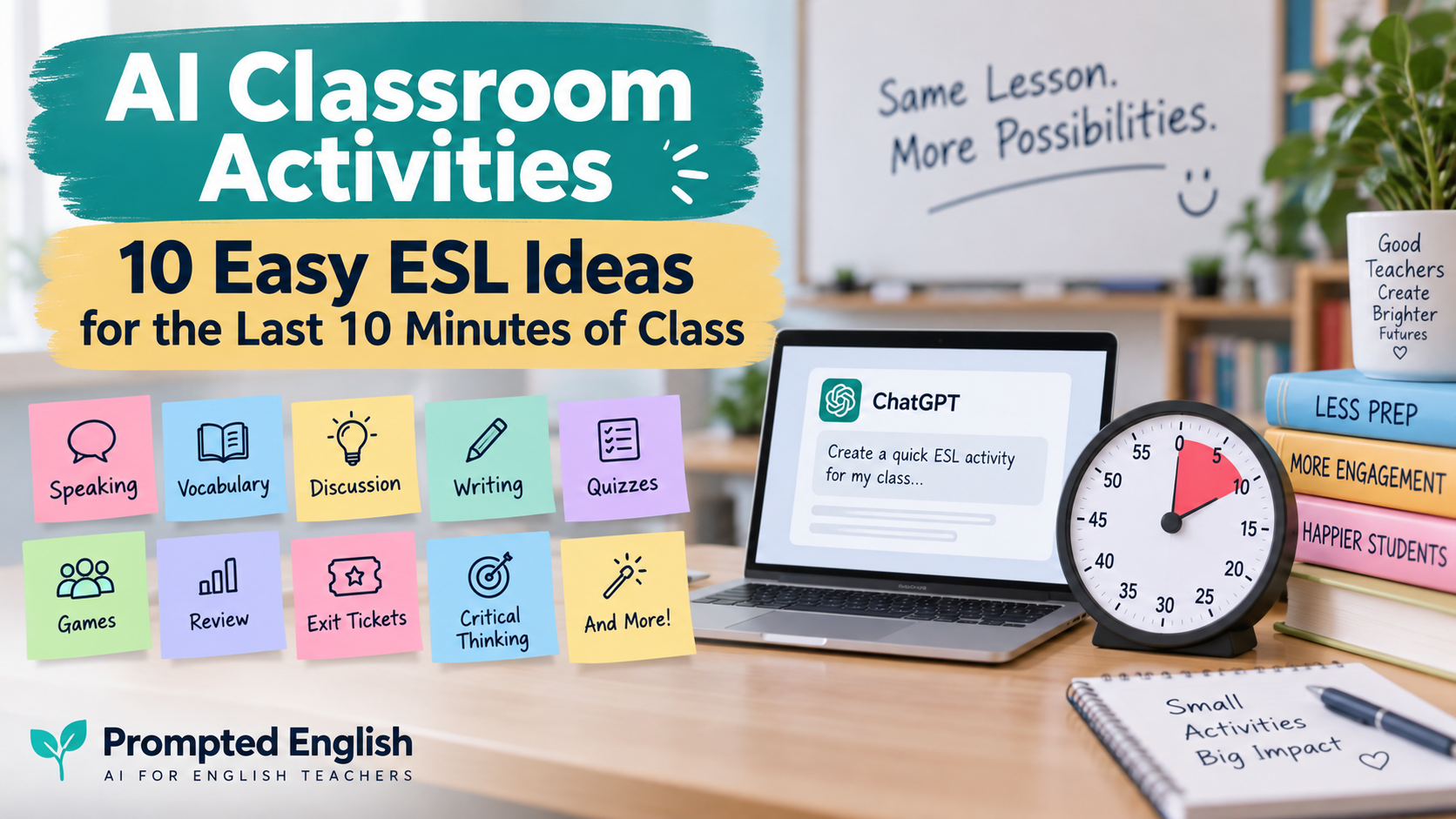
  • AI Classroom Activities: 10 Easy ESL Ideas for the Last 10 Minutes of Class

    AI Classroom Activities: 10 Easy ESL Ideas for the Last 10 Minutes of Class

    You planned the lesson carefully.

    Students completed the main activity.

    You check the clock.

    There are still 10 minutes left.

    This happens to almost every English teacher.

    The problem is that ten minutes is too long to waste, but often too short to begin another major lesson stage. That is where AI classroom activities can be surprisingly useful.

    With a short prompt, AI can quickly create:

    • vocabulary challenges;
    • discussion questions;
    • mini quizzes;
    • error-correction tasks;
    • speaking games;
    • short writing activities;
    • exit tickets;
    • review activities.

    The important point is not to let AI take over the lesson. It is to use AI to generate a useful activity quickly when you need one.

    If you already use AI for broader lesson preparation, you may also find AI Teaching Assistant for English Teachers useful. If you are just beginning, start with AI for Language Teachers: An Essential Practical Starting Guide.

    In this guide, you will find 10 quick AI classroom activities that English teachers can use during the final 5–10 minutes of class.

    Each activity includes a copy-paste prompt you can adapt to your learners.

    Why the Last 10 Minutes of an ESL Lesson Matter

    The final minutes of a lesson are easy to underestimate.

    Teachers sometimes use them for casual conversation, early packing, or simply waiting for the bell.

    But those minutes can also help students:

    • review vocabulary;
    • retrieve what they learned;
    • notice language errors;
    • practise speaking;
    • reflect on the lesson;
    • connect ideas;
    • leave class with a clear takeaway.

    You do not need another full worksheet.

    Sometimes you only need one focused task.

    That is why short AI classroom activities work well here. AI can generate the material quickly, while you decide whether the activity fits your students and lesson aim.

    1. The One-Minute Vocabulary Challenge

    This activity works well after vocabulary, reading, listening, or topic-based lessons.

    Ask AI to select key words from your lesson and turn them into a quick challenge.

    Copy-paste prompt

    Act as an ESL teacher.
    
    Create a quick vocabulary challenge for [LEVEL] English learners.
    
    Lesson topic:
    [TOPIC]
    
    Target vocabulary:
    [PASTE WORDS]
    
    Create 5 short challenges.
    
    Include a mixture of:
    - definitions;
    - example sentences;
    - synonyms;
    - fill-in-the-blank sentences;
    - short speaking questions.
    
    The activity should take no more than 7 minutes.
    

    Classroom idea

    Divide students into pairs.

    Read one challenge at a time.

    Students earn one point for each correct answer.

    For a more communicative version, ask students to use each vocabulary word in a sentence about themselves.

    If you regularly turn vocabulary into printable practice, AI Worksheet Generator for English Teachers gives you a more complete worksheet workflow.

    2. AI “Would You Rather?” for Speaking Practice

    “Would you rather?” questions are useful because students usually understand the task immediately.

    They also encourage students to:

    • make choices;
    • explain reasons;
    • compare options;
    • react to classmates.

    Copy-paste prompt

    Create 8 "Would you rather?" questions for [LEVEL] ESL learners.
    
    Topic:
    [TOPIC]
    
    Make the questions:
    - interesting;
    - classroom-appropriate;
    - easy to understand;
    - likely to produce different opinions.
    
    Avoid questions that require specialist knowledge.
    
    After each question, add one simple follow-up question beginning with:
    Why?
    How?
    or
    What about...?
    

    Example

    For a lesson about travel:

    Would you rather travel alone or with friends?

    Follow-up:

    Why?

    Or:

    Would you rather visit one country for a month or four countries in one week?

    Ask students to move to different sides of the room depending on their answer.

    Then choose one or two students to explain their choice.

    This turns a simple question into a short speaking activity.

    For more structured speaking prompts, use AI Discussion Questions Generator: 9 Easy Prompts for Better ESL Speaking.

    3. Three Discussion Questions

    Sometimes the simplest activity is the best one.

    Ask AI to create just three strong discussion questions based on today’s lesson.

    The important word is three.

    You do not need twenty questions when there are only ten minutes left.

    Copy-paste prompt

    Create 3 ESL discussion questions for [LEVEL] learners.
    
    Today's lesson topic:
    [TOPIC]
    
    Lesson aim:
    [LESSON AIM]
    
    Question 1:
    Make it easy and personal.
    
    Question 2:
    Ask students to explain an opinion.
    
    Question 3:
    Make it slightly more challenging and require a reason or example.
    
    Avoid yes/no questions.
    
    Add one useful sentence starter for each question.
    

    Classroom workflow

    Give students one minute to think.

    Then:

    1. discuss Question 1 with a partner;
    2. change partners for Question 2;
    3. discuss Question 3 in groups of three or four.

    This gives the final minutes of class a clear structure without requiring additional materials.

    4. Fix the Sentence

    Error correction works very well as a short review activity.

    You can ask AI to create sentences containing mistakes related to the grammar or vocabulary students studied.

    Copy-paste prompt

    Create a quick error-correction activity for [LEVEL] ESL learners.
    
    Language point:
    [GRAMMAR OR VOCABULARY TARGET]
    
    Create 6 sentences.
    
    Five sentences should contain one realistic learner error.
    
    One sentence should be completely correct.
    
    Include errors related to:
    [EXAMPLE: verb forms, articles, word order, prepositions]
    
    Provide the corrected answers separately.
    
    Keep the language suitable for [LEVEL].
    

    Example

    If students studied the present perfect:

    I have went to London twice.

    Students correct:

    I have been to London twice.

    You can make this competitive.

    Show one sentence.

    Pairs have 20 seconds to find the mistake.

    Then ask:

    Why is it wrong?

    That extra question moves students beyond guessing.

    5. Guess the Word

    This is one of the easiest AI classroom activities to reuse across levels.

    AI can generate clues for vocabulary students have already studied.

    Copy-paste prompt

    Create a "Guess the Word" game for [LEVEL] English learners.
    
    Topic:
    [TOPIC]
    
    Vocabulary:
    [PASTE TARGET WORDS]
    
    For each word, create 3 clues:
    1. a general clue;
    2. a clearer clue;
    3. an easy final clue.
    
    Do not include the target word inside the clues.
    
    Provide the answers separately.
    

    Example

    Target word: pollution

    Clue 1:

    It is a problem in many large cities.

    Clue 2:

    Cars and factories can cause it.

    Clue 3:

    It makes air, water, or land dirty.

    Students score three points if they guess after the first clue, two after the second, and one after the third.

    It takes almost no preparation and works well with vocabulary from reading or listening lessons.

    6. The Five-Minute Mini Debate

    A mini debate works especially well with B1 and above.

    Students do not need a formal debate structure.

    They simply need:

    • one clear statement;
    • useful language;
    • a few minutes to discuss.

    Copy-paste prompt

    Create a 5-minute mini debate for [LEVEL] ESL learners.
    
    Topic:
    [TOPIC]
    
    Create:
    1. one clear debate statement;
    2. 3 arguments students might use to agree;
    3. 3 arguments students might use to disagree;
    4. 4 useful phrases for expressing opinions politely.
    
    Make the topic classroom-appropriate and suitable for [LEVEL].
    

    Example

    Statement:

    Students should be allowed to use smartphones during lessons.

    Useful phrases:

    I agree because…

    I see your point, but…

    In my opinion…

    It depends on…

    Divide the room into Agree and Disagree.

    Give students one minute to prepare.

    Then let both sides explain their ideas.

    This is especially effective if the topic connects to the lesson students have just completed.

    7. Five-Question Review Quiz

    A short quiz is one of the easiest ways to check what students remember.

    Instead of asking AI for a long quiz, ask for only five questions based on the lesson.

    Copy-paste prompt

    Create a 5-question review quiz for [LEVEL] ESL learners.
    
    Today's lesson:
    [DESCRIBE LESSON]
    
    Target language or skill:
    [TARGET]
    
    Create:
    1. one vocabulary question;
    2. one grammar or language-use question;
    3. one meaning or comprehension question;
    4. one application question;
    5. one short challenge question.
    
    Provide the answers.
    
    The quiz should take less than 7 minutes.
    

    You can:

    • read questions aloud;
    • display them on the screen;
    • let students answer in teams;
    • ask students to write answers individually.

    If you want more complete quiz formats, ESL Quiz Templates: AI Prompts for Grammar, Vocabulary, Reading, and Listening includes reusable workflows for longer assessments.

    8. The ESL Exit Ticket

    An exit ticket is one of the most useful ways to finish a lesson.

    It tells you what students understood and where they may still need help.

    Copy-paste prompt

    Create a short ESL exit ticket for [LEVEL] learners.
    
    Lesson topic:
    [TOPIC]
    
    Lesson aim:
    [LESSON AIM]
    
    Create 3 questions:
    
    1. one question checking what students learned;
    2. one question requiring students to use the target language;
    3. one reflection question about what they found easy or difficult.
    
    The exit ticket should take no more than 5 minutes.
    

    Example

    For a lesson about giving advice:

    1. What expression did we practise today?

    2. Give one piece of advice to someone who is tired.

    3. What part of today’s lesson was most difficult for you?

    You can collect answers on paper, ask students verbally, or use a simple digital form.

    Exit tickets are especially useful because they help you plan the next lesson based on actual student responses.

    9. Continue the Story

    This activity adds creativity to the end of a lesson.

    Give students the beginning of a short story and ask them to continue it.

    AI can generate the opening based on the language students studied.

    Copy-paste prompt

    Create the beginning of a short story for [LEVEL] ESL learners.
    
    Topic:
    [TOPIC]
    
    Target language:
    [GRAMMAR OR VOCABULARY]
    
    Write only 4-5 sentences.
    
    End the story at an interesting moment.
    
    Students should then continue the story by speaking or writing.
    
    Make sure the story naturally encourages use of:
    [TARGET LANGUAGE]
    

    Example

    For past simple and past continuous:

    Maya was walking home when she noticed a small box beside the road. It was raining heavily, and nobody else was nearby. She picked up the box and heard something moving inside. Just then, her phone started ringing…

    Students continue the story.

    They can:

    • write three sentences;
    • tell a partner what happens next;
    • create different endings in groups.

    You can then ask groups to share the most interesting ending.

    10. “Teach Me Something From Today’s Lesson”

    This final activity requires almost no preparation.

    It is also a powerful way to check whether students actually understood the lesson.

    Instead of the teacher reviewing everything, students become the teachers.

    You can use AI to create simple prompts.

    Copy-paste prompt

    Create a 5-minute student reflection activity for [LEVEL] ESL learners.
    
    Today's lesson:
    [TOPIC]
    
    Create 5 short prompts beginning with ideas such as:
    
    - Explain...
    - Give an example of...
    - Teach your partner...
    - Correct...
    - Use...
    
    The prompts should help students demonstrate something they learned today.
    
    Keep them simple and practical.
    

    Students might receive prompts such as:

    Teach your partner one new vocabulary word.

    Give an example using today’s grammar.

    Explain one rule from today’s lesson.

    Correct one common mistake.

    Ask your partner a question using today’s target language.

    This activity is useful because students are retrieving information rather than simply hearing the teacher repeat it.

    Which AI Classroom Activity Should You Use?

    The best activity depends on what happened during the lesson.

    If students learned new vocabulary, try:

    Guess the Word or Vocabulary Challenge.

    If the lesson focused on grammar, try:

    Fix the Sentence.

    If students need more speaking practice, use:

    Would You Rather?, Three Discussion Questions, or a Mini Debate.

    If you want to check learning, choose:

    Five-Question Review Quiz or Exit Ticket.

    If students need something creative, try:

    Continue the Story.

    If you want students to reflect, use:

    Teach Me Something From Today’s Lesson.

    The activity should support the lesson—not simply fill time.

    A Useful Master Prompt for Any Spare 10 Minutes

    You can also use one flexible prompt when you do not know which activity to choose.

    Act as an experienced ESL teacher.
    
    I have approximately 10 minutes left in my lesson.
    
    Student level:
    [LEVEL]
    
    Today's topic:
    [TOPIC]
    
    Lesson aim:
    [LESSON AIM]
    
    What students have already done:
    [BRIEF DESCRIPTION]
    
    Suggest 5 possible final activities.
    
    Each activity must:
    - take 5-10 minutes;
    - require little or no preparation;
    - reinforce today's learning;
    - be suitable for [LEVEL];
    - involve students actively.
    
    Include simple instructions for the teacher.
    
    Recommend which activity is best and explain briefly why.
    

    This turns AI into a quick brainstorming assistant rather than asking it to design your entire lesson.

    For more structured planning, see Lesson Plan Generator: AI Prompts for Better ESL Lessons.

    How to Improve AI-Generated Classroom Activities

    Do not assume the first AI suggestion is automatically suitable.

    You can improve the output with short follow-up prompts.

    Make it easier

    Simplify this activity for A2 learners.
    
    Use shorter instructions, easier vocabulary, and more language support.
    

    Make it more challenging

    Adapt this activity for B2 learners.
    
    Require longer answers, reasons, examples, and more independent language use.
    

    Make it more communicative

    Adapt this activity so students spend more time speaking to each other and less time listening to the teacher.
    

    Reduce preparation

    Rewrite this activity so the teacher needs no printed materials and can run it using only the board or projector.
    

    Make it shorter

    Adapt this activity so it can be completed in exactly 5 minutes.
    

    Small follow-up prompts often turn a generic AI idea into something much more practical.

    Common Mistakes When Using AI Classroom Activities

    Mistake 1: Using an activity only because it looks fun

    A classroom activity should ideally connect to the lesson aim.

    Fun is useful.

    Relevant fun is better.

    Mistake 2: Generating too much material

    If you have eight minutes left, you do not need twenty questions.

    Ask AI for:

    • three questions;
    • five quiz items;
    • one debate statement;
    • six sentences.

    Mistake 3: Failing to consider the learner level

    AI might suggest a vocabulary or a set of instructions that would be too complex for the learners.

    Always mention:

    • A2;
    • B1;
    • B2;
    • or another relevant level.

    Mistake 4: Not allowing students time to think

    Speaking activities work much better when the learners have 30-60 seconds to prepare beforehand.

    Let the students have some time to think before speaking.

    Mistake 5: Choosing irrelevant filler activities

    The final ten minutes could be used to repeat or reinforce some information that the students have received during the lesson.

    Think of:

    What do I want the students to remember at the end of the lesson?

    And choose the activity accordingly.

    Mistake 6: Relying on AI-generated answers blindly

    If AI creates examples of grammar, explanations of vocabulary, quiz answers, or any corrections, check them before using.

    AI-generated classroom activities will be only drafts.

    The teacher is still responsible for the final version.

    A Simple 10-Minute ESL Routine

    If you regularly finish the lessons with some free time, you can develop a routine.

    For instance:

    Minutes 1-2: Recall

    Students write down three things that they remember from the lesson.

    Minutes 3-6: Use

    Students complete a short speaking, vocabulary, or grammar activity.

    Minutes 7-9: Share

    Students compare their answers with their partner.

    Minute 10: Exit question

    Ask the last question:

    What is one thing from today’s lesson that you want to remember?

    Such routine works great since the students complete the lesson by retrieving and using the information they have received.

    How AI Classroom Activities Could Be Related to ESL Lessons in General

    These short activities also could be easily connected to other resources.

    If you started your lesson with a reading task, end it with AI-generated discussion questions by using Reading Worksheet Generator.

    If you used a video in your lesson, end it with the short speaking activity from AI Video Question Maker.

    If your lesson was based mostly on worksheets, use the final five minutes as a speaking or exit-ticket activity and not as the new worksheet.

    If you need a broader help with your lesson planning, AI Teaching Assistant for English Teachers shows how AI could help teachers in the lesson planning while leaving the control over the lesson preparation to the teacher.

    Quick Checklist for Using a Last-Minute AI Activity

    Before starting the activity, ask yourself the following questions:

    • Does this activity connect to today’s lesson?
    • Could students understand the instructions quickly?
    • Could it actually fit into the available time?
    • Is the language appropriate for the students’ level?
    • Will the students use English?
    • Should I check any AI-generated answers first?
    • Will I be able to stop the activity easily if time runs out?

    If the answer to all these questions is yes, you could use the activity.

    FAQ about AI Classroom Activities

    What are AI classroom activities?

    AI classroom activities are teaching tasks generated or adapted by the help of artificial intelligence. It includes quizzes, speaking questions, vocabulary games, writing prompts, error-correction tasks, exit tickets, and lesson reviews.

    Can AI generate ESL classroom activities?

    Yes. AI could generate activities for vocabulary, grammar, reading, listening, speaking, writing, and review lessons. The teacher should specify the level, the topic, the aim of the lesson, and the available time.

    What could I do with the last 10 minutes of my ESL lesson?

    You could use vocabulary challenges, speaking discussion, mini-debate, review quiz, error-correction task, exit ticket, storytelling, or student reflections.

    What are some quick ESL activities with no preparation?

    Quick no-preparation activities include Would You Rather, Guess the Word, Three Discussion Questions, Fix the Sentence, Mini Debate, and Teach Your Partner.

    Can AI generate exit tickets for English lessons?

    Yes. You just should tell AI your lesson aim, its topic, and the level of your students. Then you should ask it to create two or three short questions for your students.

    Can AI generate classroom activities for different CEFR levels?

    Yes. Just tell the AI whether your students are A1, A2, B1, B2, C1, or another level. You also could ask it to make the activity simpler or more difficult.

    Should teachers use AI-generated activities without checking them?

    No. Teachers should check AI-generated language, answers, instructions, difficulty, and appropriateness before using the activity with the students.

    What is the best AI classroom activity for speaking?

    Short discussion questions, Would You Rather, mini-debates, pair interviews, and follow-up questions are particularly good because they encourage students to use their own language.

    Final Recommendation

    The last ten minutes of an English lesson do not have to be wasted.

    They also do not require another complex lesson plan.

    With carefully designed AI classroom activities, you could turn these minutes into useful vocabulary practice, speaking, review, reflections, or assessment.

    The best way to use AI in such cases is:

    1. Mention the level of your students;
    2. Explain today’s lesson topic and its aim;
    3. Specify exactly how much time you have;
    4. Ask AI to create a short activity;
    5. Review the output;
    6. Adapt the activity to your students;
    7. Let the students do the job.

    AI will create the activity.

    The teacher will decide whether this activity could be done during the last ten minutes of the lesson.
  • AI Discussion Questions Generator: 9 Easy Prompts for Better ESL Speaking

    AI Discussion Questions Generator: 9 Easy Prompts for Better ESL Speaking

    An AI discussion questions generator can save you lots of time in turning any topic into an ESL speaking activity. You do not need to spend hours on writing conversation questions one-by-one. With AI, you can create level-appropriate questions, follow-up prompts, vocabulary help, pair-activities, and even discussion tasks.

    When it comes to conversation classes for English teachers, things often seem very simple from the outside. Give a topic to students, ask some questions and let them talk. In reality, however, a good conversation lesson takes a lot of work.

    The questions should be at the right level. They should encourage longer answers. Students may need vocabulary prompts or sentence starters before speaking. The questions should be personal and accessible. Other questions should elicit opinions, explanations, comparisons, examples.

    And here AI can help.

    Instead of asking:

    “Give me some discussion questions.”

    give AI some information about your learners, topic, level, aim, and discussion type.

    If you have no experience with AI-supported instruction, begin with AI for Language Teachers: An Essential Practical Starting Guide. If you want to get a complete picture of how AI can support your teaching process, you may also try AI Teaching Assistant for English Teachers.

    What Is an AI Discussion Questions Generator?

    An AI discussion questions generator is an AI tool or prompt workflow for creating conversation questions based on the information you provide.

    You may give it:

    • a topic;
    • a reading text;
    • a vocabulary list;
    • a video summary;
    • a lesson aim;
    • a CEFR level;
    • a grammar point;
    • a target group.

    The AI can then help you generate questions for different stages of your speaking lesson.

    For example, while preparing a B1 lesson about social media, you may want to generate:

    • easy warm-up questions;
    • personal-experience questions;
    • opinion questions;
    • agree/disagree statements;
    • follow-up questions;
    • vocabulary help;
    • pair-activity tasks;
    • small-group discussion;
    • a final speaking challenge.

    The point is not to generate more questions. The point is to create a better-organised speaking practice.

    Why Use AI for ESL Discussion Questions?

    Discussion questions are widely used across almost all areas of language teaching.

    Teachers use them:

    • in the beginning of a lesson;
    • after a reading text;
    • after watching a video;
    • in vocabulary lessons;
    • in conversation classes;
    • for speaking clubs;
    • as an exam preparation;
    • as lesson fillers;
    • in private lessons;
    • in online lessons.

    An AI discussion question generator can not only reduce preparation time but also offer more options.

    It can help you quickly adapt the same topic for different groups.

    Take the topic of travel.

    With A2 learners, you may ask:

    Where did you go on your last holiday?

    With B1 students:

    What makes a holiday memorable?

    With B2 students:

    Do you think international tourism does more good than harm?

    The topic is the same. But the cognitive and linguistic challenges are different.

    The Common European Framework of Reference for Languages can be a helpful source when adapting speaking tasks for A2, B1, and B2 levels.

    What Makes a Good ESL Discussion Question?

    Before asking AI to generate discussion questions, it will be useful to understand the features of a good ESL conversation question.

    A good ESL discussion question should usually be:

    • understandable for your learners;
    • broad enough to encourage speaking;
    • relevant to the topic;
    • easy to answer at the start;
    • suitable for follow-up;
    • culturally appropriate;
    • linked to some language;
    • interesting enough to provoke opinions.

    Consider two questions below:

    Do you like travelling?

    and

    What kind of trip do you enjoy most, and why?

    The second question provides more chances for language production.

    AI can be especially helpful when you ask it to generate questions with progression from easy → personal → opinion → deeper discussion.

    More broadly, TeachingEnglish by the British Council can be a helpful resource in the issue of responsible AI use in language classrooms.

    Prompt 1: Generate ESL Discussion Questions on Any Topic

    Here is the simple prompt which you can use for almost any speaking lesson.

    Act as an experienced ESL speaking teacher.
    
    Create discussion questions for [LEVEL] English learners.
    
    Topic:
    [TOPIC]
    
    Create:
    1. 5 easy warm-up questions;
    2. 5 personal-experience questions;
    3. 5 opinion questions;
    4. 5 deeper discussion questions.
    
    Make the questions suitable for [LEVEL] learners.
    
    Avoid questions that can be answered only with yes or no.
    
    Use clear, natural English.


    Example

    Act as an experienced ESL speaking teacher.
    
    Create discussion questions for B1 English learners.
    
    Topic:
    Technology in everyday life
    
    Create:
    1. 5 easy warm-up questions;
    2. 5 personal-experience questions;
    3. 5 opinion questions;
    4. 5 deeper discussion questions.
    
    Make the questions suitable for B1 learners.


    This simple outline provides you with the material for a complete speaking lesson without twenty similar questions.

    Prompt 2: Create Level-Based Discussion Questions

    The same topic can be used with several levels if you make the questions more difficult.

    Here is a prompt:

    Create ESL discussion questions about [TOPIC] at three levels.
    
    A2:
    Create 6 simple questions using common vocabulary and short sentence structures.
    
    B1:
    Create 6 questions that require explanations, reasons, and examples.
    
    B2:
    Create 6 deeper questions involving opinions, comparisons, advantages, disadvantages, or hypothetical situations.
    
    Keep the topic the same across all three levels.


    Why this prompt is useful

    Imagine you are teaching several groups during the week.

    Instead of preparing entirely different speaking lessons, you can take one topic and adapt the discussion.

    For food, AI might suggest:

    A2:
    What food do you eat every week?

    B1:
    Why do people sometimes prefer fast food to home-cooked food?

    B2:
    Should governments do more to influence people’s eating habits?

    That gives you an opportunity to prepare a reusable lesson without simply giving each group the same questions.

    Prompt 3: Generate Follow-Up Questions

    One of the major problems in speaking lessons is that students answer the initial question and stop.

    For example:

    What’s your favourite way to learn English?

    Student:

    Watching videos.

    Conversation finished.

    Follow-up questions help students to continue the exchange.

    Use this prompt:

    Create follow-up questions for an ESL speaking activity.
    
    Student level:
    [LEVEL]
    
    Main discussion questions:
    [PASTE QUESTIONS]
    
    For each main question, create 3 natural follow-up questions.
    
    The follow-up questions should encourage students to:
    - explain why;
    - give examples;
    - compare experiences;
    - describe details;
    - ask their partner another question.
    
    Keep the language suitable for [LEVEL].


    You can also teach students some universal follow-up questions:

    • Why?
    • Why do you think that?
    • Can you give an example?
    • What about you?
    • Has that ever happened to you?
    • Would you do the same?
    • How is that different from…?

    Those simple prompts can significantly improve pair-work discussions.

    Prompt 4: Turn Vocabulary into Discussion Questions

    Vocabulary practice becomes more useful if students use new words in conversation.

    Let your students learn the following vocabulary:

    • flexible;
    • distracting;
    • convenient;
    • independent;
    • motivated;
    • interaction.

    Instead of ending with a matching exercise, you can turn the vocabulary into speaking practice.

    Create an ESL speaking activity using this vocabulary.
    
    Student level:
    [LEVEL]
    
    Topic:
    [TOPIC]
    
    Target vocabulary:
    [PASTE WORDS]
    
    Create:
    1. 5 easy discussion questions;
    2. 5 questions that encourage students to use the target vocabulary;
    3. 3 sentence starters;
    4. one pair-work challenge.
    
    Make sure the target words can be used naturally in the answers.


    For example:

    What makes online learning convenient for some students?

    What things can be distracting when you study at home?

    Do you think independent learners learn languages faster? Why?

    If you want to create a written practice with the same vocabulary before speaking, combine this activity with AI Worksheet Generator for English Teachers.

    Prompt 5: Turn a Reading Text into Discussion Questions

    Reading texts become good speaking materials for several reasons:

    • a topic;
    • information;
    • vocabulary;
    • some ideas to react to.

    Instead of ending a reading lesson with comprehension questions, you can use AI to create a speaking follow-up.

    Act as an ESL teacher.
    
    Turn this reading text into a post-reading discussion activity.
    
    Student level:
    [LEVEL]
    
    Reading text:
    [PASTE TEXT]
    
    Create:
    1. 3 reaction questions;
    2. 4 personal-experience questions;
    3. 4 opinion questions;
    4. 3 questions connecting the topic to students' lives;
    5. one pair-work speaking challenge.
    
    Do not create comprehension questions.
    Focus on discussion.


    Comprehension questions test students’ understanding of the text.

    Discussion questions encourage them to react to the ideas.

    You can use Reading Worksheet Generator to prepare the reading part, then use this prompt for the speaking follow-up.

    Prompt 6: Turn a Video into a Discussion Activity

    Videos also provide strong materials for discussion.

    Instead of asking:

    Did you like the video?

    create a structured post-watching discussion.

    Create a post-video ESL discussion activity.
    
    Student level:
    [LEVEL]
    
    Video topic:
    [TOPIC]
    
    Video summary:
    [PASTE SUMMARY]
    
    Create:
    1. 3 immediate reaction questions;
    2. 4 questions about the ideas in the video;
    3. 4 personal connection questions;
    4. 3 opinion questions;
    5. 2 agree/disagree statements;
    6. one final group discussion question.
    
    Avoid asking students to remember small factual details.
    Focus on discussion.


    If you first need some comprehension questions for the video, use AI Video Question Maker. Then use this prompt to switch from listening comprehension to speaking.

    Prompt 7: Create Opinion and Agree/Disagree Questions

    Opinion activities work especially well with intermediate and upper-intermediate students.

    Here is a prompt:

    Create an ESL opinion discussion activity.
    
    Student level:
    [LEVEL]
    
    Topic:
    [TOPIC]
    
    Create:
    1. 5 opinion questions;
    2. 5 agree/disagree statements;
    3. 3 "Which is better?" questions;
    4. 3 hypothetical questions;
    5. useful phrases for agreeing and disagreeing politely.
    
    Avoid extreme or unnecessarily sensitive statements.
    
    Make the questions suitable for [LEVEL].


    Useful language prompts might be:

    Giving an opinion

    • I think…
    • In my opinion…
    • From my point of view…

    Agreeing

    • I agree because…
    • That’s a good point.
    • I feel the same way.

    Disagreeing politely

    • I’m not sure I agree.
    • I see your point, but…
    • I think it depends.

    Providing students with language prompts before discussion makes the activity more useful than just a list of questions.

    Prompt 8: Create Pair-Work and Group Discussion Tasks

    A list of questions does not guarantee a good speaking lesson.

    Sometimes students need a task.

    Here is a prompt:

    Turn these ESL discussion questions into a structured speaking activity.
    
    Student level:
    [LEVEL]
    
    Questions:
    [PASTE QUESTIONS]
    
    Create:
    1. a 3-minute pair warm-up;
    2. a pair interview task;
    3. a small-group discussion;
    4. one question students must agree on as a group;
    5. a whole-class feedback stage.
    
    Include short student instructions for each stage.


    Instead of saying:

    “Discuss these questions.”

    you may use the following outline:

    Stage 1 — Think
    Students choose the two questions they find most interesting.

    Stage 2 — Pair
    Students interview one partner and ask at least one follow-up question.

    Stage 3 — Group
    Groups of four compare their answers.

    Stage 4 — Decide
    The group must agree on one final question.

    Stage 5 — Share
    One person reports the group’s conclusion.

    This creates much more meaningful speaking.

    Prompt 9: Turn Any Lesson Topic into a Complete ESL Speaking Activity

    Here is the most useful all-in-one prompt when you need a complete discussion lesson.

    Act as an experienced ESL conversation teacher.
    
    Create a complete speaking activity for [LEVEL] learners.
    
    Topic:
    [TOPIC]
    
    Lesson length:
    [TIME]
    
    Create:
    
    1. Lesson speaking aim
    2. 5 key vocabulary words or phrases
    3. 3 sentence starters
    4. 4 easy warm-up questions
    5. 5 personal discussion questions
    6. 5 opinion questions
    7. follow-up questions
    8. one pair-work activity
    9. one small-group task
    10. one final whole-class question
    11. a short self-reflection question
    
    Make the activity communicative, level-appropriate, and realistic for the available lesson time.


    It can turn any topic into a complete classroom discussion lesson.

    For example:

    • social media;
    • travel;
    • healthy habits;
    • university life;
    • technology;
    • jobs;
    • friendship;
    • learning languages;
    • environmental problems;
    • online learning.

    If you want to include the speaking activity in a complete lesson, use Lesson Plan Generator.

    Practical Example: B1 Discussion Lesson About Social Media

    Imagine you are teaching B1 university students.

    Your topic is:

    Social Media

    Your lesson aim is:

    Students will be able to express and support opinions about the advantages and disadvantages of social media.

    You can ask AI:

    Create a B1 ESL discussion lesson about social media.
    
    Students:
    University EFL students
    
    Lesson length:
    45 minutes
    
    Create:
    - 5 useful vocabulary items;
    - 4 warm-up questions;
    - 6 personal questions;
    - 6 opinion questions;
    - follow-up questions;
    - useful phrases for agreeing and disagreeing;
    - a pair activity;
    - a group discussion;
    - a final reflection question.


    AI might generate questions such as:

    Warm-up

    • Which social media apps do you use most?
    • How often do you check social media?
    • What do you usually use social media for?
    • Which app do you think is most useful?

    Personal discussion

    • Have you ever learned something useful from social media?
    • Do you follow any educational accounts?
    • Have you ever taken a break from social media?
    • What type of content do you enjoy most?

    Opinion

    • Does social media help people communicate better?
    • Should students use social media while studying?
    • Does social media make people more or less social?
    • Should children have restrictions on social media use?
    • Is social media a good place to learn English?
    • Would life be better without social media?

    You now have enough material for a complete speaking lesson.

    How to Improve AI-Generated Discussion Questions

    The first AI output is not necessarily the final activity.

    Use additional prompts to improve it.

    Make the questions easier

    Rewrite these discussion questions for A2 English learners.
    
    Use shorter sentences and common vocabulary.
    
    Do not change the main topic.


    Make them more difficult

    Rewrite these questions for B2 learners.
    
    Require students to explain opinions, compare ideas, justify answers, and give examples.


    Make them more specific

    Improve these questions.
    
    Predictable questions get predictable answers.
    
    Create questions that are unlikely to elicit consensus.


    Make the questions open-ended

    Ask students to explain things and give examples.
    
    Don't ask students to choose between two options.


    Include questions that could generate disagreement

    Include some opinion questions to encourage debate.
    
    Allow students to give their own examples.


    Make students explain themselves

    Make sure students have to explain why they feel or think certain ways.


    Ask for personal examples

    Ask for students' personal experiences and opinions related to the topic.


    This process usually yields better materials than trying to generate everything in one go.

    AI Discussion Questions for Different ESL Levels

    A1–A2

    Focus on:

    • routine experiences;
    • likes and dislikes;
    • common habits;
    • simple choices;
    • popular topics.

    Examples:

    What do you eat for breakfast?

    Where do you usually go on weekends?

    Do you like studying alone or with friends? Why?

    Sentence starters include:

    I like…

    I prefer…

    Usually, I…

    B1

    Students can deal with:

    • explanations;
    • comparison;
    • pros and cons;
    • personal experience;
    • basic opinions.

    Examples:

    What are the advantages of online learning?

    What makes a good friend?

    Is travelling important for teenagers? Why?

    B2

    Questions can become more abstract.

    Examples:

    How has technology changed communication?

    Should governments limit children’s access to social media?

    To what extent should universities use artificial intelligence?

    The CEFR level descriptions are helpful when considering different levels.

    Common Mistakes When Using an AI Discussion Questions Generator

    Mistake 1: Generating too many questions

    Thirty questions are rarely better than ten quality questions.

    Select the questions most likely to spark conversation.

    Mistake 2: Asking only opinion questions

    Students need a simpler starting point.

    A better sequence is:

    warm-up → personal → opinion → deeper discussion

    Mistake 3: Not considering the learner level

    A question can be intellectually interesting but linguistically difficult.

    Always specify the level.

    Mistake 4: Omitting language support

    Students may have ideas but lack the English to express them.

    Provide:

    • vocabulary;
    • sentence starters;
    • phrases to agree;
    • phrases to disagree;
    • follow-up questions.

    Mistake 5: Asking yes/no questions

    Not:

    Do you like online learning?

    But:

    What do you like and dislike about online learning?

    Mistake 6: Careless use of sensitive questions

    AI may generate questions regarding:

    • religion;
    • money;
    • family;
    • politics;
    • health;
    • relationships;
    • personal experiences.

    Think about your learners and classroom context before asking such questions.

    Mistake 7: Assuming AI output is ready-to-use

    Review every question.

    Ask yourself:

    • Is it clear?
    • Is it appropriate?
    • Is it interesting?
    • Is it suitable for the level?
    • Can students really answer it?
    • Does it align with the lesson objective?

    A Simple ESL Discussion Lesson Plan

    You can repeat this structure with any topic.

    1. Warm-up — 5 minutes

    Ask 2–3 simple questions.

    2. Language preparation — 5–10 minutes

    Teach vocabulary and useful phrases.

    3. Pair discussion — 10 minutes

    Students answer personal questions.

    Require at least one follow-up question.

    4. Group discussion — 10–15 minutes

    Go to opinion and deeper questions.

    5. Group decision — 5 minutes

    Students must agree on one answer or recommendation.

    6. Class feedback — 5 minutes

    Groups report their conclusion.

    7. Reflection

    Ask:

    Which idea from today’s discussion was most interesting?

    This structure turns AI-generated questions into a discussion lesson.

    How to Combine Discussion Questions with Other AI Activities

    Discussion questions are even more valuable when linked to other lesson stages.

    Reading → Discussion

    Generate a reading worksheet, then discussion questions about the text.

    Use Reading Worksheet Generator for the reading stage.

    Video → Discussion

    Use a short video for listening comprehension and conclude with discussion.

    Use AI Video Question Maker for the video stage.

    Vocabulary → Discussion

    Prepare a vocabulary worksheet and require students to use the words in their discussion.

    Use AI Worksheet Generator for English Teachers for vocabulary practice.

    Quiz → Discussion

    Use a short quiz to introduce the topic, then discuss the answers.

    Use ESL Quiz Templates to build the quiz.

    This turns a series of AI-generated activities into a lesson.

    Quick Checklist Before Using AI-Generated Discussion Questions

    Before class, check:

    • Does the topic suit my learners?
    • Are the questions appropriate for their level?
    • Are there too many questions?
    • Do I have easy questions first?
    • Are there personal and opinion questions?
    • Can students ask follow-up questions?
    • Have I provided useful language?
    • Are any questions unnecessarily sensitive?
    • Is there a clear speaking objective?
    • Is there a final task or reflection?

    If the answer is yes to most of these, your activity is probably ready.

    FAQ: AI Discussion Questions Generator

    What is an AI discussion questions generator?

    An AI discussion questions generator uses artificial intelligence to make conversation and discussion questions based on a topic, text, video, list of vocabulary, lesson objective, or learner level.

    Can AI make ESL discussion questions?

    Yes. AI can generate discussion questions for different levels, topics, ages, and lesson objectives. Teachers should review and adapt the questions before using them.

    How do I generate discussion questions with AI?

    Give AI your topic, student level, age group, lesson objective, and question types. Ask for a mixture of warm-up, personal, opinion, and deeper discussion questions.

    Can AI create conversation questions for different CEFR levels?

    Yes. You can ask AI to generate different versions for A1, A2, B1, B2, C1, and C2 learners. Teachers should still consider if the language is appropriate for their particular learners.

    What are good ESL discussion questions?

    Good ESL discussion questions are clear, open-ended, relevant, level-appropriate, and likely to elicit explanations, examples, opinions, or personal experience.

    Can AI generate follow-up questions?

    Yes. You can copy and paste your main questions into AI and ask for two or three natural follow-up questions for each one.

    Can AI generate discussion questions from a reading text?

    Yes. Copy and paste the text and ask AI to generate reaction, personal, opinion, and post-reading discussion questions rather than simple comprehension questions.

    Can AI generate discussion questions from videos?

    Yes. Give AI a transcript or summary of the video and ask for post-watching discussion questions, opinion questions, personal connections, and follow-up activities.

    Should teachers use AI-generated questions without editing them?

    No. Teachers should review the questions for level, clarity, cultural appropriateness, sensitivity, relevance, and usefulness before using them in class.

    Final Recommendation

    An AI discussion questions generator can save English teachers lots of preparation time, but the best results will come from combining AI with good speaking methodology.

    Do not just generate twenty random questions.

    Instead:

    1. Specify the learner level;
    2. Start with easy questions;
    3. Go to personal responses;
    4. Introduce opinions;
    5. Generate follow-up questions;
    6. Provide useful language;
    7. Give students a clear pair or group task;
    8. Finish with a meaningful conclusion or reflection.

    AI can generate the questions fast.

    The teacher will turn those questions into a good conversation.

  • AI Teaching Assistant: How English Teachers Can Use AI Without Losing the Human Touch

    AI Teaching Assistant: How English Teachers Can Use AI Without Losing the Human Touch

    An AI teaching assistant can help English teachers plan lessons, create worksheets, prepare quizzes, draft feedback, adapt materials, and save preparation time. But the most important point is this: AI should support the teacher, not replace the teacher.

    For ESL/EFL teachers, language tutors, and online English teachers, AI can be very useful because teaching involves many repeated preparation tasks. You may need lesson aims, warm-ups, vocabulary activities, reading questions, listening tasks, speaking prompts, worksheets, quizzes, rubrics, feedback comments, homework, and differentiated materials.

    AI can help create the first draft of many of these materials. However, it does not know your students the way you do. It does not understand your classroom culture, student confidence, school policy, or lesson history unless you explain those details. That is why the best use of an AI teaching assistant is teacher-led.

    OpenAI’s education resources describe AI as a way to support students, educators, institutions, and education systems in using AI responsibly for learning and everyday work. For teachers who want to explore this further, OpenAI for Education is a useful starting point.

    If you want a broader overview of useful tools, read Best AI Teaching Tools for English Teachers. This article focuses more specifically on how to use AI as a teaching assistant while keeping your professional judgement at the centre.

    What Is an AI Teaching Assistant?

    An AI teaching assistant is an AI tool or workflow that helps teachers with preparation, planning, content creation, feedback, and classroom support tasks.

    For English teachers, an AI teaching assistant can help with:

    • lesson planning;
    • worksheet creation;
    • quiz generation;
    • reading and listening activities;
    • video comprehension questions;
    • speaking prompts;
    • writing feedback;
    • rubric drafts;
    • homework tasks;
    • differentiation;
    • classroom instructions;
    • teacher checklists.

    This does not mean that AI becomes the teacher. It means AI helps with preparation and drafting so the teacher can spend more time thinking about students, interaction, feedback, and learning.

    A simple way to understand it is:

    AI can help prepare the material. The teacher decides what is useful.

    Quick Answer: What Should an AI Teaching Assistant Do?

    A useful AI teaching assistant should help English teachers save time without making the lesson weaker.

    It can help you:

    Teaching taskHow AI can help
    Lesson planningCreate a first draft with aims, stages, timing, and activities
    WorksheetsGenerate grammar, vocabulary, reading, or speaking tasks
    QuizzesCreate short checks, exit tickets, and answer keys
    Reading lessonsSimplify texts and create comprehension questions
    Listening/video lessonsCreate gist questions, detail questions, and discussion prompts
    Writing feedbackDraft supportive comments and revision tasks
    DifferentiationCreate easier and harder versions of activities
    Teacher organisationCreate checklists, homework, and planning templates

    But the teacher should still check:

    • accuracy;
    • language level;
    • instructions;
    • answer keys;
    • fairness;
    • privacy;
    • classroom suitability;
    • student needs.

    For level decisions, the Common European Framework of Reference can help teachers think about learner levels such as A1, A2, B1, B2, C1, and C2. The Council of Europe explains that CEFR organises language proficiency into six levels from A1 to C2.

    Why English Teachers Should Not Lose the Human Touch

    Language teaching is human. Students do not only need worksheets and quizzes. They need encouragement, interaction, feedback, confidence, correction, patience, and meaningful communication.

    An AI teaching assistant can create materials quickly, but it cannot fully replace:

    • your knowledge of your students;
    • your classroom relationships;
    • your tone and encouragement;
    • your ability to notice confusion;
    • your response to student emotions;
    • your judgement about what students need next;
    • your ability to adapt during the lesson.

    For example, AI may create a technically correct speaking activity, but you may know that your students are shy and need sentence starters first. AI may create ten comprehension questions, but you may know that five are enough for your class. AI may draft writing feedback, but you may know that one student needs encouragement before correction.

    That is the human touch.

    The British Council’s TeachingEnglish resources on generative AI and the language classroom also highlight the importance of teachers and learners checking AI output, because AI-generated information can be incorrect or unsuitable. British Council TeachingEnglish is a useful external resource for language teachers exploring this topic.

    1. Use an AI Teaching Assistant for Lesson Planning

    Lesson planning is one of the best starting points for using an AI teaching assistant. AI can help you organise a lesson into stages, but you need to give it clear teaching context.

    Use this prompt:

    Act as an experienced ESL teacher.
    
    Create a lesson plan for [LEVEL] English learners.
    
    Lesson topic:
    [TOPIC]
    
    Lesson length:
    [TIME]
    
    Class context:
    [AGE GROUP, CLASS SIZE, ONLINE OR FACE-TO-FACE]
    
    Main lesson aim:
    [WHAT STUDENTS SHOULD BE ABLE TO DO BY THE END]
    
    Target language or skill:
    [GRAMMAR / VOCABULARY / READING / LISTENING / SPEAKING / WRITING]
    
    Create a realistic lesson plan with:
    1. lesson aim;
    2. warm-up;
    3. input stage;
    4. controlled practice;
    5. freer practice;
    6. feedback stage;
    7. quick assessment;
    8. homework;
    9. timing for each stage.
    
    Make the lesson practical, level-appropriate, and easy for a teacher to adapt.


    This is stronger than simply asking AI to “make a lesson plan.”

    For a deeper workflow, use Lesson Plan Generator: AI Prompts for Better ESL Lessons or ChatGPT Lesson Planning: A Prompt Sequence for Better ESL Lessons.

    Teacher tip

    Always check the timing. AI often creates more activities than one lesson can realistically handle.

    2. Use an AI Teaching Assistant to Create Worksheets

    Worksheets are another strong use case. An AI teaching assistant can help you create grammar worksheets, vocabulary tasks, reading questions, speaking practice, writing prompts, and answer keys.

    Use this prompt:

    Create an ESL worksheet for [LEVEL] learners.
    
    Topic:
    [TOPIC]
    
    Target language:
    [GRAMMAR POINT OR VOCABULARY SET]
    
    Lesson aim:
    [LESSON AIM]
    
    Create:
    1. a short warm-up task;
    2. 5 controlled practice questions;
    3. 5 freer practice questions;
    4. one speaking or writing task;
    5. an answer key.
    
    Use clear instructions and make the worksheet suitable for [LEVEL] learners.


    This works well when you already know your lesson aim. For example, if your lesson aim is “Students can give advice using should and shouldn’t,” AI can create controlled sentences, short scenarios, and a pair-work task.

    For more worksheet-specific prompts, read AI Worksheet Generator for English Teachers. If you want to compare tools, see Best Customizable Worksheet Software with AI for English Teachers.

    Teacher tip

    Do not use the worksheet immediately. Check the level, instructions, examples, and answer key first.

    3. Use an AI Teaching Assistant for Quizzes and Exit Tickets

    A short quiz or exit ticket helps you check student understanding. AI can help create low-stakes quizzes for grammar, vocabulary, reading, listening, or review.

    Use this prompt:

    Create a 5-minute ESL quiz or exit ticket.
    
    Student level:
    [LEVEL]
    
    Lesson topic:
    [TOPIC]
    
    Lesson aim:
    [LESSON AIM]
    
    Target language:
    [GRAMMAR / VOCABULARY / SKILL]
    
    Create:
    1. 3 quick checking questions;
    2. 2 language-use questions;
    3. 1 short self-assessment question;
    4. an answer key.
    
    Make it short, clear, and easy to complete at the end of class.


    For more quiz ideas, use ESL Quiz Templates: AI Prompts for Grammar, Vocabulary, Reading, and Listening.

    You can also turn AI-generated quiz questions into a simple digital activity using Google Forms, especially for homework, exit tickets, or quick classroom checks.

    Teacher tip

    Make sure the quiz checks the lesson aim. Do not test something students have not practised.

    4. Use an AI Teaching Assistant for Reading Lessons

    Reading lessons can take a lot of preparation. Teachers need a suitable text, vocabulary support, comprehension questions, and post-reading tasks.

    An AI teaching assistant can help you:

    • simplify a text;
    • create a short reading passage;
    • generate gist questions;
    • create detail questions;
    • select useful vocabulary;
    • write an answer key;
    • create post-reading discussion questions.

    Use this prompt:

    Act as an ESL reading teacher.
    
    Create a reading task for [LEVEL] learners.
    
    Reading topic:
    [TOPIC]
    
    Text:
    [PASTE TEXT OR SUMMARY]
    
    Create:
    1. 3 pre-reading questions;
    2. 5 useful vocabulary items;
    3. 3 gist questions;
    4. 6 detailed comprehension questions;
    5. 3 post-reading discussion questions;
    6. an answer key.
    
    Make the task suitable for [LEVEL] learners.


    For a more complete reading workflow, read Reading Worksheet Generator: 7 AI Prompts for Better ESL Reading Lessons.

    Teacher tip

    If AI creates a reading text, check that the language sounds natural and that the text is appropriate for your learners’ age and level.

    5. Use an AI Teaching Assistant for Listening and Video Lessons

    Listening and video lessons need careful support. Students often need help before, during, and after listening.

    AI can help create:

    • pre-listening questions;
    • vocabulary preparation;
    • gist tasks;
    • detail questions;
    • transcript-based questions;
    • discussion prompts;
    • short writing follow-ups;
    • answer keys.

    Use this prompt:

    Create an ESL listening or video lesson task.
    
    Student level:
    [LEVEL]
    
    Video/audio topic:
    [TOPIC]
    
    Transcript or summary:
    [PASTE TRANSCRIPT OR SUMMARY]
    
    Create:
    1. 3 pre-listening or pre-watching questions;
    2. 5 key vocabulary items;
    3. 3 gist questions;
    4. 6 detail questions;
    5. 3 discussion questions;
    6. one short writing follow-up;
    7. an answer key.
    
    Make the task clear and suitable for [LEVEL] learners.


    For video-based lessons, use AI Video Question Maker: 9 Prompts for Better ESL Listening Lessons.

    Teacher tip

    Do not ask AI to create questions from a video title alone. Give it a transcript, summary, or key points so the questions are accurate.

    6. Use an AI Teaching Assistant for Speaking Activities

    Speaking activities are not always easy to prepare. Students may need vocabulary, sentence starters, role cards, pair-work instructions, and feedback support.

    Use this prompt:

    Create an ESL speaking activity for [LEVEL] learners.
    
    Speaking topic:
    [TOPIC]
    
    Lesson aim:
    [WHAT STUDENTS SHOULD PRACTISE]
    
    Target language:
    [USEFUL PHRASES / GRAMMAR / VOCABULARY]
    
    Create:
    1. a warm-up question;
    2. useful phrases;
    3. sentence starters;
    4. a controlled speaking task;
    5. a freer pair-work activity;
    6. a feedback stage;
    7. teacher notes.
    
    Make the activity communicative and realistic.


    For example, if the topic is “online learning,” AI can generate opinion phrases, discussion questions, and pair-work tasks. The teacher can then adapt the examples to the students’ age, interests, and confidence level.

    Teacher tip

    Do not give students a speaking task without language support. Add sentence starters and useful phrases first.

    7. Use an AI Teaching Assistant for Writing Feedback

    AI can help draft writing feedback, but it should not replace teacher judgement. This is one of the areas where teachers need to be especially careful.

    Use this prompt:

    Act as a supportive ESL writing feedback assistant.
    
    Student level:
    [LEVEL]
    
    Writing task:
    [PASTE TASK]
    
    Student writing:
    [PASTE ANONYMISED STUDENT TEXT]
    
    Give feedback in three parts:
    1. what the student did well;
    2. what needs improvement;
    3. one clear next step.
    
    Do not give a final grade.
    Use supportive and level-appropriate language.


    This prompt helps AI create a first draft of feedback. Then you edit it before giving it to the student.

    For a safer and more detailed workflow, read AI Writing Feedback: 7 Ways English Teachers Can Give Better Student Feedback.

    Teacher tip

    Remove student names, emails, school details, and private information before using AI for feedback.

    8. Use an AI Teaching Assistant for Differentiation

    Many English teachers work with mixed-level classes. Some students need more support. Others need more challenge.

    AI can help you create easier and harder versions of the same activity.

    Use this prompt:

    Differentiate this ESL activity for mixed-level learners.
    
    Main level:
    [LEVEL]
    
    Activity:
    [PASTE ACTIVITY]
    
    Class situation:
    [DESCRIBE STUDENT DIFFERENCES]
    
    Create:
    1. an easier version with more support;
    2. a standard version;
    3. a challenge version;
    4. sentence starters;
    5. a word bank;
    6. grouping suggestions;
    7. teacher notes.
    
    Keep the same lesson aim.


    This is useful because differentiation does not always mean creating a completely different lesson. Sometimes it means changing the support, number of questions, examples, or expected output.

    Teacher tip

    Keep the same lesson goal for the whole class when possible. Adjust support, not always the entire activity.

    9. Use an AI Teaching Assistant for Teacher Organisation

    An AI teaching assistant can also help with small teacher organisation tasks.

    For example, you can use AI to create:

    • weekly lesson outlines;
    • homework instructions;
    • student checklists;
    • revision plans;
    • feedback comment banks;
    • parent-friendly explanations;
    • classroom routines;
    • simple rubrics;
    • lesson reflection notes.

    Use this prompt:

    Help me organise this ESL teaching task.
    
    Task:
    [DESCRIBE TASK]
    
    Class context:
    [DESCRIBE CLASS]
    
    Create:
    1. a simple checklist;
    2. a step-by-step plan;
    3. a short message or instruction if needed;
    4. one thing I should check before using it.
    
    Keep it clear and practical.


    You can save your best AI prompts and planning templates in Google Docs so you can reuse them for future lessons.

    Teacher tip

    Use AI to reduce repeated preparation work, not to remove thoughtful planning.

    What Teachers Should Keep Human

    An AI teaching assistant can help with many tasks, but some parts of teaching should stay human.

    Teachers should keep control of:

    • final lesson aims;
    • assessment decisions;
    • student feedback tone;
    • sensitive student information;
    • classroom relationships;
    • student motivation;
    • adaptation during the lesson;
    • decisions about fairness;
    • cultural and emotional appropriateness;
    • final material approval.

    For example, AI can suggest a writing comment, but the teacher should decide whether the student needs direct correction, encouragement, a simpler next step, or a more challenging revision task.

    AI can support teaching, but the teacher protects learning quality.

    Privacy and Ethical Cautions for English Teachers

    Before using an AI teaching assistant, think about privacy and school policy.

    Be careful with:

    • student names;
    • emails;
    • grades;
    • private messages;
    • personal stories;
    • sensitive writing topics;
    • school documents;
    • assessment data;
    • identifiable student work.

    A better option would be to anonymize student writing before submitting it to AI. For instance, using “Student A” instead of the student’s name and removing any personal information.

    Another thing to consider is whether your school, institution or platform allow using AI tools for educational purposes.

    OpenAI’s educator FAQ provides tips on using ChatGPT for educators’ activities related to lesson planning, teaching aids, student support, assessment and feedback and still requiring teacher critical judgement.

    A Simple AI Teaching Assistant Workflow

    This is how English teachers can use AI.

    Step 1: Decide on your lesson aim

    Decide on the result you expect your students to achieve by the end of the lesson.

    For example:

    Students will be able to give advice about healthy habits using should and shouldn’t.

    Step 2: Describe your students

    Let AI know about the level, age group, class size, lesson duration and format.

    Step 3: Ask for a first draft

    Use AI to write a lesson plan, worksheet, quiz or activity.

    Step 4: Review the output

    Check the level, clarity, accuracy, answer key and timing.

    Step 5: Adjust the material

    Add your examples, remove weak tasks, clarify instructions and change the activity to fit your class.

    Step 6: Use with teacher’s judgment

    Use the material as a human teacher. Observe the reaction of your students and adjust the lesson if necessary.

    Step 7: Keep what works

    Save the best prompts, worksheets and templates for your future lessons.

    Practical Example: Using an AI Teaching Assistant for a B1 Lesson

    Let’s imagine you are teaching a B1 lesson about healthy habits.

    Your lesson aim is:

    Students will be able to give simple advice about healthy habits using should and shouldn’t.

    You could use an AI teaching assistant like this:

    1. Create a 60-minute lesson plan for this lesson.
    2. Create a vocabulary activity.
    3. Create a worksheet for should and shouldn’t.
    4. Create a speaking task.
    5. Create a 5-minute exit ticket.
    6. Check the timing.
    7. Edit everything before class.

    Your first prompt could be:

    Act as an experienced ESL teacher.
    
    Create a 60-minute B1 lesson plan about healthy habits.
    
    Main aim:
    Students will be able to give advice about healthy habits using should and shouldn’t.
    
    Class context:
    Face-to-face class, 22 students.
    
    Include:
    1. warm-up;
    2. vocabulary support;
    3. grammar focus;
    4. controlled practice;
    5. speaking activity;
    6. feedback stage;
    7. exit ticket;
    8. homework;
    9. timing.


    Then you can follow up:

    Create a printable worksheet for this lesson with controlled practice, freer practice and answer key.


    Then:

    Create a 5-minute exit ticket to check whether students can give advice using should and shouldn’t.


    And then:

    Review this lesson plan and remove anything unrealistic for a 60-minute class.


    This way, you stay in control while using AI to save time.

    Common Mistakes When Using an AI Teaching Assistant

    Mistake 1: Giving vague prompts

    If you ask “make a lesson”, you will get vague results. Mention the level, aim, topic, time and class context in your prompts.

    Mistake 2: Accepting the first output

    AI provides a draft. The teacher adjusts it. You should always review and adjust the output.

    Mistake 3: Forgetting about the lesson aim

    Do not create any worksheets, quizzes or activities without knowing the aim.

    Mistake 4: Creating too much material

    AI can generate a lot of tasks very fast. It does not mean you should use all of them.

    Mistake 5: Forgetting about the learner level

    A2 and B2 learners need different instructions, texts, tasks and expectations.

    Mistake 6: Uploading private student information

    Do not use AI with student work that has any identifying details.

    Mistake 7: Allowing AI to replace interactions

    Language learning needs interaction. AI can help you to prepare tasks, but your students still need real speaking, listening, feedback and human help.

    AI Teaching Assistant Checklist for English Teachers

    Before using any AI-generated teaching material check:

    • Is the lesson aim clear?
    • Is the level suitable?
    • Are the instructions simple?
    • Are the examples natural?
    • Is the answer key correct?
    • Does the material fit my students?
    • Is the timing realistic?
    • Does it encourage interaction?
    • Have I removed private student information?
    • Have I added my teacher judgment?

    FAQ: AI Teaching Assistant for English Teachers

    What is an AI teaching assistant?

    AI teaching assistant is an AI tool or workflow that helps English teachers with planning, worksheets, quizzes, feedback, differentiation, classroom materials and organization.

    Can AI teaching assistant create ESL lesson plans?

    Yes. An AI teaching assistant can create ESL lesson plan drafts if teachers provide the learner level, topic, lesson aim, class context and lesson length.

    Can AI create worksheets for English teachers?

    Yes. AI can help to create grammar worksheets, vocabulary tasks, reading questions, speaking activities, writing prompts and answer keys. Teachers should review the worksheet before using it.

    Can AI help with student writing feedback?

    Yes. AI can draft feedback comments, find common errors and suggest revision tasks. However, teachers should review the feedback and make the final decision.

    Should AI grade student work automatically?

    No. AI can help with feedback, but teachers should be careful with automatic grading. The assessment decisions should be made by teachers.

    Is an AI teaching assistant useful for private tutors?

    Yes. Private tutors can use AI to create personalized lesson plans, homework tasks, conversation questions, quizzes and specific practice tasks for their students.

    What is the best AI teaching assistant for English teachers?

    It depends on the task. ChatGPT is flexible for prompt workflow, but there are also tools such as Twee, MagicSchool, Diffit, Canva, Quizizz, Brisk Teaching, Eduaide that can be helpful.

    How can teachers use AI without losing the human touch?

    Teachers can use AI for drafting and organization while remaining in control of lesson aims, feedback, human relations, assessment, interaction and final decisions.

    Final Recommendation

    AI teaching assistant can be a very useful tool for English teachers, but only if it is used wisely. The best way to use AI is not to let it dictate your teaching. The best way is to use AI for drafting, organization and preparation while remaining in control of judgment, adaptation and human relations.

    Use AI to plan faster, create worksheets, prepare quizzes, draft feedback and differentiate tasks. Review everything carefully and adapt it to your students.

    The best English lessons will be created by clear aims, meaningful interactions, supportive feedback and teacher’s awareness. AI can help with the workload, but teacher’s role remains key.

  • AI for Language Teachers: A Smart Practical Starting Guide

    AI for Language Teachers: A Smart Practical Starting Guide

    AI for language teachers can be useful, but it can also feel overwhelming. There are many tools, many promises, and many questions. Can AI help with lesson planning? Can it create worksheets? Can it support speaking practice? Can it give feedback on writing? And most importantly, how can teachers use AI without losing the human side of language teaching?

    The simple answer is this: AI works best as a teaching assistant, not as a replacement for the teacher.

    For English teachers, ESL/EFL teachers, and language tutors, AI can help prepare materials faster, generate ideas, adapt texts, create quizzes, draft feedback, and support differentiated practice. But the teacher still decides the lesson aim, checks the language level, protects student privacy, and adapts the material for real learners.

    This guide is a practical starting point. It shows what AI can do for language teachers, what it should not do, and how to start using it in a safe, useful, classroom-friendly way.

    If you want a broader list of tools, read Best AI Teaching Tools for English Teachers. This guide focuses more on how to start using AI in your daily teaching workflow.

    What Does AI for Language Teachers Actually Mean?

    AI for language teachers means using artificial intelligence tools to support language teaching tasks. This may include planning lessons, creating worksheets, designing quizzes, adapting reading texts, generating speaking activities, drafting writing feedback, or creating classroom materials.

    For example, a language teacher might use AI to:

    • plan a B1 speaking lesson;
    • simplify a reading text for A2 learners;
    • create vocabulary practice from a word list;
    • generate comprehension questions from a short video;
    • create a grammar worksheet;
    • draft supportive writing feedback;
    • prepare discussion questions;
    • create an exit ticket;
    • make homework tasks at two difficulty levels.

    This does not mean AI teaches the class for you. It means AI helps with preparation, drafting, adaptation, and idea generation.

    OpenAI’s education resources describe AI as a way to support learning, teaching, skills, and everyday educational work responsibly. You can explore their education page here: OpenAI for Education.

    Why Language Teachers Should Start Slowly with AI

    Many teachers make the mistake of trying too many AI tools at once. They open several platforms, generate many materials, and then feel confused. A better approach is to start with one teaching problem.

    For example, choose one of these:

    • “I need faster lesson planning.”
    • “I need better worksheets.”
    • “I need reading texts at the right level.”
    • “I need quicker quizzes.”
    • “I need clearer writing feedback.”
    • “I need more speaking activity ideas.”

    Then use AI for that one problem first.

    If your biggest problem is lesson preparation, start with ChatGPT Lesson Planning. If your biggest problem is printable resources, start with AI Worksheet Generator for English Teachers.

    Starting slowly helps you build confidence without turning AI into another source of stress.

    What AI Can Do for Language Teachers

    AI can support many parts of language teaching. Here are the most useful areas.

    1. AI Can Help with Lesson Planning

    AI can help language teachers create a first draft of a lesson plan. This is useful when you know the topic but need help organising the lesson stages.

    For example, you can ask AI to create:

    • a lesson aim;
    • a warm-up;
    • a vocabulary stage;
    • a grammar explanation;
    • a reading or listening task;
    • a speaking activity;
    • a short quiz;
    • homework;
    • timing for each stage.

    Use this prompt:

    Act as an experienced language teacher.
    
    Create a lesson plan for [LEVEL] learners.
    
    Language:
    [LANGUAGE]
    
    Lesson topic:
    [TOPIC]
    
    Lesson length:
    [TIME]
    
    Main lesson aim:
    [WHAT STUDENTS SHOULD BE ABLE TO DO]
    
    Target language or skill:
    [GRAMMAR / VOCABULARY / READING / LISTENING / SPEAKING / WRITING]
    
    Class context:
    [AGE GROUP, CLASS SIZE, ONLINE OR FACE-TO-FACE]
    
    Create a realistic lesson plan with:
    1. warm-up;
    2. input stage;
    3. controlled practice;
    4. freer practice;
    5. feedback stage;
    6. quick assessment;
    7. homework;
    8. timing.
    

    A lesson planning prompt like this is much stronger than simply writing “make me a lesson plan.” For a more complete workflow, see Lesson Plan Generator: AI Prompts for Better ESL Lessons.

    2. AI Can Help Create Worksheets

    AI can help language teachers create grammar, vocabulary, reading, listening, speaking, and writing worksheets. The key is to give it the learner level, topic, target language, and question type.

    Use this prompt:

    Create a worksheet for [LEVEL] language learners.
    
    Language:
    [LANGUAGE]
    
    Topic:
    [TOPIC]
    
    Target language:
    [GRAMMAR POINT OR VOCABULARY SET]
    
    Create:
    1. a short warm-up task;
    2. 5 controlled practice questions;
    3. 5 freer practice questions;
    4. one speaking or writing task;
    5. an answer key.
    
    Use clear instructions suitable for [LEVEL].
    

    For English teachers, AI worksheets are especially useful for grammar practice, vocabulary review, reading comprehension, and quiz preparation. The workflow in AI Worksheet Generator for English Teachers can help you create more focused and classroom-ready worksheet prompts.

    3. AI Can Help with Reading Texts and Comprehension Questions

    Reading lessons are often preparation-heavy. Teachers need a suitable text, vocabulary support, comprehension questions, and an answer key.

    AI can help you:

    • simplify a reading text;
    • create a short reading passage;
    • generate gist questions;
    • create detailed comprehension questions;
    • choose vocabulary from the text;
    • create an answer key;
    • adapt the text for different levels.

    Use this prompt:

    Act as a language reading teacher.
    
    Create a reading task for [LEVEL] learners.
    
    Language:
    [LANGUAGE]
    
    Topic:
    [TOPIC]
    
    Text:
    [PASTE TEXT OR ASK FOR A SHORT TEXT]
    
    Create:
    1. 3 pre-reading questions;
    2. 5 useful vocabulary items;
    3. 3 gist questions;
    4. 5 detailed comprehension questions;
    5. 3 post-reading discussion questions;
    6. an answer key.
    
    Make the task suitable for [LEVEL].
    

    For English reading lessons, you can also use the ideas in Reading Worksheet Generator to create stronger comprehension questions and vocabulary-in-context tasks.

    The Common European Framework of Reference describes language proficiency across levels from A1 to C2, which can help teachers think about level adaptation.

    4. AI Can Help with Listening and Video Lessons

    Listening and video lessons need careful preparation. Students may need vocabulary support before listening, gist questions for the first listening, detail questions for the second listening, and discussion after listening.

    AI can help you create:

    • pre-listening questions;
    • vocabulary preparation;
    • gist tasks;
    • detailed listening questions;
    • transcript-based questions;
    • post-listening discussion;
    • short writing tasks;
    • answer keys.

    Use this prompt:

    Create a listening or video lesson task for [LEVEL] language learners.
    
    Language:
    [LANGUAGE]
    
    Video/audio topic:
    [TOPIC]
    
    Transcript or summary:
    [PASTE TRANSCRIPT OR SUMMARY]
    
    Create:
    1. 3 pre-listening questions;
    2. 5 key vocabulary items;
    3. 3 gist questions;
    4. 6 detailed comprehension questions;
    5. 3 discussion questions;
    6. one short writing follow-up;
    7. an answer key.
    

    For English teachers using videos, AI Video Question Maker gives a more detailed workflow for turning video transcripts or summaries into comprehension tasks, vocabulary activities, quizzes, and discussions.

    5. AI Can Help Create ESL Quizzes and Exit Tickets

    AI is useful for quick checks of understanding. You can use it to create grammar quizzes, vocabulary checks, reading comprehension questions, listening questions, and exit tickets.

    Use this prompt:

    Create a short quiz for [LEVEL] language learners.
    
    Language:
    [LANGUAGE]
    
    Lesson topic:
    [TOPIC]
    
    Lesson aim:
    [LESSON AIM]
    
    Create:
    1. 3 vocabulary questions;
    2. 3 grammar or language-use questions;
    3. 2 comprehension questions;
    4. 1 short production task;
    5. an answer key.
    
    Make the quiz short, clear, and level-appropriate.
    

    For more quiz formats, use ESL Quiz Templates. You can also turn AI-generated questions into a quick digital quiz using Google Forms.

    6. AI Can Help with Speaking Activities

    Language teachers often need fresh speaking activities. AI can help create role plays, discussion questions, information-gap tasks, debate prompts, interview tasks, and sentence starters.

    Use this prompt:

    Create a speaking activity for [LEVEL] language learners.
    
    Language:
    [LANGUAGE]
    
    Topic:
    [TOPIC]
    
    Speaking aim:
    [WHAT STUDENTS SHOULD PRACTISE]
    
    Create:
    1. a warm-up question;
    2. useful phrases;
    3. sentence starters;
    4. a pair-work task;
    5. a follow-up group discussion;
    6. teacher feedback notes.
    
    Make it communicative and realistic.
    

    For example, if your topic is “online learning,” AI can create opinion phrases, pair discussion questions, and a short role play. The teacher can then adapt the task to the students’ interests and confidence level.

    7. AI Can Help with Writing Feedback

    AI can support writing feedback by helping teachers draft comments, identify common error patterns, simplify feedback language, and create revision tasks.

    Use this prompt:

    Act as a supportive language teacher.
    
    Review this student writing for feedback.
    
    Student level:
    [LEVEL]
    
    Writing task:
    [PASTE TASK]
    
    Student writing:
    [PASTE ANONYMISED STUDENT TEXT]
    
    Give feedback in three parts:
    1. strengths;
    2. areas to improve;
    3. one clear next step.
    
    Do not give a final grade.
    Use supportive, level-appropriate language.
    

    This is not the same as letting AI grade students automatically. The teacher should review the feedback, correct anything inaccurate, and decide what to share.

    For a safer teacher-led feedback workflow, read AI Writing Feedback: 7 Ways English Teachers Can Give Better Student Feedback.

    8. AI Can Help Differentiate Tasks

    One major benefit of AI for language teachers is differentiation. You can ask AI to create easier and harder versions of the same task.

    Use this prompt:

    Differentiate this language learning activity for mixed-level learners.
    
    Main level:
    [LEVEL]
    
    Activity:
    [PASTE ACTIVITY]
    
    Create:
    1. an easier version with more support;
    2. a standard version;
    3. a challenge version;
    4. a word bank;
    5. sentence starters;
    6. teacher notes for grouping students.
    

    This is useful for mixed-level classes because students can work on the same topic but receive different levels of support.

    What AI Should Not Do for Language Teachers

    AI can help, but it should not take over professional teaching decisions.

    Language teachers should not use AI to:

    • replace teacher judgement;
    • grade students automatically without review;
    • upload private student data without permission;
    • create lessons without checking the level;
    • publish AI-generated materials without editing;
    • ignore curriculum or school policy;
    • replace meaningful classroom interaction;
    • give students answers instead of learning support.

    The British Council notes that AI-generated information can be incorrect and that teachers and learners need to check AI output. This checking process can become part of responsible AI use in language learning. British Council TeachingEnglish discusses this issue in relation to generative AI and language classrooms.

    A Simple Beginner Workflow for Language Teachers

    Here is a simple way to start using AI without feeling overwhelmed.

    Step 1: Choose one teaching task

    Start with one task only.

    For example:

    • create a worksheet;
    • plan a lesson;
    • generate speaking questions;
    • simplify a reading text;
    • create a quiz;
    • draft feedback comments.

    Do not try to automate everything at once.

    Step 2: Give AI clear context

    Tell AI:

    • the language;
    • learner level;
    • topic;
    • age group;
    • class type;
    • lesson aim;
    • time available;
    • target language or skill.

    The more teaching context you provide, the better the output becomes.

    Step 3: Ask for a first draft

    Treat AI output as a draft. Do not expect it to be perfect.

    Step 4: Review the output

    Check:

    • Is the language level appropriate?
    • Are the instructions clear?
    • Is the answer key correct?
    • Does the activity match the lesson aim?
    • Is it suitable for your students?
    • Is there anything inaccurate or culturally inappropriate?

    Step 5: Adapt it for your class

    Add your examples, remove weak tasks, adjust timing, and simplify instructions.

    Step 6: Save your best prompts

    When a prompt works well, save it. You can reuse it with new topics, levels, and classes.

    You can keep your prompts in Google Docs and organise them by lesson planning, worksheets, quizzes, speaking activities, reading, and writing feedback.

    Beginner Prompt Pack: AI for Language Teachers

    Here are useful beginner prompts you can copy and adapt.

    Prompt 1: Create a Lesson Plan

    Act as an experienced language teacher.
    
    Create a [TIME]-minute lesson plan for [LEVEL] learners.
    
    Language:
    [LANGUAGE]
    
    Topic:
    [TOPIC]
    
    Main aim:
    [LESSON AIM]
    
    Class context:
    [AGE GROUP, CLASS SIZE, ONLINE OR FACE-TO-FACE]
    
    Include:
    1. warm-up;
    2. input;
    3. controlled practice;
    4. freer practice;
    5. feedback;
    6. assessment;
    7. homework;
    8. timing.
    

    Prompt 2: Create a Vocabulary Worksheet

    Create a vocabulary worksheet for [LEVEL] learners.
    
    Language:
    [LANGUAGE]
    
    Topic:
    [TOPIC]
    
    Target words:
    [PASTE WORD LIST]
    
    Include:
    1. matching task;
    2. gap-fill task;
    3. sentence-writing task;
    4. speaking practice;
    5. answer key.
    

    Prompt 3: Simplify a Reading Text

    Simplify this text for [LEVEL] language learners.
    
    Keep the meaning clear.
    Use shorter sentences and level-appropriate vocabulary.
    Then create 5 comprehension questions and an answer key.
    
    Text:
    [PASTE TEXT]
    

    Prompt 4: Create Speaking Questions

    Create speaking questions for [LEVEL] learners.
    
    Language:
    [LANGUAGE]
    
    Topic:
    [TOPIC]
    
    Create:
    1. 5 warm-up questions;
    2. 5 pair-work questions;
    3. 3 deeper discussion questions;
    4. useful phrases students can use.
    

    Prompt 5: Create a Quiz

    Create a short quiz for [LEVEL] learners.
    
    Language:
    [LANGUAGE]
    
    Topic:
    [TOPIC]
    
    Target language:
    [GRAMMAR OR VOCABULARY]
    
    Create:
    1. 5 multiple-choice questions;
    2. 5 gap-fill questions;
    3. 2 short-answer questions;
    4. an answer key.
    

    Prompt 6: Create Writing Feedback

    Give supportive feedback on this student writing.
    
    Student level:
    [LEVEL]
    
    Writing task:
    [PASTE TASK]
    
    Student writing:
    [PASTE ANONYMISED TEXT]
    
    Write:
    1. two strengths;
    2. two areas for improvement;
    3. one clear revision task.
    
    Do not rewrite the whole text.
    

    Prompt 7: Differentiate an Activity

    Differentiate this activity for mixed-level learners.
    
    Activity:
    [PASTE ACTIVITY]
    
    Main level:
    [LEVEL]
    
    Create:
    1. easier support;
    2. standard version;
    3. challenge version;
    4. sentence starters;
    5. teacher notes.
    

    Prompt 8: Improve AI Output

    Review this AI-generated teaching material.
    
    Student level:
    [LEVEL]
    
    Material:
    [PASTE MATERIAL]
    
    Check:
    1. level suitability;
    2. clarity of instructions;
    3. accuracy;
    4. answer key;
    5. classroom practicality.
    
    Suggest improvements and rewrite the weak parts.
    

    Practical Example: Using AI for a B1 English Lesson

    Imagine you are teaching B1 students a lesson about healthy habits. Your lesson aim is:

    Students will be able to give simple advice about healthy habits using should and shouldn’t.

    You could use AI like this:

    1. Create a lesson plan with a warm-up, vocabulary stage, grammar focus, speaking practice, and exit ticket.
    2. Generate a short worksheet for should and shouldn’t.
    3. Create a vocabulary matching task with words like sleep, exercise, water, screen time, and routine.
    4. Add a speaking task where students give advice to a partner.
    5. Create a 5-question exit ticket.
    6. Ask AI to review the plan for timing and realism.

    This workflow is simple but useful. It keeps the teacher in control while using AI to reduce preparation time.

    Common Mistakes When Using AI for Language Teaching

    Mistake 1: Asking vague prompts

    A prompt like “create an English lesson” is too broad. Add level, aim, context, timing, and target language.

    Mistake 2: Using the first output without editing

    AI output is a draft. Always review it before using it with learners.

    Mistake 3: Ignoring the learner level

    AI can create language that is too easy, too difficult, or inconsistent. Always check the level.

    Mistake 4: Overloading the lesson

    AI often creates too many activities. Choose only what supports the lesson aim.

    Mistake 5: Uploading private student data

    Do not paste student names, emails, grades, or sensitive information into AI tools unless your institution allows it and the tool is approved.

    Mistake 6: Replacing interaction with automation

    Language learning needs communication. AI can help prepare tasks, but students still need to speak, listen, read, write, interact, and receive human support.

    Mistake 7: Forgetting to check accuracy

    AI can make mistakes. Check facts, language, answer keys, examples, and instructions.

    AI for Language Teachers: Simple Safety Checklist

    Before using AI-generated material, check:

    • Is the material suitable for my learners?
    • Is the language level correct?
    • Are the instructions clear?
    • Are the answers accurate?
    • Does it match my lesson aim?
    • Is it culturally appropriate?
    • Have I removed private student information?
    • Am I following school policy?
    • Have I added my own teacher judgement?

    FAQ: AI for Language Teachers

    What is AI for language teachers?

    AI for language teachers means using AI tools to support language teaching tasks such as lesson planning, worksheet creation, quizzes, reading support, listening tasks, speaking activities, differentiation, and writing feedback.

    How can language teachers use AI?

    Language teachers can use AI to plan lessons, create materials, adapt texts, generate questions, prepare speaking tasks, draft feedback, create quizzes, and differentiate classroom activities.

    Is AI useful for English teachers?

    Yes. AI can be useful for English teachers when it is used as a planning and material-creation assistant. Teachers should still review, edit, and adapt the output before using it with students.

    Can AI create language lesson plans?

    Yes. AI can create language lesson plan drafts if you provide the learner level, topic, lesson aim, class context, lesson length, and target language or skill.

    Can AI help with speaking activities?

    Yes. AI can generate role plays, discussion questions, sentence starters, interview tasks, debates, and pair-work activities.

    Can AI give writing feedback?

    AI can help draft writing feedback, but the teacher should review it carefully. AI should not replace teacher judgement or final assessment decisions.

    What is the best AI tool for language teachers?

    The best tool depends on the task. ChatGPT is flexible for planning and prompts, Twee is useful for ESL/EFL activities, Diffit is strong for reading differentiation, Canva is good for printable design, and quiz tools are useful for assessment and review.

    Should language teachers worry about AI?

    Teachers should not panic, but they should be careful. AI can save time and support teaching, but it can also make mistakes. Use it slowly, check the output, protect student privacy, and keep teaching decisions human-led.

    Final Recommendation

    The best way to start using AI for language teachers is to choose one practical task and improve that task first.

    Start with something simple:

    • one lesson plan;
    • one worksheet;
    • one quiz;
    • one reading task;
    • one speaking activity;
    • one feedback comment bank.

    Then review the output and adapt it for your learners.

    AI can help language teachers plan faster, create more materials, and support different learner needs. But the strongest teaching still comes from clear aims, meaningful interaction, thoughtful feedback, and teacher judgement.

  • Best AI Teaching Tools for English Teachers: Practical Tools for ESL Lessons

    Best AI Teaching Tools for English Teachers: Practical Tools for ESL Lessons

    The best AI teaching tools for English teachers are not always the most popular tools. They are the tools that help teachers plan better lessons, create useful materials, save preparation time, and still keep teacher judgement at the centre of the classroom.

    For ESL/EFL teachers and language tutors, AI can help with many teaching tasks: lesson planning, worksheet creation, reading support, vocabulary practice, quizzes, rubrics, writing feedback, classroom slides, and homework. But not every AI tool is useful for English teaching. Some tools are too general. Some create nice-looking content but weak language tasks. Others are powerful, but only if the teacher gives clear instructions.

    This guide compares practical AI tools for English teachers and explains what each one is best for. It is not a generic list of trendy tools. It is a teacher-focused guide to choosing the right AI tool for the right classroom task.

    If you are mainly looking for worksheet tools, start with Best Customizable Worksheet Software with AI for English Teachers. If you want a full lesson-planning workflow, read Lesson Plan Generator: AI Prompts for Better ESL Lessons.

    How We Selected These AI Teaching Tools

    Not every AI tool designed for education is equally useful for English teaching.

    A platform might generate an impressive presentation but struggle to produce a natural B1 reading passage. Another might create worksheets quickly but offer limited control over vocabulary, grammar, or question difficulty.

    For this comparison, we focused on five practical considerations:

    • Relevance to English teaching: Can the tool support tasks such as lesson planning, reading comprehension, vocabulary practice, speaking activities, quizzes, or writing feedback?
    • Language-level adaptation: Can teachers adjust the materials for different learners, including CEFR levels where appropriate?
    • Customisation: Can teachers revise AI-generated content rather than simply accept the first output?
    • Ease of classroom use: Can the finished materials fit into ordinary teaching workflows without unnecessary complexity?
    • Accessibility and cost: Is there a free option, and what additional features might require payment?

    We considered the tools’ documented features and potential ESL/EFL classroom applications. This is a practical comparison based on product information, not an independently conducted classroom experiment or a formal hands-on performance ranking.

    That distinction matters because a tool’s advertised capabilities don’t guarantee that every generated activity will be accurate, level-appropriate, or ready to teach.

    Our approach: Rather than declaring one platform the winner for every teacher, we explain which teaching problems each tool is best positioned to address, along with its limitations.

    Teachers should review generated materials, check answer keys, and try the relevant features with a real lesson before deciding whether a paid subscription is worthwhile.

    Quick Answer: Best AI Teaching Tools by Teaching Need

    The best AI teaching tool depends on what you want to create.

    Teaching needRecommended tool
    General lesson planning and prompt workflowsChatGPT
    ESL/EFL-specific activitiesTwee
    All-in-one teacher AI platformMagicSchool
    Reading differentiation and adapted textsDiffit
    Turning existing resources into lessons and quizzesBrisk Teaching
    Printable worksheet and classroom material designCanva
    Digital quizzes and interactive assessmentWayground / Quizizz
    Broader teaching resources and classroom materialsEduaide
    Digital forms and exit ticketsGoogle Forms

    For most English teachers, the best workflow is not one tool. A stronger approach is to use different tools for different parts of teaching: one for planning, one for worksheet content, one for quizzes, one for design, and one for feedback.

    What Makes an AI Teaching Tool Useful for English Teachers?

    A good AI teaching tool should help English teachers create materials that are practical, level-appropriate, and easy to adapt.

    Before choosing a tool, ask:

    • Can it create ESL/EFL activities?
    • Can I control the learner level?
    • Can I edit the output easily?
    • Can it create answer keys?
    • Can it support grammar, vocabulary, reading, listening, speaking, or writing?
    • Can it create printable or digital materials?
    • Does it save time without weakening lesson quality?
    • Does it protect teacher judgement?
    • Does it fit my real classroom workflow?

    For example, if you teach B1 learners, you need more than a pretty worksheet. You need suitable vocabulary, clear instructions, fair questions, useful examples, and tasks that match the lesson aim.

    The Common European Framework of Reference can help teachers think about learner levels such as A2, B1, and B2, but the teacher still needs to adapt AI output to the real class.

    1. ChatGPT: Best for Flexible Lesson Planning and Prompt Workflows

    ChatGPT is one of the most flexible AI teaching tools because it can help with many parts of lesson preparation. English teachers can use it to brainstorm lesson aims, create activities, generate worksheets, simplify texts, draft quizzes, write feedback comments, create role plays, and adapt tasks for different levels.

    OpenAI also provides education-focused guidance and examples for teachers through OpenAI for Education and its help article on how educators can get started with ChatGPT.

    Best for

    ChatGPT is best for:

    • lesson planning;
    • prompt-based workflows;
    • worksheet drafts;
    • quiz ideas;
    • rubric drafts;
    • writing feedback support;
    • speaking activities;
    • differentiated task ideas;
    • teacher brainstorming.

    Example use for English teachers

    You can use ChatGPT to plan a B1 speaking lesson about online learning:

    Act as an experienced ESL teacher.
    
    Create a 60-minute B1 lesson plan about online learning.
    
    Main aim:
    Students will be able to discuss advantages and disadvantages of online learning using opinion phrases and linking words.
    
    Include:
    1. warm-up;
    2. vocabulary support;
    3. short reading or listening input;
    4. speaking task;
    5. feedback stage;
    6. exit ticket;
    7. homework.
    

    For a more detailed sequence, read ChatGPT Lesson Planning: A Prompt Sequence for Better ESL Lessons.

    Possible limitation

    ChatGPT is powerful, but it depends heavily on your prompt. If you give a vague instruction, you may get generic lesson ideas. Always add the student level, lesson aim, class context, timing, and target language.

    2. Twee: Best for ESL and EFL Activity Creation

    Twee is one of the most relevant AI tools for English teachers because it is designed around language teaching. Its tools cover areas such as reading, vocabulary, writing, speaking, grammar, listening, and utility tasks.

    That makes it especially useful for ESL/EFL teachers who want classroom activities rather than generic educational content.

    Best for

    Twee is best for:

    • ESL grammar exercises;
    • vocabulary activities;
    • reading questions;
    • discussion prompts;
    • listening and video tasks;
    • gap-fill activities;
    • sentence rewriting tasks;
    • speaking activities;
    • text adaptation.

    Example use for English teachers

    A teacher preparing a lesson about travel problems could use Twee to create vocabulary tasks, grammar practice, reading questions, and discussion prompts around the same theme.

    This makes Twee a strong companion to your AI Worksheet Generator for English Teachers workflow because teachers can generate task ideas and then customize them for their own learners.

    Choosing a worksheet generator depends on how much control you need over the content, language level, and final format. Our best customizable worksheet software comparison looks at seven tools and explains which options fit different ESL teaching needs.

    Possible limitation

    Twee is strong for ESL/EFL content creation, but teachers may still want to format final worksheets in a design tool such as Canva if they need polished printable handouts.

    3. MagicSchool: Best All-in-One AI Teaching Platform

    MagicSchool is a broad AI platform for teachers. It includes tools for lesson planning, worksheets, assessments, writing feedback, differentiation, and other classroom tasks.

    This makes it useful for teachers who want one workspace rather than switching between many separate tools.

    Best for

    MagicSchool is best for:

    • lesson plan drafts;
    • worksheet generation;
    • assessment ideas;
    • writing feedback;
    • differentiated materials;
    • teacher productivity;
    • classroom support tasks.

    Example use for English teachers

    An English teacher could use MagicSchool to create a lesson plan, generate a worksheet, prepare a short quiz, and draft writing feedback comments.

    For example, after creating a grammar lesson with Lesson Plan Generator, a teacher could use MagicSchool to create a first worksheet draft or checking activity.

    Possible limitation

    MagicSchool is not only for ESL/EFL teachers. Because it is a broad teacher platform, English teachers should still check whether the generated content fits the learner level, language focus, and classroom context.

    4. Diffit: Best for Reading Differentiation and Student-Ready Resources

    Diffit is especially useful when teachers need differentiated reading materials. It can help create or adapt classroom resources from topics, texts, links, videos, PDFs, or vocabulary lists.

    For English teachers, Diffit is useful when a reading text is too difficult and students need vocabulary support, comprehension questions, or adapted versions.

    Best for

    Diffit is best for:

    • reading passages;
    • differentiated texts;
    • vocabulary support;
    • comprehension questions;
    • student-ready resources;
    • adapting materials to different levels;
    • literacy-rich activities.

    Example use for English teachers

    Imagine you want to teach B1 students a reading lesson about healthy habits. Diffit can help you create or adapt a text, then generate supporting activities. After that, you can improve the task using the ideas in Reading Worksheet Generator: 7 AI Prompts for Better ESL Reading Lessons.

    Possible limitation

    Diffit is strongest when the lesson starts with reading, text adaptation, or differentiation. It may not be the first tool you choose for a speaking-only lesson or a full ESL lesson plan.

    5. Brisk Teaching: Best for Turning Existing Resources into Lessons and Activities

    Brisk Teaching is useful when teachers already have a resource and want to turn it into something teachable. It works well for teachers who use web pages, documents, videos, online texts, and classroom materials.

    Brisk can help teachers create lessons, quizzes, activities, feedback, reading-level changes, and instructional materials.

    Best for

    Brisk Teaching is best for:

    • turning existing resources into activities;
    • creating quizzes;
    • creating lessons;
    • giving feedback;
    • adapting reading levels;
    • working with online resources;
    • creating materials from documents or web content.

    Example use for English teachers

    An English teacher could start with a short article, video, or Google Doc, then use Brisk to create classroom questions or activities. If the source is a video, the teacher can also use the ideas in AI Video Question Maker: 9 Prompts for Better ESL Listening Lessons to create pre-watching, while-watching, and post-watching tasks.

    Possible limitation

    Brisk is very useful when you already have a source. If you are starting from only a lesson topic, another tool such as ChatGPT, Twee, or MagicSchool may feel easier as the first step.

    6. Canva: Best for Printable Worksheets and Visual Classroom Materials

    Canva is best when you already have content and want to turn it into a professional-looking worksheet, handout, poster, presentation, or classroom resource.

    Many AI tools can generate text, but the formatting may be plain. Canva helps teachers design the final version so students can use it more easily.

    Best for

    Canva is best for:

    • printable worksheets;
    • classroom posters;
    • handouts;
    • lesson visuals;
    • presentation materials;
    • quiz sheets;
    • vocabulary cards;
    • classroom templates.

    Example use for English teachers

    A teacher might generate quiz questions using ESL Quiz Templates: AI Prompts for Grammar, Vocabulary, Reading, and Listening, then paste the questions into Canva and create a cleaner printable worksheet.

    Canva is also useful when you want your resources to look consistent with your classroom or teaching brand.

    Additionally, it can be useful when you want to make classroom presentations more engaging. Yet, if you’re looking for alternatives that support live polls, quizzes, and independent student participation, explore our comparison of interactive presentation tools for teachers.

    Possible limitation

    Canva is strongest for design and layout. For deeper ESL-specific content, it is often better to create the activity first with ChatGPT, Twee, MagicSchool, or another AI teaching tool, then use Canva for formatting.

    7. Wayground / Quizizz: Best for Digital Quizzes and Interactive Assessment

    Wayground, formerly Quizizz, is useful for interactive quizzes, digital assessments, practice activities, homework, and game-based review. It can help teachers create or adapt questions and run activities live or asynchronously.

    For English teachers, this is useful when the task is question-based: grammar review, vocabulary checks, reading comprehension, listening checks, or exit tickets.

    Best for

    Wayground / Quizizz is best for:

    • digital quizzes;
    • interactive assessment;
    • homework practice;
    • vocabulary review;
    • grammar checks;
    • live classroom games;
    • student-paced practice;
    • formative assessment.

    Example use for English teachers

    After creating questions with ESL Quiz Templates, a teacher could move selected questions into Wayground / Quizizz for live review or homework practice.

    This is especially useful when students need repeated practice and instant feedback.

    Possible limitation

    Wayground / Quizizz is not the best choice for long-form writing worksheets or detailed printable handouts. It is strongest when the learning activity is built around questions, answers, review, and practice.

    8. Eduaide: Best for Broad Teacher Resource Creation

    Eduaide is a broad AI teaching resource tool. It can help teachers create lesson plans, instructional materials, worksheets, discussion activities, rubrics, and other classroom resources.

    This makes it useful for teachers who want one tool for several resource types.

    Best for

    Eduaide is best for:

    • teaching resources;
    • worksheets;
    • lesson materials;
    • rubrics;
    • classroom activities;
    • planning support;
    • discussion tasks;
    • instructional materials.

    Example use for English teachers

    An English teacher could use Eduaide to generate classroom activities, worksheet ideas, discussion prompts, or a simple rubric. For assessment-related tasks, you can also connect this with Rubric Creator: 7 AI Prompts to Build Better English Marking Rubrics and AI Writing Feedback: 7 Ways English Teachers Can Give Better Student Feedback.

    Possible limitation

    Eduaide is broad, so ESL/EFL teachers should still adapt the output for learner level, language focus, classroom timing, and student needs.

    9. Google Forms: Best for Simple Digital Quizzes and Exit Tickets

    Google Forms is not an AI teaching tool in the same way as ChatGPT or Twee, but it is very useful when you want to turn AI-generated questions into a simple digital quiz, survey, exit ticket, or homework check.

    For English teachers, Google Forms is practical because it is easy to share and works well for quick classroom checks.

    Best for

    Google Forms is best for:

    • exit tickets;
    • short quizzes;
    • homework checks;
    • student surveys;
    • reading comprehension checks;
    • vocabulary review;
    • grammar practice;
    • self-assessment forms.

    Example use for English teachers

    You can create quiz questions with ChatGPT or use the templates in ESL Quiz Templates, then paste them into Google Forms. This is useful for quick checks after a lesson or for homework practice.

    Possible limitation

    Google Forms does not create a full ESL lesson for you. It is best used as a delivery tool for quizzes, surveys, and checking activities.

    Best AI Teaching Tools by Classroom Task

    Here is a practical way to choose your tool.

    Best for lesson planning

    Use ChatGPT, MagicSchool, or Eduaide when you need lesson aims, stages, timing, and activity ideas.

    For a complete workflow, use Lesson Plan Generator or ChatGPT Lesson Planning.

    Best for ESL worksheets

    Use Twee, MagicSchool, or Eduaide when you need grammar, vocabulary, reading, or classroom activity worksheets.

    For a broader worksheet process, read AI Worksheet Generator for English Teachers.

    Best for reading lessons

    Use Diffit when you need adapted readings, vocabulary support, and comprehension activities. Then use Reading Worksheet Generator to improve the reading task.

    Best for video and listening lessons

    Use ChatGPT, Twee, Brisk, or Wayground / Quizizz when you want to turn a video or transcript into questions. The workflow in AI Video Question Maker can help you create pre-watching questions, comprehension tasks, vocabulary activities, and discussion prompts.

    Best for quizzes

    Use Wayground / Quizizz, Google Forms, MagicSchool, or ChatGPT when you need grammar quizzes, vocabulary checks, exit tickets, or review tasks.

    Best for writing feedback

    Use ChatGPT, MagicSchool, Brisk, or Eduaide to draft comments, identify patterns, create feedback banks, or turn feedback into revision tasks. For a safer teacher-led workflow, read AI Writing Feedback.

    Best for printable design

    Use Canva when you want to turn AI-generated content into a clean, printable resource.

    A Practical AI Teaching Workflow for English Teachers

    A smart AI workflow usually looks like this:

    Step 1: Start with the lesson aim

    Do not begin with the tool. Begin with what students should be able to do.

    Example:

    By the end of the lesson, students will be able to describe travel problems and make simple complaints using past simple verbs.

    Step 2: Create the lesson plan

    Use ChatGPT, MagicSchool, or Eduaide to draft the lesson stages, timing, warm-up, input, practice, feedback, and homework.

    Step 3: Create the worksheet

    Use Twee, MagicSchool, ChatGPT, or Eduaide to generate grammar, vocabulary, reading, or speaking tasks.

    Step 4: Add a quiz or exit ticket

    Use ChatGPT, Wayground / Quizizz, Google Forms, or your ESL Quiz Templates workflow to check learning.

    Step 5: Design the final resource

    Use Canva to make the worksheet or handout clearer and more printable.

    Step 6: Review everything

    Check the level, instructions, examples, answer key, timing, and student suitability.

    AI can create drafts quickly, but teacher judgement turns those drafts into real learning materials.

    Common Mistakes When Choosing AI Teaching Tools

    Mistake 1: Looking for one perfect tool

    There is no single perfect AI teaching tool for every task. Use different tools for different teaching needs.

    Mistake 2: Choosing tools before defining the lesson aim

    The lesson aim should decide the tool, not the other way around.

    Mistake 3: Trusting AI output without review

    Always check accuracy, level, tone, answer keys, and classroom suitability.

    Mistake 4: Using generic prompts

    A generic prompt creates generic output. Add learner level, class context, topic, target language, lesson aim, and task type.

    Mistake 5: Ignoring privacy and school policy

    Be careful when using student work, names, grades, or personal information. Remove identifying details and follow your school’s rules.

    Mistake 6: Creating too many materials

    AI makes it easy to generate too much. A focused worksheet, quiz, or lesson is usually better than an overloaded one.

    Mistake 7: Forgetting the students

    A tool can save time, but the final material must still fit your learners, their level, their interests, and their needs.

    Simple Checklist Before Using an AI Teaching Tool

    Before using an AI tool in your English teaching workflow, ask:

    • What problem am I trying to solve?
    • Is this for planning, worksheets, quizzes, feedback, or design?
    • Does the tool fit ESL/EFL teaching?
    • Can I control the learner level?
    • Can I edit the output?
    • Can I check the answer key?
    • Is the content suitable for my class?
    • Am I protecting student privacy?
    • Does this save time without reducing quality?

    FAQ: Best AI Teaching Tools for English Teachers

    What are the best AI teaching tools for English teachers?

    The best AI teaching tools for English teachers include tools for lesson planning, worksheet creation, reading differentiation, quizzes, writing feedback, and printable design. Useful options include ChatGPT, Twee, MagicSchool, Diffit, Brisk Teaching, Canva, Wayground / Quizizz, Eduaide, and Google Forms.

    What is the best AI tool for ESL lesson planning?

    ChatGPT, MagicSchool, and Eduaide can all help with ESL lesson planning. The best choice depends on whether you want a flexible prompt workflow, an all-in-one teacher platform, or broader teaching resource generation.

    What is the best AI worksheet generator for English teachers?

    Twee is strong for ESL/EFL-specific activities, MagicSchool is useful for fast worksheet drafts, and Eduaide can help with broader classroom materials. Canva is useful when you want to design the final printable worksheet.

    Can AI tools create ESL quizzes?

    Yes. AI tools can help create grammar quizzes, vocabulary checks, reading comprehension questions, listening tasks, video questions, exit tickets, and answer keys. Teachers should always review the questions before using them.

    Can AI help with writing feedback?

    Yes. AI can help draft writing feedback, identify repeated errors, create feedback comment banks, and turn comments into revision tasks. Teachers should review the feedback before sharing it with students.

    Are AI teaching tools safe to use with student work?

    Teachers should be careful with student data. Avoid uploading names, emails, private details, grades, or sensitive information unless your school allows the tool and the use case. When possible, anonymise student writing before using AI feedback tools.

    Should AI replace lesson planning?

    No. AI should support lesson planning, not replace the teacher. The teacher still decides the lesson aim, checks the material, adapts the activities, and makes the final classroom decisions.

    Final Recommendation

    The best AI teaching tools are the ones that solve real teaching problems.

    For English teachers:

    • use ChatGPT for flexible planning and prompt workflows;
    • use Twee for ESL/EFL-specific activities;
    • use MagicSchool for an all-in-one teacher AI workspace;
    • use Diffit for reading differentiation;
    • use Brisk Teaching for turning existing resources into activities;
    • use Canva for printable worksheet and classroom material design;
    • use Wayground / Quizizz for digital quizzes and review;
    • use Eduaide for broader teacher resource creation;
    • use Google Forms for simple digital quizzes and exit tickets.

    The strongest approach is not to chase every new AI tool. Start with your lesson aim, choose the tool that fits the task, and then review everything before using it with students.

    AI can help English teachers plan faster, create better resources, and save preparation time. But the best classroom results still come from clear teaching goals, thoughtful adaptation, and human judgement.

  • ChatGPT Lesson Planning: A Prompt Sequence for Better ESL Lessons

    ChatGPT Lesson Planning: A Prompt Sequence for Better ESL Lessons

    ChatGPT lesson planning works best when teachers use a clear prompt sequence instead of asking one vague question such as “Create a lesson plan.” A single prompt can give you a basic lesson outline, but a sequence of prompts helps you build a better ESL lesson step by step.

    For English teachers, lesson planning is not only about filling time. You need a clear aim, suitable activities, student-friendly instructions, worksheets, quizzes, timing, differentiation, homework, and a way to check learning. ChatGPT can help with each of these parts, but the teacher should still make the final decisions.

    This article shows a practical ChatGPT lesson planning sequence for ESL/EFL teachers, private tutors, and online English teachers. You can use it to plan one lesson from start to finish, then adapt it for your students, level, materials, and teaching context.

    If you want a broader AI lesson planning guide first, read Lesson Plan Generator: AI Prompts for Better ESL Lessons. If you want to plan several connected lessons, see ESL Lesson Plans: How to Build a Full Week of Lessons with AI.

    Why ChatGPT Lesson Planning Needs a Sequence

    Many teachers try ChatGPT once, get a generic lesson plan, and then feel disappointed. The problem is usually not ChatGPT itself. The problem is the prompt.

    A weak prompt looks like this:

    Create a lesson plan about travel.
    

    This gives ChatGPT too little information. It does not know the students’ level, lesson length, class size, lesson aim, target language, materials, or teaching context.

    A stronger approach is to build the lesson in stages. First, define the lesson aim. Then describe the learners. Then create the lesson flow. After that, add worksheets, quizzes, differentiation, timing, and homework.

    OpenAI’s educator guidance also encourages teachers to adapt prompts for lesson planning, teaching aids, and student support, which fits this step-by-step approach. You can explore the official guide here: OpenAI: How can educators get started with ChatGPT?.

    What Makes a Good ChatGPT Prompt for ESL Lesson Planning?

    A good ChatGPT lesson planning prompt gives context. The more useful context you provide, the more useful the lesson plan becomes.

    Include:

    • student level;
    • age group;
    • class size;
    • lesson length;
    • online or face-to-face format;
    • lesson topic;
    • main lesson aim;
    • target grammar, vocabulary, or skill;
    • materials available;
    • student difficulties;
    • preferred lesson style.

    For level decisions, teachers can use the Common European Framework of Reference as a general guide for levels such as A2, B1, and B2.

    The Basic ChatGPT Lesson Planning Prompt

    Start with this prompt when you want a first draft.

    Act as an experienced ESL teacher.
    
    Create a lesson plan for [LEVEL] English learners.
    
    Lesson topic:
    [TOPIC]
    
    Lesson length:
    [TIME]
    
    Class context:
    [AGE GROUP, CLASS SIZE, ONLINE OR FACE-TO-FACE]
    
    Main lesson aim:
    [WHAT STUDENTS SHOULD BE ABLE TO DO BY THE END]
    
    Target language or skill:
    [GRAMMAR / VOCABULARY / READING / LISTENING / SPEAKING / WRITING]
    
    Materials available:
    [TEXT, VIDEO, WORKSHEET, COURSEBOOK PAGE, IMAGES, NONE]
    
    Create a practical lesson plan with:
    1. lesson aim;
    2. warm-up;
    3. input stage;
    4. controlled practice;
    5. freer practice;
    6. feedback stage;
    7. assessment or checking activity;
    8. homework;
    9. timing for each stage.
    
    Make it realistic, level-appropriate, and easy for a teacher to follow.
    

    This is useful, but it is still only the first step. The prompts below help you improve the lesson plan one stage at a time.

    Prompt 1: Define the Lesson Aim

    A clear lesson aim keeps the lesson focused. Without it, ChatGPT may produce activities that look interesting but do not lead to a clear learning outcome.

    Use this prompt:

    Help me create a clear ESL lesson aim.
    
    Student level:
    [LEVEL]
    
    Lesson topic:
    [TOPIC]
    
    Target language or skill:
    [GRAMMAR / VOCABULARY / READING / LISTENING / SPEAKING / WRITING]
    
    By the end of the lesson, students should be able to:
    [DESCRIBE THE DESIRED OUTCOME]
    
    Write:
    1. one main lesson aim;
    2. two supporting aims;
    3. one measurable outcome;
    4. one quick checking activity.
    

    Example

    Help me create a clear ESL lesson aim.
    
    Student level:
    B1
    
    Lesson topic:
    Online learning
    
    Target language:
    Opinion phrases and linking words
    
    By the end of the lesson, students should be able to discuss the advantages and disadvantages of online learning.
    

    A good output might be:

    By the end of the lesson, students will be able to express opinions about online learning using opinion phrases, linking words, and examples.

    That is stronger than “teach online learning vocabulary.”

    Prompt 2: Describe Your Students

    ChatGPT does not know your students unless you explain them. This step helps make the lesson more realistic.

    Use this prompt:

    Before creating the lesson plan, ask me useful questions about my students.
    
    I am planning an ESL lesson.
    
    Topic:
    [TOPIC]
    
    Student level:
    [LEVEL]
    
    Ask me 8 short questions about:
    1. student age;
    2. class size;
    3. lesson length;
    4. student interests;
    5. common difficulties;
    6. classroom format;
    7. available materials;
    8. final lesson goal.
    
    After I answer, use the information to create a better lesson plan.
    

    This is especially useful for private tutors, mixed-level classes, or online lessons. If you teach several groups, you can save these details in a planning document using Google Docs and reuse them later.

    Prompt 3: Create the Lesson Flow

    Once the aim and student context are clear, ask ChatGPT to build the lesson flow.

    Use this prompt:

    Create a clear ESL lesson flow based on this information.
    
    Student level:
    [LEVEL]
    
    Lesson topic:
    [TOPIC]
    
    Lesson aim:
    [LESSON AIM]
    
    Class context:
    [CLASS DETAILS]
    
    Lesson length:
    [TIME]
    
    Create a lesson flow with:
    1. warm-up;
    2. presentation or input;
    3. guided practice;
    4. freer practice;
    5. feedback;
    6. quick assessment;
    7. homework.
    
    For each stage, include:
    - timing;
    - teacher role;
    - student role;
    - instructions;
    - reason for the stage.
    

    Teacher tip

    Check the timing carefully. ChatGPT often includes too many activities. Remove anything that does not support the lesson aim.

    For more lesson flow ideas, you can explore teacher development resources from British Council TeachingEnglish, then adapt the ideas to your own class.

    Prompt 4: Generate Better Warm-Up Activities

    A warm-up should connect to the lesson aim. It should not be a random game.

    Use this prompt:

    Create 5 possible warm-up activities for this ESL lesson.
    
    Student level:
    [LEVEL]
    
    Lesson topic:
    [TOPIC]
    
    Lesson aim:
    [LESSON AIM]
    
    Class type:
    [ONLINE / FACE-TO-FACE]
    
    Each warm-up should:
    1. take 5 minutes or less;
    2. activate prior knowledge;
    3. prepare students for the main lesson;
    4. include clear teacher instructions.
    
    After listing them, recommend the best one and explain why.
    

    Example

    For a B1 lesson about online learning, ChatGPT might suggest a quick pair discussion:

    Students discuss: “What is one thing you like and one thing you dislike about online classes?”

    This prepares students for opinion language and later discussion.

    Prompt 5: Create the Main Activity

    The main activity should help students use the target language or skill meaningfully.

    Use this prompt:

    Create the main activity for this ESL lesson.
    
    Student level:
    [LEVEL]
    
    Lesson aim:
    [LESSON AIM]
    
    Target language or skill:
    [TARGET LANGUAGE OR SKILL]
    
    Class context:
    [CLASS DETAILS]
    
    Create:
    1. one controlled practice activity;
    2. one freer practice activity;
    3. student instructions;
    4. teacher instructions;
    5. examples;
    6. common mistakes to watch for.
    
    Make the activities communicative and realistic.
    

    If the lesson needs a reading text, you can combine this with the Reading Worksheet Generator workflow to create comprehension questions and vocabulary tasks. If the lesson uses a video, the AI Video Question Maker guide can help you create listening questions, discussion prompts, and answer keys.

    Prompt 6: Create a Worksheet from the Lesson Plan

    After you have a lesson flow, you can ask ChatGPT to create a worksheet that supports the lesson aim.

    Use this prompt:

    Create a printable ESL worksheet for this lesson plan.
    
    Lesson plan:
    [PASTE LESSON PLAN]
    
    Student level:
    [LEVEL]
    
    The worksheet should include:
    1. title;
    2. short student instructions;
    3. vocabulary or language focus section;
    4. controlled practice task;
    5. freer practice task;
    6. reflection or exit ticket;
    7. answer key.
    
    Make the worksheet clear, printable, and connected to the lesson aim.
    

    For a complete worksheet workflow, link this step to AI Worksheet Generator for English Teachers. After ChatGPT creates the worksheet content, you can design a cleaner printable version in Canva.

    Prompt 7: Add a Quiz or Exit Ticket

    A short quiz or exit ticket helps you check whether students understood the lesson.

    Use this prompt:

    Create a 5-minute quiz or exit ticket for this ESL lesson.
    
    Lesson plan:
    [PASTE LESSON PLAN]
    
    Student level:
    [LEVEL]
    
    Lesson aim:
    [LESSON AIM]
    
    Create:
    1. 3 quick checking questions;
    2. 2 language-use questions;
    3. 1 student self-assessment question;
    4. an answer key.
    
    Make it easy to complete at the end of class.
    

    For more quiz formats, use the templates in ESL Quiz Templates. You can also turn short quizzes into digital forms using Google Forms.

    Prompt 8: Differentiate the Lesson for Mixed Levels

    Many English teachers teach mixed-level classes. Some students need extra support, while others need extra challenge.

    Use this prompt:

    Differentiate this ESL lesson plan for mixed-level learners.
    
    Lesson plan:
    [PASTE LESSON PLAN]
    
    Main student level:
    [LEVEL]
    
    Class situation:
    [DESCRIBE DIFFERENCES BETWEEN STUDENTS]
    
    Create:
    1. easier support for weaker students;
    2. extension tasks for stronger students;
    3. alternative instructions;
    4. grouping suggestions;
    5. homework options at two difficulty levels.
    
    Keep the main lesson aim the same.
    

    Teacher tip

    Differentiation does not always mean creating a completely different lesson. It can mean giving sentence starters, reducing the number of questions, adding a word bank, or giving stronger students a challenge task.

    Prompt 9: Review the Timing and Realism

    ChatGPT lesson plans often look good on paper but include too much for one class. This prompt helps you make the plan realistic.

    Review this ESL lesson plan for timing and realism.
    
    Lesson length:
    [TIME]
    
    Lesson plan:
    [PASTE LESSON PLAN]
    
    Tell me:
    1. which stages are too long;
    2. which stages are unnecessary;
    3. which instructions are unclear;
    4. where students may need more support;
    5. how to improve the lesson flow.
    
    Then give me a revised timing plan.
    

    This is one of the most important prompts in the sequence. It helps move the plan from “AI-generated” to “actually teachable.”

    Prompt 10: Improve Teacher Instructions

    A good lesson plan should tell the teacher what to do, not only list activities.

    Use this prompt:

    Improve the teacher instructions in this ESL lesson plan.
    
    Lesson plan:
    [PASTE LESSON PLAN]
    
    For each stage, add:
    1. what the teacher says;
    2. what students do;
    3. how long it takes;
    4. how to check understanding;
    5. what to do if students struggle.
    
    Keep the instructions practical and concise.
    

    This is useful when you want a lesson plan that is easy to follow during class.

    Prompt 11: Add Homework or Follow-Up Practice

    Homework should connect to the lesson. It should not feel like an unrelated extra task.

    Use this prompt:

    Create homework or follow-up practice for this ESL lesson.
    
    Lesson topic:
    [TOPIC]
    
    Student level:
    [LEVEL]
    
    Lesson aim:
    [LESSON AIM]
    
    What students practised in class:
    [PASTE SUMMARY]
    
    Create:
    1. one short homework task;
    2. one optional challenge task;
    3. one review question;
    4. one self-reflection question.
    
    Make the homework useful and easy to complete.
    

    For writing-focused lessons, you can also connect homework to feedback. The AI Writing Feedback guide can help teachers turn student writing into clearer comments, revision tasks, and next steps.

    Prompt 12: Create the Final Lesson Plan

    After using the prompts above, ask ChatGPT to combine everything into one clean lesson plan.

    Combine everything into one final ESL lesson plan.
    
    Include:
    1. lesson title;
    2. student level;
    3. lesson length;
    4. main aim;
    5. materials;
    6. target language or skill;
    7. lesson stages with timing;
    8. teacher instructions;
    9. student instructions;
    10. worksheet or handout notes;
    11. quiz or exit ticket;
    12. differentiation;
    13. homework.
    
    Make the final plan clear, realistic, and ready for teacher review.
    

    This final prompt gives you a complete draft, but you should still review the lesson before teaching it.

    Example: ChatGPT Lesson Planning Sequence for a B1 ESL Lesson

    Imagine you want to teach a 60-minute B1 lesson about giving advice for healthy habits.

    You could start with this prompt:

    Act as an experienced ESL teacher.
    
    Create a 60-minute lesson plan for B1 learners.
    
    Topic:
    Healthy habits
    
    Main aim:
    Students will be able to give advice about healthy habits using should and shouldn’t.
    
    Class context:
    Face-to-face class, 20 university students
    
    Create a clear lesson flow with warm-up, input, controlled practice, freer speaking practice, feedback, exit ticket, and homework.
    

    Then you could follow up with:

    Create a printable worksheet for this lesson with a vocabulary section, controlled practice using should and shouldn’t, a speaking task, and an answer key.
    

    Then:

    Create a 5-minute exit ticket to check whether students can give advice using should and shouldn’t.
    

    Then:

    Review the full lesson plan for timing and remove anything unrealistic for a 60-minute class.
    

    This sequence creates a better lesson than one single prompt because each step improves one part of the plan.

    Common Mistakes in ChatGPT Lesson Planning

    Mistake 1: Asking one vague question

    “Create a lesson plan” is not enough. Add level, aim, context, timing, target language, and student needs.

    Mistake 2: Accepting the first output

    ChatGPT gives a first draft. The teacher improves it. Always review the timing, level, instructions, and classroom practicality.

    Mistake 3: Planning activities before the aim

    Start with the learning aim. Then choose activities that support it.

    Mistake 4: Including too much in one lesson

    AI often suggests more activities than one class can handle. Remove unnecessary stages.

    Mistake 5: Forgetting assessment

    Every lesson needs a way to check learning. Use a short quiz, exit ticket, speaking task, written response, or quick self-assessment.

    Mistake 6: Ignoring student level

    A2, B1, and B2 lessons need different instructions, texts, questions, and expectations.

    Mistake 7: Letting AI replace teacher judgement

    ChatGPT can help you plan faster, but you know your learners, classroom, curriculum, and teaching goals better than the tool does.

    Simple ChatGPT Lesson Planning Checklist

    Before using your AI-generated lesson, check:

    • Is the lesson aim clear?
    • Is the lesson suitable for the student level?
    • Does each stage support the aim?
    • Are the instructions simple?
    • Is the timing realistic?
    • Is there enough student interaction?
    • Is there a checking activity?
    • Are worksheets and quizzes connected to the lesson?
    • Is the homework useful?
    • Have I adapted the plan for my real students?

    FAQ: ChatGPT Lesson Planning for English Teachers

    What is ChatGPT lesson planning?

    ChatGPT lesson planning means using ChatGPT to help create lesson aims, lesson stages, activities, worksheets, quizzes, differentiation, timing, and homework.

    Can ChatGPT create ESL lesson plans?

    Yes. ChatGPT can create ESL lesson plan drafts when teachers provide the learner level, lesson topic, aim, class context, lesson length, and target language or skill.

    What is the best ChatGPT prompt for lesson planning?

    The best prompt includes the student level, lesson topic, lesson length, class context, main aim, target language or skill, materials, and the type of lesson plan you want.

    Should teachers use ChatGPT lesson plans without editing?

    No. Teachers should review and adapt ChatGPT lesson plans before using them. Check the level, timing, activities, instructions, and assessment.

    Can ChatGPT create worksheets and quizzes?

    Yes. ChatGPT can help create worksheet drafts, quizzes, exit tickets, answer keys, homework tasks, and differentiated activities.

    How can I make ChatGPT lesson plans more realistic?

    Ask ChatGPT to review the plan for timing, remove unnecessary activities, simplify instructions, and revise the lesson for your exact class length and student level.

    Is ChatGPT useful for private English tutors?

    Yes. Private tutors can use ChatGPT to create personalised lesson plans, speaking tasks, review quizzes, homework, and student-specific practice.

    Conclusion

    ChatGPT lesson planning is most useful when teachers use a clear prompt sequence. Instead of asking for one complete lesson plan immediately, start with the lesson aim, describe the students, create the lesson flow, build activities, add worksheets, include a quiz or exit ticket, differentiate the lesson, and review the timing.

    This step-by-step process gives you a stronger, more realistic ESL lesson plan. ChatGPT helps you move faster, but teacher judgement makes the plan suitable, fair, and useful for real learners.

    Used well, ChatGPT does not replace lesson planning. It helps English teachers plan smarter, create better classroom materials, and spend more time focusing on students.

  • ESL Lesson Plans: How to Build a Full Week of Lessons with AI

    ESL Lesson Plans: How to Build a Full Week of Lessons with AI

    Creating ESL lesson plans for one class can take time. Creating a full week of connected lessons can take even longer. English teachers need to think about lesson aims, grammar, vocabulary, reading, listening, speaking, writing, worksheets, quizzes, homework, review, and student progress.

    This is where AI can help.

    Instead of planning five separate lessons from zero, teachers can use AI to create a connected weekly plan. The goal is not to let AI decide everything. The goal is to use AI as a planning assistant that helps you organise your ideas, create first drafts, and connect each lesson to the next one.

    A strong weekly plan should not feel like five random activities. It should have a clear theme, repeated language practice, skill development, review opportunities, and simple assessment points. AI can help you build that structure faster.

    If you are still learning how to use AI for individual lessons, start with Lesson Plan Generator: AI Prompts for Better ESL Lessons. This article goes one step further and shows how to plan a full week of ESL lessons with AI.

    What Makes Good ESL Lesson Plans for a Full Week?

    Good ESL lesson plans should help students build language step by step. A weekly plan should not simply repeat the same activity every day. It should move learners from input to practice, from controlled activities to freer communication, and from teacher support to student independence.

    A useful weekly ESL plan usually includes:

    • a weekly theme;
    • a clear language focus;
    • vocabulary input;
    • grammar or functional language;
    • reading or listening practice;
    • speaking or writing production;
    • review and recycling;
    • a short quiz or exit ticket;
    • homework or independent practice;
    • differentiation for mixed levels.

    For example, a week about travel problems could include vocabulary on Monday, grammar practice on Tuesday, a reading text on Wednesday, a video or listening task on Thursday, and a speaking or writing task on Friday.

    The lessons are separate, but they connect.

    When choosing the level, you can use the Common European Framework of Reference as a general guide for A2, B1, B2, and other learner levels.

    Why Use AI to Create Weekly ESL Lesson Plans?

    AI can make weekly planning faster because it helps you see the structure of the week before you prepare each lesson in detail.

    AI can help you:

    • choose a weekly theme;
    • create lesson aims;
    • sequence lessons logically;
    • generate vocabulary and grammar stages;
    • create reading and listening tasks;
    • prepare speaking activities;
    • design worksheets;
    • build quizzes and exit tickets;
    • adapt lessons for mixed levels;
    • create homework tasks;
    • review the weekly flow.

    For example, you can use AI to create the weekly structure, then use AI Worksheet Generator for English Teachers to create printable activities and ESL Quiz Templates to create review quizzes or exit tickets.

    You can also draft the weekly plan in Google Docs so you can edit it, duplicate it for future weeks, and share it with colleagues.

    Basic Prompt: Create a Full Week of ESL Lesson Plans

    Use this prompt when you want AI to create the first draft of a weekly plan.

    Act as an experienced ESL teacher.
    
    Create a full week of ESL lesson plans for [LEVEL] English learners.
    
    Weekly theme:
    [THEME]
    
    Class context:
    [AGE GROUP, NUMBER OF STUDENTS, ONLINE OR FACE-TO-FACE, LESSON LENGTH]
    
    Main weekly goal:
    [WHAT STUDENTS SHOULD BE ABLE TO DO BY THE END OF THE WEEK]
    
    Target language:
    [GRAMMAR, VOCABULARY, FUNCTIONS, OR SKILLS]
    
    Create a Monday-to-Friday plan.
    
    For each day, include:
    1. lesson aim;
    2. warm-up;
    3. main activity;
    4. language focus;
    5. worksheet or task idea;
    6. speaking or writing practice;
    7. assessment/checking activity;
    8. homework;
    9. timing.
    
    Make the week connected, realistic, and suitable for [LEVEL] learners.
    

    This gives you a full structure before you create each lesson in detail. After AI generates the weekly plan, check whether the lessons are realistic, connected, and not overloaded.

    Step 1: Choose a Weekly Theme

    The weekly theme gives the lessons a sense of direction. A theme can be practical, academic, personal, or exam-related.

    Good ESL weekly themes include:

    • travel problems;
    • healthy habits;
    • online learning;
    • job interviews;
    • daily routines;
    • environmental problems;
    • food and culture;
    • technology in everyday life;
    • university life;
    • making complaints;
    • giving advice.

    Use this prompt to choose a strong weekly theme:

    Suggest 10 weekly ESL lesson themes for [LEVEL] learners.
    
    Class context:
    [DESCRIBE STUDENTS]
    
    The themes should:
    1. be useful for real communication;
    2. support vocabulary, grammar, reading, listening, speaking, and writing;
    3. be interesting for learners;
    4. allow a clear Monday-to-Friday lesson sequence.
    
    For each theme, suggest one final speaking or writing task.
    

    Example

    For B1 university students, AI might suggest:

    • online learning;
    • part-time jobs;
    • study habits;
    • technology and communication;
    • future careers.

    A theme like online learning works well because students can read about it, discuss advantages and disadvantages, learn opinion phrases, practise linking words, and write a short opinion paragraph.

    Step 2: Create a Weekly Learning Goal

    Before planning each day, decide what students should be able to do by the end of the week.

    A weak weekly goal is:

    Students will study travel vocabulary.

    A stronger weekly goal is:

    By the end of the week, students will be able to describe common travel problems, give advice, and write a short complaint message.

    Use this prompt:

    Help me write a clear weekly learning goal for an ESL class.
    
    Student level:
    [LEVEL]
    
    Weekly theme:
    [THEME]
    
    Target language:
    [GRAMMAR / VOCABULARY / FUNCTIONS]
    
    Final task:
    [SPEAKING OR WRITING TASK]
    
    Write:
    1. one main weekly goal;
    2. three supporting lesson goals;
    3. one final assessment task;
    4. one simple success checklist for students.
    

    A clear weekly goal helps you avoid random activities. It also makes it easier to choose worksheets, quizzes, and homework tasks.

    Step 3: Plan Monday — Vocabulary and Topic Introduction

    Monday should introduce the theme and give students useful language for the rest of the week. This lesson should not be too heavy. It should build interest and prepare learners for future tasks.

    Use this prompt:

    Create a Monday ESL lesson plan to introduce the weekly theme.
    
    Student level:
    [LEVEL]
    
    Weekly theme:
    [THEME]
    
    Lesson length:
    [TIME]
    
    Target vocabulary:
    [WORD LIST OR TOPIC VOCABULARY]
    
    Create:
    1. a warm-up activity;
    2. a vocabulary presentation stage;
    3. a meaning-checking activity;
    4. a pronunciation or word stress focus;
    5. a short controlled practice task;
    6. a pair-work speaking activity;
    7. a quick exit ticket;
    8. homework.
    
    Make the lesson practical and connected to the rest of the week.
    

    Example Monday lesson

    For a B1 week about travel problems, Monday could include:

    • warm-up: students discuss their last trip;
    • vocabulary: delayed flight, lost luggage, refund, booking, complaint;
    • practice: match words to definitions;
    • speaking: describe a travel problem;
    • exit ticket: write three new words and one sentence.

    You can turn the vocabulary stage into a printable task using AI Worksheet Generator for English Teachers.

    Step 4: Plan Tuesday — Grammar or Functional Language

    Tuesday can focus on grammar or useful phrases connected to the weekly theme. The grammar should support communication, not exist separately from the topic.

    For example:

    • travel problems → past simple and complaint phrases;
    • healthy habits → should/shouldn’t and advice;
    • online learning → opinion phrases and linking words;
    • job interviews → present perfect and experience phrases.

    Use this prompt:

    Create a Tuesday ESL lesson plan focused on grammar or functional language.
    
    Student level:
    [LEVEL]
    
    Weekly theme:
    [THEME]
    
    Lesson length:
    [TIME]
    
    Target language:
    [GRAMMAR POINT OR FUNCTIONAL PHRASES]
    
    Students already learned:
    [WHAT THEY DID ON MONDAY]
    
    Create:
    1. a short review of Monday’s vocabulary;
    2. a context for the target language;
    3. a simple meaning and form explanation;
    4. controlled practice;
    5. freer practice connected to the weekly theme;
    6. common mistakes to watch for;
    7. a short checking activity;
    8. homework.
    
    Make the lesson communicative and realistic.
    

    Teacher tip

    Do not overload the grammar lesson. One useful grammar point taught clearly is better than three grammar points taught quickly.

    Step 5: Plan Wednesday — Reading Lesson

    Wednesday can give students input through a reading text. The reading should recycle Monday’s vocabulary and Tuesday’s language focus.

    Use this prompt:

    Create a Wednesday ESL reading lesson plan.
    
    Student level:
    [LEVEL]
    
    Weekly theme:
    [THEME]
    
    Lesson length:
    [TIME]
    
    Target vocabulary from earlier lessons:
    [PASTE WORDS]
    
    Target grammar or language from Tuesday:
    [PASTE LANGUAGE FOCUS]
    
    Reading text topic:
    [TOPIC]
    
    Create:
    1. pre-reading discussion questions;
    2. vocabulary review;
    3. gist reading task;
    4. detailed reading task;
    5. vocabulary-in-context task;
    6. post-reading speaking or writing task;
    7. answer key;
    8. homework.
    
    Make the lesson connected to Monday and Tuesday.
    

    If you already have a text, paste it into the prompt. If you need a reading worksheet, use the workflow in Reading Worksheet Generator to create comprehension questions, vocabulary tasks, and answer keys.

    For extra lesson ideas and teacher development resources, British Council TeachingEnglish can also help you think about lesson structure and classroom activities.

    Step 6: Plan Thursday — Listening or Video Lesson

    Thursday can focus on listening or video. This gives students another form of input and prepares them for a final speaking or writing task.

    Use this prompt:

    Create a Thursday ESL listening or video lesson plan.
    
    Student level:
    [LEVEL]
    
    Weekly theme:
    [THEME]
    
    Lesson length:
    [TIME]
    
    Audio/video topic:
    [TOPIC]
    
    Transcript or summary:
    [PASTE TRANSCRIPT OR SUMMARY]
    
    Language to recycle:
    [PASTE VOCABULARY OR GRAMMAR FROM MONDAY-WEDNESDAY]
    
    Create:
    1. pre-listening or pre-watching discussion questions;
    2. key vocabulary review;
    3. first listening/watching gist task;
    4. second listening/watching detail task;
    5. vocabulary-in-context task;
    6. post-listening discussion;
    7. short writing follow-up;
    8. answer key;
    9. homework.
    
    Make the lesson suitable for [LEVEL] learners.
    

    For video lessons, you can use the prompts in AI Video Question Maker to create comprehension questions, discussion prompts, and answer keys from a transcript or video summary.

    Step 7: Plan Friday — Speaking, Writing, and Review

    Friday should bring the week together. Students should use the vocabulary, grammar, and ideas they practised during the week.

    Friday can include:

    • a review quiz;
    • a speaking task;
    • a writing task;
    • a project;
    • a presentation;
    • peer feedback;
    • self-assessment.

    Use this prompt:

    Create a Friday ESL lesson plan that reviews the week and includes a final speaking or writing task.
    
    Student level:
    [LEVEL]
    
    Weekly theme:
    [THEME]
    
    Vocabulary studied:
    [PASTE VOCABULARY]
    
    Grammar or language studied:
    [PASTE LANGUAGE FOCUS]
    
    Reading/listening topics:
    [PASTE TOPICS]
    
    Final task:
    [SPEAKING / WRITING / PRESENTATION / ROLE PLAY]
    
    Create:
    1. warm-up review activity;
    2. short quiz or exit ticket;
    3. preparation stage for the final task;
    4. final speaking or writing activity;
    5. peer or teacher feedback stage;
    6. student self-assessment;
    7. homework or reflection.
    
    Make the lesson feel like a natural conclusion to the week.
    

    For the review stage, you can adapt one of the templates from ESL Quiz Templates to create a short grammar, vocabulary, reading, or listening quiz.

    Example: Full Week of ESL Lesson Plans with AI

    Here is an example of how a full week could look.

    Level: B1
    Theme: Online learning
    Weekly goal: By the end of the week, students will be able to discuss the advantages and disadvantages of online learning and write a short opinion paragraph.
    Target language: opinion phrases, linking words, advantages and disadvantages vocabulary.

    Monday: Introduce the Topic and Vocabulary

    Lesson aim: Students can understand and use key vocabulary about online learning.

    Activities:

    • warm-up discussion: “Do you prefer online or face-to-face classes?”
    • vocabulary: flexible, convenient, distracting, independent, interaction, motivation;
    • matching activity;
    • sentence completion;
    • pair discussion;
    • exit ticket: students write two advantages and one disadvantage.

    Tuesday: Opinion Phrases and Linking Words

    Lesson aim: Students can express simple opinions using useful phrases and linking words.

    Target language:

    • I think that…
    • In my opinion…
    • One advantage is…
    • One disadvantage is…
    • however;
    • because;
    • for example.

    Activities:

    • review Monday vocabulary;
    • analyse model opinion sentences;
    • gap-fill practice;
    • sentence transformation;
    • pair discussion;
    • homework: write five opinion sentences.

    Wednesday: Reading About Online Learning

    Lesson aim: Students can read a short text about online learning and identify main ideas and supporting details.

    Activities:

    • pre-reading prediction;
    • vocabulary review;
    • gist question;
    • detail questions;
    • vocabulary-in-context task;
    • short response: “Which point do you agree with most?”

    A teacher could prepare this lesson faster by using the reading workflow in Reading Worksheet Generator.

    Thursday: Listening or Video Lesson

    Lesson aim: Students can understand opinions about online learning in a short video or audio clip.

    Activities:

    • pre-listening discussion;
    • key vocabulary;
    • first listening for main idea;
    • second listening for details;
    • note-taking task;
    • pair discussion;
    • short written reflection.

    If the teacher uses a video, the prompts in AI Video Question Maker can help create gist questions, detailed comprehension questions, vocabulary tasks, and discussion prompts.

    Friday: Final Speaking and Writing Task

    Lesson aim: Students can discuss online learning and write a short opinion paragraph.

    Activities:

    • quick review quiz;
    • planning ideas in pairs;
    • group discussion;
    • write a short opinion paragraph;
    • peer feedback;
    • self-assessment checklist;
    • homework: revise the paragraph.

    If the final task needs simple assessment criteria, the teacher can create a short rubric using Rubric Creator.

    AI Prompt: Create This Full Week Automatically

    You can ask AI to create the full week using this prompt:

    Act as an experienced ESL teacher.
    
    Create a full week of ESL lesson plans for B1 learners.
    
    Weekly theme:
    Online learning
    
    Main weekly goal:
    By the end of the week, students will be able to discuss the advantages and disadvantages of online learning and write a short opinion paragraph.
    
    Target language:
    opinion phrases, linking words, advantages and disadvantages vocabulary
    
    Class context:
    Face-to-face class, 24 university students, 60 minutes per lesson
    
    Create a Monday-to-Friday plan:
    - Monday: vocabulary and topic introduction
    - Tuesday: opinion phrases and linking words
    - Wednesday: reading lesson
    - Thursday: listening or video lesson
    - Friday: review, speaking, and writing task
    
    For each day, include:
    1. lesson aim;
    2. warm-up;
    3. main activities;
    4. worksheet idea;
    5. quiz or checking activity;
    6. homework;
    7. timing.
    
    Make the week connected and realistic.
    

    This gives you a strong first draft. Then you can edit each day and add the materials you need.

    How to Add Worksheets to the Weekly Plan

    Worksheets should support the lesson aim. They should not feel like extra pages added just to fill time.

    Use this prompt:

    Create worksheet ideas for this full week of ESL lesson plans.
    
    Weekly plan:
    [PASTE WEEKLY PLAN]
    
    Student level:
    [LEVEL]
    
    For each day, suggest:
    1. one printable worksheet idea;
    2. one digital activity idea;
    3. one homework task;
    4. one answer key requirement.
    
    Make sure each worksheet supports that day’s lesson aim.
    

    You can design the final worksheets in Canva if you want printable resources with clear sections, headings, icons, and answer spaces.

    How to Add Quizzes and Exit Tickets

    A weekly plan should include quick checks. These do not need to be stressful tests. They can be short, low-stakes activities that help you see what students understood.

    Use this prompt:

    Create short quizzes and exit tickets for this weekly ESL lesson plan.
    
    Weekly plan:
    [PASTE WEEKLY PLAN]
    
    Student level:
    [LEVEL]
    
    Create:
    1. a 5-question vocabulary quiz for Monday;
    2. a 5-question grammar or language quiz for Tuesday;
    3. a reading exit ticket for Wednesday;
    4. a listening/video exit ticket for Thursday;
    5. a final review quiz for Friday.
    
    Add answer keys where needed.
    Keep the quizzes short and useful.
    

    These quizzes can be turned into printable worksheets or digital forms depending on how you teach.

    How to Differentiate a Full Week of ESL Lessons

    Many ESL classes include mixed levels. Some students need more support, while others need extra challenge. AI can help you create different versions of tasks without changing the whole weekly plan.

    Use this prompt:

    Differentiate this full week of ESL lesson plans for mixed-level learners.
    
    Weekly plan:
    [PASTE WEEKLY PLAN]
    
    Main level:
    [LEVEL]
    
    Class situation:
    [DESCRIBE STUDENT DIFFERENCES]
    
    For each day, suggest:
    1. easier support for weaker students;
    2. extension tasks for stronger students;
    3. grouping suggestions;
    4. homework options at two difficulty levels.
    
    Keep the weekly goal the same.
    

    Differentiation does not always mean creating a new lesson. Sometimes it means giving sentence starters, reducing the number of questions, offering a word bank, or adding a challenge task.

    How to Review the Weekly Plan Before Teaching

    AI may create a plan that looks good but is unrealistic. Before using it, review the plan carefully.

    Use this prompt:

    Review this weekly ESL lesson plan for quality and practicality.
    
    Weekly plan:
    [PASTE WEEKLY PLAN]
    
    Student level:
    [LEVEL]
    
    Class context:
    [DESCRIBE CONTEXT]
    
    Check:
    1. whether the weekly goal is clear;
    2. whether each day connects to the next;
    3. whether the timing is realistic;
    4. whether the activities match the student level;
    5. whether there is enough review;
    6. whether the final task matches the week;
    7. what should be removed or simplified.
    
    Give me a revised version of the plan.
    

    This review step is important. AI can generate many ideas, but a teacher decides what is realistic.

    Common Mistakes When Creating ESL Lesson Plans with AI

    Mistake 1: Planning five disconnected lessons

    A weekly plan should feel connected. Students should reuse vocabulary, grammar, and ideas throughout the week.

    Mistake 2: Starting with activities instead of goals

    Do not begin with “make activities about travel.” Start with what students should be able to do by the end of the week.

    Mistake 3: Including too much content

    AI often creates plans that are too full. Remove extra activities and keep the week realistic.

    Mistake 4: Forgetting review

    Students need repeated exposure. Recycle language from Monday on Tuesday, Wednesday, Thursday, and Friday.

    Mistake 5: Ignoring learner level

    A2, B1, and B2 learners need different texts, tasks, instructions, and expectations. Use level guidance carefully.

    Mistake 6: Making the final task too difficult

    The final Friday task should use language students practised during the week. It should not introduce a completely new challenge.

    Mistake 7: Using AI output without teacher judgement

    AI can help you plan faster, but you know your learners better than the tool does. Always adapt the plan.

    Simple Weekly ESL Lesson Plan Template

    You can reuse this structure for many weekly themes.

    Weekly theme: [Theme]
    Level: [A2/B1/B2]
    Weekly goal: By the end of the week, students will be able to [final communicative task].
    Target vocabulary: [Vocabulary]
    Target grammar/functions: [Language focus]
    Final task: [Speaking/writing/project task]

    Monday: Vocabulary and topic introduction
    Students learn key vocabulary and discuss the theme.

    Tuesday: Grammar or functional language
    Students study useful language connected to the theme.

    Wednesday: Reading lesson
    Students read a text related to the theme and practise comprehension.

    Thursday: Listening or video lesson
    Students listen to or watch content related to the theme.

    Friday: Review and final task
    Students review the week and complete a speaking, writing, or project task.

    FAQ: ESL Lesson Plans with AI

    What are ESL lesson plans?

    ESL lesson plans are structured plans that help English teachers organise lesson aims, activities, materials, timing, practice, assessment, and homework for English learners.

    Can AI create ESL lesson plans?

    Yes. AI can create ESL lesson plan drafts when you provide the student level, topic, lesson length, class context, language focus, and learning goals.

    How can I use AI to plan a full week of ESL lessons?

    Start with a weekly theme and final learning goal. Then ask AI to create a Monday-to-Friday plan with vocabulary, grammar, reading, listening, speaking, review, and assessment.

    What should a weekly ESL plan include?

    A weekly ESL plan should include a theme, weekly goal, target vocabulary, target grammar or functions, daily lesson aims, activities, worksheets, quizzes, homework, and a final task.

    Should I use AI-generated lesson plans without editing?

    No. AI-generated lesson plans should be reviewed and adapted. Check the timing, level, task sequence, instructions, and classroom practicality.

    Can AI help with ESL worksheets and quizzes?

    Yes. AI can help create worksheets, quizzes, exit tickets, answer keys, homework, and differentiated tasks. These should still be checked by the teacher.

    What is the best way to make weekly ESL lessons connected?

    Use one weekly theme, recycle vocabulary and grammar across the week, and build toward a final speaking or writing task.

    Conclusion

    Creating ESL lesson plans for a full week becomes easier when you start with a clear theme, weekly goal, and final task. AI can help you organise Monday-to-Friday lessons, generate activity ideas, create worksheets, prepare quizzes, differentiate tasks, and review the weekly flow.

    The strongest weekly plans are connected. Monday introduces useful language. Tuesday develops grammar or functional phrases. Wednesday gives reading input. Thursday adds listening or video practice. Friday brings everything together through review and a final speaking or writing task.

    Used well, AI does not replace teacher planning. It helps English teachers plan faster, connect lessons more clearly, and create weekly ESL lessons that feel more purposeful for students.

  • Lesson Plan Generator: AI Prompts for Better ESL Lessons

    Lesson Plan Generator: AI Prompts for Better ESL Lessons

    A lesson plan generator can help English teachers prepare ESL lessons faster, but it should not produce a generic plan that ignores your students, lesson aims, timing, materials, and classroom reality. The best way to use AI for lesson planning is to guide it with clear information and then adapt the output with your own teacher judgement.

    For ESL/EFL teachers and language tutors, lesson planning often involves many small decisions. You need a lesson aim, warm-up, vocabulary support, grammar or skills practice, worksheets, pair work, timing, assessment, and sometimes homework. AI can help you organise these parts into a clear lesson flow.

    But AI is not the teacher. It does not know your students unless you describe them. It does not know your classroom limits unless you explain them. It may also suggest too many activities for one lesson. That is why a good AI lesson plan generator workflow starts with strong prompts and ends with careful teacher review.

    In this guide, you will learn how to use AI to create better ESL lesson plans with practical prompts for aims, warm-ups, vocabulary, grammar, reading, listening, speaking, worksheets, quizzes, timing, differentiation, and homework.

    If you already create classroom materials with AI, you may also find these guides useful: AI Worksheet Generator for English Teachers, Reading Worksheet Generator, and ESL Quiz Templates.

    What Is a Lesson Plan Generator?

    A lesson plan generator is an AI tool or prompt workflow that helps teachers create a structured lesson plan. For English teachers, it can help organise the lesson aim, stages, timing, activities, materials, student interaction, assessment, and follow-up tasks.

    A lesson plan generator can help you create:

    • lesson aims;
    • warm-up activities;
    • vocabulary presentation stages;
    • grammar practice stages;
    • reading or listening tasks;
    • speaking activities;
    • writing tasks;
    • worksheets;
    • quizzes;
    • homework;
    • differentiation ideas;
    • lesson timing;
    • teacher instructions.

    However, the quality of the lesson plan depends on the quality of the information you give the AI. A vague prompt creates a vague lesson. A clear prompt creates a much better first draft.

    Why English Teachers Should Use AI for Lesson Planning

    Lesson planning takes time because teachers are not only choosing activities. They are thinking about sequence, level, classroom management, student needs, language goals, and assessment.

    An AI lesson plan generator can help you:

    • save preparation time;
    • create a clearer lesson structure;
    • generate activity ideas quickly;
    • adapt one lesson for different levels;
    • connect worksheets and quizzes to the lesson aim;
    • create homework or extension tasks;
    • plan reading, listening, speaking, and writing lessons;
    • avoid starting from a blank page.

    For example, after creating a quiz with the ESL Quiz Templates workflow, you can ask AI to place that quiz inside a complete lesson plan as a review activity, exit ticket, or homework task.

    You can also draft your plan in Google Docs so it is easy to edit, reuse, and share with other teachers.

    What Makes a Good ESL Lesson Plan?

    A good ESL lesson plan is not just a list of activities. It should have a clear purpose and a logical flow.

    A strong ESL lesson plan usually includes:

    • learner level;
    • lesson aim;
    • target language or skill;
    • lesson context;
    • materials;
    • warm-up;
    • presentation or input stage;
    • controlled practice;
    • freer practice;
    • feedback stage;
    • assessment or checking task;
    • homework or follow-up;
    • timing for each stage.

    For example, if the lesson aim is “Students will be able to give advice using should and shouldn’t,” the lesson should not become a random vocabulary lesson. Every stage should support that aim.

    You can use the Common European Framework of Reference as a general guide when thinking about learner levels such as A2, B1, or B2.

    Basic AI Lesson Plan Generator Prompt

    Start with this prompt when you want a complete lesson plan.

    Act as an experienced ESL teacher.
    
    Create a lesson plan for [LEVEL] English learners.
    
    Lesson topic:
    [TOPIC]
    
    Lesson length:
    [TIME]
    
    Main lesson aim:
    [LESSON AIM]
    
    Target language or skill:
    [GRAMMAR / VOCABULARY / READING / LISTENING / SPEAKING / WRITING]
    
    Class context:
    [NUMBER OF STUDENTS, AGE GROUP, ONLINE OR FACE-TO-FACE, ANY IMPORTANT DETAILS]
    
    Create a clear lesson plan with:
    1. lesson aim;
    2. materials needed;
    3. warm-up;
    4. presentation or input stage;
    5. controlled practice;
    6. freer practice;
    7. feedback stage;
    8. assessment/checking activity;
    9. homework or follow-up;
    10. timing for each stage.
    
    Make the lesson realistic, level-appropriate, and easy for a teacher to follow.
    

    This prompt gives AI enough information to create a useful first draft. You can then review the timing, simplify activities, remove unnecessary stages, and add your own teaching style.

    Prompt 1: Create a Clear Lesson Aim

    A lesson plan becomes weak when the lesson aim is too broad. “Teach vocabulary” is not specific enough. A better aim explains what students will be able to do by the end of the lesson.

    Use this prompt:

    Act as an ESL lesson planning assistant.
    
    Help me write a clear lesson aim.
    
    Student level:
    [LEVEL]
    
    Lesson topic:
    [TOPIC]
    
    Target language or skill:
    [LANGUAGE OR SKILL]
    
    By the end of the lesson, students should be able to:
    [DESCRIBE WHAT STUDENTS SHOULD DO]
    
    Write:
    1. one main lesson aim;
    2. two supporting aims;
    3. one measurable outcome;
    4. one simple checking activity.
    

    Example

    Student level:
    A2
    
    Lesson topic:
    Giving advice
    
    Target language:
    should / shouldn’t
    
    By the end of the lesson, students should be able to give simple advice about health problems.
    

    AI might suggest:

    By the end of the lesson, students will be able to give simple advice about common health problems using should and shouldn’t.

    That aim is clearer than “teach should.”

    Prompt 2: Generate a Warm-Up Activity

    A warm-up should prepare students for the lesson, not waste time. It should activate prior knowledge, introduce the topic, or create interest.

    Use this prompt:

    Create a 5-minute ESL warm-up activity.
    
    Student level:
    [LEVEL]
    
    Lesson topic:
    [TOPIC]
    
    Main lesson aim:
    [LESSON AIM]
    
    Class type:
    [ONLINE / FACE-TO-FACE]
    
    Create:
    1. a quick activity;
    2. teacher instructions;
    3. student instructions;
    4. two possible follow-up questions.
    
    Make the warm-up simple, communicative, and connected to the lesson aim.
    

    Teacher tip

    Avoid warm-ups that are too long. If the warm-up takes 20 minutes, it is no longer a warm-up. It becomes the lesson.

    For more activity inspiration, you can explore teacher-development resources on British Council TeachingEnglish, then adapt ideas to your own learners.

    Prompt 3: Plan a Vocabulary Stage

    Vocabulary stages work best when students see words in context, practise meaning, and then use the words in a speaking or writing task.

    Use this prompt:

    Create a vocabulary stage for an ESL lesson.
    
    Student level:
    [LEVEL]
    
    Lesson topic:
    [TOPIC]
    
    Target vocabulary:
    [PASTE WORD LIST]
    
    Create:
    1. a short lead-in;
    2. a meaning-checking activity;
    3. pronunciation notes;
    4. a controlled practice activity;
    5. a short speaking or writing task using the words.
    
    Use clear teacher instructions and student instructions.
    

    Example

    Student level:
    B1
    
    Lesson topic:
    Travel problems
    
    Target vocabulary:
    delayed flight, lost luggage, refund, complaint, booking, customer service
    

    If the vocabulary needs extra practice, you can turn the word list into a worksheet using the AI Worksheet Generator for English Teachers workflow.

    Prompt 4: Plan a Grammar Lesson

    AI can help structure a grammar lesson, but you should make sure the lesson includes meaning, form, pronunciation, and use.

    Use this prompt:

    Create a grammar lesson plan for [LEVEL] ESL learners.
    
    Grammar focus:
    [GRAMMAR POINT]
    
    Lesson topic:
    [TOPIC]
    
    Lesson length:
    [TIME]
    
    Create a lesson plan with:
    1. context/lead-in;
    2. meaning explanation;
    3. form explanation;
    4. pronunciation focus if relevant;
    5. controlled practice;
    6. freer practice;
    7. common learner mistakes;
    8. quick assessment activity;
    9. homework idea.
    
    Make the explanation simple and suitable for [LEVEL].
    

    Example

    Create a grammar lesson plan for A2 ESL learners.
    
    Grammar focus:
    Past simple irregular verbs
    
    Lesson topic:
    Weekend activities
    
    Lesson length:
    60 minutes
    

    This kind of prompt helps AI create a full grammar lesson rather than only a grammar explanation.

    Prompt 5: Plan a Reading Lesson

    A reading lesson should include pre-reading, while-reading, and post-reading stages. It should not only ask students to answer questions.

    Use this prompt:

    Create an ESL reading lesson plan.
    
    Student level:
    [LEVEL]
    
    Reading topic:
    [TOPIC]
    
    Reading text:
    [PASTE TEXT OR SUMMARY]
    
    Lesson length:
    [TIME]
    
    Create:
    1. pre-reading activity;
    2. vocabulary preparation;
    3. gist reading task;
    4. detailed reading task;
    5. vocabulary-in-context task;
    6. post-reading speaking or writing task;
    7. answer key;
    8. timing for each stage.
    
    Make the lesson suitable for [LEVEL] learners.
    

    This connects naturally with the Reading Worksheet Generator article, where teachers can create comprehension questions, vocabulary tasks, and answer keys from a reading text.

    Prompt 6: Plan a Listening or Video Lesson

    Listening and video lessons need careful staging. Students often need support before listening, a simple first task, and a more detailed second task.

    Use this prompt:

    Create an ESL listening or video lesson plan.
    
    Student level:
    [LEVEL]
    
    Video/audio topic:
    [TOPIC]
    
    Transcript or summary:
    [PASTE TRANSCRIPT OR SUMMARY]
    
    Lesson length:
    [TIME]
    
    Create:
    1. pre-listening/pre-watching discussion questions;
    2. key vocabulary;
    3. first listening/watching gist task;
    4. second listening/watching detail task;
    5. post-listening/post-watching discussion task;
    6. short writing follow-up;
    7. answer key;
    8. timing for each stage.
    
    Make the lesson realistic and suitable for [LEVEL].
    

    For video-based lessons, you can combine this with the AI Video Question Maker workflow to create comprehension questions, vocabulary tasks, discussion prompts, and answer keys from a transcript or summary.

    Prompt 7: Plan a Speaking Lesson

    A speaking lesson should give students enough language support before asking them to speak. AI can help create sentence starters, role plays, discussion questions, and pair-work tasks.

    Use this prompt:

    Create an ESL speaking lesson plan.
    
    Student level:
    [LEVEL]
    
    Speaking topic:
    [TOPIC]
    
    Lesson aim:
    [LESSON AIM]
    
    Create:
    1. warm-up question;
    2. useful vocabulary and phrases;
    3. sentence starters;
    4. controlled speaking practice;
    5. pair-work or group-work activity;
    6. feedback stage;
    7. optional extension task.
    
    Make the speaking tasks realistic, communicative, and suitable for [LEVEL].
    

    Example

    Student level:
    B1
    
    Speaking topic:
    Online learning
    
    Lesson aim:
    Students can express opinions about the advantages and disadvantages of online learning.
    

    A good speaking lesson gives students the words and structures they need before asking them to discuss the topic.

    Prompt 8: Add Worksheets to a Lesson Plan

    Worksheets are useful when they support the lesson aim. They should not feel like disconnected extra pages.

    Use this prompt:

    Add a worksheet to this ESL lesson plan.
    
    Lesson plan:
    [PASTE LESSON PLAN]
    
    Student level:
    [LEVEL]
    
    Create a worksheet that includes:
    1. title;
    2. short student instructions;
    3. one vocabulary activity;
    4. one controlled practice activity;
    5. one freer practice activity;
    6. one short reflection or exit ticket;
    7. answer key.
    
    Make the worksheet match the lesson aim and lesson stages.
    

    You can design the final worksheet in Canva if you want a more polished printable layout for your students.

    Prompt 9: Add a Quiz or Exit Ticket

    A short quiz or exit ticket helps you check whether students understood the lesson. It can also help you decide what to review next.

    Use this prompt:

    Create a short quiz or exit ticket for this ESL lesson.
    
    Lesson plan:
    [PASTE LESSON PLAN]
    
    Student level:
    [LEVEL]
    
    Create:
    1. 3 quick checking questions;
    2. 2 language-use questions;
    3. 1 short self-assessment question;
    4. an answer key.
    
    The quiz should take no more than 5 minutes.
    

    If you want more quiz formats, use the templates in ESL Quiz Templates and adapt them to your lesson aim.

    Prompt 10: Differentiate the Lesson for Mixed Levels

    Many ESL teachers have mixed-level classes. AI can help you create easier and harder versions of tasks.

    Use this prompt:

    Differentiate this ESL lesson plan for mixed-level learners.
    
    Lesson plan:
    [PASTE LESSON PLAN]
    
    Main level:
    [LEVEL]
    
    Class situation:
    [DESCRIBE MIXED LEVELS OR STUDENT NEEDS]
    
    Create:
    1. easier support for weaker students;
    2. extension tasks for stronger students;
    3. alternative instructions;
    4. grouping suggestions;
    5. homework options at two difficulty levels.
    
    Keep the main lesson aim the same.
    

    Teacher tip

    Differentiation does not always mean creating a completely different lesson. Sometimes it means changing the support, examples, time, or expected output.

    Prompt 11: Improve Lesson Timing and Flow

    AI lesson plans often include too many activities. Ask AI to check the timing and remove what is unnecessary.

    Use this prompt:

    Review this ESL lesson plan for timing and flow.
    
    Lesson length:
    [TIME]
    
    Lesson plan:
    [PASTE LESSON PLAN]
    
    Tell me:
    1. which stages are too long;
    2. which stages are unnecessary;
    3. where students may need more support;
    4. how to make the lesson flow better;
    5. a revised timing plan.
    
    Make the final plan realistic for one lesson.
    

    This is one of the most useful follow-up prompts because it makes the lesson plan more practical.

    Prompt 12: Create a Complete ESL Lesson Plan from One Topic

    Use this prompt when you have only a topic and need a complete first draft.

    Create a complete ESL lesson plan.
    
    Student level:
    [LEVEL]
    
    Topic:
    [TOPIC]
    
    Lesson length:
    [TIME]
    
    Class type:
    [ONLINE / FACE-TO-FACE]
    
    Main skill:
    [READING / LISTENING / SPEAKING / WRITING / GRAMMAR / VOCABULARY]
    
    Create:
    1. lesson aim;
    2. target language;
    3. materials;
    4. warm-up;
    5. main activity stages;
    6. worksheet or handout idea;
    7. quiz or exit ticket;
    8. homework;
    9. timing;
    10. teacher notes.
    
    Make the lesson practical, communicative, and easy to adapt.
    

    This prompt is useful when you need a quick starting point. After AI creates the plan, you should still revise it for your real students.

    Practical Example: B1 ESL Lesson Plan with AI

    Imagine you want to teach a 60-minute B1 lesson about online learning.

    You could use this prompt:

    Act as an experienced ESL teacher.
    
    Create a 60-minute lesson plan for B1 learners.
    
    Topic:
    Online learning
    
    Main aim:
    Students will be able to discuss the advantages and disadvantages of online learning.
    
    Target language:
    opinion phrases, advantage/disadvantage vocabulary, linking words
    
    Class context:
    Face-to-face class, 24 university students
    
    Create:
    1. warm-up;
    2. vocabulary stage;
    3. short reading or listening input;
    4. controlled practice;
    5. pair discussion;
    6. group feedback;
    7. exit ticket;
    8. homework;
    9. timing for each stage.
    

    The AI might create a lesson with:

    • a warm-up question about online classes;
    • vocabulary such as flexible, convenient, distracting, independent learning;
    • a short reading text about online learning;
    • a matching activity;
    • pair discussion using sentence starters;
    • an exit ticket asking students to write one advantage and one disadvantage.

    You can then improve the lesson by adding a worksheet, a short quiz, or a rubric for the speaking task. For speaking or presentation assessment, the Rubric Creator guide can help you build simple criteria for fluency, vocabulary, clarity, and interaction.

    How to Improve an AI-Generated Lesson Plan

    AI-generated plans are useful, but they are often too general. Use follow-up prompts to improve the result.

    Make the lesson more communicative

    Revise this lesson plan to make it more communicative.
    
    Add more pair-work, student interaction, and meaningful language use.
    Reduce teacher talking time.
    

    Make the lesson easier

    Simplify this lesson plan for [LEVEL] learners.
    
    Use easier instructions, shorter tasks, and more examples.
    

    Make the lesson more realistic

    Review this lesson plan and remove any activities that are unrealistic for a [TIME]-minute class.
    
    Give me a revised version with practical timing.
    

    Add teacher instructions

    Add clear teacher instructions to each stage of this lesson plan.
    
    Include what the teacher says, what students do, and how long each stage takes.
    

    Add online teaching adaptations

    Adapt this ESL lesson plan for online teaching.
    
    Include ideas for breakout rooms, chat responses, screen sharing, and digital worksheets.
    

    Common Mistakes to Avoid When Using a Lesson Plan Generator

    Mistake 1: Giving AI too little context

    Do not only write “create a lesson plan about food.” Add level, aim, lesson length, class type, target language, and student needs.

    Mistake 2: Accepting the first lesson plan without editing

    AI gives a draft. The teacher turns it into a real lesson. Always check timing, level, and classroom practicality.

    Mistake 3: Planning too many activities

    AI often creates long plans with too many stages. Remove anything that does not support the lesson aim.

    Mistake 4: Ignoring student level

    An A2 lesson and a B2 lesson need different texts, questions, instructions, and speaking tasks.

    Mistake 5: Forgetting assessment

    Every lesson should include a way to check learning. This can be a short quiz, exit ticket, speaking task, or written response.

    Mistake 6: Making worksheets before the aim is clear

    Start with the lesson aim first. Then create worksheets, quizzes, or handouts that support that aim.

    Mistake 7: Letting AI replace teacher judgement

    AI can organise ideas quickly, but you know your students, classroom, curriculum, and teaching context better than the tool does.

    Simple ESL Lesson Plan Template

    You can reuse this structure with any lesson topic.

    Lesson title: [Topic]
    Level: [A2/B1/B2]
    Length: [Time]
    Main aim: By the end of the lesson, students will be able to [do something specific].
    Target language/skill: [Grammar, vocabulary, reading, listening, speaking, writing]
    Materials: [Text, video, worksheet, slides, quiz]

    1. Warm-up
    Students discuss or respond to a simple topic question.

    2. Input stage
    Students read, listen, watch, or study examples.

    3. Language focus
    Teacher highlights useful vocabulary, grammar, phrases, or strategies.

    4. Controlled practice
    Students complete a guided task.

    5. Freer practice
    Students use the language in speaking, writing, discussion, or problem-solving.

    6. Feedback
    Teacher reviews common errors, strong examples, and useful language.

    7. Assessment/checking task
    Students complete a quiz, exit ticket, short answer, or performance task.

    8. Homework/follow-up
    Students practise or extend the lesson outside class.

    FAQ: Lesson Plan Generator for English Teachers

    What is a lesson plan generator?

    A lesson plan generator is an AI tool or prompt workflow that helps teachers create structured lesson plans with aims, activities, timing, materials, assessment, and homework.

    Can AI create ESL lesson plans?

    Yes. AI can create ESL lesson plan drafts if you provide the student level, topic, lesson aim, lesson length, class context, and target language or skill.

    How do I create a lesson plan with AI?

    Start by giving AI the learner level, topic, lesson length, main aim, class type, target language, and materials. Then ask for stages, timing, instructions, assessment, and homework.

    Should English teachers use AI lesson plans without editing?

    No. Teachers should review AI-generated lesson plans carefully. Check the timing, level, instructions, activities, and assessment before using the plan in class.

    Can AI help with worksheets and quizzes?

    Yes. AI can create worksheets, quizzes, exit tickets, answer keys, and homework tasks. You can combine lesson planning prompts with your worksheet and quiz workflows.

    What should every ESL lesson plan include?

    An ESL lesson plan should include a learner level, main aim, target language or skill, warm-up, input stage, practice activities, feedback, assessment, homework, and realistic timing.

    Is a lesson plan generator useful for private tutors?

    Yes. Private tutors can use AI to create personalised lessons, homework, conversation tasks, vocabulary practice, and review quizzes for individual learners.

    Conclusion

    A lesson plan generator can help English teachers save time and organise better ESL lessons, but it works best when the teacher gives clear instructions and reviews the output carefully. AI can help with lesson aims, warm-ups, vocabulary stages, grammar lessons, reading lessons, listening lessons, speaking practice, worksheets, quizzes, differentiation, and homework.

    The most important rule is simple: start with the lesson aim. Then use AI to build activities that support that aim. After that, edit the plan so it fits your students, timing, classroom, and teaching style.

    Used well, AI does not replace lesson planning. It helps English teachers plan faster, connect activities more clearly, and create lessons that are easier to teach and more useful for students.

  • ESL Quiz Templates: AI Prompts for Grammar, Vocabulary, Reading, and Listening

    ESL Quiz Templates: AI Prompts for Grammar, Vocabulary, Reading, and Listening

    An ESL quiz can do more than check answers. Used well, it can help English teachers review grammar, practise vocabulary, check reading comprehension, support listening lessons, and quickly see what students need next.

    The problem is that quiz preparation takes time. Teachers need clear questions, suitable difficulty, answer keys, distractors, instructions, and sometimes different versions for different levels. This is where AI can help.

    With the right prompt, you can create better ESL quiz templates faster. You can ask AI to generate grammar quizzes, vocabulary checks, reading comprehension questions, listening tasks, video quizzes, exit tickets, and review activities. The teacher still reviews the quiz, edits weak questions, and checks the answer key, but AI gives a useful first draft.

    In this guide, you will find practical ESL quiz templates and AI prompts you can copy, adapt, and use for your English classes.

    If you already use AI to create worksheets, you may also find these guides useful: AI Worksheet Generator for English Teachers: 7 Ways to Create Better ESL Worksheets, Reading Worksheet Generator: 7 AI Prompts for Better ESL Reading Lessons, and AI Video Question Maker: 9 Prompts for Better ESL Listening Lessons.

    What Makes a Good ESL Quiz?

    A good ESL quiz is not just a list of random questions. It should match the lesson aim, student level, and language skill you want to check.

    A useful ESL quiz should be:

    • clear enough for students to understand;
    • focused on one main skill or lesson goal;
    • suitable for the students’ English level;
    • short enough to complete without stress;
    • fair, with no confusing trick questions;
    • easy for the teacher to mark;
    • connected to what students studied recently.

    For example, if your lesson focused on the past simple, the quiz should not suddenly test advanced conditionals. If your students are A2 learners, the instructions should not be written at a B2 level.

    AI can help with quiz creation, but only when you give it enough context.

    How AI Can Help English Teachers Create ESL Quizzes

    AI can support quiz preparation by helping you create:

    • multiple-choice questions;
    • gap-fill questions;
    • matching activities;
    • true/false questions;
    • short-answer questions;
    • vocabulary quizzes;
    • grammar quizzes;
    • reading comprehension quizzes;
    • listening comprehension quizzes;
    • video-based quizzes;
    • answer keys;
    • easier or harder versions of the same quiz.

    The key is to avoid vague prompts like:

    Make an ESL quiz.
    

    That usually produces a generic quiz.

    A better prompt includes the level, topic, skill, target language, number of questions, question type, and answer key.

    Use this basic structure:

    Create an ESL quiz for [LEVEL] learners.
    
    Topic:
    [TOPIC]
    
    Skill or language focus:
    [GRAMMAR / VOCABULARY / READING / LISTENING / SPEAKING PREPARATION]
    
    Create:
    [NUMBER] questions.
    
    Question types:
    [QUESTION TYPES]
    
    Add:
    - clear student instructions;
    - an answer key;
    - simple language suitable for [LEVEL].
    

    Now let’s look at specific ESL quiz templates.

    ESL Quiz Template 1: Grammar Quiz

    A grammar quiz helps you check whether students can use a structure accurately. It works best when it focuses on one grammar point.

    Use this prompt:

    Act as an experienced ESL teacher.
    
    Create a grammar quiz for [LEVEL] English learners.
    
    Grammar focus:
    [GRAMMAR POINT]
    
    Lesson context:
    [BRIEF CONTEXT]
    
    Create:
    1. 5 multiple-choice questions;
    2. 5 gap-fill questions;
    3. 3 sentence correction questions;
    4. an answer key.
    
    Use clear, natural sentences.
    Avoid trick questions.
    Make the quiz suitable for [LEVEL] learners.
    

    Example

    Create a grammar quiz for A2 English learners.
    
    Grammar focus:
    Past simple regular and irregular verbs
    
    Lesson context:
    Students studied daily activities and weekend routines.
    
    Create:
    1. 5 multiple-choice questions;
    2. 5 gap-fill questions;
    3. 3 sentence correction questions;
    4. an answer key.
    

    Teacher tip

    Keep grammar quizzes focused. A short quiz on one grammar point is usually more useful than a long quiz that mixes too many structures.

    ESL Quiz Template 2: Vocabulary Quiz

    A vocabulary quiz should test meaning, use, and context — not only spelling or translation.

    Use this prompt:

    Create a vocabulary quiz for [LEVEL] ESL learners.
    
    Topic:
    [TOPIC]
    
    Target vocabulary:
    [PASTE WORD LIST]
    
    Create:
    1. 5 matching questions;
    2. 5 multiple-choice meaning questions;
    3. 5 gap-fill sentences;
    4. 3 short personalisation questions;
    5. an answer key.
    
    Use simple example sentences and make the vocabulary useful in context.
    

    Example

    Create a vocabulary quiz for B1 ESL learners.
    
    Topic:
    Healthy habits
    
    Target vocabulary:
    sleep well, drink water, exercise, screen time, routine, reduce, improve, energy
    
    Create:
    1. 5 matching questions;
    2. 5 multiple-choice meaning questions;
    3. 5 gap-fill sentences;
    4. 3 short personalisation questions;
    5. an answer key.
    

    This connects well with Spelling Worksheet Maker: 7 AI Prompts to Create Better English Worksheets article because spelling, vocabulary, and short quizzes often work together.

    ESL Quiz Template 3: Reading Comprehension Quiz

    A reading quiz should check different levels of understanding: main idea, details, vocabulary, and inference.

    Use this prompt:

    Act as an ESL reading teacher.
    
    Create a reading comprehension quiz for [LEVEL] learners.
    
    Reading text:
    [PASTE TEXT]
    
    Create:
    1. 3 main-idea questions;
    2. 5 detail questions;
    3. 4 vocabulary-in-context questions;
    4. 2 inference questions;
    5. an answer key.
    
    Make the questions clear and suitable for [LEVEL].
    Do not ask questions that cannot be answered from the text.
    

    Why this works

    This prompt avoids one common problem: AI sometimes creates questions that are too broad or not directly supported by the text. By telling it to use only the text, you get a fairer quiz.

    ESL Quiz Template 4: Listening Quiz

    A listening quiz should help students focus while listening. It should not overload them with too many details.

    Use this prompt:

    Create a listening comprehension quiz for [LEVEL] ESL learners.
    
    Listening topic:
    [TOPIC]
    
    Transcript or summary:
    [PASTE TRANSCRIPT OR SUMMARY]
    
    Create:
    1. 3 gist questions;
    2. 5 detail questions;
    3. 4 vocabulary-in-context questions;
    4. 2 short-answer questions;
    5. an answer key.
    
    Make the questions follow the order of the listening text.
    Use clear and simple wording.
    

    Teacher tip

    For listening, question order matters. If the questions follow the order of the audio or video, students can listen with a clear purpose.

    ESL Quiz Template 5: Video Quiz

    A video quiz combines listening, visual context, comprehension, and discussion.

    Use this prompt:

    Create an ESL video quiz for [LEVEL] learners.
    
    Video topic:
    [TOPIC]
    
    Video transcript or summary:
    [PASTE TRANSCRIPT OR SUMMARY]
    
    Create:
    1. 3 pre-watching prediction questions;
    2. 5 while-watching comprehension questions;
    3. 4 vocabulary questions;
    4. 3 post-watching discussion questions;
    5. an answer key.
    
    Make the quiz suitable for a classroom or online lesson.

    ESL Quiz Template 6: Multiple Choice Question Template

    Multiple-choice questions are useful, but weak answer options can make the quiz too easy or confusing. AI can help you create better distractors.

    Use this prompt:

    Create a multiple-choice ESL quiz for [LEVEL] learners.
    
    Topic:
    [TOPIC]
    
    Language focus:
    [FOCUS]
    
    Create 10 multiple-choice questions.
    
    For each question:
    - write one clear question;
    - give 4 answer options;
    - make only one answer correct;
    - make the wrong options realistic but fair;
    - avoid confusing trick options.
    
    Add an answer key and a short explanation for each answer.
    

    Example

    Create a multiple-choice ESL quiz for B1 learners.
    
    Topic:
    Travel problems
    
    Language focus:
    Past simple and travel vocabulary
    
    Create 10 multiple-choice questions.
    

    Teacher tip

    Always check the wrong answers. Good distractors should be possible mistakes, not silly answers.

    ESL Quiz Template 7: Exit Ticket Quiz

    An exit ticket is a very short quiz at the end of a lesson. It helps you see what students understood before they leave.

    Use this prompt:

    Create a 5-minute ESL exit ticket for [LEVEL] learners.
    
    Lesson topic:
    [TOPIC]
    
    Today’s lesson aim:
    [LESSON AIM]
    
    Create:
    1. 2 quick checking questions;
    2. 1 short production task;
    3. 1 self-assessment question;
    4. 1 question students can ask if they need help.
    
    Make it easy to complete at the end of class.
    

    Example

    Create a 5-minute ESL exit ticket for A2 learners.
    
    Lesson topic:
    Giving advice
    
    Today’s lesson aim:
    Students can use should and shouldn’t to give simple advice.
    

    This kind of quiz is useful because it gives you fast feedback on the lesson. For a quick digital version, you can transfer the questions into Google Forms, which is useful for collecting responses and reviewing results.

    ESL Quiz Template 8: Review Quiz

    A review quiz helps students remember language from previous lessons. It is especially useful before a test or after finishing a unit.

    Use this prompt:

    Create an ESL review quiz for [LEVEL] learners.
    
    Unit topics:
    [LIST TOPICS]
    
    Grammar covered:
    [LIST GRAMMAR POINTS]
    
    Vocabulary covered:
    [LIST VOCABULARY AREAS]
    
    Create:
    1. 5 grammar questions;
    2. 5 vocabulary questions;
    3. 3 reading or sentence-context questions;
    4. 2 short writing questions;
    5. an answer key.
    
    Mix the questions, but keep them suitable for [LEVEL].
    

    Teacher tip

    Review quizzes should help students revise, not punish them. Keep the tone supportive and use questions that reflect what you actually taught. Platforms such as Quizizz can make review practice more interactive, especially when students need repeated low-stakes practice.

    ESL Quiz Template 9: Speaking Preparation Quiz

    A speaking quiz does not have to be a traditional test. You can use it to prepare students for discussion, role play, or oral practice.

    Use this prompt:

    Create a speaking preparation quiz for [LEVEL] ESL learners.
    
    Speaking topic:
    [TOPIC]
    
    Lesson goal:
    [GOAL]
    
    Create:
    1. 5 useful vocabulary questions;
    2. 5 sentence starter completion items;
    3. 4 opinion questions;
    4. 3 pair-work follow-up questions.
    
    Do not make it a grammar-only quiz.
    Help students prepare ideas and language for speaking.
    

    Example

    Create a speaking preparation quiz for B1 ESL learners.
    
    Speaking topic:
    Online learning
    
    Lesson goal:
    Students can express opinions about the advantages and disadvantages of online learning.
    

    This type of quiz helps students prepare before speaking, especially if they need vocabulary and sentence starters. For a lively whole-class warm-up or review round, Kahoot can turn selected questions into a live quiz game.

    ESL Quiz Template 10: Error Correction Quiz

    Error correction quizzes are useful when students keep making the same mistakes.

    Use this prompt:

    Create an ESL error correction quiz for [LEVEL] learners.
    
    Common student errors:
    [LIST ERRORS]
    
    Create 10 sentences.
    Some sentences should contain one error.
    Some sentences should be correct.
    
    Students must:
    1. decide if the sentence is correct or incorrect;
    2. correct the mistake if there is one.
    
    Add an answer key with short explanations.
    

    Example

    Create an ESL error correction quiz for B1 learners.
    
    Common student errors:
    - missing third-person -s;
    - incorrect past simple verbs;
    - article mistakes;
    - word order in questions.
    

    This can also connect to your AI Writing Feedback: 7 Ways English Teachers Can Give Better Student Feedback article, especially if you turn repeated writing errors into future practice.

    How to Improve AI-Generated ESL Quizzes

    AI-generated quizzes are useful, but they are not always ready to use. You should review and improve them before giving them to students.

    Use these follow-up prompts.

    Make the quiz easier

    Simplify this ESL quiz for [LEVEL] learners.
    Use shorter sentences, easier vocabulary, and clearer instructions.
    

    Make the quiz more challenging

    Make this ESL quiz more challenging for [LEVEL] learners.
    Add more context, better distractors, and questions that require understanding, not guessing.
    

    Add an answer key

    Add an answer key to this ESL quiz.
    For each answer, include a short teacher explanation.
    

    Check if the quiz matches the level

    Review this ESL quiz for level suitability.
    
    Student level:
    [LEVEL]
    
    Tell me:
    1. which questions are too easy;
    2. which questions are too difficult;
    3. which instructions need simplification;
    4. what changes you recommend.
    

    Turn the quiz into a printable worksheet

    Format this ESL quiz as a printable worksheet.
    
    Include:
    - title;
    - level;
    - student instructions;
    - sections;
    - space for answers;
    - answer key on a separate section.
    

    This links naturally to your AI Worksheet Generator for English Teachers post.

    Common Mistakes to Avoid When Creating ESL Quizzes with AI

    Mistake 1: Asking for a quiz without a level

    Always include the student level. A quiz for A2 learners should look very different from a quiz for B2 learners.

    Mistake 2: Testing too many things at once

    One quiz should have a clear purpose. Do not mix grammar, reading, vocabulary, listening, speaking, and writing unless it is a review quiz.

    Mistake 3: Trusting the answer key automatically

    AI can make mistakes. Always check the answer key before using the quiz.

    Mistake 4: Making multiple-choice questions too obvious

    If the wrong answers are silly, students do not need to understand the language. Ask AI to create realistic but fair distractors.

    Mistake 5: Forgetting instructions

    Students need to know exactly what to do. Add short instructions before each section.

    Mistake 6: Ignoring student anxiety

    Quizzes can help learning, but they can also make students nervous. Use low-stakes quizzes, review quizzes, and exit tickets to support learning.

    Mistake 7: Using AI output without teacher judgement

    AI can create a draft. The teacher makes it suitable, fair, accurate, and useful.

    Simple ESL Quiz Planning Checklist

    Before using an AI-generated quiz, check:

    • Is the quiz level appropriate?
    • Does it match the lesson aim?
    • Are the instructions clear?
    • Are the questions fair?
    • Are the wrong options realistic?
    • Is the answer key correct?
    • Is the quiz short enough?
    • Does it help students learn, not only test them?
    • Can the results help me decide what to teach next?

    Practical Example: Creating a B1 ESL Quiz with AI

    Imagine you taught a B1 lesson about travel problems. Your students learned vocabulary such as delayed flight, lost luggage, booking, complaint, refund, and customer service. They also practised the past simple.

    You could use this prompt:

    Create a B1 ESL quiz about travel problems.
    
    Lesson focus:
    - travel problem vocabulary;
    - past simple;
    - short complaint sentences.
    
    Create:
    1. 5 vocabulary matching questions;
    2. 5 multiple-choice grammar questions;
    3. 3 short reading comprehension questions based on a short travel complaint;
    4. 2 short writing questions;
    5. an answer key.
    
    Use clear instructions and natural English.
    

    The result could become a short classroom quiz, homework task, or printable worksheet. If you want to turn it into a polished handout, Canva can help you arrange the questions, answer spaces, headings, and visual elements in a printable format.

    FAQ: ESL Quiz Templates and AI Prompts

    What is an ESL quiz?

    An ESL quiz is a short assessment activity used to check English learners’ understanding of grammar, vocabulary, reading, listening, speaking preparation, or lesson content.

    How can AI help create ESL quizzes?

    AI can help teachers create question drafts, answer keys, different quiz versions, multiple-choice options, vocabulary tasks, grammar questions, and reading or listening comprehension checks.

    What should I include in an ESL quiz prompt?

    Include the learner level, topic, skill, target language, number of questions, question type, and whether you want an answer key.

    Can AI create grammar quizzes for ESL students?

    Yes. AI can create grammar quizzes if you provide the grammar point, student level, and preferred question types.

    Can AI create vocabulary quizzes?

    Yes. You can give AI a vocabulary list and ask it to create matching questions, gap-fill sentences, multiple-choice questions, and personalisation tasks.

    Can I use AI to create multiple-choice questions?

    Yes. AI can create multiple-choice questions, but you should check that only one answer is correct and that the distractors are fair.

    Should I use AI-generated ESL quizzes without editing?

    No. Always review the questions, instructions, level, and answer key before using them with students.

    Conclusion

    An ESL quiz can be a powerful teaching tool when it is clear, focused, level-appropriate, and connected to the lesson. With AI, English teachers can create quiz drafts faster for grammar, vocabulary, reading, listening, video lessons, speaking preparation, review, and exit tickets.

    The best results come from specific prompts. Tell AI the student level, topic, skill, language focus, question type, and quiz purpose. Then review the output carefully and adapt it for your learners.

    AI can save preparation time, but teacher judgement is what makes the quiz useful. Used well, AI helps you create quizzes that check understanding, guide revision, and support better English learning.

  • AI Video Question Maker: 9 Prompts for Better ESL Listening Lessons

    AI Video Question Maker: 9 Prompts for Better ESL Listening Lessons

    An AI video question maker can help English teachers turn videos into listening tasks, comprehension questions, vocabulary activities, discussion prompts, quizzes, and full classroom worksheets. Instead of watching a video several times and manually writing every question, teachers can use AI to create a strong first draft faster.

    For ESL/EFL teachers and language tutors, video lessons are powerful because students hear natural speech, see context, and respond to real-world topics. However, preparing video-based lessons can take time. You need pre-watching questions, gist tasks, detailed comprehension questions, vocabulary support, post-watching discussion, and sometimes an answer key.

    AI can help with all of this, but only if you guide it properly. A weak prompt creates generic questions. A clear, teacher-focused prompt creates useful classroom material.

    If you already use AI for worksheets, you may also want to read AI Worksheet Generator for English Teachers: 7 Ways to Create Better ESL Worksheets and Reading Worksheet Generator: 7 AI Prompts for Better ESL Reading Lessons.

    What Is an AI Video Question Maker?

    An AI video question maker is a tool or prompt workflow that helps teachers create questions from a video topic, transcript, summary, or lesson objective.

    For English teachers, it can help create:

    • pre-watching discussion questions;
    • gist listening questions;
    • detailed comprehension questions;
    • vocabulary-in-context tasks;
    • true/false questions;
    • multiple-choice quizzes;
    • prediction activities;
    • post-watching speaking tasks;
    • writing follow-ups;
    • answer keys.

    The best results usually come when you provide a transcript, short summary, or clear description of the video. If you only say “make questions for this video,” the AI may not know the content accurately.

    Why English Teachers Should Use AI for Video Questions

    Video lessons are useful, but they can be preparation-heavy. Teachers often need to pause, replay, write questions, check answers, simplify language, and design follow-up tasks.

    An AI video question maker can help you:

    • save preparation time;
    • create different question types quickly;
    • adapt questions for different levels;
    • build listening worksheets from video content;
    • create quizzes from video transcripts;
    • generate discussion questions;
    • prepare homework or flipped-learning tasks;
    • turn video lessons into printable or digital activities.

    This is especially useful for private tutors, online teachers, and classroom teachers who use YouTube clips, short educational videos, interviews, presentations, or coursebook videos.

    For reliable listening and video resources, teachers can also explore British Council LearnEnglish, which offers level-appropriate materials and classroom ideas. TED-Ed is another useful source of short educational videos that can support discussion and listening lessons.

    How to Use an AI Video Question Maker Effectively

    The best workflow is simple:

    1. Choose a short video.
    2. Get or write a transcript or summary.
    3. Decide the student level.
    4. Choose the listening skill.
    5. Ask AI to create questions.
    6. Review the output.
    7. Add an answer key.
    8. Turn the result into a worksheet or quiz.

    Do not rely on AI to guess video content. If possible, provide the transcript. If you do not have a transcript, write a short summary yourself.

    When selecting videos, check the source, length, language level, and suitability for your learners. YouTube can help you find authentic clips, but always preview a video before using it in class.

    Prompt 1: Basic AI Video Question Maker Prompt

    Use this prompt when you have a transcript or clear video summary.

    Act as an experienced ESL listening teacher.
    
    Create a video comprehension worksheet for [LEVEL] English learners.
    
    Video topic:
    [TOPIC]
    
    Transcript or summary:
    [PASTE TRANSCRIPT OR SUMMARY]
    
    Include:
    1. 3 pre-watching questions;
    2. 3 gist questions;
    3. 6 detailed comprehension questions;
    4. 5 vocabulary-in-context questions;
    5. 3 post-watching discussion questions;
    6. an answer key.
    
    Use clear instructions and make the questions suitable for [LEVEL] learners.
    

    This gives students a complete video lesson, not just random comprehension questions.

    Prompt 2: Gist Listening Questions

    Gist questions help students understand the main idea before focusing on details.

    Create gist listening questions for [LEVEL] ESL learners.
    
    Video summary or transcript:
    [PASTE TEXT]
    
    Create:
    1. 4 main-idea questions;
    2. 3 title prediction options;
    3. 2 questions about the speaker’s general message.
    
    Avoid tiny details. Focus on overall understanding.
    Add an answer key.
    

    This works well for the first viewing. Students should not need to understand every word.

    Prompt 3: Detailed Comprehension Questions

    Use this after students understand the general meaning.

    Create detailed comprehension questions for a video-based ESL lesson.
    
    Student level:
    [LEVEL]
    
    Transcript:
    [PASTE TRANSCRIPT]
    
    Create 8 questions that check important details from the video.
    Use a mix of short-answer and multiple-choice questions.
    Make the questions clear and fair.
    Add an answer key.
    

    Teacher tip: make sure the questions follow the order of the video. This helps students listen with purpose.

    Prompt 4: Vocabulary from the Video

    Videos are great for vocabulary learning because words appear in context.

    Create a vocabulary-in-context activity from this video transcript.
    
    Student level:
    [LEVEL]
    
    Transcript:
    [PASTE TRANSCRIPT]
    
    Choose 8 useful words or phrases for English learners.
    For each item:
    1. show the sentence from the transcript;
    2. ask students to guess the meaning;
    3. give 3 answer choices;
    4. include the correct answer.
    
    Choose useful vocabulary, not rare or unnecessary words.
    

    This connects naturally with your post Spelling Worksheet Maker: 7 AI Prompts to Create Better English Worksheets, especially when you want students to practise vocabulary after watching.

    Prompt 5: True/False Video Questions

    True/false questions are easy to use, but they become stronger when students correct false statements.

    Create a true/false video comprehension task for [LEVEL] English learners.
    
    Video transcript:
    [PASTE TRANSCRIPT]
    
    Create 8 statements.
    Some should be true and some should be false.
    For false statements, students must correct the information.
    Add an answer key with the corrected false statements.
    

    This is useful for listening practice because students must understand meaning, not only guess.

    Prompt 6: Multiple-Choice Video Quiz

    Use this when you want a quick quiz or homework activity.

    Create a multiple-choice quiz from this video transcript.
    
    Student level:
    [LEVEL]
    
    Transcript:
    [PASTE TRANSCRIPT]
    
    Create 10 multiple-choice questions.
    Each question should have 4 options.
    Only one option should be correct.
    Avoid trick questions.
    Add an answer key.
    

    You can later turn this into a digital quiz using Google Forms, which allows teachers to create quizzes, collect responses, and review student answers.

    Prompt 7: Discussion Questions After Watching

    Video lessons should not stop with comprehension. Students need to react, discuss, and use English.

    Create post-watching discussion questions for [LEVEL] ESL learners.
    
    Video topic:
    [TOPIC]
    
    Video summary:
    [SUMMARY]
    
    Create:
    1. 5 personal response questions;
    2. 3 opinion questions;
    3. 2 pair-work follow-up tasks.
    
    Make the questions communicative and suitable for English learners.
    

    Example question types:

    • Do you agree with the speaker? Why or why not?
    • Have you ever experienced something similar?
    • What advice would you give the person in the video?
    • What would you do in this situation?

    Prompt 8: Different Levels from the Same Video

    This is useful for mixed-level classes.

    Create two versions of a video worksheet from the same transcript.
    
    Transcript:
    [PASTE TRANSCRIPT]
    
    Version A:
    For A2 learners. Include simple gist questions, basic detail questions, and easy vocabulary.
    
    Version B:
    For B1/B2 learners. Include detail questions, inference questions, vocabulary-in-context, and discussion questions.
    
    Add answer keys for both versions.
    

    This helps you use one video with different learners without preparing everything from zero.

    Prompt 9: Turn a Video into a Full ESL Worksheet

    Use this when you want a complete printable or digital worksheet.

    Create a full ESL video worksheet for [LEVEL] learners.
    
    Video title/topic:
    [TOPIC]
    
    Transcript or summary:
    [PASTE TRANSCRIPT OR SUMMARY]
    
    Include:
    1. lesson aim;
    2. before-watching questions;
    3. key vocabulary;
    4. first-watch gist task;
    5. second-watch detail questions;
    6. vocabulary-in-context task;
    7. post-watching speaking activity;
    8. short writing follow-up;
    9. answer key.
    
    Make it classroom-ready and easy to print.
    

    This is the best prompt if you want to create a complete resource.

    Practical Example: Turning a Short Video into an ESL Lesson

    Imagine you want to use a short video about healthy habits with B1 learners.

    Your prompt could be:

    Create a B1 ESL video worksheet about healthy habits.
    
    Video summary:
    The video explains how small daily habits can improve health. It mentions sleeping well, drinking water, walking every day, eating simple meals, and reducing screen time before bed.
    
    Include:
    1. 3 pre-watching questions;
    2. 3 gist questions;
    3. 6 detail questions;
    4. 5 vocabulary-in-context questions;
    5. 4 discussion questions;
    6. a short writing task;
    7. an answer key.
    

    The AI might create a worksheet with sections such as:

    • Before you watch
    • Watch for the main idea
    • Watch again for details
    • Vocabulary from the video
    • Discuss with a partner
    • Write about your habits

    This becomes a complete ESL video activity, not just a quiz.

    How to Improve AI-Generated Video Questions

    AI questions are not always perfect. Use follow-up prompts to improve them.

    Make the questions easier

    Simplify these video questions for A2 learners. Use shorter sentences and easier vocabulary.
    

    Make the questions more communicative

    Add a speaking task after the video so students use the topic vocabulary in pairs.
    

    Improve the answer key

    Check the answer key and explain any answers that may have more than one acceptable response.
    

    Turn the questions into a worksheet

    Format these video questions as a printable ESL worksheet with clear headings and student instructions.
    

    Turn mistakes into follow-up practice

    Create a short follow-up worksheet based on likely student mistakes from this video lesson.
    

    For extra worksheet structure, link readers to your AI Worksheet Generator for English Teachers article.

    Common Mistakes to Avoid

    Mistake 1: Not giving AI the video content

    AI cannot reliably create accurate questions from a video title alone. Provide a transcript, summary, or key points.

    Mistake 2: Creating too many detail questions

    Students need gist, vocabulary, and discussion too. Do not make the lesson only about small details.

    Mistake 3: Ignoring the learner level

    Video language can be fast and difficult. Always specify the student level and simplify questions if needed.

    Mistake 4: Forgetting pre-watching support

    Pre-watching questions prepare students for the topic and reduce listening anxiety.

    Mistake 5: Skipping post-watching communication

    After watching, students should speak, write, react, or connect the topic to their lives.

    Mistake 6: Trusting the answer key without checking

    AI can create incorrect or unclear answers. Always review the answer key before using it.

    Mistake 7: Using copyrighted material carelessly

    Be careful when using transcripts, clips, or video content. Use videos appropriately for your teaching context and avoid republishing copyrighted material without permission. Review the copyright guidance provided by YouTube before downloading, editing, or redistributing video content.

    Simple Video Worksheet Template

    You can reuse this structure:

    Title: Video Worksheet: [Topic]
    Level: [A2/B1/B2]
    Lesson aim: Students will practise listening for [gist/details/vocabulary] and discuss [topic].

    Before Watching

    1. Discuss the topic.
    2. Predict the content.
    3. Learn key vocabulary.

    While Watching

    1. First watch: answer gist questions.
    2. Second watch: answer detail questions.
    3. Listen for useful phrases.

    After Watching

    1. Discuss your opinion.
    2. Complete a short writing task.
    3. Review vocabulary.

    Answer Key

    Include answers for comprehension and vocabulary questions. For opinion questions, mention that answers may vary.

    FAQ: AI Video Question Maker

    What is an AI video question maker?

    An AI video question maker is a tool or prompt workflow that helps teachers create questions from video content, transcripts, summaries, or lesson aims.

    Can AI create questions from a video?

    Yes, but it works best when you provide a transcript, summary, or key points from the video. AI should not be expected to guess the video accurately from the title alone.

    How can English teachers use AI for video lessons?

    English teachers can use AI to create pre-watching questions, gist tasks, comprehension questions, vocabulary activities, discussion prompts, quizzes, and answer keys.

    Can AI create listening comprehension questions?

    Yes. AI can help create listening comprehension questions if you provide the level, transcript or summary, and question type.

    Can I turn video questions into a worksheet?

    Yes. Ask AI to format the questions as a printable ESL worksheet with headings, instructions, space for answers, and an answer key. You can then design the final resource in a tool such as Canva.

    Is an AI video question maker useful for private tutors?

    Yes. Tutors can use it to prepare quick video-based lessons, homework tasks, discussion lessons, and listening practice for individual students.

    Should I use AI-generated video questions without editing?

    No. Always check accuracy, level, clarity, and answer keys before using AI-generated questions with students.

    Conclusion

    An AI video question maker can save English teachers time and help turn videos into stronger ESL listening lessons. It can create gist questions, detailed comprehension tasks, vocabulary activities, discussion prompts, quizzes, worksheets, and answer keys.

    But the best results come from clear teacher input. Give AI the video transcript or summary, student level, lesson aim, and question types. Then review the output carefully before using it in class.

    Used well, AI can help you turn a short video into a complete English lesson that supports listening, vocabulary, speaking, writing, and classroom interaction.