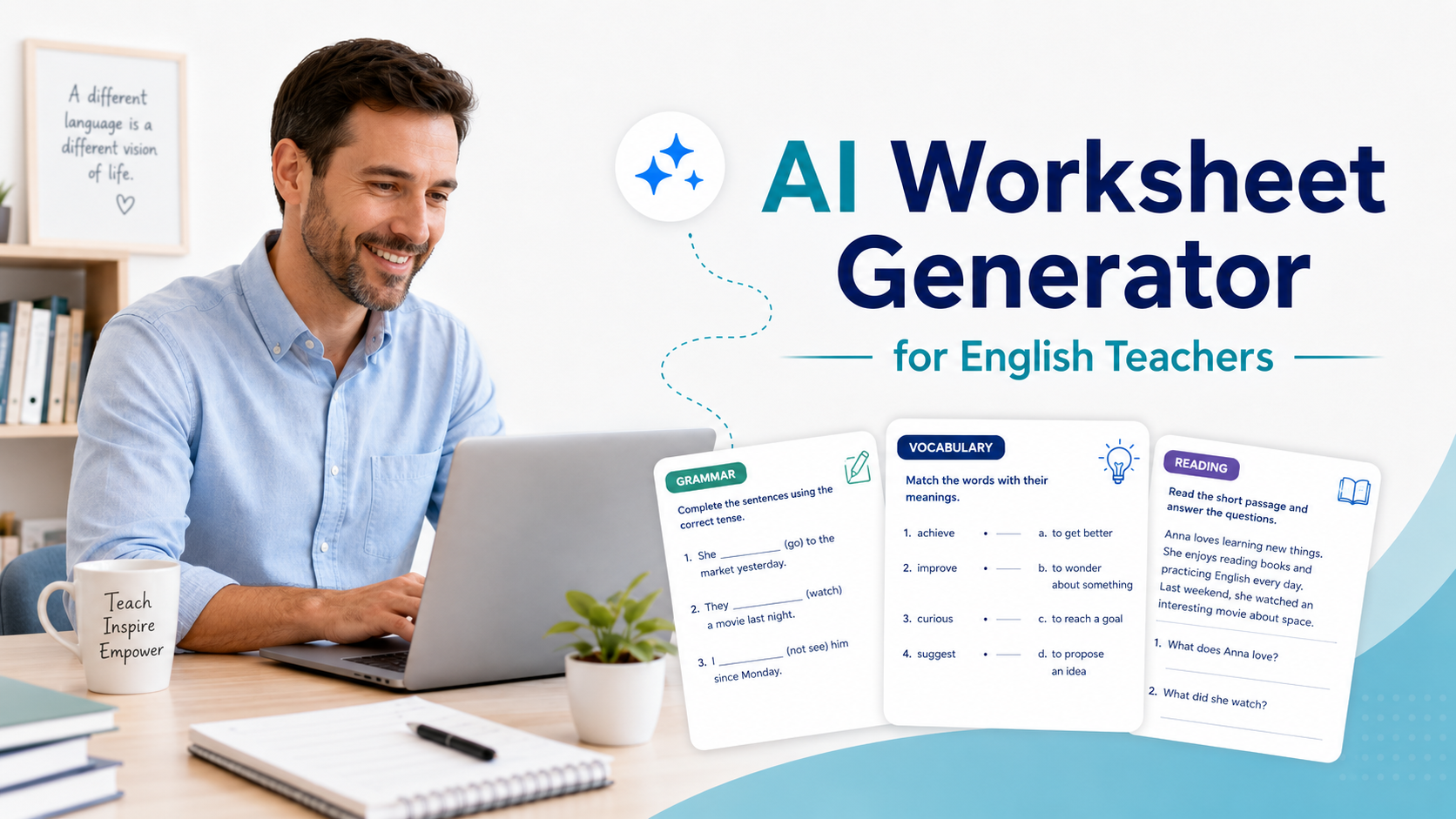
An AI worksheet generator can help English teachers create vocabulary, grammar, reading, writing, and speaking worksheets faster. But the best results do not come from simply asking AI to “make a worksheet.” They come from giving the tool clear teaching context: the level, lesson aim, target language, activity type, timing, and answer key format.
For ESL/EFL teachers and language tutors, AI can be especially useful because worksheets often need to be adapted for different levels, topics, skills, and classroom situations. A worksheet for A2 teenagers is not the same as a worksheet for B2 adult learners, even if both lessons teach the same grammar point.
This guide shows you how to use AI practically, safely, and professionally to create better English worksheets without producing generic filler.
What Is an AI Worksheet Generator?
An AI worksheet generator is any AI tool or chatbot that helps teachers produce worksheet content from instructions. This could include vocabulary exercises, grammar practice, reading comprehension questions, gap-fill tasks, matching activities, speaking prompts, writing tasks, or review quizzes.
Some teachers use dedicated worksheet tools. Others use general AI tools such as ChatGPT to design worksheet content, adapt texts, create answer keys, or differentiate activities. OpenAI’s education resources describe ChatGPT as useful for teaching workflows such as lesson planning and feedback, but teachers still need to review and adapt the output before using it with students.
The important point is this: AI should support your teaching judgement, not replace it.
A good teacher still decides:
- what students need to practise;
- whether the task matches the lesson aim;
- whether the language level is appropriate;
- whether the instructions are clear;
- whether the worksheet is useful in a real classroom.
Why English Teachers Should Use an AI Worksheet Generator
English teachers often create or adapt worksheets under time pressure. You may need a quick vocabulary review, a grammar worksheet, a reading task, or extra practice for fast finishers.
An AI worksheet generator can help you:
- turn a lesson aim into practice activities;
- create different versions for different levels;
- generate answer keys;
- adapt texts for ESL/EFL learners;
- create vocabulary and grammar exercises quickly;
- prepare homework or revision sheets;
- build worksheets around students’ interests.
For example, instead of spending 30 minutes creating a worksheet on the present perfect, you can ask AI to draft a first version in two minutes. Then you spend your time improving, checking, and adapting it.
That is the best use of AI: not replacing the teacher, but reducing repetitive preparation work.
The Best AI Worksheet Generator Workflow for English Teachers
The biggest mistake teachers make is using prompts that are too general. A weak prompt gives you a weak worksheet.
Compare these two prompts:
Weak prompt:
Create a worksheet about the present perfect.
Better prompt:
Create an ESL worksheet for B1 learners practising the present perfect for life experiences. The lesson context is travel and personal achievements. Include:
1. a short warm-up question section;
2. a controlled gap-fill activity;
3. a sentence transformation activity;
4. a short speaking task;
5. an answer key.
Use clear instructions and avoid difficult vocabulary.
The second prompt gives the AI a teaching situation. That produces a much more useful result.
Step 1: Define the Teaching Aim
Before using an AI worksheet maker, write one clear teaching aim.
Examples:
- Students will practise using past simple vs present perfect.
- Students will learn 10 vocabulary items related to travel problems.
- Students will read a short text and answer gist and detail questions.
- Students will practise giving advice using should and shouldn’t.
- Students will write a short opinion paragraph using linking words.
If you cannot explain the aim, the AI will probably create a random worksheet.
Step 2: Add the Learner Level
Always include the learner level. For English teaching, CEFR levels can be helpful because they give you a common language for difficulty, such as A1, A2, B1, B2, C1, and C2. The Council of Europe’s CEFR Companion Volume is the official reference for updated CEFR descriptors and language education guidance.
Example:
The students are A2 ESL learners. Keep sentences short and use familiar vocabulary.
Or:
The students are B2 EFL learners. Include more natural expressions and a short discussion task.
This helps the AI control vocabulary, grammar, sentence length, and task difficulty.
Step 3: Choose the Worksheet Type
Different worksheet types serve different purposes. Tell the AI exactly what you want.
Useful worksheet types for English teachers include:
- vocabulary matching worksheet;
- grammar gap-fill worksheet;
- reading comprehension worksheet;
- spelling worksheet;
- pronunciation practice sheet;
- speaking cards;
- writing practice worksheet;
- error correction worksheet;
- multiple-choice quiz;
- exit ticket;
- homework review sheet.
If you want to create worksheets with AI for a complete lesson, ask for a sequence: controlled practice, semi-controlled practice, then freer practice.
Step 4: Give the AI Your Content
The best worksheets come from your lesson material, not from random AI-generated examples.
You can provide:
- a reading text;
- a vocabulary list;
- a grammar point;
- a coursebook unit topic;
- student errors;
- a video transcript;
- a dialogue;
- a list of exam skills;
- a lesson objective.
For example:
Use these vocabulary items: delayed, cancelled, luggage, boarding pass, gate, passenger, refund, accommodation. Create an A2 travel vocabulary worksheet with matching, gap-fill, and a short speaking task.
This gives you a worksheet that fits your actual lesson.
Copy-Paste AI Worksheet Prompts for English Teachers
Below are practical prompts you can copy, paste, and adapt.
Prompt 1: General ESL Worksheet Generator
Act as an experienced ESL worksheet designer.

Create a worksheet for [LEVEL] learners on [TOPIC / LANGUAGE POINT].

Lesson aim:
[WRITE AIM]

Include:
1. a short warm-up activity;
2. a controlled practice task;
3. a semi-controlled practice task;
4. a communicative activity;
5. an answer key.

Make the instructions clear and teacher-friendly. Keep the language appropriate for [LEVEL] learners.
Prompt 2: Vocabulary Worksheet Generator
Create an ESL vocabulary worksheet for [LEVEL] learners.

Target vocabulary:
[PASTE WORD LIST]

Topic:
[TOPIC]

Include:
1. a matching activity;
2. a gap-fill activity;
3. a sentence-writing task;
4. a speaking task using the vocabulary;
5. an answer key.

Avoid unnatural example sentences. Make the worksheet useful for a real English lesson.
Prompt 3: Grammar Worksheet Generator
Create a grammar worksheet for [LEVEL] English learners practising [GRAMMAR POINT].

Context:
[TOPIC]

Include:
1. a short explanation in simple English;
2. 8 controlled practice questions;
3. 6 sentence transformation questions;
4. 5 personalised speaking questions;
5. an answer key.

Use examples that sound natural in everyday English.
Prompt 4: Reading Worksheet Generator
Create a reading worksheet for [LEVEL] ESL learners based on the text below.

Text:
[PASTE TEXT]

Include:
1. 3 pre-reading discussion questions;
2. 5 gist/detail comprehension questions;
3. 5 vocabulary-in-context questions;
4. 3 follow-up speaking questions;
5. an answer key.

Make sure the questions test understanding, not only word matching.
Prompt 5: Spelling Worksheet Generator for English Words
Create a spelling worksheet for English learners using these words:
[PASTE SPELLING WORDS]

Level:
[LEVEL]

Include:
1. word unscramble;
2. missing letters;
3. sentence completion;
4. a short dictation section;
5. an answer key.

Use clear formatting and simple instructions.
This prompt works well if you are targeting future articles around “worksheet generator for spelling words” or “spelling worksheet maker.”
Practical Example: Creating a Vocabulary Worksheet with AI
Imagine you are teaching a B1 lesson about job interviews. Your target vocabulary is:
- apply for;
- candidate;
- qualification;
- experience;
- strengths;
- weaknesses;
- deadline;
- employer.
A strong prompt would be:
Create a B1 ESL vocabulary worksheet about job interviews.

Target vocabulary:
apply for, candidate, qualification, experience, strengths, weaknesses, deadline, employer

Include:
1. a matching activity with simple definitions;
2. a gap-fill activity using realistic sentences;
3. a short dialogue completion task;
4. 5 speaking questions for pair work;
5. an answer key.

Make the worksheet suitable for adult learners.
The AI may produce a solid first draft. But your job is to check it.
Ask yourself:
- Are the definitions accurate?
- Are the example sentences natural?
- Is the level really B1?
- Are the speaking questions useful?
- Would my students understand the instructions?
- Does the worksheet connect to the lesson aim?
If the answer is no, ask AI to revise.
For example:
Revise this worksheet. Make the example sentences more natural, reduce difficult vocabulary, and make the speaking questions more useful for adult ESL learners.
How to Improve AI-Generated Worksheets
AI can create a worksheet quickly, but the first version is rarely the best version. Use follow-up prompts to improve it.
Ask AI to Simplify the Language
Simplify this worksheet for A2 learners. Keep the same activities, but use shorter sentences and easier vocabulary.
Ask AI to Make It More Communicative
Add a communicative pair-work activity at the end of this worksheet so students use the target language in a realistic conversation.
Ask AI to Add Differentiation
Create two versions of this worksheet: one easier version for lower-level students and one challenge version for faster finishers.
Ask AI to Add an Answer Key
Create a clear answer key for this worksheet. If more than one answer is possible, mention that.
Ask AI to Check for Level
Review this worksheet for B1 ESL learners. Identify any vocabulary, grammar, or instructions that may be too difficult.
These follow-up prompts are often more important than the first prompt.
AI Worksheet Ideas by English Teaching Skill
An AI worksheet generator for teachers becomes more useful when you connect it to specific language skills.
Vocabulary Worksheets
Use AI to create:
- matching tasks;
- word families;
- collocations;
- gap-fill sentences;
- vocabulary review quizzes;
- speaking questions using target words.
Example prompt:
Create a B1 vocabulary worksheet on travel problems. Include collocations, gap-fill sentences, and a speaking task where students describe a bad travel experience.
Grammar Worksheets
Use AI to practise:
- tense contrast;
- conditionals;
- modals;
- passive voice;
- reported speech;
- articles;
- prepositions.
Example prompt:
Create an A2 grammar worksheet practising should and shouldn’t for health advice. Include controlled practice and a final role-play.
Reading Worksheets
Use AI to generate questions from a text you already have. This is better than asking AI to invent a reading passage from nothing.
Example prompt:
Create reading comprehension questions for this text. Include 3 gist questions, 5 detail questions, and 4 vocabulary-in-context questions.
Speaking Worksheets
Use AI to create:
- discussion cards;
- role-play cards;
- information-gap tasks;
- debate prompts;
- problem-solving tasks.
Example prompt:
Create 12 speaking cards for B1 learners practising giving opinions about technology in education.
Writing Worksheets
Use AI to design:
- paragraph planning sheets;
- model text analysis;
- sentence starters;
- linking word practice;
- peer review checklists.
Example prompt:
Create a B1 writing worksheet that helps students write an opinion paragraph about online learning. Include a planning table, useful phrases, and a checklist.
Common Mistakes to Avoid When Using AI to Create Worksheets
Mistake 1: Using Prompts That Are Too Short
“Make a worksheet about food” is not enough. Add level, aim, topic, activity type, number of questions, and answer key requirements.
Mistake 2: Trusting the First Draft
AI can make mistakes. It may create unnatural sentences, unclear instructions, wrong answers, or tasks that do not match the level. Always review before using the worksheet.
Mistake 3: Creating Worksheets Without a Lesson Aim
A worksheet should not just fill time. It should help students practise something specific.
Mistake 4: Making Everything Written Practice
English learners need communication. Add speaking, pair work, personalisation, or discussion whenever possible.
Mistake 5: Ignoring Student Context
A worksheet for young learners, university students, business English learners, and private tutoring clients should look different. Give AI the context.
Mistake 6: Forgetting the Answer Key
Always ask for an answer key. It saves time and helps you notice weak or ambiguous questions.
A Simple Quality Checklist for AI-Generated Worksheets
Before using an AI-generated worksheet, check these points:
- Does it match the lesson aim?
- Is the level appropriate?
- Are the instructions clear?
- Are the examples natural?
- Are the answers correct?
- Is there enough progression from easy to harder tasks?
- Is there at least one communicative or personalised activity?
- Does the worksheet avoid unnecessary complexity?
- Is the formatting easy to read?
- Would I be comfortable giving this to students?
This checklist is what separates a useful AI-assisted worksheet from generic AI content.
FAQ: AI Worksheet Generator for English Teachers
What is the best AI worksheet generator for English teachers?
The best option depends on what you need. Some teachers prefer dedicated worksheet tools, while others use general AI tools with strong prompts. For English teachers, the most important feature is not the tool name; it is whether you can control the level, language point, activity type, and answer key.
Can ChatGPT create ESL worksheets?
Yes, ChatGPT can help draft ESL worksheet content, including vocabulary tasks, grammar practice, reading questions, speaking prompts, and answer keys. However, teachers should review the output carefully before using it with students.
How do I create worksheets with AI?
Start with a clear teaching aim, add the learner level, specify the worksheet type, provide your target language or text, and ask for an answer key. Then revise the output for accuracy, level, and classroom usefulness.
Can AI create worksheets for different CEFR levels?
AI can help adapt worksheets for CEFR levels such as A1, A2, B1, and B2, but the teacher should still check the difficulty. CEFR descriptors can guide level expectations, but AI output is not automatically accurate.
Is an AI worksheet maker better than a traditional worksheet template?
Not always. A traditional template is useful for structure. AI is useful for generating examples, adapting language, creating variations, and saving preparation time. The best approach is to combine both.
Can AI make spelling worksheets?
Yes. You can give AI a spelling list and ask it to create missing-letter tasks, word unscrambles, dictation sentences, sentence completion exercises, and an answer key.
Should teachers use AI-generated worksheets without editing?
No. AI-generated worksheets should be checked and edited before classroom use. Teachers should verify accuracy, level, instructions, answer keys, and suitability for their students.
Conclusion
An AI worksheet generator can save English teachers a lot of preparation time, but only when it is used with clear teaching purpose. The quality of the worksheet depends on the quality of your prompt, your lesson aim, and your final review.
For ESL/EFL teachers and language tutors, the best approach is simple: use AI to create a strong first draft, then use your teaching judgement to improve it. Add the learner level, target language, activity type, examples, and answer key. Then check whether the worksheet is clear, accurate, communicative, and useful for your real students.
Used well, AI does not replace your teaching. It gives you more time to focus on what matters most: helping learners practise English in a meaningful way.
Comments
4 responses to “AI Worksheet Generator for English Teachers: 7 Ways to Create Better ESL Worksheets”
[…] you regularly turn vocabulary into printable practice, AI Worksheet Generator for English Teachers gives you a more complete worksheet […]
[…] you already use AI to generate your classroom materials, you may find the article AI Worksheet Generator for English Teachers helpful for creating printable worksheets out of the organisers […]
[…] makes Twee a strong companion to your AI Worksheet Generator for English Teachers workflow because teachers can generate task ideas and then customize them for their own […]
[…] you want to expand the activity into a complete language worksheet, our AI worksheet generator guide includes additional approaches for vocabulary, grammar, and comprehension […]