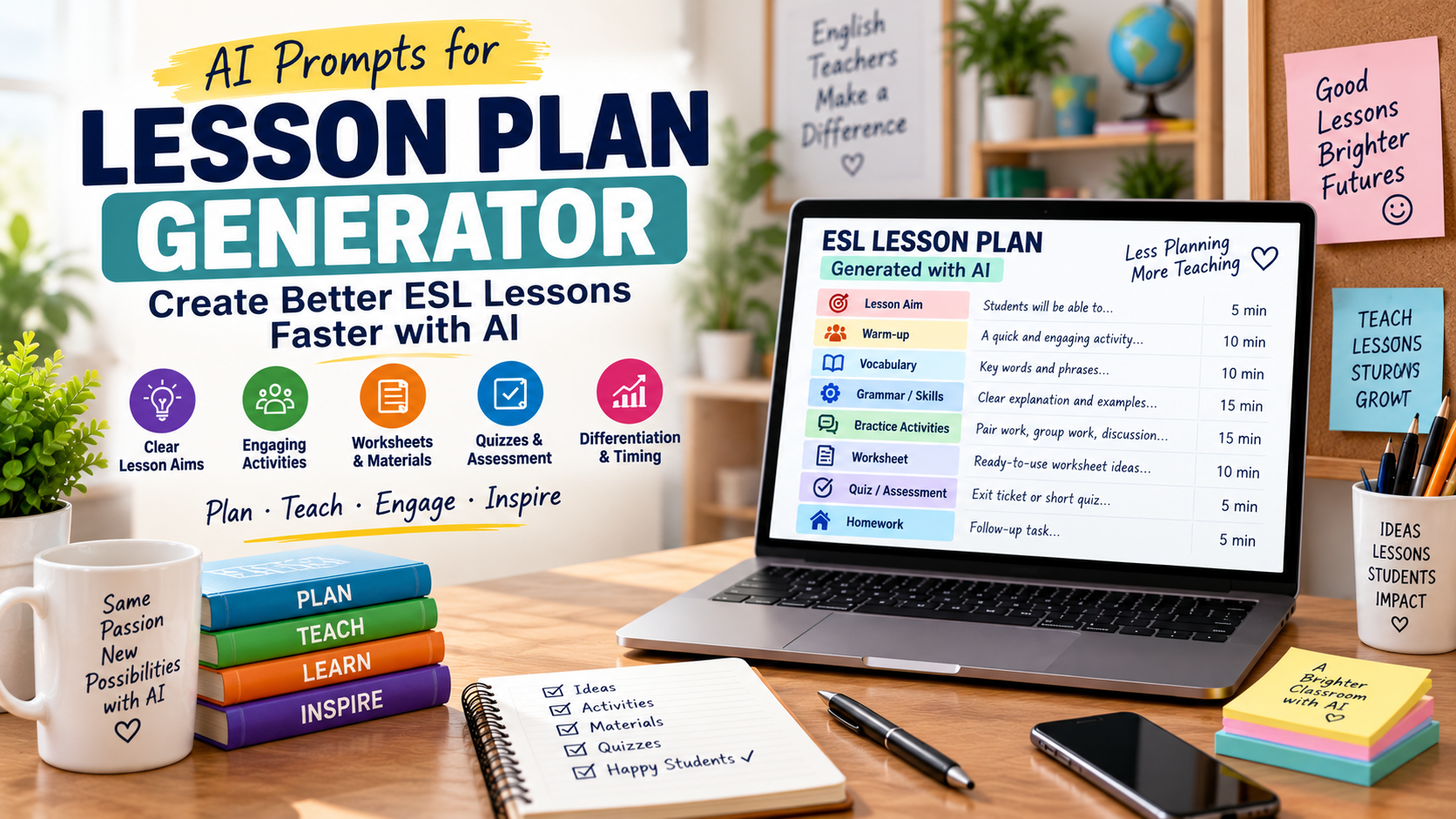
A lesson plan generator can help English teachers prepare ESL lessons faster, but it should not produce a generic plan that ignores your students, lesson aims, timing, materials, and classroom reality. The best way to use AI for lesson planning is to guide it with clear information and then adapt the output with your own teacher judgement.
For ESL/EFL teachers and language tutors, lesson planning often involves many small decisions. You need a lesson aim, warm-up, vocabulary support, grammar or skills practice, worksheets, pair work, timing, assessment, and sometimes homework. AI can help you organise these parts into a clear lesson flow.
But AI is not the teacher. It does not know your students unless you describe them. It does not know your classroom limits unless you explain them. It may also suggest too many activities for one lesson. That is why a good AI lesson plan generator workflow starts with strong prompts and ends with careful teacher review.
In this guide, you will learn how to use AI to create better ESL lesson plans with practical prompts for aims, warm-ups, vocabulary, grammar, reading, listening, speaking, worksheets, quizzes, timing, differentiation, and homework.
If you already create classroom materials with AI, you may also find these guides useful: AI Worksheet Generator for English Teachers, Reading Worksheet Generator, and ESL Quiz Templates.
What Is a Lesson Plan Generator?
A lesson plan generator is an AI tool or prompt workflow that helps teachers create a structured lesson plan. For English teachers, it can help organise the lesson aim, stages, timing, activities, materials, student interaction, assessment, and follow-up tasks.
A lesson plan generator can help you create:
- lesson aims;
- warm-up activities;
- vocabulary presentation stages;
- grammar practice stages;
- reading or listening tasks;
- speaking activities;
- writing tasks;
- worksheets;
- quizzes;
- homework;
- differentiation ideas;
- lesson timing;
- teacher instructions.
However, the quality of the lesson plan depends on the quality of the information you give the AI. A vague prompt creates a vague lesson. A clear prompt creates a much better first draft.
Why English Teachers Should Use AI for Lesson Planning
Lesson planning takes time because teachers are not only choosing activities. They are thinking about sequence, level, classroom management, student needs, language goals, and assessment.
An AI lesson plan generator can help you:
- save preparation time;
- create a clearer lesson structure;
- generate activity ideas quickly;
- adapt one lesson for different levels;
- connect worksheets and quizzes to the lesson aim;
- create homework or extension tasks;
- plan reading, listening, speaking, and writing lessons;
- avoid starting from a blank page.
For example, after creating a quiz with the ESL Quiz Templates workflow, you can ask AI to place that quiz inside a complete lesson plan as a review activity, exit ticket, or homework task.
You can also draft your plan in Google Docs so it is easy to edit, reuse, and share with other teachers.
What Makes a Good ESL Lesson Plan?
A good ESL lesson plan is not just a list of activities. It should have a clear purpose and a logical flow.
A strong ESL lesson plan usually includes:
- learner level;
- lesson aim;
- target language or skill;
- lesson context;
- materials;
- warm-up;
- presentation or input stage;
- controlled practice;
- freer practice;
- feedback stage;
- assessment or checking task;
- homework or follow-up;
- timing for each stage.
For example, if the lesson aim is “Students will be able to give advice using should and shouldn’t,” the lesson should not become a random vocabulary lesson. Every stage should support that aim.
You can use the Common European Framework of Reference as a general guide when thinking about learner levels such as A2, B1, or B2.
Basic AI Lesson Plan Generator Prompt
Start with this prompt when you want a complete lesson plan.
Act as an experienced ESL teacher.

Create a lesson plan for [LEVEL] English learners.

Lesson topic:
[TOPIC]

Lesson length:
[TIME]

Main lesson aim:
[LESSON AIM]

Target language or skill:
[GRAMMAR / VOCABULARY / READING / LISTENING / SPEAKING / WRITING]

Class context:
[NUMBER OF STUDENTS, AGE GROUP, ONLINE OR FACE-TO-FACE, ANY IMPORTANT DETAILS]

Create a clear lesson plan with:
1. lesson aim;
2. materials needed;
3. warm-up;
4. presentation or input stage;
5. controlled practice;
6. freer practice;
7. feedback stage;
8. assessment/checking activity;
9. homework or follow-up;
10. timing for each stage.

Make the lesson realistic, level-appropriate, and easy for a teacher to follow.
This prompt gives AI enough information to create a useful first draft. You can then review the timing, simplify activities, remove unnecessary stages, and add your own teaching style.
Prompt 1: Create a Clear Lesson Aim
A lesson plan becomes weak when the lesson aim is too broad. “Teach vocabulary” is not specific enough. A better aim explains what students will be able to do by the end of the lesson.
Use this prompt:
Act as an ESL lesson planning assistant.

Help me write a clear lesson aim.

Student level:
[LEVEL]

Lesson topic:
[TOPIC]

Target language or skill:
[LANGUAGE OR SKILL]

By the end of the lesson, students should be able to:
[DESCRIBE WHAT STUDENTS SHOULD DO]

Write:
1. one main lesson aim;
2. two supporting aims;
3. one measurable outcome;
4. one simple checking activity.
Example
Student level:
A2

Lesson topic:
Giving advice

Target language:
should / shouldn’t

By the end of the lesson, students should be able to give simple advice about health problems.
AI might suggest:
By the end of the lesson, students will be able to give simple advice about common health problems using should and shouldn’t.
That aim is clearer than “teach should.”
Prompt 2: Generate a Warm-Up Activity
A warm-up should prepare students for the lesson, not waste time. It should activate prior knowledge, introduce the topic, or create interest.
Use this prompt:
Create a 5-minute ESL warm-up activity.

Student level:
[LEVEL]

Lesson topic:
[TOPIC]

Main lesson aim:
[LESSON AIM]

Class type:
[ONLINE / FACE-TO-FACE]

Create:
1. a quick activity;
2. teacher instructions;
3. student instructions;
4. two possible follow-up questions.

Make the warm-up simple, communicative, and connected to the lesson aim.
Teacher tip
Avoid warm-ups that are too long. If the warm-up takes 20 minutes, it is no longer a warm-up. It becomes the lesson.
For more activity inspiration, you can explore teacher-development resources on British Council TeachingEnglish, then adapt ideas to your own learners.
Prompt 3: Plan a Vocabulary Stage
Vocabulary stages work best when students see words in context, practise meaning, and then use the words in a speaking or writing task.
Use this prompt:
Create a vocabulary stage for an ESL lesson.

Student level:
[LEVEL]

Lesson topic:
[TOPIC]

Target vocabulary:
[PASTE WORD LIST]

Create:
1. a short lead-in;
2. a meaning-checking activity;
3. pronunciation notes;
4. a controlled practice activity;
5. a short speaking or writing task using the words.

Use clear teacher instructions and student instructions.
Example
Student level:
B1

Lesson topic:
Travel problems

Target vocabulary:
delayed flight, lost luggage, refund, complaint, booking, customer service
If the vocabulary needs extra practice, you can turn the word list into a worksheet using the AI Worksheet Generator for English Teachers workflow.
Prompt 4: Plan a Grammar Lesson
AI can help structure a grammar lesson, but you should make sure the lesson includes meaning, form, pronunciation, and use.
Use this prompt:
Create a grammar lesson plan for [LEVEL] ESL learners.

Grammar focus:
[GRAMMAR POINT]

Lesson topic:
[TOPIC]

Lesson length:
[TIME]

Create a lesson plan with:
1. context/lead-in;
2. meaning explanation;
3. form explanation;
4. pronunciation focus if relevant;
5. controlled practice;
6. freer practice;
7. common learner mistakes;
8. quick assessment activity;
9. homework idea.

Make the explanation simple and suitable for [LEVEL].
Example
Create a grammar lesson plan for A2 ESL learners.

Grammar focus:
Past simple irregular verbs

Lesson topic:
Weekend activities

Lesson length:
60 minutes
This kind of prompt helps AI create a full grammar lesson rather than only a grammar explanation.
Prompt 5: Plan a Reading Lesson
A reading lesson should include pre-reading, while-reading, and post-reading stages. It should not only ask students to answer questions.
Use this prompt:
Create an ESL reading lesson plan.

Student level:
[LEVEL]

Reading topic:
[TOPIC]

Reading text:
[PASTE TEXT OR SUMMARY]

Lesson length:
[TIME]

Create:
1. pre-reading activity;
2. vocabulary preparation;
3. gist reading task;
4. detailed reading task;
5. vocabulary-in-context task;
6. post-reading speaking or writing task;
7. answer key;
8. timing for each stage.

Make the lesson suitable for [LEVEL] learners.
This connects naturally with the Reading Worksheet Generator article, where teachers can create comprehension questions, vocabulary tasks, and answer keys from a reading text.
Prompt 6: Plan a Listening or Video Lesson
Listening and video lessons need careful staging. Students often need support before listening, a simple first task, and a more detailed second task.
Use this prompt:
Create an ESL listening or video lesson plan.

Student level:
[LEVEL]

Video/audio topic:
[TOPIC]

Transcript or summary:
[PASTE TRANSCRIPT OR SUMMARY]

Lesson length:
[TIME]

Create:
1. pre-listening/pre-watching discussion questions;
2. key vocabulary;
3. first listening/watching gist task;
4. second listening/watching detail task;
5. post-listening/post-watching discussion task;
6. short writing follow-up;
7. answer key;
8. timing for each stage.

Make the lesson realistic and suitable for [LEVEL].
For video-based lessons, you can combine this with the AI Video Question Maker workflow to create comprehension questions, vocabulary tasks, discussion prompts, and answer keys from a transcript or summary.
Prompt 7: Plan a Speaking Lesson
A speaking lesson should give students enough language support before asking them to speak. AI can help create sentence starters, role plays, discussion questions, and pair-work tasks.
Use this prompt:
Create an ESL speaking lesson plan.

Student level:
[LEVEL]

Speaking topic:
[TOPIC]

Lesson aim:
[LESSON AIM]

Create:
1. warm-up question;
2. useful vocabulary and phrases;
3. sentence starters;
4. controlled speaking practice;
5. pair-work or group-work activity;
6. feedback stage;
7. optional extension task.

Make the speaking tasks realistic, communicative, and suitable for [LEVEL].
Example
Student level:
B1

Speaking topic:
Online learning

Lesson aim:
Students can express opinions about the advantages and disadvantages of online learning.
A good speaking lesson gives students the words and structures they need before asking them to discuss the topic.
Prompt 8: Add Worksheets to a Lesson Plan
Worksheets are useful when they support the lesson aim. They should not feel like disconnected extra pages.
Use this prompt:
Add a worksheet to this ESL lesson plan.

Lesson plan:
[PASTE LESSON PLAN]

Student level:
[LEVEL]

Create a worksheet that includes:
1. title;
2. short student instructions;
3. one vocabulary activity;
4. one controlled practice activity;
5. one freer practice activity;
6. one short reflection or exit ticket;
7. answer key.

Make the worksheet match the lesson aim and lesson stages.
You can design the final worksheet in Canva if you want a more polished printable layout for your students.
Prompt 9: Add a Quiz or Exit Ticket
A short quiz or exit ticket helps you check whether students understood the lesson. It can also help you decide what to review next.
Use this prompt:
Create a short quiz or exit ticket for this ESL lesson.

Lesson plan:
[PASTE LESSON PLAN]

Student level:
[LEVEL]

Create:
1. 3 quick checking questions;
2. 2 language-use questions;
3. 1 short self-assessment question;
4. an answer key.

The quiz should take no more than 5 minutes.
If you want more quiz formats, use the templates in ESL Quiz Templates and adapt them to your lesson aim.
Prompt 10: Differentiate the Lesson for Mixed Levels
Many ESL teachers have mixed-level classes. AI can help you create easier and harder versions of tasks.
Use this prompt:
Differentiate this ESL lesson plan for mixed-level learners.

Lesson plan:
[PASTE LESSON PLAN]

Main level:
[LEVEL]

Class situation:
[DESCRIBE MIXED LEVELS OR STUDENT NEEDS]

Create:
1. easier support for weaker students;
2. extension tasks for stronger students;
3. alternative instructions;
4. grouping suggestions;
5. homework options at two difficulty levels.

Keep the main lesson aim the same.
Teacher tip
Differentiation does not always mean creating a completely different lesson. Sometimes it means changing the support, examples, time, or expected output.
Prompt 11: Improve Lesson Timing and Flow
AI lesson plans often include too many activities. Ask AI to check the timing and remove what is unnecessary.
Use this prompt:
Review this ESL lesson plan for timing and flow.

Lesson length:
[TIME]

Lesson plan:
[PASTE LESSON PLAN]

Tell me:
1. which stages are too long;
2. which stages are unnecessary;
3. where students may need more support;
4. how to make the lesson flow better;
5. a revised timing plan.

Make the final plan realistic for one lesson.
This is one of the most useful follow-up prompts because it makes the lesson plan more practical.
Prompt 12: Create a Complete ESL Lesson Plan from One Topic
Use this prompt when you have only a topic and need a complete first draft.
Create a complete ESL lesson plan.

Student level:
[LEVEL]

Topic:
[TOPIC]

Lesson length:
[TIME]

Class type:
[ONLINE / FACE-TO-FACE]

Main skill:
[READING / LISTENING / SPEAKING / WRITING / GRAMMAR / VOCABULARY]

Create:
1. lesson aim;
2. target language;
3. materials;
4. warm-up;
5. main activity stages;
6. worksheet or handout idea;
7. quiz or exit ticket;
8. homework;
9. timing;
10. teacher notes.

Make the lesson practical, communicative, and easy to adapt.
This prompt is useful when you need a quick starting point. After AI creates the plan, you should still revise it for your real students.
Practical Example: B1 ESL Lesson Plan with AI
Imagine you want to teach a 60-minute B1 lesson about online learning.
You could use this prompt:
Act as an experienced ESL teacher.

Create a 60-minute lesson plan for B1 learners.

Topic:
Online learning

Main aim:
Students will be able to discuss the advantages and disadvantages of online learning.

Target language:
opinion phrases, advantage/disadvantage vocabulary, linking words

Class context:
Face-to-face class, 24 university students

Create:
1. warm-up;
2. vocabulary stage;
3. short reading or listening input;
4. controlled practice;
5. pair discussion;
6. group feedback;
7. exit ticket;
8. homework;
9. timing for each stage.
The AI might create a lesson with:
- a warm-up question about online classes;
- vocabulary such as flexible, convenient, distracting, independent learning;
- a short reading text about online learning;
- a matching activity;
- pair discussion using sentence starters;
- an exit ticket asking students to write one advantage and one disadvantage.
You can then improve the lesson by adding a worksheet, a short quiz, or a rubric for the speaking task. For speaking or presentation assessment, the Rubric Creator guide can help you build simple criteria for fluency, vocabulary, clarity, and interaction.
How to Improve an AI-Generated Lesson Plan
AI-generated plans are useful, but they are often too general. Use follow-up prompts to improve the result.
Make the lesson more communicative
Revise this lesson plan to make it more communicative.

Add more pair-work, student interaction, and meaningful language use.
Reduce teacher talking time.
Make the lesson easier
Simplify this lesson plan for [LEVEL] learners.

Use easier instructions, shorter tasks, and more examples.
Make the lesson more realistic
Review this lesson plan and remove any activities that are unrealistic for a [TIME]-minute class.

Give me a revised version with practical timing.
Add teacher instructions
Add clear teacher instructions to each stage of this lesson plan.

Include what the teacher says, what students do, and how long each stage takes.
Add online teaching adaptations
Adapt this ESL lesson plan for online teaching.

Include ideas for breakout rooms, chat responses, screen sharing, and digital worksheets.
Common Mistakes to Avoid When Using a Lesson Plan Generator
Mistake 1: Giving AI too little context
Do not only write “create a lesson plan about food.” Add level, aim, lesson length, class type, target language, and student needs.
Mistake 2: Accepting the first lesson plan without editing
AI gives a draft. The teacher turns it into a real lesson. Always check timing, level, and classroom practicality.
Mistake 3: Planning too many activities
AI often creates long plans with too many stages. Remove anything that does not support the lesson aim.
Mistake 4: Ignoring student level
An A2 lesson and a B2 lesson need different texts, questions, instructions, and speaking tasks.
Mistake 5: Forgetting assessment
Every lesson should include a way to check learning. This can be a short quiz, exit ticket, speaking task, or written response.
Mistake 6: Making worksheets before the aim is clear
Start with the lesson aim first. Then create worksheets, quizzes, or handouts that support that aim.
Mistake 7: Letting AI replace teacher judgement
AI can organise ideas quickly, but you know your students, classroom, curriculum, and teaching context better than the tool does.
Simple ESL Lesson Plan Template
You can reuse this structure with any lesson topic.
Lesson title: [Topic]
Level: [A2/B1/B2]
Length: [Time]
Main aim: By the end of the lesson, students will be able to [do something specific].
Target language/skill: [Grammar, vocabulary, reading, listening, speaking, writing]
Materials: [Text, video, worksheet, slides, quiz]
1. Warm-up
Students discuss or respond to a simple topic question.
2. Input stage
Students read, listen, watch, or study examples.
3. Language focus
Teacher highlights useful vocabulary, grammar, phrases, or strategies.
4. Controlled practice
Students complete a guided task.
5. Freer practice
Students use the language in speaking, writing, discussion, or problem-solving.
6. Feedback
Teacher reviews common errors, strong examples, and useful language.
7. Assessment/checking task
Students complete a quiz, exit ticket, short answer, or performance task.
8. Homework/follow-up
Students practise or extend the lesson outside class.
FAQ: Lesson Plan Generator for English Teachers
What is a lesson plan generator?
A lesson plan generator is an AI tool or prompt workflow that helps teachers create structured lesson plans with aims, activities, timing, materials, assessment, and homework.
Can AI create ESL lesson plans?
Yes. AI can create ESL lesson plan drafts if you provide the student level, topic, lesson aim, lesson length, class context, and target language or skill.
How do I create a lesson plan with AI?
Start by giving AI the learner level, topic, lesson length, main aim, class type, target language, and materials. Then ask for stages, timing, instructions, assessment, and homework.
Should English teachers use AI lesson plans without editing?
No. Teachers should review AI-generated lesson plans carefully. Check the timing, level, instructions, activities, and assessment before using the plan in class.
Can AI help with worksheets and quizzes?
Yes. AI can create worksheets, quizzes, exit tickets, answer keys, and homework tasks. You can combine lesson planning prompts with your worksheet and quiz workflows.
What should every ESL lesson plan include?
An ESL lesson plan should include a learner level, main aim, target language or skill, warm-up, input stage, practice activities, feedback, assessment, homework, and realistic timing.
Is a lesson plan generator useful for private tutors?
Yes. Private tutors can use AI to create personalised lessons, homework, conversation tasks, vocabulary practice, and review quizzes for individual learners.
Conclusion
A lesson plan generator can help English teachers save time and organise better ESL lessons, but it works best when the teacher gives clear instructions and reviews the output carefully. AI can help with lesson aims, warm-ups, vocabulary stages, grammar lessons, reading lessons, listening lessons, speaking practice, worksheets, quizzes, differentiation, and homework.
The most important rule is simple: start with the lesson aim. Then use AI to build activities that support that aim. After that, edit the plan so it fits your students, timing, classroom, and teaching style.
Used well, AI does not replace lesson planning. It helps English teachers plan faster, connect activities more clearly, and create lessons that are easier to teach and more useful for students.
Comments
2 responses to “Lesson Plan Generator: AI Prompts for Better ESL Lessons”
[…] For more structured planning, see Lesson Plan Generator: AI Prompts for Better ESL Lessons. […]
[…] a more AI-focused workflow, you can also read Lesson Plan Generator: AI Prompts for Better ESL Lessons and ChatGPT Lesson Planning: A Prompt Sequence for Better ESL Lessons on Prompted […]