It’s Sunday evening. You’ve got three English classes to prepare for Monday, a reading worksheet that needs simplifying, and a lesson plan from last semester that you know is saved somewhere.
You open your laptop, look through a few folders, and wonder why something as ordinary as preparing tomorrow’s lesson still takes so much time.
Sometimes the problem isn’t a lack of teaching ideas. It’s the amount of work involved in turning those ideas into organised, classroom-ready lessons.
That’s where lesson planning software can make a difference.
Some tools use AI to generate lesson plans, worksheets, and activities from a short description. Others work more like digital planbooks, helping you organise classes, reuse previous lessons, and keep track of what you’re teaching throughout the week.
For ESL and EFL teachers, the distinction matters. Creating an interesting speaking activity is one thing. Building a coherent lesson around a language objective—and making sure you can find it again next semester—is another.
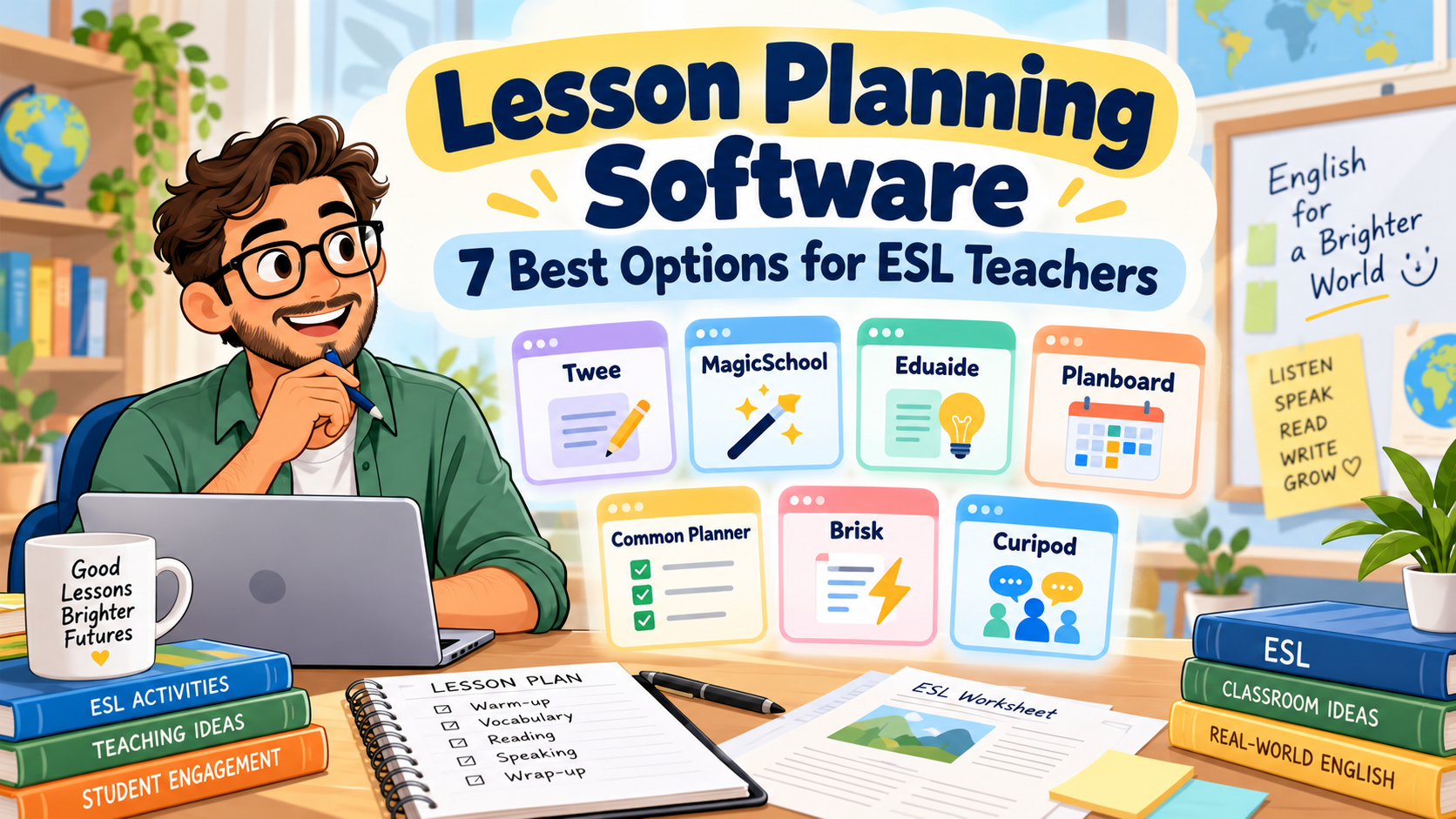
In this guide, we’ll compare seven lesson planning tools, looking at what they offer, where they fit into English teaching, and which limitations are worth considering before paying for a subscription.
We’ll also use one practical example throughout: preparing a 50-minute B1 English lesson on expressing and supporting opinions.
A note about this comparison: The descriptions reflect official product information available in October 2026. This is a feature-based comparison, not a claim that all seven platforms were independently tested in classroom conditions. Prices and plan limits may change.
Best Lesson Planning Software for ESL Teachers: Quick Comparison
Not every platform on this list solves the same problem. Before comparing them, it helps to separate AI resource generators from digital lesson organisers.
| Software | Best suited to | Free option |
|---|---|---|
| Twee | ESL-specific materials and CEFR-based lessons | Limited trial and free resources |
| MagicSchool AI | Structured AI lesson plans and teacher resources | Yes, with usage limits |
| Eduaide.AI | Developing, revising, and differentiating lesson materials | Yes, limited monthly resources |
| Planboard | Organising weekly lessons and teaching schedules | Yes, for teachers |
| Common Planner | Reusable planbooks and collaborative planning | Yes |
| Brisk Teaching | Creating lessons from existing documents and resources | Yes |
| Curipod | Interactive lessons and AI-supported writing activities | Yes, with session limits |
If you mainly want AI to create classroom materials, start by looking at Twee, MagicSchool, Eduaide, or Brisk.
If you want to manage your teaching schedule, Planboard and Common Planner deserve more attention.
Curipod is different again: it becomes interesting when you want to turn lesson content into an interactive student experience.
That distinction is the key to choosing useful lesson planning software, rather than paying for a platform that doesn’t really solve your problem.
1. Twee: Best for ESL-Specific Lesson Materials
Website: twee.com
Of the seven tools, Twee is particularly relevant to English-language teachers.
While many AI education platforms support a wide range of school subjects, Twee focuses on language teaching. It provides tools for generating reading passages, dialogues, discussion questions, vocabulary exercises, grammar activities, and listening tasks.
You can work with CEFR levels, including A1 through C2, and build lessons around the language proficiency of your students.
Twee also provides a library of ready-to-teach ESL lesson plans. According to its official lesson-library guidance, teachers can search by level, age group, duration, and other criteria before adapting a lesson.
How could you use Twee in a B1 lesson?
Imagine tomorrow’s topic is:
Should university students use AI for their homework?
The lesson objective is:
By the end of the lesson, students will be able to express an opinion, provide a reason, and respond politely to a different opinion.
You could use Twee to prepare a short reading about AI in education, vocabulary related to the topic, comprehension questions, and discussion prompts.
Those materials could form the preparation stages before students begin a pair discussion.
Twee’s lesson-building workflow allows teachers to combine different generated activities into a lesson rather than treating every exercise as a separate document.
What makes it useful?
Its language-teaching focus is its strongest advantage.
You don’t have to explain to a generic tool why CEFR levels matter or why a reading activity for B1 learners should be different from one for C1 students.
Still, specifying B1 does not guarantee that every generated sentence will be perfectly appropriate. You’ll want to review vocabulary, question difficulty, and the amount of support students receive.
What about pricing?
Twee offers limited trial use and access to free resources.
Its published annual-billing rates include Basic at $6.50 per month and Pro at $10.50 per month, with different generation limits and features.
Check the latest details on Twee’s pricing page.
Main limitation
Twee is primarily a tool for preparing and delivering language-learning materials. It isn’t the same kind of weekly timetable organiser as Planboard.
If your main frustration is losing track of which lesson belongs to which class on which day, you may need a separate planner.
Best choice for: ESL/EFL teachers who regularly prepare level-appropriate reading, grammar, vocabulary, listening, and speaking activities.
2. MagicSchool AI: Best for Structured Lesson Planning
Website: magicschool.ai
MagicSchool is a broader AI platform built for education.
Its tools cover lesson planning, worksheets, quizzes, rubrics, differentiation, and other classroom preparation tasks.
The dedicated AI Lesson Plan Generator can produce a structured lesson from information such as a learning objective, subject, class level, and available teaching time.
That makes MagicSchool particularly relevant for teachers who already know what they want students to learn but need help organising the lesson.
Our B1 lesson example
Let’s use the same lesson objective:
Students will be able to express and support opinions about AI in education.
You could enter:
Class: B1 EFL university students
Duration: 50 minutes
Topic: AI in education
Objective: Students express an opinion, justify it, and respond politely to disagreement.
Requirements: Include a warm-up, language preparation, guided practice, pair discussion, and exit ticket.
MagicSchool could generate a first-draft sequence with estimated timing and suggested activities.
You would then review whether the stages fit your class.
For instance, if the generated plan spends twenty minutes explaining opinion expressions and leaves only five minutes for speaking, it needs adjusting.
The software can create the structure quickly. You still decide whether that structure makes pedagogical sense.
Where MagicSchool stands out
MagicSchool is useful when lesson planning connects to several other preparation tasks.
After drafting a lesson, you may also need:
- a differentiated worksheet;
- comprehension questions;
- an assessment rubric;
- a short review quiz;
- additional examples.
Its broader tool collection allows you to handle several of those tasks within the same platform.
Pricing
MagicSchool has a free teacher plan with usage limits.
Its published Plus pricing is $8.33 per month when billed annually, or $12.99 per month on monthly billing.
The official pricing page explains the differences between Free, Plus, and institutional plans.
What to watch out for
MagicSchool serves teachers across many school subjects. You may need to provide more explicit ESL instructions than you would with a language-specific tool.
For example, specify the CEFR level, communicative aim, target expressions, and expected student output.
Don’t assume a general grade-level setting captures those requirements automatically.
Best choice for: Teachers who want structured first-draft lesson plans alongside quizzes, worksheets, and assessment resources.
3. Eduaide.AI: Best for Developing and Refining Lesson Materials
Website: eduaide.ai
One weakness of some AI tools is that they generate something impressive-looking, but revising it becomes a separate task.
You copy the output into another document, remove unnecessary material, change the examples, and reorganise the stages.
Eduaide approaches this problem with a document-based lesson-planning workspace.
According to its official lesson-planning documentation, teachers can start with an objective or topic, generate materials, and then revise, differentiate, evaluate, and export them within the workspace.
It also offers various instructional structures, including lesson plans, questions, activities, and assessment resources.
How it fits our B1 lesson
Suppose you already have a rough plan:
- Introduce the topic of AI in education.
- Teach opinion expressions.
- Read a short text.
- Hold a group discussion.
- Finish with a reflection.
The lesson outline is reasonable, but you still need the materials.
You might use Eduaide to develop the reading text, create discussion questions, add language support, and prepare a final learning check.
You could also examine the language difficulty and revise the materials before distributing them.
The useful distinction
Eduaide isn’t only about producing the first draft. Its workspace is designed to support what happens afterwards.
That could be helpful if you regularly adapt the same lesson for students with different levels of proficiency.
For example, your stronger B1 learners might discuss the ethical implications of AI tools, while students who need more support could receive sentence starters and a shorter reading passage.
The learning objective could remain the same.
Pricing
Eduaide offers a free plan with an allowance equivalent to approximately eight resources per month.
Its published Pro price is $5.99 monthly, or $49.99 annually.
You can check the current limits, exports, and features on Eduaide’s official facts page.
Main limitation
Eduaide is designed around broad educational planning and curriculum workflows. As with MagicSchool, you’ll need to make the ESL context explicit.
If you want ready-made CEFR-focused language exercises with minimal setup, Twee may be a more natural first stop.
But if you frequently generate, revise, and differentiate complete teaching resources, Eduaide is worth investigating.
Best choice for: Teachers who want to refine AI-generated materials in an organised editing workflow.
4. Planboard: Best for Organising a Teaching Week
Website: Planboard by Chalk
Here is a familiar situation.
You’ve prepared three lessons for Monday, four for Tuesday, and another two for Wednesday.
Everything is saved in documents.
Unfortunately, the documents aren’t connected to your teaching schedule, and finding last week’s lesson takes longer than you’d like.
This is the sort of problem Planboard is designed to solve.
Unlike the first three platforms, Planboard is primarily a digital lesson planner.
It lets teachers organise classes, subjects, timetables, lesson plans, curriculum standards, and attached resources.
Its Google Play listing also confirms mobile access and synchronisation with the web version.
How could you use Planboard?
Imagine you teach three B1 groups.
All three are covering expressing opinions, but the classes meet on different days.
You could organise the lesson in your schedule, attach the relevant materials, and make notes about what needs adjusting for each group.
After teaching, you could record:
Group A needed more vocabulary support.
Group B completed the discussion early.
Group C struggled with polite disagreement.
Those notes would be useful when preparing the following lessons.
Where Planboard is stronger
Its value is organisational rather than generative.
If you already know how to build good lessons and simply want a more reliable way to manage them, a dedicated planner may solve more problems than another AI generator.
Planboard’s teacher-facing app is advertised as free, although you should check whether any optional features or institutional arrangements affect your intended workflow.
Main limitation
Planboard isn’t primarily an AI resource generator.
It won’t replace a tool such as Twee when you need a new B1 reading activity or vocabulary worksheet.
But it may be more useful than Twee when what you need is a clear view of tomorrow’s schedule.
Best choice for: Teachers who want to organise lessons, timetables, and teaching resources across several classes.
5. Common Planner: Best for Reusable Plans and Team Collaboration
Website: commonplanner.com
You may remember this platform under its previous name, Common Curriculum.
It now uses the name Common Planner.
Like Planboard, Common Planner focuses on organising teaching rather than simply generating activities.
It offers digital planbooks, daily and weekly views, reusable lessons, and options for collaborative planning.
Its current platform also includes an AI-powered lesson assistant.
You can review the available features on Common Planner’s official website.
Think beyond a single lesson
Suppose you and another English teacher both teach the same B1 course.
You share the overall learning objectives, but your students progress differently.
A collaborative planbook gives you a common structure while allowing each teacher to make appropriate adjustments.
For example, you could build a lesson sequence:
Week 1: Giving opinions
Week 2: Agreeing and disagreeing
Week 3: Supporting arguments with examples
Week 4: Participating in a structured discussion
Instead of preparing these lessons independently every year, you can reuse and refine the sequence.
That is a different kind of time saving.
It becomes more valuable over months and semesters rather than just during one afternoon of preparation.
Features worth considering
Common Planner’s published features include reusable planbooks, lesson templates, standards tracking, and collaboration.
Its free plan supports daily, weekly, and monthly planning, while paid options add capabilities such as expanded collaboration and unit planning.
Check Common Planner’s pricing page for the latest plan details.
Main limitation
If you teach only one class and rarely reuse plans, the organisational features may be more than you need.
Common Planner becomes particularly useful when your planning has structure across several classes, courses, or teachers.
Best choice for: Teachers who want reusable digital planbooks, coordinated lesson sequences, or collaborative planning.
6. Brisk Teaching: Best for Building Lessons from Existing Resources
Website: briskteaching.com
Sometimes the problem isn’t creating a lesson from scratch.
You already have the material.
Perhaps it’s a PDF from your textbook, an article you found online, or a video you want students to watch.
What you need is a way to turn that source into something teachable.
Brisk is particularly interesting in that situation.
It works as a browser-based teaching assistant and provides tools for generating lesson plans, quizzes, presentations, feedback, and adapted content.
Its official lesson-plan generator explains how teachers can specify a topic, grade level, and instructional requirements, then refine the generated plan.
Using Brisk for our B1 lesson
Imagine you’ve found an article discussing whether students should use AI to complete homework.
The article has useful ideas, but it’s too long for a 50-minute lesson.
You could use Brisk to help create a shorter teaching sequence based on the source material.
You might request:
Use this article to create a B1 EFL lesson focused on expressing and supporting opinions. Include a short reading task, useful expressions, a pair discussion, and an exit ticket.
You would then review the result against the original text.
Check whether the main ideas remain accurate, the vocabulary suits your learners, and the discussion questions actually support your objective.
Why teachers may appreciate it
Brisk fits a workflow many teachers already have: working from existing documents, websites, and videos.
Instead of starting in a completely separate content-generation platform, you can build resources around materials you’ve already selected.
Its free teacher offering includes a lesson-plan generator and several other classroom tools.
What to watch out for
Not every article makes a good lesson.
Brisk can help adapt source material, but it can’t replace your judgment about whether the source is appropriate, accurate, and relevant to the class.
You’ll also want to check compatibility with your usual browser, document platforms, and school technology policies.
Best choice for: Teachers who regularly turn existing reading passages, online articles, PDFs, or videos into classroom materials.
7. Curipod: Best for Interactive Lessons and Student Responses
Website: curipod.com
Most lesson planners focus on what the teacher prepares.
Curipod becomes more interesting when you focus on what students will do during the lesson.
The platform supports AI-generated interactive lessons with slides, polls, short-answer questions, drawing activities, and written responses.
Its official lesson-creation guide explains how teachers can generate lessons using selected skills, topics, and teaching context.
Our B1 lesson in Curipod
Return to the topic:
Should university students use AI for homework?
You could begin with a poll:
Have you ever used AI to help with an assignment?
Then show a short text presenting two perspectives.
Students might respond to:
Give one advantage and one disadvantage of using AI in education.
Next, ask them to write a short opinion paragraph.
Finally, use the collected responses to identify useful ideas and common language difficulties.
That creates a connection between the presentation, student participation, and formative assessment.
AI-supported feedback
Curipod also offers activities where students can receive AI-generated feedback and revise their writing.
This can be interesting for English teachers who want students to improve a response during the lesson rather than submit a first attempt and move on.
However, teachers should check the feedback and decide how it fits their instructional and assessment policies.
Free-plan limits
Curipod currently offers a free plan that allows lesson creation and editing, but places limits on live teaching sessions.
Its free-plan documentation describes an allowance of two teaching sessions per week, with additional conditions for certain activities.
That makes it worth testing before deciding whether it fits your weekly teaching schedule.
Main limitation
Curipod is an interactive lesson-delivery platform rather than a traditional weekly planner.
It won’t replace a complete planbook if your main concern is scheduling and organising multiple courses.
But it is worth considering when student participation and written responses are central to your teaching.
Best choice for: Teachers who want interactive lessons with polls, writing practice, and opportunities for immediate feedback.
Which Lesson Planning Software Is Best for Your Teaching Style?
After looking at all seven platforms, the most important question isn’t which one offers the largest number of features.
It’s which one solves the problem you actually have.
If you mainly teach ESL/EFL language skills
Start with Twee.
Its CEFR-oriented activities and language-teaching focus make it particularly relevant for preparing reading, listening, vocabulary, grammar, and speaking materials.
If you want AI-generated lesson structures
Consider MagicSchool or Eduaide.
MagicSchool is a useful starting point for teachers looking for structured planning tools, while Eduaide may be particularly interesting if editing, evaluating, and differentiating generated resources are important to you.
If your problem is organisation
Look at Planboard or Common Planner.
They help with the less glamorous but essential work of keeping lessons organised, reusing materials, and managing teaching schedules.
If you usually start with existing content
Try Brisk Teaching.
Its workflow may suit teachers who frequently work from webpages, PDFs, videos, and other materials.
If you want a more interactive classroom experience
Explore Curipod.
It offers a different approach to lesson preparation by connecting teacher-created content with student responses and activities.
The best lesson planning software for a language teacher is ultimately the one that fits their teaching routine—not necessarily the newest or most heavily advertised platform.
A Practical B1 Lesson: What Would These Tools Help You Create?
Let’s put the comparison into a real teaching situation.
You need to prepare a 50-minute lesson for B1 university students.
Topic: AI in education
Learning objective:
By the end of the lesson, students will be able to express an opinion about AI in education, support it with a reason, and respond politely to an opposing view.
A workable lesson could look like this.
| Lesson stage | Activity | Time |
|---|---|---|
| Lead-in | Agree/disagree poll about AI use | 5 min |
| Language preparation | Introduce opinion expressions | 8 min |
| Input | Read a short model discussion | 7 min |
| Speaking | Pair discussion and exchange of viewpoints | 15 min |
| Writing | Write a short opinion paragraph | 10 min |
| Exit check | Give an opinion with one reason | 5 min |
| Total | 50 min |
Different tools could help with different parts of this lesson.
Twee could help generate a CEFR-appropriate reading passage and discussion questions.
MagicSchool could help organise the sequence and produce a structured lesson draft.
Eduaide could help refine that draft, adapt materials, and add assessment resources.
Planboard could store the plan under the correct class and teaching day.
Common Planner could help you reuse the sequence and share it with another teacher.
Brisk could help turn an existing article into a lesson resource.
Curipod could help present the content interactively and collect student responses.
These are suggested workflows based on the products’ documented capabilities, not the results of a controlled comparison test.
One thing should remain consistent regardless of the software: the learning objective.
The lesson should not suddenly become a long AI quiz or a collection of unrelated activities just because a platform can generate them.
The British Council’s lesson-planning guidance emphasises connecting objectives, classroom procedures, resources, and realistic timing.
That’s still the standard to apply when AI helps prepare your materials.
Free vs Paid Lesson Planning Software: Do You Need a Subscription?
It’s tempting to assume that a paid tool will automatically produce better lessons.
Sometimes paying does improve the workflow, especially when you regularly need more generations, advanced exports, collaborative features, or access to specific resource types.
But a free plan may be enough.
If you prepare two or three lessons per week, you may find that limited AI generations cover your essential needs.
If you teach several different levels every day, your requirements will probably be higher.
Before upgrading any lesson planning software, I recommend trying it with one normal week of teaching.
Use actual lesson objectives.
Create the resources you genuinely need.
Then ask:
- Did the tool reduce preparation work?
- Did I spend too long correcting its output?
- Could I reuse the result easily?
- Did it improve organisation?
- Would I miss it if I stopped using it?
The last question is surprisingly revealing.
A tool can seem exciting during the first hour and become unnecessary by the end of the week.
A sensible starting setup
For many individual ESL teachers, a combination of one AI resource generator and one simple planning system may be enough.
You might prepare materials using Twee or MagicSchool and organise the finished lessons using a planbook or ordinary folders.
There is no need to pay for multiple overlapping subscriptions before you know which capabilities matter.
How to Choose Lesson Planning Software Without Wasting Money
Before selecting a platform, consider five practical questions.
1. Does it fit your learners’ language level?
If you teach A2 or B1 students, you need more than a generic grade setting.
The tool should let you control vocabulary, instructions, activity complexity, and the communicative demands of the lesson.
The Council of Europe’s CEFR descriptors provide a useful basis for thinking about language-learning objectives.
2. Can you edit the results easily?
No AI-generated plan will perfectly match every class.
Look at how easy it is to change the timing, replace an activity, simplify instructions, and remove unnecessary content.
A tool that creates a plan quickly but makes revision difficult may not save much time.
3. Can you reuse materials?
If you prepare a useful lesson in October, will you be able to find and adapt it next semester?
This is where dedicated planbooks can have a real advantage over standalone AI generations.
4. Does it work with your existing tools?
Think about whether you already use Google Docs, Word, PowerPoint, Google Classroom, or a university LMS.
A new platform should fit your workflow wherever possible.
5. How much teacher review will it require?
Every AI output needs checking.
The relevant question is how much work remains after generation.
If you spend twenty minutes fixing a lesson that would have taken fifteen minutes to prepare yourself, the tool hasn’t helped.
Common Mistakes When Using AI Lesson Planning Software
There are a few problems I would watch for, regardless of which platform you choose.
Starting with a vague objective. If you enter only “B1 lesson about technology,” don’t be surprised if you receive a collection of loosely connected activities.
Accepting unrealistic timing. AI plans can underestimate how long students need for instructions, pair work, and transitions.
Including too much material. A 50-minute lesson doesn’t need a reading text, video, debate, group presentation, vocabulary quiz, and extended writing assignment.
Trusting the stated level. A resource labelled B1 may still contain vocabulary or sentence structures that are unnecessarily difficult.
Forgetting interaction. A lesson filled with teacher explanations and worksheets may look complete but offer little meaningful language use.
Neglecting privacy. Avoid entering identifiable student information into AI systems without appropriate authorisation and safeguards.
Buying tools with overlapping functions. Three subscriptions that all generate similar worksheets may provide less value than one good generator and a reliable way to organise your materials.
The purpose of lesson planning software should be to reduce routine preparation and support instructional decisions, not create additional tasks for the teacher.
A Reusable AI Prompt for ESL Lesson Planning
Even when you use specialised platforms, it helps to have a clear description of the lesson you want.
Save this prompt and adapt it when preparing new lessons.
Copy-and-Paste Prompt
Act as an experienced ESL/EFL teacher.
Student level: [CEFR LEVEL]
Learner context: [AGE / UNIVERSITY / SCHOOL / ADULT]
Lesson length: [MINUTES]
Topic: [TOPIC]
Main learning objective: [OBJECTIVE]
Target language or skill: [TARGET]
Class size: [NUMBER]
Available materials: [TEXTBOOK / VIDEO / TEXT / NONE]
Create a coherent lesson plan.
Include:
- a short lead-in;
- necessary language preparation;
- guided practice;
- meaningful communicative practice;
- a final assessment or learning check;
- realistic timing for every stage;
- one adaptation for students needing support;
- one extension for faster learners.
Keep the learning objective central.
Do not add activities simply to fill time.
Make sure students have sufficient opportunities to use English.
At the end, check whether the lesson stages realistically fit the available time.
This prompt can work with a general-purpose AI assistant or help you prepare the information you’ll enter into specialist teaching tools.
For a more detailed sequence, see ChatGPT Lesson Planning: A Prompt Sequence for Better ESL Lessons.
You can also read How to Create a Lesson Plan: 7 Easy Steps for English Teachers if you want to strengthen the underlying planning process before introducing AI.
Frequently Asked Questions About Lesson Planning Software
What is lesson planning software?
Lesson planning software helps teachers create, organise, edit, store, and reuse lesson plans. Some platforms use AI to generate instructional materials, while others provide digital planbooks, calendars, collaboration features, and resource management.
What is the best lesson planning software for ESL teachers?
The answer depends on your needs. Twee is particularly relevant for language-specific materials, MagicSchool and Eduaide support structured AI-assisted planning, Planboard and Common Planner help organise lessons, Brisk works well with existing resources, and Curipod focuses on interactive learning experiences.
Is there free lesson planning software for teachers?
Yes. Planboard advertises free access for teachers, while Common Planner offers a free plan. MagicSchool, Eduaide, Brisk, Curipod, and Twee also provide free access or limited trial resources, though their features and usage limits differ.
Can AI create a complete ESL lesson plan?
AI can generate a lesson-plan draft with objectives, stages, activities, and assessments. Teachers should still review language difficulty, timing, activity quality, and alignment with the learning objective.
What is the difference between an AI lesson generator and a digital lesson planner?
An AI lesson generator helps produce teaching content. A digital lesson planner primarily helps organise teaching schedules, lessons, resources, and reusable plans. Some platforms combine elements of both.
Can lesson planning software create worksheets?
Some platforms can. Twee, MagicSchool, Eduaide, and Brisk offer tools for generating different kinds of classroom materials. However, worksheet features vary, and some digital planners focus mainly on organisation.
Which tools are useful for CEFR-based lesson planning?
Twee has an explicit focus on CEFR-oriented language learning materials. Other tools can support CEFR-based planning when teachers specify the appropriate level, learning objective, and required language complexity.
Can I use lesson planning software for online or blended learning?
Yes. Many planning and resource-creation tools can support online lessons, digital assignments, and classroom materials. The best choice depends on how students access resources and whether the software integrates with your existing platforms.
Should teachers rely entirely on AI lesson plans?
No. AI can help teachers prepare first drafts, generate activities, and adapt materials. Teachers remain responsible for the accuracy, appropriateness, assessment, and overall quality of the lessons they deliver.
Final Thoughts
Choosing the right lesson planning software isn’t about finding a platform that promises to do everything.
It’s about identifying the part of lesson preparation that takes the most time—and finding a tool that handles that part well.
If you spend hours creating vocabulary and comprehension activities, an ESL-focused generator may help.
If you struggle to organise lessons across several classes, a digital planbook could make a bigger difference.
If you already have good materials but want to adapt them faster, a resource-based AI assistant may fit more naturally into your routine.
And if your priority is student participation, you might benefit from a tool that turns lesson content into interactive activities.
For most teachers, the best approach is to begin with one platform, use it for a genuine teaching week, and evaluate the results.
Keep what works.
Change what doesn’t.
And remember that a well-organised plan is not necessarily a good lesson until students can actually learn from it.
Technology can help prepare the lesson.
The teacher still makes it work.
Free AI Worksheet Prompt Pack for English Teachers
Want to create classroom materials faster without starting every activity from scratch?
Download our Free AI Worksheet Prompt Pack for English Teachers, featuring 25 copy-and-paste prompts for grammar, vocabulary, reading, speaking, quizzes, differentiation, and other teaching tasks.
Use the prompts with your preferred AI tools and adapt the results to your students’ levels and learning objectives.