Tag: Teaching Prompts

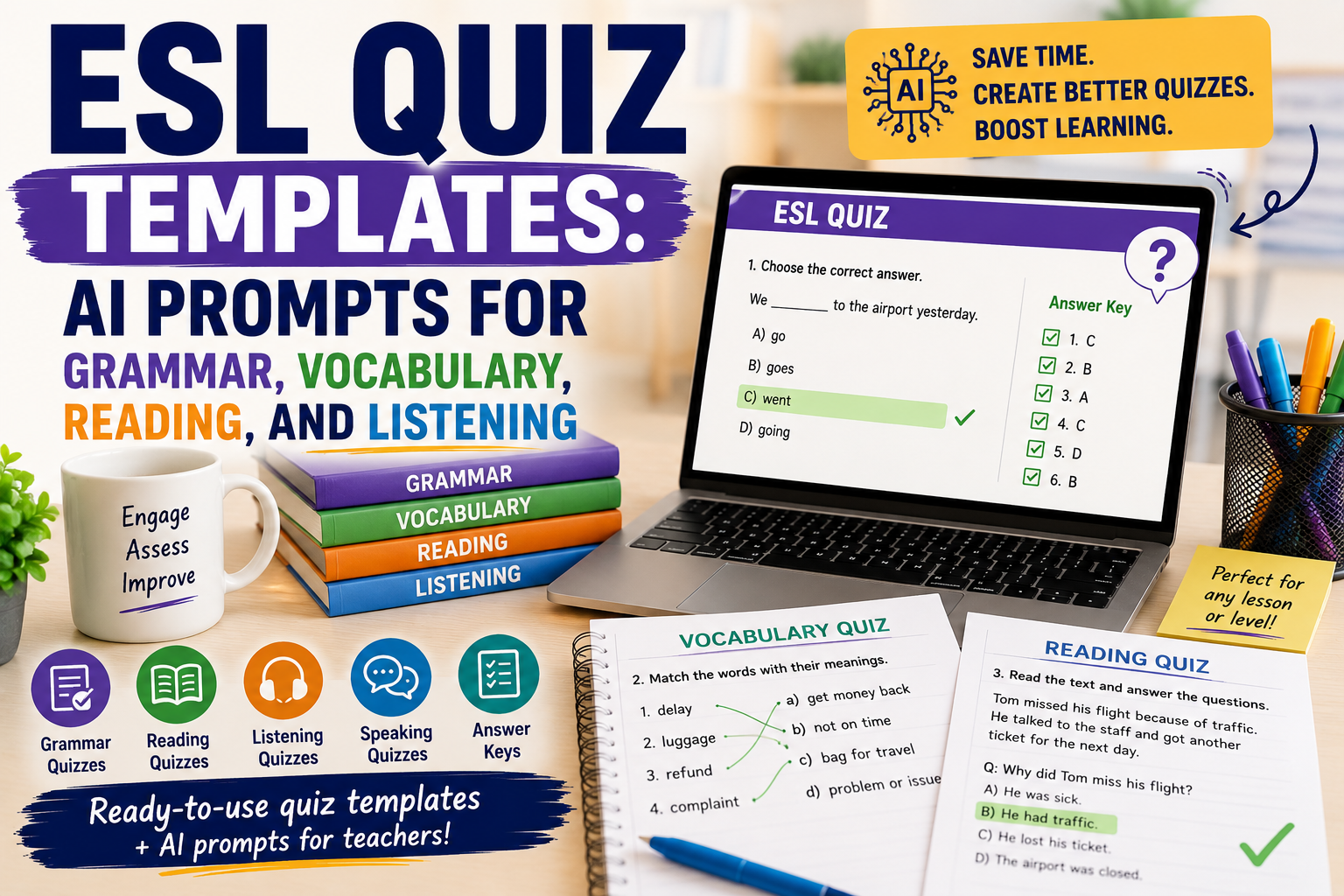
  • ESL Quiz Templates: AI Prompts for Grammar, Vocabulary, Reading, and Listening

    ESL Quiz Templates: AI Prompts for Grammar, Vocabulary, Reading, and Listening

    An ESL quiz can do more than check answers. Used well, it can help English teachers review grammar, practise vocabulary, check reading comprehension, support listening lessons, and quickly see what students need next.

    The problem is that quiz preparation takes time. Teachers need clear questions, suitable difficulty, answer keys, distractors, instructions, and sometimes different versions for different levels. This is where AI can help.

    With the right prompt, you can create better ESL quiz templates faster. You can ask AI to generate grammar quizzes, vocabulary checks, reading comprehension questions, listening tasks, video quizzes, exit tickets, and review activities. The teacher still reviews the quiz, edits weak questions, and checks the answer key, but AI gives a useful first draft.

    In this guide, you will find practical ESL quiz templates and AI prompts you can copy, adapt, and use for your English classes.

    If you already use AI to create worksheets, you may also find these guides useful: AI Worksheet Generator for English Teachers: 7 Ways to Create Better ESL Worksheets, Reading Worksheet Generator: 7 AI Prompts for Better ESL Reading Lessons, and AI Video Question Maker: 9 Prompts for Better ESL Listening Lessons.

    What Makes a Good ESL Quiz?

    A good ESL quiz is not just a list of random questions. It should match the lesson aim, student level, and language skill you want to check.

    A useful ESL quiz should be:

    • clear enough for students to understand;
    • focused on one main skill or lesson goal;
    • suitable for the students’ English level;
    • short enough to complete without stress;
    • fair, with no confusing trick questions;
    • easy for the teacher to mark;
    • connected to what students studied recently.

    For example, if your lesson focused on the past simple, the quiz should not suddenly test advanced conditionals. If your students are A2 learners, the instructions should not be written at a B2 level.

    AI can help with quiz creation, but only when you give it enough context.

    How AI Can Help English Teachers Create ESL Quizzes

    AI can support quiz preparation by helping you create:

    • multiple-choice questions;
    • gap-fill questions;
    • matching activities;
    • true/false questions;
    • short-answer questions;
    • vocabulary quizzes;
    • grammar quizzes;
    • reading comprehension quizzes;
    • listening comprehension quizzes;
    • video-based quizzes;
    • answer keys;
    • easier or harder versions of the same quiz.

    The key is to avoid vague prompts like:

    Make an ESL quiz.
    

    That usually produces a generic quiz.

    A better prompt includes the level, topic, skill, target language, number of questions, question type, and answer key.

    Use this basic structure:

    Create an ESL quiz for [LEVEL] learners.
    
    Topic:
    [TOPIC]
    
    Skill or language focus:
    [GRAMMAR / VOCABULARY / READING / LISTENING / SPEAKING PREPARATION]
    
    Create:
    [NUMBER] questions.
    
    Question types:
    [QUESTION TYPES]
    
    Add:
    - clear student instructions;
    - an answer key;
    - simple language suitable for [LEVEL].
    

    Now let’s look at specific ESL quiz templates.

    ESL Quiz Template 1: Grammar Quiz

    A grammar quiz helps you check whether students can use a structure accurately. It works best when it focuses on one grammar point.

    Use this prompt:

    Act as an experienced ESL teacher.
    
    Create a grammar quiz for [LEVEL] English learners.
    
    Grammar focus:
    [GRAMMAR POINT]
    
    Lesson context:
    [BRIEF CONTEXT]
    
    Create:
    1. 5 multiple-choice questions;
    2. 5 gap-fill questions;
    3. 3 sentence correction questions;
    4. an answer key.
    
    Use clear, natural sentences.
    Avoid trick questions.
    Make the quiz suitable for [LEVEL] learners.
    

    Example

    Create a grammar quiz for A2 English learners.
    
    Grammar focus:
    Past simple regular and irregular verbs
    
    Lesson context:
    Students studied daily activities and weekend routines.
    
    Create:
    1. 5 multiple-choice questions;
    2. 5 gap-fill questions;
    3. 3 sentence correction questions;
    4. an answer key.
    

    Teacher tip

    Keep grammar quizzes focused. A short quiz on one grammar point is usually more useful than a long quiz that mixes too many structures.

    ESL Quiz Template 2: Vocabulary Quiz

    A vocabulary quiz should test meaning, use, and context — not only spelling or translation.

    Use this prompt:

    Create a vocabulary quiz for [LEVEL] ESL learners.
    
    Topic:
    [TOPIC]
    
    Target vocabulary:
    [PASTE WORD LIST]
    
    Create:
    1. 5 matching questions;
    2. 5 multiple-choice meaning questions;
    3. 5 gap-fill sentences;
    4. 3 short personalisation questions;
    5. an answer key.
    
    Use simple example sentences and make the vocabulary useful in context.
    

    Example

    Create a vocabulary quiz for B1 ESL learners.
    
    Topic:
    Healthy habits
    
    Target vocabulary:
    sleep well, drink water, exercise, screen time, routine, reduce, improve, energy
    
    Create:
    1. 5 matching questions;
    2. 5 multiple-choice meaning questions;
    3. 5 gap-fill sentences;
    4. 3 short personalisation questions;
    5. an answer key.
    

    This connects well with Spelling Worksheet Maker: 7 AI Prompts to Create Better English Worksheets article because spelling, vocabulary, and short quizzes often work together.

    ESL Quiz Template 3: Reading Comprehension Quiz

    A reading quiz should check different levels of understanding: main idea, details, vocabulary, and inference.

    Use this prompt:

    Act as an ESL reading teacher.
    
    Create a reading comprehension quiz for [LEVEL] learners.
    
    Reading text:
    [PASTE TEXT]
    
    Create:
    1. 3 main-idea questions;
    2. 5 detail questions;
    3. 4 vocabulary-in-context questions;
    4. 2 inference questions;
    5. an answer key.
    
    Make the questions clear and suitable for [LEVEL].
    Do not ask questions that cannot be answered from the text.
    

    Why this works

    This prompt avoids one common problem: AI sometimes creates questions that are too broad or not directly supported by the text. By telling it to use only the text, you get a fairer quiz.

    ESL Quiz Template 4: Listening Quiz

    A listening quiz should help students focus while listening. It should not overload them with too many details.

    Use this prompt:

    Create a listening comprehension quiz for [LEVEL] ESL learners.
    
    Listening topic:
    [TOPIC]
    
    Transcript or summary:
    [PASTE TRANSCRIPT OR SUMMARY]
    
    Create:
    1. 3 gist questions;
    2. 5 detail questions;
    3. 4 vocabulary-in-context questions;
    4. 2 short-answer questions;
    5. an answer key.
    
    Make the questions follow the order of the listening text.
    Use clear and simple wording.
    

    Teacher tip

    For listening, question order matters. If the questions follow the order of the audio or video, students can listen with a clear purpose.

    ESL Quiz Template 5: Video Quiz

    A video quiz combines listening, visual context, comprehension, and discussion.

    Use this prompt:

    Create an ESL video quiz for [LEVEL] learners.
    
    Video topic:
    [TOPIC]
    
    Video transcript or summary:
    [PASTE TRANSCRIPT OR SUMMARY]
    
    Create:
    1. 3 pre-watching prediction questions;
    2. 5 while-watching comprehension questions;
    3. 4 vocabulary questions;
    4. 3 post-watching discussion questions;
    5. an answer key.
    
    Make the quiz suitable for a classroom or online lesson.

    ESL Quiz Template 6: Multiple Choice Question Template

    Multiple-choice questions are useful, but weak answer options can make the quiz too easy or confusing. AI can help you create better distractors.

    Use this prompt:

    Create a multiple-choice ESL quiz for [LEVEL] learners.
    
    Topic:
    [TOPIC]
    
    Language focus:
    [FOCUS]
    
    Create 10 multiple-choice questions.
    
    For each question:
    - write one clear question;
    - give 4 answer options;
    - make only one answer correct;
    - make the wrong options realistic but fair;
    - avoid confusing trick options.
    
    Add an answer key and a short explanation for each answer.
    

    Example

    Create a multiple-choice ESL quiz for B1 learners.
    
    Topic:
    Travel problems
    
    Language focus:
    Past simple and travel vocabulary
    
    Create 10 multiple-choice questions.
    

    Teacher tip

    Always check the wrong answers. Good distractors should be possible mistakes, not silly answers.

    ESL Quiz Template 7: Exit Ticket Quiz

    An exit ticket is a very short quiz at the end of a lesson. It helps you see what students understood before they leave.

    Use this prompt:

    Create a 5-minute ESL exit ticket for [LEVEL] learners.
    
    Lesson topic:
    [TOPIC]
    
    Today’s lesson aim:
    [LESSON AIM]
    
    Create:
    1. 2 quick checking questions;
    2. 1 short production task;
    3. 1 self-assessment question;
    4. 1 question students can ask if they need help.
    
    Make it easy to complete at the end of class.
    

    Example

    Create a 5-minute ESL exit ticket for A2 learners.
    
    Lesson topic:
    Giving advice
    
    Today’s lesson aim:
    Students can use should and shouldn’t to give simple advice.
    

    This kind of quiz is useful because it gives you fast feedback on the lesson. For a quick digital version, you can transfer the questions into Google Forms, which is useful for collecting responses and reviewing results.

    ESL Quiz Template 8: Review Quiz

    A review quiz helps students remember language from previous lessons. It is especially useful before a test or after finishing a unit.

    Use this prompt:

    Create an ESL review quiz for [LEVEL] learners.
    
    Unit topics:
    [LIST TOPICS]
    
    Grammar covered:
    [LIST GRAMMAR POINTS]
    
    Vocabulary covered:
    [LIST VOCABULARY AREAS]
    
    Create:
    1. 5 grammar questions;
    2. 5 vocabulary questions;
    3. 3 reading or sentence-context questions;
    4. 2 short writing questions;
    5. an answer key.
    
    Mix the questions, but keep them suitable for [LEVEL].
    

    Teacher tip

    Review quizzes should help students revise, not punish them. Keep the tone supportive and use questions that reflect what you actually taught. Platforms such as Quizizz can make review practice more interactive, especially when students need repeated low-stakes practice.

    ESL Quiz Template 9: Speaking Preparation Quiz

    A speaking quiz does not have to be a traditional test. You can use it to prepare students for discussion, role play, or oral practice.

    Use this prompt:

    Create a speaking preparation quiz for [LEVEL] ESL learners.
    
    Speaking topic:
    [TOPIC]
    
    Lesson goal:
    [GOAL]
    
    Create:
    1. 5 useful vocabulary questions;
    2. 5 sentence starter completion items;
    3. 4 opinion questions;
    4. 3 pair-work follow-up questions.
    
    Do not make it a grammar-only quiz.
    Help students prepare ideas and language for speaking.
    

    Example

    Create a speaking preparation quiz for B1 ESL learners.
    
    Speaking topic:
    Online learning
    
    Lesson goal:
    Students can express opinions about the advantages and disadvantages of online learning.
    

    This type of quiz helps students prepare before speaking, especially if they need vocabulary and sentence starters. For a lively whole-class warm-up or review round, Kahoot can turn selected questions into a live quiz game.

    ESL Quiz Template 10: Error Correction Quiz

    Error correction quizzes are useful when students keep making the same mistakes.

    Use this prompt:

    Create an ESL error correction quiz for [LEVEL] learners.
    
    Common student errors:
    [LIST ERRORS]
    
    Create 10 sentences.
    Some sentences should contain one error.
    Some sentences should be correct.
    
    Students must:
    1. decide if the sentence is correct or incorrect;
    2. correct the mistake if there is one.
    
    Add an answer key with short explanations.
    

    Example

    Create an ESL error correction quiz for B1 learners.
    
    Common student errors:
    - missing third-person -s;
    - incorrect past simple verbs;
    - article mistakes;
    - word order in questions.
    

    This can also connect to your AI Writing Feedback: 7 Ways English Teachers Can Give Better Student Feedback article, especially if you turn repeated writing errors into future practice.

    How to Improve AI-Generated ESL Quizzes

    AI-generated quizzes are useful, but they are not always ready to use. You should review and improve them before giving them to students.

    Use these follow-up prompts.

    Make the quiz easier

    Simplify this ESL quiz for [LEVEL] learners.
    Use shorter sentences, easier vocabulary, and clearer instructions.
    

    Make the quiz more challenging

    Make this ESL quiz more challenging for [LEVEL] learners.
    Add more context, better distractors, and questions that require understanding, not guessing.
    

    Add an answer key

    Add an answer key to this ESL quiz.
    For each answer, include a short teacher explanation.
    

    Check if the quiz matches the level

    Review this ESL quiz for level suitability.
    
    Student level:
    [LEVEL]
    
    Tell me:
    1. which questions are too easy;
    2. which questions are too difficult;
    3. which instructions need simplification;
    4. what changes you recommend.
    

    Turn the quiz into a printable worksheet

    Format this ESL quiz as a printable worksheet.
    
    Include:
    - title;
    - level;
    - student instructions;
    - sections;
    - space for answers;
    - answer key on a separate section.
    

    This links naturally to your AI Worksheet Generator for English Teachers post.

    Common Mistakes to Avoid When Creating ESL Quizzes with AI

    Mistake 1: Asking for a quiz without a level

    Always include the student level. A quiz for A2 learners should look very different from a quiz for B2 learners.

    Mistake 2: Testing too many things at once

    One quiz should have a clear purpose. Do not mix grammar, reading, vocabulary, listening, speaking, and writing unless it is a review quiz.

    Mistake 3: Trusting the answer key automatically

    AI can make mistakes. Always check the answer key before using the quiz.

    Mistake 4: Making multiple-choice questions too obvious

    If the wrong answers are silly, students do not need to understand the language. Ask AI to create realistic but fair distractors.

    Mistake 5: Forgetting instructions

    Students need to know exactly what to do. Add short instructions before each section.

    Mistake 6: Ignoring student anxiety

    Quizzes can help learning, but they can also make students nervous. Use low-stakes quizzes, review quizzes, and exit tickets to support learning.

    Mistake 7: Using AI output without teacher judgement

    AI can create a draft. The teacher makes it suitable, fair, accurate, and useful.

    Simple ESL Quiz Planning Checklist

    Before using an AI-generated quiz, check:

    • Is the quiz level appropriate?
    • Does it match the lesson aim?
    • Are the instructions clear?
    • Are the questions fair?
    • Are the wrong options realistic?
    • Is the answer key correct?
    • Is the quiz short enough?
    • Does it help students learn, not only test them?
    • Can the results help me decide what to teach next?

    Practical Example: Creating a B1 ESL Quiz with AI

    Imagine you taught a B1 lesson about travel problems. Your students learned vocabulary such as delayed flight, lost luggage, booking, complaint, refund, and customer service. They also practised the past simple.

    You could use this prompt:

    Create a B1 ESL quiz about travel problems.
    
    Lesson focus:
    - travel problem vocabulary;
    - past simple;
    - short complaint sentences.
    
    Create:
    1. 5 vocabulary matching questions;
    2. 5 multiple-choice grammar questions;
    3. 3 short reading comprehension questions based on a short travel complaint;
    4. 2 short writing questions;
    5. an answer key.
    
    Use clear instructions and natural English.
    

    The result could become a short classroom quiz, homework task, or printable worksheet. If you want to turn it into a polished handout, Canva can help you arrange the questions, answer spaces, headings, and visual elements in a printable format.

    FAQ: ESL Quiz Templates and AI Prompts

    What is an ESL quiz?

    An ESL quiz is a short assessment activity used to check English learners’ understanding of grammar, vocabulary, reading, listening, speaking preparation, or lesson content.

    How can AI help create ESL quizzes?

    AI can help teachers create question drafts, answer keys, different quiz versions, multiple-choice options, vocabulary tasks, grammar questions, and reading or listening comprehension checks.

    What should I include in an ESL quiz prompt?

    Include the learner level, topic, skill, target language, number of questions, question type, and whether you want an answer key.

    Can AI create grammar quizzes for ESL students?

    Yes. AI can create grammar quizzes if you provide the grammar point, student level, and preferred question types.

    Can AI create vocabulary quizzes?

    Yes. You can give AI a vocabulary list and ask it to create matching questions, gap-fill sentences, multiple-choice questions, and personalisation tasks.

    Can I use AI to create multiple-choice questions?

    Yes. AI can create multiple-choice questions, but you should check that only one answer is correct and that the distractors are fair.

    Should I use AI-generated ESL quizzes without editing?

    No. Always review the questions, instructions, level, and answer key before using them with students.

    Conclusion

    An ESL quiz can be a powerful teaching tool when it is clear, focused, level-appropriate, and connected to the lesson. With AI, English teachers can create quiz drafts faster for grammar, vocabulary, reading, listening, video lessons, speaking preparation, review, and exit tickets.

    The best results come from specific prompts. Tell AI the student level, topic, skill, language focus, question type, and quiz purpose. Then review the output carefully and adapt it for your learners.

    AI can save preparation time, but teacher judgement is what makes the quiz useful. Used well, AI helps you create quizzes that check understanding, guide revision, and support better English learning.

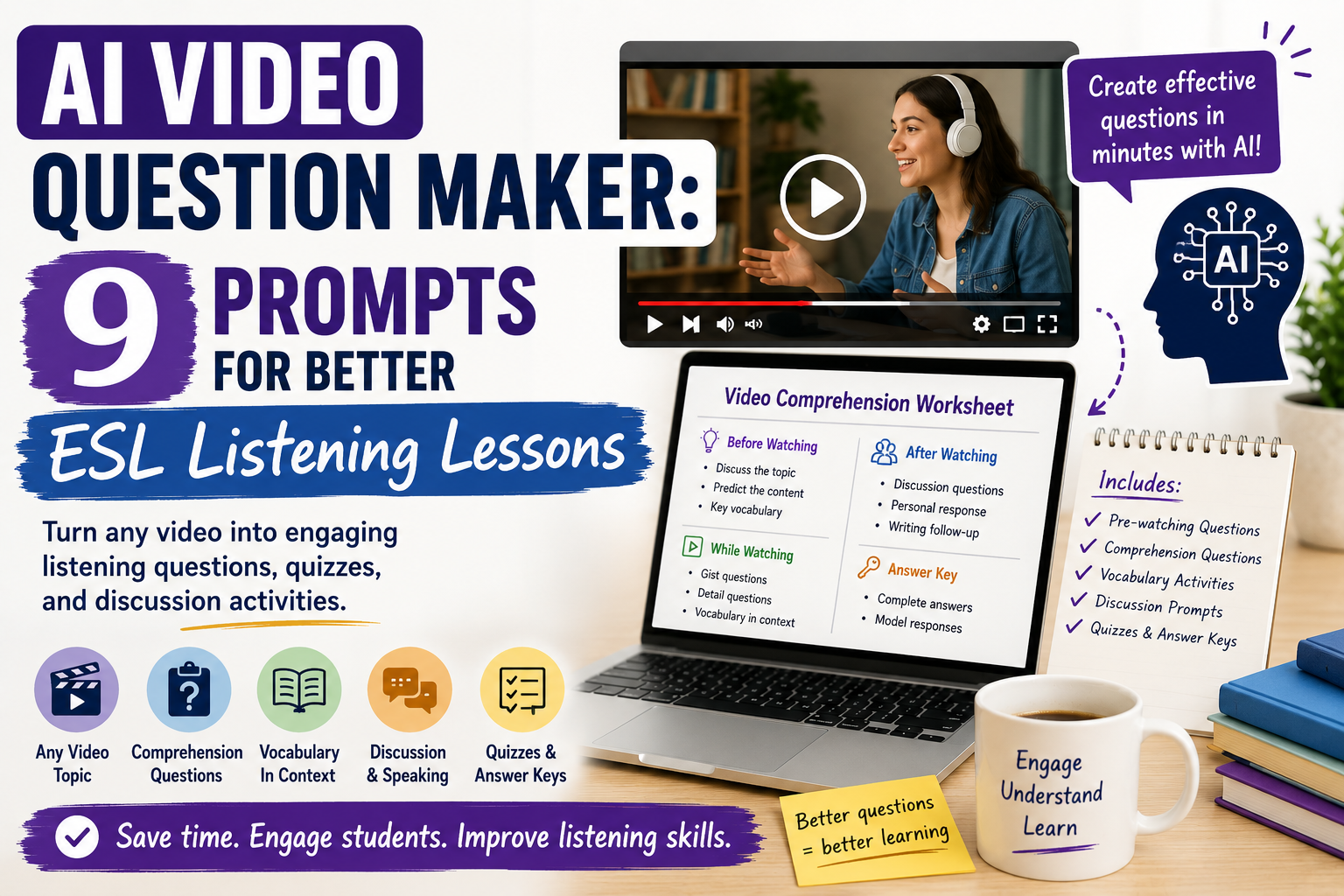
  • AI Video Question Maker: 9 Prompts for Better ESL Listening Lessons

    AI Video Question Maker: 9 Prompts for Better ESL Listening Lessons

    An AI video question maker can help English teachers turn videos into listening tasks, comprehension questions, vocabulary activities, discussion prompts, quizzes, and full classroom worksheets. Instead of watching a video several times and manually writing every question, teachers can use AI to create a strong first draft faster.

    For ESL/EFL teachers and language tutors, video lessons are powerful because students hear natural speech, see context, and respond to real-world topics. However, preparing video-based lessons can take time. You need pre-watching questions, gist tasks, detailed comprehension questions, vocabulary support, post-watching discussion, and sometimes an answer key.

    AI can help with all of this, but only if you guide it properly. A weak prompt creates generic questions. A clear, teacher-focused prompt creates useful classroom material.

    If you already use AI for worksheets, you may also want to read AI Worksheet Generator for English Teachers: 7 Ways to Create Better ESL Worksheets and Reading Worksheet Generator: 7 AI Prompts for Better ESL Reading Lessons.

    What Is an AI Video Question Maker?

    An AI video question maker is a tool or prompt workflow that helps teachers create questions from a video topic, transcript, summary, or lesson objective.

    For English teachers, it can help create:

    • pre-watching discussion questions;
    • gist listening questions;
    • detailed comprehension questions;
    • vocabulary-in-context tasks;
    • true/false questions;
    • multiple-choice quizzes;
    • prediction activities;
    • post-watching speaking tasks;
    • writing follow-ups;
    • answer keys.

    The best results usually come when you provide a transcript, short summary, or clear description of the video. If you only say “make questions for this video,” the AI may not know the content accurately.

    Why English Teachers Should Use AI for Video Questions

    Video lessons are useful, but they can be preparation-heavy. Teachers often need to pause, replay, write questions, check answers, simplify language, and design follow-up tasks.

    An AI video question maker can help you:

    • save preparation time;
    • create different question types quickly;
    • adapt questions for different levels;
    • build listening worksheets from video content;
    • create quizzes from video transcripts;
    • generate discussion questions;
    • prepare homework or flipped-learning tasks;
    • turn video lessons into printable or digital activities.

    This is especially useful for private tutors, online teachers, and classroom teachers who use YouTube clips, short educational videos, interviews, presentations, or coursebook videos.

    For reliable listening and video resources, teachers can also explore British Council LearnEnglish, which offers level-appropriate materials and classroom ideas. TED-Ed is another useful source of short educational videos that can support discussion and listening lessons.

    How to Use an AI Video Question Maker Effectively

    The best workflow is simple:

    1. Choose a short video.
    2. Get or write a transcript or summary.
    3. Decide the student level.
    4. Choose the listening skill.
    5. Ask AI to create questions.
    6. Review the output.
    7. Add an answer key.
    8. Turn the result into a worksheet or quiz.

    Do not rely on AI to guess video content. If possible, provide the transcript. If you do not have a transcript, write a short summary yourself.

    When selecting videos, check the source, length, language level, and suitability for your learners. YouTube can help you find authentic clips, but always preview a video before using it in class.

    Prompt 1: Basic AI Video Question Maker Prompt

    Use this prompt when you have a transcript or clear video summary.

    Act as an experienced ESL listening teacher.
    
    Create a video comprehension worksheet for [LEVEL] English learners.
    
    Video topic:
    [TOPIC]
    
    Transcript or summary:
    [PASTE TRANSCRIPT OR SUMMARY]
    
    Include:
    1. 3 pre-watching questions;
    2. 3 gist questions;
    3. 6 detailed comprehension questions;
    4. 5 vocabulary-in-context questions;
    5. 3 post-watching discussion questions;
    6. an answer key.
    
    Use clear instructions and make the questions suitable for [LEVEL] learners.
    

    This gives students a complete video lesson, not just random comprehension questions.

    Prompt 2: Gist Listening Questions

    Gist questions help students understand the main idea before focusing on details.

    Create gist listening questions for [LEVEL] ESL learners.
    
    Video summary or transcript:
    [PASTE TEXT]
    
    Create:
    1. 4 main-idea questions;
    2. 3 title prediction options;
    3. 2 questions about the speaker’s general message.
    
    Avoid tiny details. Focus on overall understanding.
    Add an answer key.
    

    This works well for the first viewing. Students should not need to understand every word.

    Prompt 3: Detailed Comprehension Questions

    Use this after students understand the general meaning.

    Create detailed comprehension questions for a video-based ESL lesson.
    
    Student level:
    [LEVEL]
    
    Transcript:
    [PASTE TRANSCRIPT]
    
    Create 8 questions that check important details from the video.
    Use a mix of short-answer and multiple-choice questions.
    Make the questions clear and fair.
    Add an answer key.
    

    Teacher tip: make sure the questions follow the order of the video. This helps students listen with purpose.

    Prompt 4: Vocabulary from the Video

    Videos are great for vocabulary learning because words appear in context.

    Create a vocabulary-in-context activity from this video transcript.
    
    Student level:
    [LEVEL]
    
    Transcript:
    [PASTE TRANSCRIPT]
    
    Choose 8 useful words or phrases for English learners.
    For each item:
    1. show the sentence from the transcript;
    2. ask students to guess the meaning;
    3. give 3 answer choices;
    4. include the correct answer.
    
    Choose useful vocabulary, not rare or unnecessary words.
    

    This connects naturally with your post Spelling Worksheet Maker: 7 AI Prompts to Create Better English Worksheets, especially when you want students to practise vocabulary after watching.

    Prompt 5: True/False Video Questions

    True/false questions are easy to use, but they become stronger when students correct false statements.

    Create a true/false video comprehension task for [LEVEL] English learners.
    
    Video transcript:
    [PASTE TRANSCRIPT]
    
    Create 8 statements.
    Some should be true and some should be false.
    For false statements, students must correct the information.
    Add an answer key with the corrected false statements.
    

    This is useful for listening practice because students must understand meaning, not only guess.

    Prompt 6: Multiple-Choice Video Quiz

    Use this when you want a quick quiz or homework activity.

    Create a multiple-choice quiz from this video transcript.
    
    Student level:
    [LEVEL]
    
    Transcript:
    [PASTE TRANSCRIPT]
    
    Create 10 multiple-choice questions.
    Each question should have 4 options.
    Only one option should be correct.
    Avoid trick questions.
    Add an answer key.
    

    You can later turn this into a digital quiz using Google Forms, which allows teachers to create quizzes, collect responses, and review student answers.

    Prompt 7: Discussion Questions After Watching

    Video lessons should not stop with comprehension. Students need to react, discuss, and use English.

    Create post-watching discussion questions for [LEVEL] ESL learners.
    
    Video topic:
    [TOPIC]
    
    Video summary:
    [SUMMARY]
    
    Create:
    1. 5 personal response questions;
    2. 3 opinion questions;
    3. 2 pair-work follow-up tasks.
    
    Make the questions communicative and suitable for English learners.
    

    Example question types:

    • Do you agree with the speaker? Why or why not?
    • Have you ever experienced something similar?
    • What advice would you give the person in the video?
    • What would you do in this situation?

    Prompt 8: Different Levels from the Same Video

    This is useful for mixed-level classes.

    Create two versions of a video worksheet from the same transcript.
    
    Transcript:
    [PASTE TRANSCRIPT]
    
    Version A:
    For A2 learners. Include simple gist questions, basic detail questions, and easy vocabulary.
    
    Version B:
    For B1/B2 learners. Include detail questions, inference questions, vocabulary-in-context, and discussion questions.
    
    Add answer keys for both versions.
    

    This helps you use one video with different learners without preparing everything from zero.

    Prompt 9: Turn a Video into a Full ESL Worksheet

    Use this when you want a complete printable or digital worksheet.

    Create a full ESL video worksheet for [LEVEL] learners.
    
    Video title/topic:
    [TOPIC]
    
    Transcript or summary:
    [PASTE TRANSCRIPT OR SUMMARY]
    
    Include:
    1. lesson aim;
    2. before-watching questions;
    3. key vocabulary;
    4. first-watch gist task;
    5. second-watch detail questions;
    6. vocabulary-in-context task;
    7. post-watching speaking activity;
    8. short writing follow-up;
    9. answer key.
    
    Make it classroom-ready and easy to print.
    

    This is the best prompt if you want to create a complete resource.

    Practical Example: Turning a Short Video into an ESL Lesson

    Imagine you want to use a short video about healthy habits with B1 learners.

    Your prompt could be:

    Create a B1 ESL video worksheet about healthy habits.
    
    Video summary:
    The video explains how small daily habits can improve health. It mentions sleeping well, drinking water, walking every day, eating simple meals, and reducing screen time before bed.
    
    Include:
    1. 3 pre-watching questions;
    2. 3 gist questions;
    3. 6 detail questions;
    4. 5 vocabulary-in-context questions;
    5. 4 discussion questions;
    6. a short writing task;
    7. an answer key.
    

    The AI might create a worksheet with sections such as:

    • Before you watch
    • Watch for the main idea
    • Watch again for details
    • Vocabulary from the video
    • Discuss with a partner
    • Write about your habits

    This becomes a complete ESL video activity, not just a quiz.

    How to Improve AI-Generated Video Questions

    AI questions are not always perfect. Use follow-up prompts to improve them.

    Make the questions easier

    Simplify these video questions for A2 learners. Use shorter sentences and easier vocabulary.
    

    Make the questions more communicative

    Add a speaking task after the video so students use the topic vocabulary in pairs.
    

    Improve the answer key

    Check the answer key and explain any answers that may have more than one acceptable response.
    

    Turn the questions into a worksheet

    Format these video questions as a printable ESL worksheet with clear headings and student instructions.
    

    Turn mistakes into follow-up practice

    Create a short follow-up worksheet based on likely student mistakes from this video lesson.
    

    For extra worksheet structure, link readers to your AI Worksheet Generator for English Teachers article.

    Common Mistakes to Avoid

    Mistake 1: Not giving AI the video content

    AI cannot reliably create accurate questions from a video title alone. Provide a transcript, summary, or key points.

    Mistake 2: Creating too many detail questions

    Students need gist, vocabulary, and discussion too. Do not make the lesson only about small details.

    Mistake 3: Ignoring the learner level

    Video language can be fast and difficult. Always specify the student level and simplify questions if needed.

    Mistake 4: Forgetting pre-watching support

    Pre-watching questions prepare students for the topic and reduce listening anxiety.

    Mistake 5: Skipping post-watching communication

    After watching, students should speak, write, react, or connect the topic to their lives.

    Mistake 6: Trusting the answer key without checking

    AI can create incorrect or unclear answers. Always review the answer key before using it.

    Mistake 7: Using copyrighted material carelessly

    Be careful when using transcripts, clips, or video content. Use videos appropriately for your teaching context and avoid republishing copyrighted material without permission. Review the copyright guidance provided by YouTube before downloading, editing, or redistributing video content.

    Simple Video Worksheet Template

    You can reuse this structure:

    Title: Video Worksheet: [Topic]
    Level: [A2/B1/B2]
    Lesson aim: Students will practise listening for [gist/details/vocabulary] and discuss [topic].

    Before Watching

    1. Discuss the topic.
    2. Predict the content.
    3. Learn key vocabulary.

    While Watching

    1. First watch: answer gist questions.
    2. Second watch: answer detail questions.
    3. Listen for useful phrases.

    After Watching

    1. Discuss your opinion.
    2. Complete a short writing task.
    3. Review vocabulary.

    Answer Key

    Include answers for comprehension and vocabulary questions. For opinion questions, mention that answers may vary.

    FAQ: AI Video Question Maker

    What is an AI video question maker?

    An AI video question maker is a tool or prompt workflow that helps teachers create questions from video content, transcripts, summaries, or lesson aims.

    Can AI create questions from a video?

    Yes, but it works best when you provide a transcript, summary, or key points from the video. AI should not be expected to guess the video accurately from the title alone.

    How can English teachers use AI for video lessons?

    English teachers can use AI to create pre-watching questions, gist tasks, comprehension questions, vocabulary activities, discussion prompts, quizzes, and answer keys.

    Can AI create listening comprehension questions?

    Yes. AI can help create listening comprehension questions if you provide the level, transcript or summary, and question type.

    Can I turn video questions into a worksheet?

    Yes. Ask AI to format the questions as a printable ESL worksheet with headings, instructions, space for answers, and an answer key. You can then design the final resource in a tool such as Canva.

    Is an AI video question maker useful for private tutors?

    Yes. Tutors can use it to prepare quick video-based lessons, homework tasks, discussion lessons, and listening practice for individual students.

    Should I use AI-generated video questions without editing?

    No. Always check accuracy, level, clarity, and answer keys before using AI-generated questions with students.

    Conclusion

    An AI video question maker can save English teachers time and help turn videos into stronger ESL listening lessons. It can create gist questions, detailed comprehension tasks, vocabulary activities, discussion prompts, quizzes, worksheets, and answer keys.

    But the best results come from clear teacher input. Give AI the video transcript or summary, student level, lesson aim, and question types. Then review the output carefully before using it in class.

    Used well, AI can help you turn a short video into a complete English lesson that supports listening, vocabulary, speaking, writing, and classroom interaction.

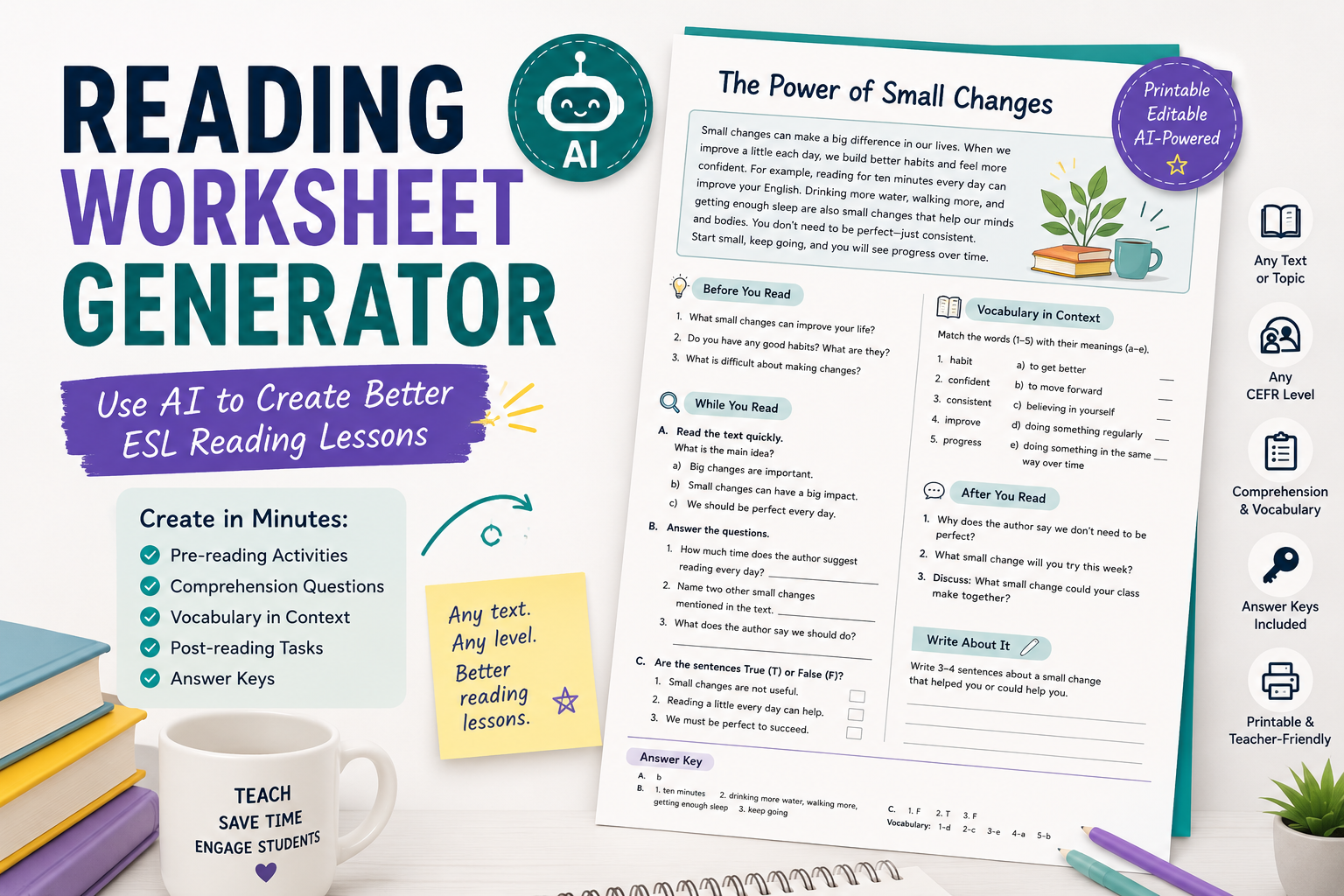
  • Reading Worksheet Generator: 7 AI Prompts for Better ESL Reading Lessons

    Reading Worksheet Generator: 7 AI Prompts for Better ESL Reading Lessons

    A reading worksheet generator can help English teachers turn almost any text into a useful ESL reading lesson. Instead of manually writing comprehension questions, vocabulary tasks, pre-reading activities, and answer keys from scratch, you can use AI to create a strong first draft in minutes.

    But there is an important difference between a random AI-generated worksheet and a good reading lesson. A good ESL reading worksheet should help students understand the text, notice useful language, practise reading skills, and respond to the topic in a meaningful way.

    For English teachers, ESL/EFL teachers, and language tutors, AI works best when you give it clear teaching instructions. You need to specify the learner level, text type, lesson aim, reading skill, question type, vocabulary focus, and answer key format.

    In this guide, you will learn how to use AI as a practical reading worksheet generator, with copy-paste prompts you can adapt for your own classes.

    If you are building a wider worksheet workflow, you may also want to read AI Worksheet Generator for English Teachers: 7 Ways to Create Better ESL Worksheets. For tool options, see 7 Best Customizable Worksheet Software with AI for English Teachers. For vocabulary-focused worksheets, read Spelling Worksheet Maker: 7 AI Prompts to Create Better English Worksheets.

    What Is a Reading Worksheet Generator?

    A reading worksheet generator is a tool or AI workflow that helps teachers create reading activities from a text, topic, article, passage, story, dialogue, or lesson theme.

    For English teachers, a reading worksheet generator can help create:

    • pre-reading discussion questions;
    • prediction tasks;
    • gist questions;
    • detailed comprehension questions;
    • true/false questions;
    • multiple-choice questions;
    • vocabulary-in-context tasks;
    • inference questions;
    • sequencing activities;
    • post-reading speaking tasks;
    • short writing tasks;
    • answer keys.

    With AI, you are not limited to one worksheet format. You can ask for a reading worksheet for A2 learners, a B1 reading comprehension task, a simplified version of a text, or a more challenging worksheet for advanced students.

    The key is to treat AI as a teaching assistant, not as the final decision-maker.

    Why English Teachers Should Use AI for Reading Worksheets

    Reading lessons take time to prepare. You need a suitable text, clear questions, useful vocabulary tasks, and follow-up activities. If the text is too difficult, students become frustrated. If the questions are too easy, the lesson feels shallow.

    AI can help English teachers save time by generating a first draft of reading activities. It can also help you adapt the same text for different levels or create different types of questions from one passage.

    An AI reading worksheet workflow can help you:

    • create comprehension questions quickly;
    • adapt a text for different CEFR levels;
    • generate vocabulary questions from context;
    • create pre-reading and post-reading tasks;
    • produce answer keys;
    • prepare homework worksheets;
    • create differentiated worksheets for mixed-level classes;
    • turn a reading text into a full lesson sequence.

    This is especially useful for ESL/EFL teachers because reading lessons often need careful level control. A text that works well for B2 students may need major adaptation for A2 learners.

    What Makes a Good ESL Reading Worksheet?

    A good ESL reading worksheet is not just a list of questions. It should guide students through the reading process.

    A useful reading worksheet usually includes three stages:

    1. Before reading: activate background knowledge and introduce the topic.
    2. While reading: help students understand the main idea, details, vocabulary, and meaning.
    3. After reading: give students a chance to speak, write, react, or connect the text to their own experience.

    A strong ESL reading worksheet may include:

    • a short warm-up;
    • a prediction task;
    • gist questions;
    • detail questions;
    • vocabulary-in-context questions;
    • inference or opinion questions;
    • a speaking or writing follow-up;
    • an answer key.

    For example, if students read a short text about online learning, they should not only answer “true or false” questions. They should also discuss whether online learning works for them, identify useful vocabulary, and maybe write a short opinion paragraph.

    AI can help you build this structure quickly.

    How to Use AI as a Reading Worksheet Generator

    The biggest mistake is asking AI for something too general.

    A weak prompt would be:

    Create a reading worksheet.
    

    A stronger prompt would be:

    Create a reading worksheet for B1 ESL learners based on the text below.
    
    Include:
    1. 3 pre-reading discussion questions;
    2. 2 gist questions;
    3. 5 detailed comprehension questions;
    4. 5 vocabulary-in-context questions;
    5. 3 post-reading speaking questions;
    6. an answer key.
    
    Use clear instructions and make the questions appropriate for B1 learners.
    
    Text:
    [PASTE TEXT]
    

    The second prompt gives AI the learner level, worksheet structure, question types, and source text. This produces a much more useful result.

    Prompt 1: Basic Reading Worksheet Generator Prompt

    Use this prompt when you already have a reading text and want a complete worksheet.

    Act as an experienced ESL reading teacher.
    
    Create a reading worksheet for [LEVEL] learners based on the text below.
    
    Text:
    [PASTE TEXT]
    
    Include:
    1. a short pre-reading warm-up;
    2. 2 prediction questions;
    3. 3 gist questions;
    4. 6 detailed comprehension questions;
    5. 5 vocabulary-in-context questions;
    6. 3 post-reading speaking questions;
    7. an answer key.
    
    Use clear instructions and make the worksheet suitable for [LEVEL] ESL learners.
    

    When to use this prompt

    Use this when you want a balanced reading worksheet with several activity types. It works well for:

    • classroom reading lessons;
    • private tutoring sessions;
    • homework tasks;
    • exam preparation;
    • reading practice from short articles or stories.

    Teacher tip

    Always paste the actual text if possible. Asking AI to create questions from a real text usually gives better results than asking it to invent everything from nothing.

    Prompt 2: Gist and Detail Reading Questions

    Students need to practise different reading skills. Two important ones are reading for gist and reading for detail.

    Gist questions ask students to understand the main idea.
    Detail questions ask students to find specific information.

    Use this prompt when you want focused comprehension practice.

    Create reading comprehension questions for [LEVEL] ESL learners.
    
    Text:
    [PASTE TEXT]
    
    Create:
    1. 3 gist questions about the main idea;
    2. 6 detail questions about specific information;
    3. an answer key.
    
    Make sure the gist questions cannot be answered by copying only one sentence. Make the detail questions clear and fair.
    

    Example

    If the text is about a student moving to a new city, gist questions might include:

    • What is the main topic of the text?
    • How does the student feel about the move?
    • What is the general message of the story?

    Detail questions might include:

    • Why did the student move?
    • What problem did the student have on the first day?
    • Who helped the student?

    This helps learners practise both global understanding and specific comprehension.

    Prompt 3: Vocabulary-in-Context Worksheet

    Vocabulary is one of the most useful parts of a reading lesson. But vocabulary questions should not only ask for dictionary definitions. Students should learn how words work inside the text.

    Use this prompt to create vocabulary-in-context tasks.

    Create a vocabulary-in-context section for a reading worksheet.
    
    Level:
    [LEVEL]
    
    Text:
    [PASTE TEXT]
    
    Choose 8 useful words or phrases from the text. For each item:
    1. write the word or phrase;
    2. give the sentence from the text where it appears;
    3. ask students to guess the meaning from context;
    4. provide 3 simple answer choices;
    5. include the correct answer key.
    
    Choose vocabulary that is useful for English learners, not rare or unnecessary words.
    

    Why this works

    This type of task helps students notice vocabulary naturally. They see how a word is used in a sentence, not just as an isolated item.

    For example, from a text about travel, AI might choose:

    • delayed;
    • luggage;
    • passenger;
    • comfortable;
    • crowded;
    • journey;
    • arrive;
    • ticket.

    These words are useful, common, and easy to connect to real communication.

    For vocabulary-focused practice, you can internally connect this article to your spelling worksheet maker article when the worksheet includes spelling or word-form review.

    Prompt 4: True/False and Correction Reading Worksheet

    True/false questions are common in reading worksheets, but they become more useful when students have to correct the false statements.

    Use this prompt:

    Create a true/false reading activity for [LEVEL] ESL learners.
    
    Text:
    [PASTE TEXT]
    
    Create 8 statements:
    - Some should be true.
    - Some should be false.
    - For false statements, students must correct the information.
    
    Add an answer key with corrected versions of the false statements.
    Make the statements test comprehension, not tiny details.
    

    Example instruction for students

    Read the text. Write True or False. If the sentence is false, correct it.

    This is better than a simple true/false task because students need to show understanding.

    Teacher tip

    Check that the false statements are not confusing. AI sometimes creates false statements that are too close to the original text or too ambiguous.

    Prompt 5: Inference Questions for Stronger Readers

    Inference questions ask students to understand meaning that is not stated directly. These questions are useful for B1, B2, and higher-level learners.

    Use this prompt when you want deeper reading practice.

    Create inference questions for [LEVEL] English learners based on the text below.
    
    Text:
    [PASTE TEXT]
    
    Create:
    1. 5 inference questions;
    2. a short explanation of what students should notice in the text;
    3. an answer key with possible answers.
    
    Make the questions suitable for [LEVEL] learners. Avoid questions that are too vague.
    

    Example inference questions

    For a story about a nervous student before an exam, inference questions might include:

    • How do we know the student is worried?
    • Why does the teacher probably smile at the student?
    • What can we guess about the student’s preparation?

    These questions help students read between the lines.

    Teacher tip

    Inference questions often have more than one possible answer. In the answer key, allow reasonable alternatives.

    Prompt 6: Differentiated Reading Worksheet

    If your class has mixed abilities, AI can help you create two versions of the same reading worksheet.

    Create two versions of a reading worksheet based on the same text.
    
    Text:
    [PASTE TEXT]
    
    Version A:
    For lower-level [LEVEL] learners. Include simpler instructions, gist questions, basic detail questions, and vocabulary support.
    
    Version B:
    For stronger learners. Include detail questions, inference questions, vocabulary-in-context, and a short written response.
    
    Add answer keys for both versions.
    

    Why this is useful

    In many ESL/EFL classes, students are not all at the same level. Some need support with basic comprehension. Others need challenge.

    A differentiated reading worksheet lets students work with the same topic while completing tasks at the right level.

    Example

    For a text about healthy habits:

    • Version A could ask students to match habits with pictures and answer simple detail questions.
    • Version B could ask students to infer the writer’s opinion and write advice for a friend.

    This keeps the class connected while giving students appropriate support.

    Prompt 7: Full Reading Lesson Worksheet

    Sometimes you do not only need reading questions. You need a complete reading lesson worksheet from start to finish.

    Use this prompt:

    Create a complete ESL reading lesson worksheet for [LEVEL] learners.
    
    Topic:
    [TOPIC]
    
    Text:
    [PASTE TEXT]
    
    Include:
    1. lesson aim;
    2. pre-reading discussion questions;
    3. vocabulary preview;
    4. gist reading task;
    5. detailed comprehension questions;
    6. vocabulary-in-context task;
    7. post-reading speaking activity;
    8. short writing task;
    9. answer key.
    
    Make the worksheet practical, clear, and suitable for a real English lesson.
    

    When to use this prompt

    Use this when you are preparing:

    • a full reading lesson;
    • a private tutoring session;
    • a homework worksheet;
    • a substitute teacher lesson;
    • a printable classroom resource.

    This prompt gives you a complete structure, not just a set of comprehension questions.

    Practical Example: Turning a Short Text into a Reading Worksheet

    Here is a sample text for A2/B1 learners:

    Anna started learning English two years ago. At first, she was afraid to speak because she did not want to make mistakes. Then she joined an online speaking club. Every week, she talked with learners from different countries. Slowly, she became more confident. Now, she still makes mistakes, but she enjoys speaking English and learning from other people.
    

    A useful AI prompt would be:

    Create a reading worksheet for A2/B1 ESL learners based on this text.
    
    Include:
    1. 3 pre-reading questions;
    2. 2 gist questions;
    3. 5 detail questions;
    4. 5 vocabulary-in-context questions;
    5. 3 post-reading speaking questions;
    6. an answer key.
    
    Keep the worksheet simple and classroom-friendly.
    
    Text:
    Anna started learning English two years ago. At first, she was afraid to speak because she did not want to make mistakes. Then she joined an online speaking club. Every week, she talked with learners from different countries. Slowly, she became more confident. Now, she still makes mistakes, but she enjoys speaking English and learning from other people.
    

    The AI could generate questions such as:

    Pre-reading:

    • Do you like speaking English?
    • Why are some learners afraid to speak?
    • What helps people become more confident?

    Gist:

    • What is the text mainly about?
    • How does Anna change during the story?

    Detail:

    • When did Anna start learning English?
    • Why was she afraid to speak?
    • What club did she join?
    • Who did she talk with?
    • How does she feel now?

    Post-reading:

    • What helps you feel more confident in English?
    • Do you prefer speaking online or face-to-face?
    • What advice would you give Anna?

    This creates a simple but complete reading worksheet.

    How to Improve an AI-Generated Reading Worksheet

    The first AI output may be useful, but it is not always ready for students. Use follow-up prompts to improve it.

    Make the worksheet easier

    Simplify this reading worksheet for A2 learners. Use shorter instructions, easier vocabulary, and fewer questions.
    

    Make the worksheet more challenging

    Make this reading worksheet more challenging for B2 learners. Add inference questions, vocabulary-in-context, and a short written response task.
    

    Improve the answer key

    Improve the answer key. Add short explanations for any questions where students may give different correct answers.
    

    Add a speaking task

    Add a post-reading speaking activity where students discuss the topic in pairs using simple discussion questions.
    

    Add a writing task

    Add a short post-reading writing task. Students should write 80–100 words giving their opinion about the topic.
    

    These follow-up prompts help turn a basic worksheet into a stronger ESL reading lesson.

    Common Mistakes to Avoid When Using AI for Reading Worksheets

    Mistake 1: Asking AI to create questions without giving the text

    If you already have a text, paste it into the prompt. This gives more accurate and relevant questions.

    Mistake 2: Using only detail questions

    Detail questions are useful, but students also need gist, vocabulary, inference, and response tasks.

    Mistake 3: Making the worksheet too difficult

    AI may choose vocabulary or questions that are too advanced. Always specify the learner level and check the output.

    Mistake 4: Forgetting pre-reading tasks

    Pre-reading activities help students prepare for the topic. They activate background knowledge and make the text easier to approach.

    Mistake 5: Ignoring vocabulary

    Reading lessons are a great opportunity to teach useful vocabulary in context. Do not skip this section.

    Mistake 6: Not checking the answer key

    AI can create wrong, incomplete, or unclear answers. Always review the answer key before using the worksheet.

    Mistake 7: Creating worksheets with no follow-up

    A reading worksheet should usually end with speaking, writing, or personal response. This helps students connect the text to communication.

    Simple Reading Worksheet Template for English Teachers

    You can use this structure again and again:

    Title: Reading Worksheet: [Topic]

    Level: [A1 / A2 / B1 / B2]

    Lesson aim: Students will practise reading for [gist/detail/vocabulary/inference] and discuss [topic].

    Before Reading

    1. Discuss these questions.
    2. Look at the title and predict the topic.
    3. Match key vocabulary with meanings.

    While Reading

    1. Read quickly and answer gist questions.
    2. Read again and answer detail questions.
    3. Find words or phrases in the text.

    After Reading

    1. Discuss opinion questions.
    2. Complete a short writing task.
    3. Review useful vocabulary.

    Answer Key

    Include answers for comprehension and vocabulary questions. For opinion questions, mention that answers will vary.

    This template keeps your reading worksheets organised and teacher-friendly.

    FAQ: Reading Worksheet Generator

    What is a reading worksheet generator?

    A reading worksheet generator is a tool or AI workflow that helps teachers create reading activities from a text, topic, passage, article, or lesson material. It can generate comprehension questions, vocabulary tasks, discussion prompts, and answer keys.

    Can AI create reading comprehension worksheets?

    Yes. AI can create reading comprehension worksheets from a text you provide. For best results, include the learner level, text, question types, and answer key requirements.

    How do I create reading worksheets with AI?

    Paste your text into an AI tool, specify the learner level, and ask for pre-reading questions, gist questions, detail questions, vocabulary-in-context tasks, post-reading activities, and an answer key.

    What should an ESL reading worksheet include?

    A useful ESL reading worksheet should include pre-reading activities, while-reading comprehension questions, vocabulary work, and post-reading speaking or writing tasks.

    Can AI adapt reading worksheets for different levels?

    Yes. You can ask AI to create easier and harder versions of the same reading worksheet. However, teachers should check that the adapted versions are accurate and appropriate.

    Should reading worksheets include answer keys?

    Yes. Answer keys save time and help teachers check whether the questions are clear and fair. For opinion or inference questions, the answer key should allow reasonable alternatives.

    Can I use AI to create reading worksheets from online articles?

    Yes, but you should respect copyright and usage rights. Instead of copying long copyrighted articles into public resources, use short excerpts you are allowed to use, your own texts, public-domain texts, or links/resources permitted for classroom use.

    Conclusion

    A reading worksheet generator can save English teachers a lot of preparation time, especially when you need comprehension questions, vocabulary tasks, discussion prompts, and answer keys quickly. But the best worksheets still need a teacher’s judgement.

    For ESL/EFL teachers and language tutors, AI is most useful when you provide the text, level, lesson aim, and question types. Ask for pre-reading tasks, gist questions, detail questions, vocabulary-in-context practice, inference questions, and a post-reading follow-up. Then review the output carefully before using it with students.

    Used well, AI can help you turn almost any suitable text into a clear, practical, and engaging reading worksheet for English learners.