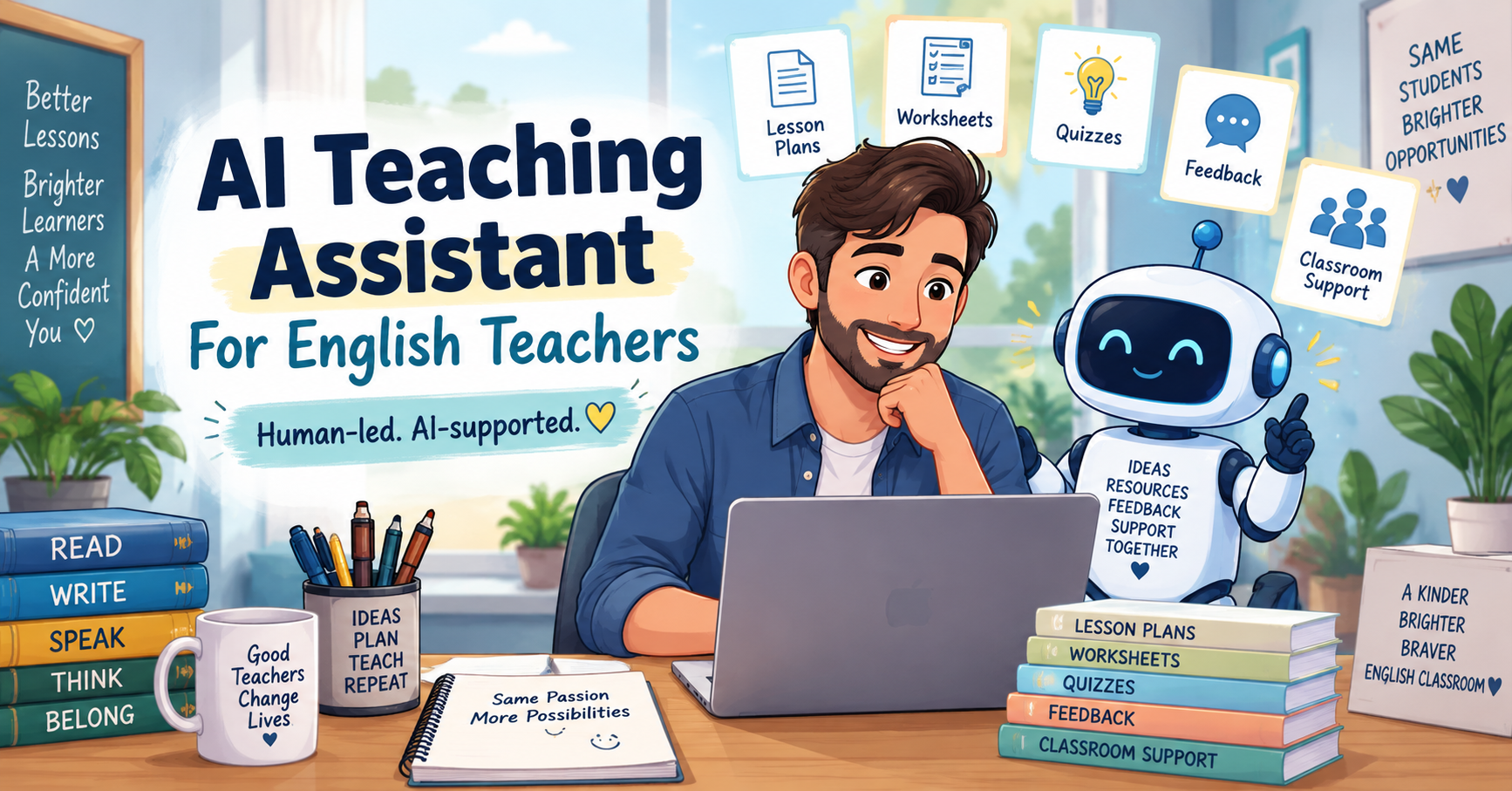
An AI teaching assistant can help English teachers plan lessons, create worksheets, prepare quizzes, draft feedback, adapt materials, and save preparation time. But the most important point is this: AI should support the teacher, not replace the teacher.
For ESL/EFL teachers, language tutors, and online English teachers, AI can be very useful because teaching involves many repeated preparation tasks. You may need lesson aims, warm-ups, vocabulary activities, reading questions, listening tasks, speaking prompts, worksheets, quizzes, rubrics, feedback comments, homework, and differentiated materials.
AI can help create the first draft of many of these materials. However, it does not know your students the way you do. It does not understand your classroom culture, student confidence, school policy, or lesson history unless you explain those details. That is why the best use of an AI teaching assistant is teacher-led.
OpenAI’s education resources describe AI as a way to support students, educators, institutions, and education systems in using AI responsibly for learning and everyday work. For teachers who want to explore this further, OpenAI for Education is a useful starting point.
If you want a broader overview of useful tools, read Best AI Teaching Tools for English Teachers. This article focuses more specifically on how to use AI as a teaching assistant while keeping your professional judgement at the centre.
What Is an AI Teaching Assistant?
An AI teaching assistant is an AI tool or workflow that helps teachers with preparation, planning, content creation, feedback, and classroom support tasks.
For English teachers, an AI teaching assistant can help with:
- lesson planning;
- worksheet creation;
- quiz generation;
- reading and listening activities;
- video comprehension questions;
- speaking prompts;
- writing feedback;
- rubric drafts;
- homework tasks;
- differentiation;
- classroom instructions;
- teacher checklists.
This does not mean that AI becomes the teacher. It means AI helps with preparation and drafting so the teacher can spend more time thinking about students, interaction, feedback, and learning.
A simple way to understand it is:
AI can help prepare the material. The teacher decides what is useful.
Quick Answer: What Should an AI Teaching Assistant Do?
A useful AI teaching assistant should help English teachers save time without making the lesson weaker.
It can help you:
| Teaching task | How AI can help |
|---|---|
| Lesson planning | Create a first draft with aims, stages, timing, and activities |
| Worksheets | Generate grammar, vocabulary, reading, or speaking tasks |
| Quizzes | Create short checks, exit tickets, and answer keys |
| Reading lessons | Simplify texts and create comprehension questions |
| Listening/video lessons | Create gist questions, detail questions, and discussion prompts |
| Writing feedback | Draft supportive comments and revision tasks |
| Differentiation | Create easier and harder versions of activities |
| Teacher organisation | Create checklists, homework, and planning templates |
But the teacher should still check:
- accuracy;
- language level;
- instructions;
- answer keys;
- fairness;
- privacy;
- classroom suitability;
- student needs.
For level decisions, the Common European Framework of Reference can help teachers think about learner levels such as A1, A2, B1, B2, C1, and C2. The Council of Europe explains that CEFR organises language proficiency into six levels from A1 to C2.
Why English Teachers Should Not Lose the Human Touch
Language teaching is human. Students do not only need worksheets and quizzes. They need encouragement, interaction, feedback, confidence, correction, patience, and meaningful communication.
An AI teaching assistant can create materials quickly, but it cannot fully replace:
- your knowledge of your students;
- your classroom relationships;
- your tone and encouragement;
- your ability to notice confusion;
- your response to student emotions;
- your judgement about what students need next;
- your ability to adapt during the lesson.
For example, AI may create a technically correct speaking activity, but you may know that your students are shy and need sentence starters first. AI may create ten comprehension questions, but you may know that five are enough for your class. AI may draft writing feedback, but you may know that one student needs encouragement before correction.
That is the human touch.
The British Council’s TeachingEnglish resources on generative AI and the language classroom also highlight the importance of teachers and learners checking AI output, because AI-generated information can be incorrect or unsuitable. British Council TeachingEnglish is a useful external resource for language teachers exploring this topic.
1. Use an AI Teaching Assistant for Lesson Planning
Lesson planning is one of the best starting points for using an AI teaching assistant. AI can help you organise a lesson into stages, but you need to give it clear teaching context.
Use this prompt:
Act as an experienced ESL teacher.

Create a lesson plan for [LEVEL] English learners.

Lesson topic:
[TOPIC]

Lesson length:
[TIME]

Class context:
[AGE GROUP, CLASS SIZE, ONLINE OR FACE-TO-FACE]

Main lesson aim:
[WHAT STUDENTS SHOULD BE ABLE TO DO BY THE END]

Target language or skill:
[GRAMMAR / VOCABULARY / READING / LISTENING / SPEAKING / WRITING]

Create a realistic lesson plan with:
1. lesson aim;
2. warm-up;
3. input stage;
4. controlled practice;
5. freer practice;
6. feedback stage;
7. quick assessment;
8. homework;
9. timing for each stage.

Make the lesson practical, level-appropriate, and easy for a teacher to adapt.
This is stronger than simply asking AI to “make a lesson plan.”
For a deeper workflow, use Lesson Plan Generator: AI Prompts for Better ESL Lessons or ChatGPT Lesson Planning: A Prompt Sequence for Better ESL Lessons.
Teacher tip
Always check the timing. AI often creates more activities than one lesson can realistically handle.
2. Use an AI Teaching Assistant to Create Worksheets
Worksheets are another strong use case. An AI teaching assistant can help you create grammar worksheets, vocabulary tasks, reading questions, speaking practice, writing prompts, and answer keys.
Use this prompt:
Create an ESL worksheet for [LEVEL] learners.

Topic:
[TOPIC]

Target language:
[GRAMMAR POINT OR VOCABULARY SET]

Lesson aim:
[LESSON AIM]

Create:
1. a short warm-up task;
2. 5 controlled practice questions;
3. 5 freer practice questions;
4. one speaking or writing task;
5. an answer key.

Use clear instructions and make the worksheet suitable for [LEVEL] learners.
This works well when you already know your lesson aim. For example, if your lesson aim is “Students can give advice using should and shouldn’t,” AI can create controlled sentences, short scenarios, and a pair-work task.
For more worksheet-specific prompts, read AI Worksheet Generator for English Teachers. If you want to compare tools, see Best Customizable Worksheet Software with AI for English Teachers.
Teacher tip
Do not use the worksheet immediately. Check the level, instructions, examples, and answer key first.
3. Use an AI Teaching Assistant for Quizzes and Exit Tickets
A short quiz or exit ticket helps you check student understanding. AI can help create low-stakes quizzes for grammar, vocabulary, reading, listening, or review.
Use this prompt:
Create a 5-minute ESL quiz or exit ticket.

Student level:
[LEVEL]

Lesson topic:
[TOPIC]

Lesson aim:
[LESSON AIM]

Target language:
[GRAMMAR / VOCABULARY / SKILL]

Create:
1. 3 quick checking questions;
2. 2 language-use questions;
3. 1 short self-assessment question;
4. an answer key.

Make it short, clear, and easy to complete at the end of class.
For more quiz ideas, use ESL Quiz Templates: AI Prompts for Grammar, Vocabulary, Reading, and Listening.
You can also turn AI-generated quiz questions into a simple digital activity using Google Forms, especially for homework, exit tickets, or quick classroom checks.
Teacher tip
Make sure the quiz checks the lesson aim. Do not test something students have not practised.
4. Use an AI Teaching Assistant for Reading Lessons
Reading lessons can take a lot of preparation. Teachers need a suitable text, vocabulary support, comprehension questions, and post-reading tasks.
An AI teaching assistant can help you:
- simplify a text;
- create a short reading passage;
- generate gist questions;
- create detail questions;
- select useful vocabulary;
- write an answer key;
- create post-reading discussion questions.
Use this prompt:
Act as an ESL reading teacher.

Create a reading task for [LEVEL] learners.

Reading topic:
[TOPIC]

Text:
[PASTE TEXT OR SUMMARY]

Create:
1. 3 pre-reading questions;
2. 5 useful vocabulary items;
3. 3 gist questions;
4. 6 detailed comprehension questions;
5. 3 post-reading discussion questions;
6. an answer key.

Make the task suitable for [LEVEL] learners.
For a more complete reading workflow, read Reading Worksheet Generator: 7 AI Prompts for Better ESL Reading Lessons.
Teacher tip
If AI creates a reading text, check that the language sounds natural and that the text is appropriate for your learners’ age and level.
5. Use an AI Teaching Assistant for Listening and Video Lessons
Listening and video lessons need careful support. Students often need help before, during, and after listening.
AI can help create:
- pre-listening questions;
- vocabulary preparation;
- gist tasks;
- detail questions;
- transcript-based questions;
- discussion prompts;
- short writing follow-ups;
- answer keys.
Use this prompt:
Create an ESL listening or video lesson task.

Student level:
[LEVEL]

Video/audio topic:
[TOPIC]

Transcript or summary:
[PASTE TRANSCRIPT OR SUMMARY]

Create:
1. 3 pre-listening or pre-watching questions;
2. 5 key vocabulary items;
3. 3 gist questions;
4. 6 detail questions;
5. 3 discussion questions;
6. one short writing follow-up;
7. an answer key.

Make the task clear and suitable for [LEVEL] learners.
For video-based lessons, use AI Video Question Maker: 9 Prompts for Better ESL Listening Lessons.
Teacher tip
Do not ask AI to create questions from a video title alone. Give it a transcript, summary, or key points so the questions are accurate.
6. Use an AI Teaching Assistant for Speaking Activities
Speaking activities are not always easy to prepare. Students may need vocabulary, sentence starters, role cards, pair-work instructions, and feedback support.
Use this prompt:
Create an ESL speaking activity for [LEVEL] learners.

Speaking topic:
[TOPIC]

Lesson aim:
[WHAT STUDENTS SHOULD PRACTISE]

Target language:
[USEFUL PHRASES / GRAMMAR / VOCABULARY]

Create:
1. a warm-up question;
2. useful phrases;
3. sentence starters;
4. a controlled speaking task;
5. a freer pair-work activity;
6. a feedback stage;
7. teacher notes.

Make the activity communicative and realistic.
For example, if the topic is “online learning,” AI can generate opinion phrases, discussion questions, and pair-work tasks. The teacher can then adapt the examples to the students’ age, interests, and confidence level.
Teacher tip
Do not give students a speaking task without language support. Add sentence starters and useful phrases first.
7. Use an AI Teaching Assistant for Writing Feedback
AI can help draft writing feedback, but it should not replace teacher judgement. This is one of the areas where teachers need to be especially careful.
Use this prompt:
Act as a supportive ESL writing feedback assistant.

Student level:
[LEVEL]

Writing task:
[PASTE TASK]

Student writing:
[PASTE ANONYMISED STUDENT TEXT]

Give feedback in three parts:
1. what the student did well;
2. what needs improvement;
3. one clear next step.

Do not give a final grade.
Use supportive and level-appropriate language.
This prompt helps AI create a first draft of feedback. Then you edit it before giving it to the student.
For a safer and more detailed workflow, read AI Writing Feedback: 7 Ways English Teachers Can Give Better Student Feedback.
Teacher tip
Remove student names, emails, school details, and private information before using AI for feedback.
8. Use an AI Teaching Assistant for Differentiation
Many English teachers work with mixed-level classes. Some students need more support. Others need more challenge.
AI can help you create easier and harder versions of the same activity.
Use this prompt:
Differentiate this ESL activity for mixed-level learners.

Main level:
[LEVEL]

Activity:
[PASTE ACTIVITY]

Class situation:
[DESCRIBE STUDENT DIFFERENCES]

Create:
1. an easier version with more support;
2. a standard version;
3. a challenge version;
4. sentence starters;
5. a word bank;
6. grouping suggestions;
7. teacher notes.

Keep the same lesson aim.
This is useful because differentiation does not always mean creating a completely different lesson. Sometimes it means changing the support, number of questions, examples, or expected output.
Teacher tip
Keep the same lesson goal for the whole class when possible. Adjust support, not always the entire activity.
9. Use an AI Teaching Assistant for Teacher Organisation
An AI teaching assistant can also help with small teacher organisation tasks.
For example, you can use AI to create:
- weekly lesson outlines;
- homework instructions;
- student checklists;
- revision plans;
- feedback comment banks;
- parent-friendly explanations;
- classroom routines;
- simple rubrics;
- lesson reflection notes.
Use this prompt:
Help me organise this ESL teaching task.

Task:
[DESCRIBE TASK]

Class context:
[DESCRIBE CLASS]

Create:
1. a simple checklist;
2. a step-by-step plan;
3. a short message or instruction if needed;
4. one thing I should check before using it.

Keep it clear and practical.
You can save your best AI prompts and planning templates in Google Docs so you can reuse them for future lessons.
Teacher tip
Use AI to reduce repeated preparation work, not to remove thoughtful planning.
What Teachers Should Keep Human
An AI teaching assistant can help with many tasks, but some parts of teaching should stay human.
Teachers should keep control of:
- final lesson aims;
- assessment decisions;
- student feedback tone;
- sensitive student information;
- classroom relationships;
- student motivation;
- adaptation during the lesson;
- decisions about fairness;
- cultural and emotional appropriateness;
- final material approval.
For example, AI can suggest a writing comment, but the teacher should decide whether the student needs direct correction, encouragement, a simpler next step, or a more challenging revision task.
AI can support teaching, but the teacher protects learning quality.
Privacy and Ethical Cautions for English Teachers
Before using an AI teaching assistant, think about privacy and school policy.
Be careful with:
- student names;
- emails;
- grades;
- private messages;
- personal stories;
- sensitive writing topics;
- school documents;
- assessment data;
- identifiable student work.
A better option would be to anonymize student writing before submitting it to AI. For instance, using “Student A” instead of the student’s name and removing any personal information.
Another thing to consider is whether your school, institution or platform allow using AI tools for educational purposes.
OpenAI’s educator FAQ provides tips on using ChatGPT for educators’ activities related to lesson planning, teaching aids, student support, assessment and feedback and still requiring teacher critical judgement.
A Simple AI Teaching Assistant Workflow
This is how English teachers can use AI.
Step 1: Decide on your lesson aim
Decide on the result you expect your students to achieve by the end of the lesson.
For example:
Students will be able to give advice about healthy habits using should and shouldn’t.
Step 2: Describe your students
Let AI know about the level, age group, class size, lesson duration and format.
Step 3: Ask for a first draft
Use AI to write a lesson plan, worksheet, quiz or activity.
Step 4: Review the output
Check the level, clarity, accuracy, answer key and timing.
Step 5: Adjust the material
Add your examples, remove weak tasks, clarify instructions and change the activity to fit your class.
Step 6: Use with teacher’s judgment
Use the material as a human teacher. Observe the reaction of your students and adjust the lesson if necessary.
Step 7: Keep what works
Save the best prompts, worksheets and templates for your future lessons.
Practical Example: Using an AI Teaching Assistant for a B1 Lesson
Let’s imagine you are teaching a B1 lesson about healthy habits.
Your lesson aim is:
Students will be able to give simple advice about healthy habits using should and shouldn’t.
You could use an AI teaching assistant like this:
- Create a 60-minute lesson plan for this lesson.
- Create a vocabulary activity.
- Create a worksheet for should and shouldn’t.
- Create a speaking task.
- Create a 5-minute exit ticket.
- Check the timing.
- Edit everything before class.
Your first prompt could be:
Act as an experienced ESL teacher.

Create a 60-minute B1 lesson plan about healthy habits.

Main aim:
Students will be able to give advice about healthy habits using should and shouldn’t.

Class context:
Face-to-face class, 22 students.

Include:
1. warm-up;
2. vocabulary support;
3. grammar focus;
4. controlled practice;
5. speaking activity;
6. feedback stage;
7. exit ticket;
8. homework;
9. timing.
Then you can follow up:
Create a printable worksheet for this lesson with controlled practice, freer practice and answer key.
Then:
Create a 5-minute exit ticket to check whether students can give advice using should and shouldn’t.
And then:
Review this lesson plan and remove anything unrealistic for a 60-minute class.
This way, you stay in control while using AI to save time.
Common Mistakes When Using an AI Teaching Assistant
Mistake 1: Giving vague prompts
If you ask “make a lesson”, you will get vague results. Mention the level, aim, topic, time and class context in your prompts.
Mistake 2: Accepting the first output
AI provides a draft. The teacher adjusts it. You should always review and adjust the output.
Mistake 3: Forgetting about the lesson aim
Do not create any worksheets, quizzes or activities without knowing the aim.
Mistake 4: Creating too much material
AI can generate a lot of tasks very fast. It does not mean you should use all of them.
Mistake 5: Forgetting about the learner level
A2 and B2 learners need different instructions, texts, tasks and expectations.
Mistake 6: Uploading private student information
Do not use AI with student work that has any identifying details.
Mistake 7: Allowing AI to replace interactions
Language learning needs interaction. AI can help you to prepare tasks, but your students still need real speaking, listening, feedback and human help.
AI Teaching Assistant Checklist for English Teachers
Before using any AI-generated teaching material check:
- Is the lesson aim clear?
- Is the level suitable?
- Are the instructions simple?
- Are the examples natural?
- Is the answer key correct?
- Does the material fit my students?
- Is the timing realistic?
- Does it encourage interaction?
- Have I removed private student information?
- Have I added my teacher judgment?
FAQ: AI Teaching Assistant for English Teachers
What is an AI teaching assistant?
AI teaching assistant is an AI tool or workflow that helps English teachers with planning, worksheets, quizzes, feedback, differentiation, classroom materials and organization.
Can AI teaching assistant create ESL lesson plans?
Yes. An AI teaching assistant can create ESL lesson plan drafts if teachers provide the learner level, topic, lesson aim, class context and lesson length.
Can AI create worksheets for English teachers?
Yes. AI can help to create grammar worksheets, vocabulary tasks, reading questions, speaking activities, writing prompts and answer keys. Teachers should review the worksheet before using it.
Can AI help with student writing feedback?
Yes. AI can draft feedback comments, find common errors and suggest revision tasks. However, teachers should review the feedback and make the final decision.
Should AI grade student work automatically?
No. AI can help with feedback, but teachers should be careful with automatic grading. The assessment decisions should be made by teachers.
Is an AI teaching assistant useful for private tutors?
Yes. Private tutors can use AI to create personalized lesson plans, homework tasks, conversation questions, quizzes and specific practice tasks for their students.
What is the best AI teaching assistant for English teachers?
It depends on the task. ChatGPT is flexible for prompt workflow, but there are also tools such as Twee, MagicSchool, Diffit, Canva, Quizizz, Brisk Teaching, Eduaide that can be helpful.
How can teachers use AI without losing the human touch?
Teachers can use AI for drafting and organization while remaining in control of lesson aims, feedback, human relations, assessment, interaction and final decisions.
Final Recommendation
AI teaching assistant can be a very useful tool for English teachers, but only if it is used wisely. The best way to use AI is not to let it dictate your teaching. The best way is to use AI for drafting, organization and preparation while remaining in control of judgment, adaptation and human relations.
Use AI to plan faster, create worksheets, prepare quizzes, draft feedback and differentiate tasks. Review everything carefully and adapt it to your students.
The best English lessons will be created by clear aims, meaningful interactions, supportive feedback and teacher’s awareness. AI can help with the workload, but teacher’s role remains key.
Comments
2 responses to “AI Teaching Assistant: How English Teachers Can Use AI Without Losing the Human Touch”
[…] you already use AI for broader lesson preparation, you may also find AI Teaching Assistant for English Teachers useful. If you are just beginning, start with AI for Language Teachers: An Essential Practical […]
[…] For additional quiz workflows, explore ESL Quiz Templates for English Teachers and AI Teaching Assistant for English Teachers. […]