Tag: Teacher Productivity

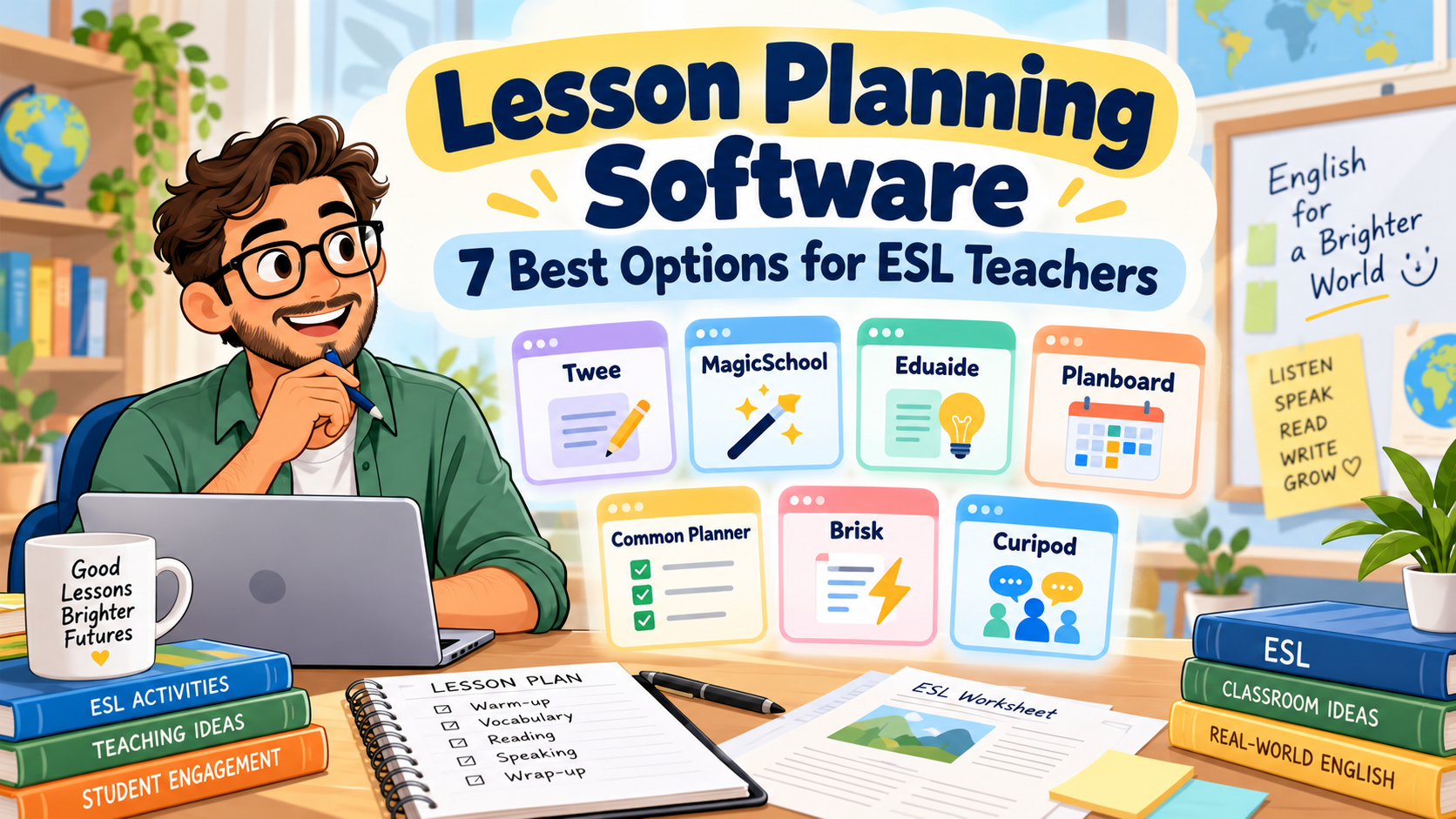
  • Lesson Planning Software: 7 Best Options for ESL Teachers

    Lesson Planning Software: 7 Best Options for ESL Teachers

    It’s Sunday evening. You’ve got three English classes to prepare for Monday, a reading worksheet that needs simplifying, and a lesson plan from last semester that you know is saved somewhere.

    You open your laptop, look through a few folders, and wonder why something as ordinary as preparing tomorrow’s lesson still takes so much time.

    Sometimes the problem isn’t a lack of teaching ideas. It’s the amount of work involved in turning those ideas into organised, classroom-ready lessons.

    That’s where lesson planning software can make a difference.

    Some tools use AI to generate lesson plans, worksheets, and activities from a short description. Others work more like digital planbooks, helping you organise classes, reuse previous lessons, and keep track of what you’re teaching throughout the week.

    For ESL and EFL teachers, the distinction matters. Creating an interesting speaking activity is one thing. Building a coherent lesson around a language objective—and making sure you can find it again next semester—is another.

    In this guide, we’ll compare seven lesson planning tools, looking at what they offer, where they fit into English teaching, and which limitations are worth considering before paying for a subscription.

    We’ll also use one practical example throughout: preparing a 50-minute B1 English lesson on expressing and supporting opinions.

    A note about this comparison: The descriptions reflect official product information available in October 2026. This is a feature-based comparison, not a claim that all seven platforms were independently tested in classroom conditions. Prices and plan limits may change.

    Best Lesson Planning Software for ESL Teachers: Quick Comparison

    Not every platform on this list solves the same problem. Before comparing them, it helps to separate AI resource generators from digital lesson organisers.

    SoftwareBest suited toFree option
    TweeESL-specific materials and CEFR-based lessonsLimited trial and free resources
    MagicSchool AIStructured AI lesson plans and teacher resourcesYes, with usage limits
    Eduaide.AIDeveloping, revising, and differentiating lesson materialsYes, limited monthly resources
    PlanboardOrganising weekly lessons and teaching schedulesYes, for teachers
    Common PlannerReusable planbooks and collaborative planningYes
    Brisk TeachingCreating lessons from existing documents and resourcesYes
    CuripodInteractive lessons and AI-supported writing activitiesYes, with session limits

    If you mainly want AI to create classroom materials, start by looking at Twee, MagicSchool, Eduaide, or Brisk.

    If you want to manage your teaching schedule, Planboard and Common Planner deserve more attention.

    Curipod is different again: it becomes interesting when you want to turn lesson content into an interactive student experience.

    That distinction is the key to choosing useful lesson planning software, rather than paying for a platform that doesn’t really solve your problem.

    1. Twee: Best for ESL-Specific Lesson Materials

    Website: twee.com

    Of the seven tools, Twee is particularly relevant to English-language teachers.

    While many AI education platforms support a wide range of school subjects, Twee focuses on language teaching. It provides tools for generating reading passages, dialogues, discussion questions, vocabulary exercises, grammar activities, and listening tasks.

    You can work with CEFR levels, including A1 through C2, and build lessons around the language proficiency of your students.

    Twee also provides a library of ready-to-teach ESL lesson plans. According to its official lesson-library guidance, teachers can search by level, age group, duration, and other criteria before adapting a lesson.

    How could you use Twee in a B1 lesson?

    Imagine tomorrow’s topic is:

    Should university students use AI for their homework?

    The lesson objective is:

    By the end of the lesson, students will be able to express an opinion, provide a reason, and respond politely to a different opinion.

    You could use Twee to prepare a short reading about AI in education, vocabulary related to the topic, comprehension questions, and discussion prompts.

    Those materials could form the preparation stages before students begin a pair discussion.

    Twee’s lesson-building workflow allows teachers to combine different generated activities into a lesson rather than treating every exercise as a separate document.

    What makes it useful?

    Its language-teaching focus is its strongest advantage.

    You don’t have to explain to a generic tool why CEFR levels matter or why a reading activity for B1 learners should be different from one for C1 students.

    Still, specifying B1 does not guarantee that every generated sentence will be perfectly appropriate. You’ll want to review vocabulary, question difficulty, and the amount of support students receive.

    What about pricing?

    Twee offers limited trial use and access to free resources.

    Its published annual-billing rates include Basic at $6.50 per month and Pro at $10.50 per month, with different generation limits and features.

    Check the latest details on Twee’s pricing page.

    Main limitation

    Twee is primarily a tool for preparing and delivering language-learning materials. It isn’t the same kind of weekly timetable organiser as Planboard.

    If your main frustration is losing track of which lesson belongs to which class on which day, you may need a separate planner.

    Best choice for: ESL/EFL teachers who regularly prepare level-appropriate reading, grammar, vocabulary, listening, and speaking activities.

    2. MagicSchool AI: Best for Structured Lesson Planning

    Website: magicschool.ai

    MagicSchool is a broader AI platform built for education.

    Its tools cover lesson planning, worksheets, quizzes, rubrics, differentiation, and other classroom preparation tasks.

    The dedicated AI Lesson Plan Generator can produce a structured lesson from information such as a learning objective, subject, class level, and available teaching time.

    That makes MagicSchool particularly relevant for teachers who already know what they want students to learn but need help organising the lesson.

    Our B1 lesson example

    Let’s use the same lesson objective:

    Students will be able to express and support opinions about AI in education.

    You could enter:

    Class: B1 EFL university students

    Duration: 50 minutes

    Topic: AI in education

    Objective: Students express an opinion, justify it, and respond politely to disagreement.

    Requirements: Include a warm-up, language preparation, guided practice, pair discussion, and exit ticket.

    MagicSchool could generate a first-draft sequence with estimated timing and suggested activities.

    You would then review whether the stages fit your class.

    For instance, if the generated plan spends twenty minutes explaining opinion expressions and leaves only five minutes for speaking, it needs adjusting.

    The software can create the structure quickly. You still decide whether that structure makes pedagogical sense.

    Where MagicSchool stands out

    MagicSchool is useful when lesson planning connects to several other preparation tasks.

    After drafting a lesson, you may also need:

    • a differentiated worksheet;
    • comprehension questions;
    • an assessment rubric;
    • a short review quiz;
    • additional examples.

    Its broader tool collection allows you to handle several of those tasks within the same platform.

    Pricing

    MagicSchool has a free teacher plan with usage limits.

    Its published Plus pricing is $8.33 per month when billed annually, or $12.99 per month on monthly billing.

    The official pricing page explains the differences between Free, Plus, and institutional plans.

    What to watch out for

    MagicSchool serves teachers across many school subjects. You may need to provide more explicit ESL instructions than you would with a language-specific tool.

    For example, specify the CEFR level, communicative aim, target expressions, and expected student output.

    Don’t assume a general grade-level setting captures those requirements automatically.

    Best choice for: Teachers who want structured first-draft lesson plans alongside quizzes, worksheets, and assessment resources.

    3. Eduaide.AI: Best for Developing and Refining Lesson Materials

    Website: eduaide.ai

    One weakness of some AI tools is that they generate something impressive-looking, but revising it becomes a separate task.

    You copy the output into another document, remove unnecessary material, change the examples, and reorganise the stages.

    Eduaide approaches this problem with a document-based lesson-planning workspace.

    According to its official lesson-planning documentation, teachers can start with an objective or topic, generate materials, and then revise, differentiate, evaluate, and export them within the workspace.

    It also offers various instructional structures, including lesson plans, questions, activities, and assessment resources.

    How it fits our B1 lesson

    Suppose you already have a rough plan:

    • Introduce the topic of AI in education.
    • Teach opinion expressions.
    • Read a short text.
    • Hold a group discussion.
    • Finish with a reflection.

    The lesson outline is reasonable, but you still need the materials.

    You might use Eduaide to develop the reading text, create discussion questions, add language support, and prepare a final learning check.

    You could also examine the language difficulty and revise the materials before distributing them.

    The useful distinction

    Eduaide isn’t only about producing the first draft. Its workspace is designed to support what happens afterwards.

    That could be helpful if you regularly adapt the same lesson for students with different levels of proficiency.

    For example, your stronger B1 learners might discuss the ethical implications of AI tools, while students who need more support could receive sentence starters and a shorter reading passage.

    The learning objective could remain the same.

    Pricing

    Eduaide offers a free plan with an allowance equivalent to approximately eight resources per month.

    Its published Pro price is $5.99 monthly, or $49.99 annually.

    You can check the current limits, exports, and features on Eduaide’s official facts page.

    Main limitation

    Eduaide is designed around broad educational planning and curriculum workflows. As with MagicSchool, you’ll need to make the ESL context explicit.

    If you want ready-made CEFR-focused language exercises with minimal setup, Twee may be a more natural first stop.

    But if you frequently generate, revise, and differentiate complete teaching resources, Eduaide is worth investigating.

    Best choice for: Teachers who want to refine AI-generated materials in an organised editing workflow.

    4. Planboard: Best for Organising a Teaching Week

    Website: Planboard by Chalk

    Here is a familiar situation.

    You’ve prepared three lessons for Monday, four for Tuesday, and another two for Wednesday.

    Everything is saved in documents.

    Unfortunately, the documents aren’t connected to your teaching schedule, and finding last week’s lesson takes longer than you’d like.

    This is the sort of problem Planboard is designed to solve.

    Unlike the first three platforms, Planboard is primarily a digital lesson planner.

    It lets teachers organise classes, subjects, timetables, lesson plans, curriculum standards, and attached resources.

    Its Google Play listing also confirms mobile access and synchronisation with the web version.

    How could you use Planboard?

    Imagine you teach three B1 groups.

    All three are covering expressing opinions, but the classes meet on different days.

    You could organise the lesson in your schedule, attach the relevant materials, and make notes about what needs adjusting for each group.

    After teaching, you could record:

    Group A needed more vocabulary support.

    Group B completed the discussion early.

    Group C struggled with polite disagreement.

    Those notes would be useful when preparing the following lessons.

    Where Planboard is stronger

    Its value is organisational rather than generative.

    If you already know how to build good lessons and simply want a more reliable way to manage them, a dedicated planner may solve more problems than another AI generator.

    Planboard’s teacher-facing app is advertised as free, although you should check whether any optional features or institutional arrangements affect your intended workflow.

    Main limitation

    Planboard isn’t primarily an AI resource generator.

    It won’t replace a tool such as Twee when you need a new B1 reading activity or vocabulary worksheet.

    But it may be more useful than Twee when what you need is a clear view of tomorrow’s schedule.

    Best choice for: Teachers who want to organise lessons, timetables, and teaching resources across several classes.

    5. Common Planner: Best for Reusable Plans and Team Collaboration

    Website: commonplanner.com

    You may remember this platform under its previous name, Common Curriculum.

    It now uses the name Common Planner.

    Like Planboard, Common Planner focuses on organising teaching rather than simply generating activities.

    It offers digital planbooks, daily and weekly views, reusable lessons, and options for collaborative planning.

    Its current platform also includes an AI-powered lesson assistant.

    You can review the available features on Common Planner’s official website.

    Think beyond a single lesson

    Suppose you and another English teacher both teach the same B1 course.

    You share the overall learning objectives, but your students progress differently.

    A collaborative planbook gives you a common structure while allowing each teacher to make appropriate adjustments.

    For example, you could build a lesson sequence:

    Week 1: Giving opinions

    Week 2: Agreeing and disagreeing

    Week 3: Supporting arguments with examples

    Week 4: Participating in a structured discussion

    Instead of preparing these lessons independently every year, you can reuse and refine the sequence.

    That is a different kind of time saving.

    It becomes more valuable over months and semesters rather than just during one afternoon of preparation.

    Features worth considering

    Common Planner’s published features include reusable planbooks, lesson templates, standards tracking, and collaboration.

    Its free plan supports daily, weekly, and monthly planning, while paid options add capabilities such as expanded collaboration and unit planning.

    Check Common Planner’s pricing page for the latest plan details.

    Main limitation

    If you teach only one class and rarely reuse plans, the organisational features may be more than you need.

    Common Planner becomes particularly useful when your planning has structure across several classes, courses, or teachers.

    Best choice for: Teachers who want reusable digital planbooks, coordinated lesson sequences, or collaborative planning.

    6. Brisk Teaching: Best for Building Lessons from Existing Resources

    Website: briskteaching.com

    Sometimes the problem isn’t creating a lesson from scratch.

    You already have the material.

    Perhaps it’s a PDF from your textbook, an article you found online, or a video you want students to watch.

    What you need is a way to turn that source into something teachable.

    Brisk is particularly interesting in that situation.

    It works as a browser-based teaching assistant and provides tools for generating lesson plans, quizzes, presentations, feedback, and adapted content.

    Its official lesson-plan generator explains how teachers can specify a topic, grade level, and instructional requirements, then refine the generated plan.

    Using Brisk for our B1 lesson

    Imagine you’ve found an article discussing whether students should use AI to complete homework.

    The article has useful ideas, but it’s too long for a 50-minute lesson.

    You could use Brisk to help create a shorter teaching sequence based on the source material.

    You might request:

    Use this article to create a B1 EFL lesson focused on expressing and supporting opinions. Include a short reading task, useful expressions, a pair discussion, and an exit ticket.

    You would then review the result against the original text.

    Check whether the main ideas remain accurate, the vocabulary suits your learners, and the discussion questions actually support your objective.

    Why teachers may appreciate it

    Brisk fits a workflow many teachers already have: working from existing documents, websites, and videos.

    Instead of starting in a completely separate content-generation platform, you can build resources around materials you’ve already selected.

    Its free teacher offering includes a lesson-plan generator and several other classroom tools.

    What to watch out for

    Not every article makes a good lesson.

    Brisk can help adapt source material, but it can’t replace your judgment about whether the source is appropriate, accurate, and relevant to the class.

    You’ll also want to check compatibility with your usual browser, document platforms, and school technology policies.

    Best choice for: Teachers who regularly turn existing reading passages, online articles, PDFs, or videos into classroom materials.

    7. Curipod: Best for Interactive Lessons and Student Responses

    Website: curipod.com

    Most lesson planners focus on what the teacher prepares.

    Curipod becomes more interesting when you focus on what students will do during the lesson.

    The platform supports AI-generated interactive lessons with slides, polls, short-answer questions, drawing activities, and written responses.

    Its official lesson-creation guide explains how teachers can generate lessons using selected skills, topics, and teaching context.

    Our B1 lesson in Curipod

    Return to the topic:

    Should university students use AI for homework?

    You could begin with a poll:

    Have you ever used AI to help with an assignment?

    Then show a short text presenting two perspectives.

    Students might respond to:

    Give one advantage and one disadvantage of using AI in education.

    Next, ask them to write a short opinion paragraph.

    Finally, use the collected responses to identify useful ideas and common language difficulties.

    That creates a connection between the presentation, student participation, and formative assessment.

    AI-supported feedback

    Curipod also offers activities where students can receive AI-generated feedback and revise their writing.

    This can be interesting for English teachers who want students to improve a response during the lesson rather than submit a first attempt and move on.

    However, teachers should check the feedback and decide how it fits their instructional and assessment policies.

    Free-plan limits

    Curipod currently offers a free plan that allows lesson creation and editing, but places limits on live teaching sessions.

    Its free-plan documentation describes an allowance of two teaching sessions per week, with additional conditions for certain activities.

    That makes it worth testing before deciding whether it fits your weekly teaching schedule.

    Main limitation

    Curipod is an interactive lesson-delivery platform rather than a traditional weekly planner.

    It won’t replace a complete planbook if your main concern is scheduling and organising multiple courses.

    But it is worth considering when student participation and written responses are central to your teaching.

    Best choice for: Teachers who want interactive lessons with polls, writing practice, and opportunities for immediate feedback.


    Which Lesson Planning Software Is Best for Your Teaching Style?

    After looking at all seven platforms, the most important question isn’t which one offers the largest number of features.

    It’s which one solves the problem you actually have.

    If you mainly teach ESL/EFL language skills

    Start with Twee.

    Its CEFR-oriented activities and language-teaching focus make it particularly relevant for preparing reading, listening, vocabulary, grammar, and speaking materials.

    If you want AI-generated lesson structures

    Consider MagicSchool or Eduaide.

    MagicSchool is a useful starting point for teachers looking for structured planning tools, while Eduaide may be particularly interesting if editing, evaluating, and differentiating generated resources are important to you.

    If your problem is organisation

    Look at Planboard or Common Planner.

    They help with the less glamorous but essential work of keeping lessons organised, reusing materials, and managing teaching schedules.

    If you usually start with existing content

    Try Brisk Teaching.

    Its workflow may suit teachers who frequently work from webpages, PDFs, videos, and other materials.

    If you want a more interactive classroom experience

    Explore Curipod.

    It offers a different approach to lesson preparation by connecting teacher-created content with student responses and activities.

    The best lesson planning software for a language teacher is ultimately the one that fits their teaching routine—not necessarily the newest or most heavily advertised platform.

    A Practical B1 Lesson: What Would These Tools Help You Create?

    Let’s put the comparison into a real teaching situation.

    You need to prepare a 50-minute lesson for B1 university students.

    Topic: AI in education

    Learning objective:

    By the end of the lesson, students will be able to express an opinion about AI in education, support it with a reason, and respond politely to an opposing view.

    A workable lesson could look like this.

    Lesson stageActivityTime
    Lead-inAgree/disagree poll about AI use5 min
    Language preparationIntroduce opinion expressions8 min
    InputRead a short model discussion7 min
    SpeakingPair discussion and exchange of viewpoints15 min
    WritingWrite a short opinion paragraph10 min
    Exit checkGive an opinion with one reason5 min
    Total50 min

    Different tools could help with different parts of this lesson.

    Twee could help generate a CEFR-appropriate reading passage and discussion questions.

    MagicSchool could help organise the sequence and produce a structured lesson draft.

    Eduaide could help refine that draft, adapt materials, and add assessment resources.

    Planboard could store the plan under the correct class and teaching day.

    Common Planner could help you reuse the sequence and share it with another teacher.

    Brisk could help turn an existing article into a lesson resource.

    Curipod could help present the content interactively and collect student responses.

    These are suggested workflows based on the products’ documented capabilities, not the results of a controlled comparison test.

    One thing should remain consistent regardless of the software: the learning objective.

    The lesson should not suddenly become a long AI quiz or a collection of unrelated activities just because a platform can generate them.

    The British Council’s lesson-planning guidance emphasises connecting objectives, classroom procedures, resources, and realistic timing.

    That’s still the standard to apply when AI helps prepare your materials.

    Free vs Paid Lesson Planning Software: Do You Need a Subscription?

    It’s tempting to assume that a paid tool will automatically produce better lessons.

    Sometimes paying does improve the workflow, especially when you regularly need more generations, advanced exports, collaborative features, or access to specific resource types.

    But a free plan may be enough.

    If you prepare two or three lessons per week, you may find that limited AI generations cover your essential needs.

    If you teach several different levels every day, your requirements will probably be higher.

    Before upgrading any lesson planning software, I recommend trying it with one normal week of teaching.

    Use actual lesson objectives.

    Create the resources you genuinely need.

    Then ask:

    • Did the tool reduce preparation work?
    • Did I spend too long correcting its output?
    • Could I reuse the result easily?
    • Did it improve organisation?
    • Would I miss it if I stopped using it?

    The last question is surprisingly revealing.

    A tool can seem exciting during the first hour and become unnecessary by the end of the week.

    A sensible starting setup

    For many individual ESL teachers, a combination of one AI resource generator and one simple planning system may be enough.

    You might prepare materials using Twee or MagicSchool and organise the finished lessons using a planbook or ordinary folders.

    There is no need to pay for multiple overlapping subscriptions before you know which capabilities matter.

    How to Choose Lesson Planning Software Without Wasting Money

    Before selecting a platform, consider five practical questions.

    1. Does it fit your learners’ language level?

    If you teach A2 or B1 students, you need more than a generic grade setting.

    The tool should let you control vocabulary, instructions, activity complexity, and the communicative demands of the lesson.

    The Council of Europe’s CEFR descriptors provide a useful basis for thinking about language-learning objectives.

    2. Can you edit the results easily?

    No AI-generated plan will perfectly match every class.

    Look at how easy it is to change the timing, replace an activity, simplify instructions, and remove unnecessary content.

    A tool that creates a plan quickly but makes revision difficult may not save much time.

    3. Can you reuse materials?

    If you prepare a useful lesson in October, will you be able to find and adapt it next semester?

    This is where dedicated planbooks can have a real advantage over standalone AI generations.

    4. Does it work with your existing tools?

    Think about whether you already use Google Docs, Word, PowerPoint, Google Classroom, or a university LMS.

    A new platform should fit your workflow wherever possible.

    5. How much teacher review will it require?

    Every AI output needs checking.

    The relevant question is how much work remains after generation.

    If you spend twenty minutes fixing a lesson that would have taken fifteen minutes to prepare yourself, the tool hasn’t helped.

    Common Mistakes When Using AI Lesson Planning Software

    There are a few problems I would watch for, regardless of which platform you choose.

    Starting with a vague objective. If you enter only “B1 lesson about technology,” don’t be surprised if you receive a collection of loosely connected activities.

    Accepting unrealistic timing. AI plans can underestimate how long students need for instructions, pair work, and transitions.

    Including too much material. A 50-minute lesson doesn’t need a reading text, video, debate, group presentation, vocabulary quiz, and extended writing assignment.

    Trusting the stated level. A resource labelled B1 may still contain vocabulary or sentence structures that are unnecessarily difficult.

    Forgetting interaction. A lesson filled with teacher explanations and worksheets may look complete but offer little meaningful language use.

    Neglecting privacy. Avoid entering identifiable student information into AI systems without appropriate authorisation and safeguards.

    Buying tools with overlapping functions. Three subscriptions that all generate similar worksheets may provide less value than one good generator and a reliable way to organise your materials.

    The purpose of lesson planning software should be to reduce routine preparation and support instructional decisions, not create additional tasks for the teacher.

    A Reusable AI Prompt for ESL Lesson Planning

    Even when you use specialised platforms, it helps to have a clear description of the lesson you want.

    Save this prompt and adapt it when preparing new lessons.

    Copy-and-Paste Prompt

    Act as an experienced ESL/EFL teacher.

    Student level: [CEFR LEVEL]

    Learner context: [AGE / UNIVERSITY / SCHOOL / ADULT]

    Lesson length: [MINUTES]

    Topic: [TOPIC]

    Main learning objective: [OBJECTIVE]

    Target language or skill: [TARGET]

    Class size: [NUMBER]

    Available materials: [TEXTBOOK / VIDEO / TEXT / NONE]

    Create a coherent lesson plan.

    Include:

    • a short lead-in;
    • necessary language preparation;
    • guided practice;
    • meaningful communicative practice;
    • a final assessment or learning check;
    • realistic timing for every stage;
    • one adaptation for students needing support;
    • one extension for faster learners.

    Keep the learning objective central.

    Do not add activities simply to fill time.

    Make sure students have sufficient opportunities to use English.

    At the end, check whether the lesson stages realistically fit the available time.

    This prompt can work with a general-purpose AI assistant or help you prepare the information you’ll enter into specialist teaching tools.

    For a more detailed sequence, see ChatGPT Lesson Planning: A Prompt Sequence for Better ESL Lessons.

    You can also read How to Create a Lesson Plan: 7 Easy Steps for English Teachers if you want to strengthen the underlying planning process before introducing AI.

    Frequently Asked Questions About Lesson Planning Software

    What is lesson planning software?

    Lesson planning software helps teachers create, organise, edit, store, and reuse lesson plans. Some platforms use AI to generate instructional materials, while others provide digital planbooks, calendars, collaboration features, and resource management.

    What is the best lesson planning software for ESL teachers?

    The answer depends on your needs. Twee is particularly relevant for language-specific materials, MagicSchool and Eduaide support structured AI-assisted planning, Planboard and Common Planner help organise lessons, Brisk works well with existing resources, and Curipod focuses on interactive learning experiences.

    Is there free lesson planning software for teachers?

    Yes. Planboard advertises free access for teachers, while Common Planner offers a free plan. MagicSchool, Eduaide, Brisk, Curipod, and Twee also provide free access or limited trial resources, though their features and usage limits differ.

    Can AI create a complete ESL lesson plan?

    AI can generate a lesson-plan draft with objectives, stages, activities, and assessments. Teachers should still review language difficulty, timing, activity quality, and alignment with the learning objective.

    What is the difference between an AI lesson generator and a digital lesson planner?

    An AI lesson generator helps produce teaching content. A digital lesson planner primarily helps organise teaching schedules, lessons, resources, and reusable plans. Some platforms combine elements of both.

    Can lesson planning software create worksheets?

    Some platforms can. Twee, MagicSchool, Eduaide, and Brisk offer tools for generating different kinds of classroom materials. However, worksheet features vary, and some digital planners focus mainly on organisation.

    Which tools are useful for CEFR-based lesson planning?

    Twee has an explicit focus on CEFR-oriented language learning materials. Other tools can support CEFR-based planning when teachers specify the appropriate level, learning objective, and required language complexity.

    Can I use lesson planning software for online or blended learning?

    Yes. Many planning and resource-creation tools can support online lessons, digital assignments, and classroom materials. The best choice depends on how students access resources and whether the software integrates with your existing platforms.

    Should teachers rely entirely on AI lesson plans?

    No. AI can help teachers prepare first drafts, generate activities, and adapt materials. Teachers remain responsible for the accuracy, appropriateness, assessment, and overall quality of the lessons they deliver.

    Final Thoughts

    Choosing the right lesson planning software isn’t about finding a platform that promises to do everything.

    It’s about identifying the part of lesson preparation that takes the most time—and finding a tool that handles that part well.

    If you spend hours creating vocabulary and comprehension activities, an ESL-focused generator may help.

    If you struggle to organise lessons across several classes, a digital planbook could make a bigger difference.

    If you already have good materials but want to adapt them faster, a resource-based AI assistant may fit more naturally into your routine.

    And if your priority is student participation, you might benefit from a tool that turns lesson content into interactive activities.

    For most teachers, the best approach is to begin with one platform, use it for a genuine teaching week, and evaluate the results.

    Keep what works.

    Change what doesn’t.

    And remember that a well-organised plan is not necessarily a good lesson until students can actually learn from it.

    Technology can help prepare the lesson.

    The teacher still makes it work.

    Free AI Worksheet Prompt Pack for English Teachers

    Want to create classroom materials faster without starting every activity from scratch?

    Download our Free AI Worksheet Prompt Pack for English Teachers, featuring 25 copy-and-paste prompts for grammar, vocabulary, reading, speaking, quizzes, differentiation, and other teaching tasks.

    Use the prompts with your preferred AI tools and adapt the results to your students’ levels and learning objectives.
  • How to Create a Lesson Plan: 7 Easy Steps for English Teachers

    How to Create a Lesson Plan: 7 Easy Steps for English Teachers

    You sit down to plan tomorrow’s class.

    You have a textbook page, forty-five minutes, and a vague idea that your students need more speaking practice.

    Twenty minutes later, you have collected a warm-up, a video, a worksheet, and a pair activity.

    They all look useful.

    But do they actually make a lesson?

    That is the part of lesson planning that often takes longer than expected. Finding activities is usually easy. Deciding why each activity is there, how the stages connect, how long everything will take, and what students should be able to do by the end is harder.

    If you are wondering how to create a lesson plan, the most useful place to start is not with activities.

    Start with the destination.

    A good lesson plan answers a simple question:

    What should students be able to do by the end of this lesson that they could not do as confidently at the beginning?

    Once that answer is clear, the rest of the plan becomes much easier to build.

    The British Council’s TeachingEnglish resources make a similar point: a lesson plan should have a logical connection between activities, challenge learners appropriately, and remain flexible enough to respond to what actually happens in class.

    This guide shows how to create a lesson plan in seven practical steps, with examples for English and ESL teachers and a simple way to use AI without handing over the whole planning process.

    For a more AI-focused workflow, you can also read Lesson Plan Generator: AI Prompts for Better ESL Lessons and ChatGPT Lesson Planning: A Prompt Sequence for Better ESL Lessons on Prompted English.


    Step 1: Decide What Students Should Be Able to Do

    When teachers ask how to create a lesson plan, they often begin with the topic:

    Today’s lesson is about travel.

    That is a topic.

    It is not yet a learning objective.

    A stronger starting point would be:

    By the end of the lesson, students will be able to ask for and give simple travel information using Where is…?, How much is…?, and What time does…?

    Now you know what the lesson is trying to achieve.

    This distinction matters because a topic can lead almost anywhere.

    A clear objective helps you reject activities that look interesting but do not serve the lesson.

    A simple objective formula

    Try:

    By the end of the lesson, students will be able to [DO SOMETHING] using [LANGUAGE OR SKILL] in [CONTEXT].

    Examples:

    By the end of the lesson, students will be able to compare two places using comparative adjectives.

    By the end of the lesson, students will be able to identify the main idea and two supporting details in a short B1 reading text.

    By the end of the lesson, students will be able to give and justify an opinion using three target expressions.

    The Council of Europe’s CEFR is useful here because it frames language ability through communicative “can-do” descriptors rather than simply lists of grammar points. The framework is designed to support learning objectives, curricula, teaching materials, and assessment.

    Explore the official CEFR descriptors

    A quick test for your objective

    Ask yourself:

    Can I observe it?

    “Students will understand travel vocabulary” is difficult to observe.

    “Students will use eight travel words correctly in a short pair conversation” is much easier.

    The clearer your objective is, the easier every later decision becomes.

    That is the first principle to remember when learning how to create a lesson plan.


    Step 2: Check What Students Need Before They Can Reach the Objective

    Once the objective is clear, work backwards.

    Suppose your objective is:

    Students will be able to give advice about everyday problems using should and shouldn’t.

    Before they can do that successfully, they probably need:

    • the meaning of should;
    • the basic grammatical form;
    • examples in context;
    • useful vocabulary for common problems;
    • controlled practice;
    • an opportunity to use the structure more freely.

    That list gives you the bones of the lesson.

    This step is easy to skip.

    You find a speaking activity you like and think:

    Perfect. They’ll practise giving advice.

    But then the lesson starts and students do not have enough language to complete it.

    The activity was not necessarily bad.

    It arrived too early.

    Ask three questions

    Before choosing activities, ask:

    1. What do students already know?
    2. What new language, information, or strategy do they need?
    3. What support will help them move from one to the other?

    This is where knowing your particular class matters more than following a fixed lesson formula.

    Two B1 classes may have the same textbook level but very different needs.

    One may need more vocabulary support.

    Another may already know the language but hesitate to speak.

    Good planning responds to the learners in front of you.

    That is also why the British Council recommends thinking about learners’ existing knowledge, appropriate challenge, and possible difficulties before the lesson rather than simply filling a timetable with activities.


    Step 3: Build the Lesson in Stages

    If you are still learning how to create a lesson plan, it helps to think of the lesson as a sequence rather than a list.

    One simple sequence is:

    Engage → Prepare → Practise → Use → Check

    It is flexible enough for many English lessons.

    1. Engage

    Give students a reason to care about the topic.

    For a lesson on travel problems, you might display a picture of someone standing beside a cancelled flight board and ask:

    What do you think happened?

    You are not teaching the target grammar yet.

    You are opening the topic.

    2. Prepare

    Introduce or clarify the language, skill, or information students need.

    For a lesson on giving advice:

    You should call the airline.

    You shouldn’t wait too long.

    Keep this stage focused.

    Teachers sometimes spend so long explaining that there is little time left for students to use the language.

    3. Practise

    Give students a safer opportunity to try the target language.

    For example:

    My friend has a headache. He _____ see a doctor.

    Students choose should or shouldn’t.

    This is controlled practice.

    4. Use

    Now create a reason to communicate.

    Pairs receive problems:

    I have an exam tomorrow, but I haven’t studied.

    I want to improve my English speaking.

    I lost my phone.

    Students give advice and ask follow-up questions.

    5. Check

    Finish by finding out whether the objective was actually reached.

    You might ask students to write:

    Give one piece of advice to a student who wants to learn English faster.

    A lesson can contain more stages than these, but the important point is movement.

    Each stage should prepare students for the next one.

    The British Council’s planning resources similarly emphasize coherent stages, interaction patterns, recycling learning, feedback, and differentiated activities rather than isolated tasks.

    British Council: Planning lessons and courses


    Step 4: Choose Activities That Earn Their Place

    This is where lesson planning becomes surprisingly simple.

    For every activity, ask:

    Why is this here?

    If you cannot answer in one sentence, reconsider it.

    Suppose you find a fun vocabulary game.

    It may be excellent.

    But if today’s objective is reading for inference and the game takes fifteen minutes, it may not belong in this particular lesson.

    When figuring out how to create a lesson plan, one of the most useful habits is learning to say no to activities.

    You do not need more material.

    You need the right material.

    Example

    Imagine a 50-minute B1 lesson with this objective:

    Students will be able to express and support opinions about social media.

    You might choose:

    Warm-up poll: 5 minutes
    Purpose: activate the topic and generate interest.

    Useful language: 8 minutes
    Purpose: provide phrases such as In my view, I agree because, and I see your point, but…

    Short model dialogue: 7 minutes
    Purpose: show the target expressions being used naturally.

    Guided pair practice: 10 minutes
    Purpose: give students support before freer speaking.

    Small-group discussion: 15 minutes
    Purpose: achieve the main communicative objective.

    Exit check: 5 minutes
    Purpose: see whether students can produce an opinion with a reason.

    Everything has a job.

    That is a much stronger lesson than six unrelated “engaging activities.”

    If you need fast activity ideas for shorter gaps in a lesson, your AI Classroom Activities: 10 Easy ESL Ideas for the Last 10 Minutes of Class article is a better place to look than forcing extra activities into the main plan.


    Step 5: Be Realistic About Timing

    A lesson plan often looks beautifully efficient on paper.

    Then students enter the room.

    Someone cannot open the worksheet.

    Another student asks an excellent question.

    The pair activity that was supposed to take six minutes becomes ten because students are actually talking.

    This is normal.

    One of the most useful lessons in how to create a lesson plan is that timing is an estimate, not a contract.

    British Council guidance explicitly encourages teachers to use plans flexibly: if a useful activity is working well, it may deserve more time; if an activity is failing, it can be shortened or abandoned.

    Give transitions time

    Do not plan:

    Activity 1 — 10 minutes
    Activity 2 — 10 minutes
    Activity 3 — 10 minutes
    Activity 4 — 10 minutes

    for a 40-minute lesson.

    Students need time to:

    • move into pairs;
    • understand instructions;
    • ask questions;
    • collect materials;
    • change tasks;
    • hear feedback.

    A 50-minute lesson might contain only 42–45 minutes of planned activity.

    That breathing space is useful.

    Plan priorities

    Mark activities as:

    Essential

    The lesson objective probably cannot be reached without them.

    Useful

    They strengthen the lesson but can be shortened.

    Optional

    Use them only if time allows.

    This makes it much easier to adapt without panicking.


    Step 6: Plan How You Will Know Whether Students Learned

    A lesson plan is incomplete if it explains everything the teacher will do but never asks:

    How will I know whether students can do the thing I planned?

    Assessment does not have to mean a test.

    It can be small.

    For a vocabulary lesson:

    Students use five target words in new sentences.

    For a speaking lesson:

    Students give an opinion and support it with one reason.

    For reading:

    Students identify the main idea and justify their choice with evidence from the text.

    For grammar:

    Students complete two new examples without support.

    This is one of the most important parts of how to create a lesson plan, because it connects the final stage directly back to the objective.

    Use the objective as the assessment

    If the objective says:

    Students will be able to ask for directions.

    the end-of-lesson check should probably involve asking for directions.

    It should not suddenly become:

    Complete ten gap-fill sentences about prepositions.

    The grammar exercise may be useful during the lesson, but it does not fully show whether students can perform the communicative task.

    This is another place where CEFR-style “can-do” thinking can be useful: it encourages teachers to consider what learners can actually do with language rather than relying only on knowledge about language.


    Step 7: Add Differentiation and a Backup Plan

    Real classes are rarely level.

    One student finishes in three minutes.

    Another needs a sentence starter.

    A third understands the grammar but cannot remember the vocabulary.

    When learning how to create a lesson plan, you do not need to create a completely different lesson for every learner.

    Usually, small adjustments are enough.

    For students who need support

    You might provide:

    • vocabulary banks;
    • sentence starters;
    • model answers;
    • fewer items;
    • extra examples;
    • pair support.

    For a speaking task:

    I think _____ because _____.

    In my opinion, _____.

    I agree/disagree because _____.

    For stronger students

    You might add:

    • follow-up questions;
    • justification;
    • comparison;
    • extra constraints;
    • less scaffolding.

    Instead of:

    Which city is better?

    ask:

    Which city would be better for a university student, and what might be one disadvantage?

    Same topic.

    More demanding thinking.

    Have one backup

    Do not prepare five emergency activities.

    One is usually enough.

    For example:

    If students finish early, write three personalised questions using today’s target language and interview a partner.

    That gives you somewhere to go without adding much planning time.


    A Complete Example: How to Create a Lesson Plan for a B1 Speaking Class

    Let us put the seven steps together.

    Class

    B1 university EFL students

    Lesson length

    50 minutes

    Topic

    Online learning

    Objective

    By the end of the lesson, students will be able to express and support opinions about online learning using at least three opinion expressions.

    Stage 1: Lead-in — 5 minutes

    Write:

    Online learning is better than face-to-face learning.

    Students vote:

    Agree / Not sure / Disagree

    Ask two students for reasons.

    Purpose: activate ideas and create a reason to speak.

    Stage 2: Useful language — 8 minutes

    Present:

    In my opinion…

    From my point of view…

    I agree because…

    I see your point, but…

    One advantage is…

    Students match each phrase to a function.

    Purpose: give students language they will need later.

    Stage 3: Model — 7 minutes

    Students read a short dialogue in which two students disagree about online learning.

    They underline opinion expressions.

    Purpose: show the target language in context.

    Stage 4: Guided practice — 8 minutes

    Students complete sentence starters about:

    • recorded lectures;
    • online assignments;
    • group work;
    • studying from home.

    Purpose: reduce pressure before freer speaking.

    Stage 5: Pair discussion — 15 minutes

    Pairs discuss:

    Should universities offer more online classes?

    They must:

    • give an opinion;
    • provide a reason;
    • respond to their partner;
    • ask one follow-up question.

    Purpose: achieve the lesson objective.

    Stage 6: Exit check — 5 minutes

    Students write:

    Give your opinion about online learning in two sentences. Use one expression from today’s lesson and support your opinion with a reason.

    Purpose: collect individual evidence of learning.

    Backup

    If pairs finish early:

    Think of one disadvantage of your own opinion and explain it to your partner.

    That is a complete lesson.

    Nothing particularly complicated happened.

    The strength comes from the fact that each stage prepares students for the final task.


    How to Create a Lesson Plan Faster with AI

    AI can remove some of the repetitive work from lesson planning.

    It can help you:

    • brainstorm activities;
    • generate examples;
    • simplify instructions;
    • create differentiation;
    • produce exit tickets;
    • suggest common learner difficulties;
    • adapt material for different levels.

    But there is an important difference between:

    Help me develop this lesson.

    and:

    Create my whole lesson.

    The first keeps the teacher’s objective at the centre.

    The second can easily produce a polished-looking collection of activities that does not really fit your students.

    OpenAI’s current educator guidance also stresses that teachers should review model output because generated information can be inaccurate and teachers understand their own classes and contexts better than the model does.

    OpenAI’s educator guidance

    A useful AI prompt

    Act as an experienced ESL lesson-planning assistant.
    
    Student level:
    [LEVEL]
    
    Student context:
    [AGE / SCHOOL / UNIVERSITY / ADULT]
    
    Lesson length:
    [TIME]
    
    Main objective:
    [OBJECTIVE]
    
    Target language or skill:
    [TARGET]
    
    I already plan to use:
    [EXISTING MATERIAL OR ACTIVITY]
    
    Help me build a coherent lesson around this objective.
    
    Suggest:
    - a short lead-in;
    - preparation/input;
    - controlled or guided practice;
    - meaningful student use;
    - one learning check;
    - one differentiation idea;
    - one optional backup activity.
    
    Give realistic timing.
    
    Do not add activities unless they directly support the lesson objective.

    Notice that you decide the objective first.

    AI helps with the engineering.

    It does not decide where the lesson is going.

    For a more detailed AI workflow, see ChatGPT Lesson Planning: A Prompt Sequence for Better ESL Lessons and AI Teaching Assistant: How English Teachers Can Use AI Without Losing the Human Touch on Prompted English.


    A Simple Lesson Plan Template

    If you want a reusable format, keep it uncomplicated.

    Lesson information

    Level:


    Class:


    Lesson length:


    Topic:


    Main objective

    By the end of the lesson, students will be able to:


    Target language or skill


    Possible difficulty


    Planned support


    Lesson stages

    Stage 1

    Activity:


    Purpose:


    Time:


    Stage 2

    Activity:


    Purpose:


    Time:


    Stage 3

    Activity:


    Purpose:


    Time:


    Stage 4

    Activity:


    Purpose:


    Time:


    Final learning check


    Differentiation

    Support:


    Challenge:


    Backup activity


    After the lesson

    What worked?


    What would I change next time?


    The last two questions are worth keeping.

    A lesson plan becomes more useful when it helps you plan the next lesson, not only the current one.

    British Council guidance similarly suggests making notes about what worked and what did not so future planning improves over time.


    Common Mistakes When Learning How to Create a Lesson Plan

    Starting with activities instead of the objective

    This creates the classic “busy lesson.”

    Students do several things, but the lesson has no clear destination.

    Choose the objective first.

    Planning for yourself instead of the students

    A plan can become a list of teacher actions:

    Explain vocabulary.

    Show slide.

    Ask questions.

    A better plan also asks:

    What will students actually do?

    Trying to cover too much

    Three grammar points, twenty vocabulary items, a reading text, a video, and a debate probably do not belong in one 45-minute lesson.

    Depth usually beats quantity.

    Underestimating speaking time

    If twenty students need to say something individually, two minutes is not realistic.

    Timing should reflect how many people are participating.

    Keeping an activity because you spent time preparing it

    This is painful.

    But sometimes the beautiful worksheet you created simply does not serve tomorrow’s objective.

    Save it for another lesson.

    Treating the plan as a script

    Learning how to create a lesson plan does not mean learning how to predict every classroom moment.

    A plan gives direction.

    Teaching still requires decisions.

    Using AI output without checking it

    A generated lesson may contain:

    • unrealistic timings;
    • unsuitable vocabulary;
    • duplicated activities;
    • inaccurate answer keys;
    • too many stages;
    • tasks that do not match the objective.

    Use AI as a planning assistant, not as an autopilot.


    A 5-Minute Final Check Before You Teach

    Before closing your laptop, read the plan once from the student’s point of view.

    Ask:

    Objective: Is it clear what students should be able to do?

    Sequence: Does each stage prepare them for the next one?

    Student activity: Are students actually using English?

    Timing: Is the plan possible in the time available?

    Challenge: Is it appropriate for this class?

    Support: What will I do if students struggle?

    Assessment: How will I know whether the objective was reached?

    Flexibility: What can I remove if time runs short?

    If you can answer those questions, your plan is probably ready.


    FAQ: How to Create a Lesson Plan

    How do I create a lesson plan for the first time?

    Start with one clear learning objective. Then identify what students need in order to reach it, organise the lesson into logical stages, choose activities for each stage, estimate timing, plan a final learning check, and prepare simple differentiation.

    What should a lesson plan include?

    A practical lesson plan usually includes the class level, lesson length, topic, learning objective, target language or skill, lesson stages, activities, timing, assessment, differentiation, and an optional backup activity.

    How long should a lesson plan be?

    There is no universal length. New teachers or teachers being observed may need detailed plans, while experienced teachers often use shorter notes. British Council guidance similarly notes that the appropriate level of detail changes with experience and context.

    What is the most important part of a lesson plan?

    The learning objective. Without a clear objective, it becomes difficult to decide which activities belong in the lesson or whether students achieved what you intended.

    Should every lesson have a warm-up?

    Not necessarily. A warm-up is useful when it activates prior knowledge, creates interest, or prepares students for the lesson. It should have a purpose rather than being included automatically.

    How do I create a lesson plan for ESL students?

    When working out how to create a lesson plan for ESL learners, pay particular attention to language support, communicative practice, learner level, interaction patterns, and whether students have an opportunity to use the target language meaningfully.

    Can I use CEFR levels when planning lessons?

    Yes. CEFR descriptors can help frame communicative learning objectives across levels from A1 to C2, although they should be adapted to your particular learners and teaching context.

    Can ChatGPT create a lesson plan?

    Yes, but it is usually better to define the objective and learner context yourself and use ChatGPT to help develop activities, examples, differentiation, assessment, or timing. The final plan should still be reviewed by the teacher.

    What if my lesson does not go according to plan?

    Adapt it. A lesson plan is a guide, not a script. If students need more time on a useful task, give them more time. If an activity is not working, move on. Flexibility is part of effective lesson planning.


    Final Thoughts

    Learning how to create a lesson plan is less about mastering a perfect template and more about learning to make a series of sensible decisions.

    Start with what students should be able to do.

    Work backwards.

    Give them the language or knowledge they need.

    Let them practise.

    Give them a meaningful opportunity to use it.

    Then check whether they can actually do what you planned.

    Everything else is support.

    A good lesson plan does not need to look impressive.

    It needs to make tomorrow’s lesson easier to teach and easier for students to follow.

    And when the class takes an unexpected turn—which it eventually will—the plan should help you make a better decision, not prevent you from making one.

    That is the real value of knowing how to create a lesson plan.

  • AI Teaching Assistant: How English Teachers Can Use AI Without Losing the Human Touch

    AI Teaching Assistant: How English Teachers Can Use AI Without Losing the Human Touch

    An AI teaching assistant can help English teachers plan lessons, create worksheets, prepare quizzes, draft feedback, adapt materials, and save preparation time. But the most important point is this: AI should support the teacher, not replace the teacher.

    For ESL/EFL teachers, language tutors, and online English teachers, AI can be very useful because teaching involves many repeated preparation tasks. You may need lesson aims, warm-ups, vocabulary activities, reading questions, listening tasks, speaking prompts, worksheets, quizzes, rubrics, feedback comments, homework, and differentiated materials.

    AI can help create the first draft of many of these materials. However, it does not know your students the way you do. It does not understand your classroom culture, student confidence, school policy, or lesson history unless you explain those details. That is why the best use of an AI teaching assistant is teacher-led.

    OpenAI’s education resources describe AI as a way to support students, educators, institutions, and education systems in using AI responsibly for learning and everyday work. For teachers who want to explore this further, OpenAI for Education is a useful starting point.

    If you want a broader overview of useful tools, read Best AI Teaching Tools for English Teachers. This article focuses more specifically on how to use AI as a teaching assistant while keeping your professional judgement at the centre.

    What Is an AI Teaching Assistant?

    An AI teaching assistant is an AI tool or workflow that helps teachers with preparation, planning, content creation, feedback, and classroom support tasks.

    For English teachers, an AI teaching assistant can help with:

    • lesson planning;
    • worksheet creation;
    • quiz generation;
    • reading and listening activities;
    • video comprehension questions;
    • speaking prompts;
    • writing feedback;
    • rubric drafts;
    • homework tasks;
    • differentiation;
    • classroom instructions;
    • teacher checklists.

    This does not mean that AI becomes the teacher. It means AI helps with preparation and drafting so the teacher can spend more time thinking about students, interaction, feedback, and learning.

    A simple way to understand it is:

    AI can help prepare the material. The teacher decides what is useful.

    Quick Answer: What Should an AI Teaching Assistant Do?

    A useful AI teaching assistant should help English teachers save time without making the lesson weaker.

    It can help you:

    Teaching taskHow AI can help
    Lesson planningCreate a first draft with aims, stages, timing, and activities
    WorksheetsGenerate grammar, vocabulary, reading, or speaking tasks
    QuizzesCreate short checks, exit tickets, and answer keys
    Reading lessonsSimplify texts and create comprehension questions
    Listening/video lessonsCreate gist questions, detail questions, and discussion prompts
    Writing feedbackDraft supportive comments and revision tasks
    DifferentiationCreate easier and harder versions of activities
    Teacher organisationCreate checklists, homework, and planning templates

    But the teacher should still check:

    • accuracy;
    • language level;
    • instructions;
    • answer keys;
    • fairness;
    • privacy;
    • classroom suitability;
    • student needs.

    For level decisions, the Common European Framework of Reference can help teachers think about learner levels such as A1, A2, B1, B2, C1, and C2. The Council of Europe explains that CEFR organises language proficiency into six levels from A1 to C2.

    Why English Teachers Should Not Lose the Human Touch

    Language teaching is human. Students do not only need worksheets and quizzes. They need encouragement, interaction, feedback, confidence, correction, patience, and meaningful communication.

    An AI teaching assistant can create materials quickly, but it cannot fully replace:

    • your knowledge of your students;
    • your classroom relationships;
    • your tone and encouragement;
    • your ability to notice confusion;
    • your response to student emotions;
    • your judgement about what students need next;
    • your ability to adapt during the lesson.

    For example, AI may create a technically correct speaking activity, but you may know that your students are shy and need sentence starters first. AI may create ten comprehension questions, but you may know that five are enough for your class. AI may draft writing feedback, but you may know that one student needs encouragement before correction.

    That is the human touch.

    The British Council’s TeachingEnglish resources on generative AI and the language classroom also highlight the importance of teachers and learners checking AI output, because AI-generated information can be incorrect or unsuitable. British Council TeachingEnglish is a useful external resource for language teachers exploring this topic.

    1. Use an AI Teaching Assistant for Lesson Planning

    Lesson planning is one of the best starting points for using an AI teaching assistant. AI can help you organise a lesson into stages, but you need to give it clear teaching context.

    Use this prompt:

    Act as an experienced ESL teacher.
    
    Create a lesson plan for [LEVEL] English learners.
    
    Lesson topic:
    [TOPIC]
    
    Lesson length:
    [TIME]
    
    Class context:
    [AGE GROUP, CLASS SIZE, ONLINE OR FACE-TO-FACE]
    
    Main lesson aim:
    [WHAT STUDENTS SHOULD BE ABLE TO DO BY THE END]
    
    Target language or skill:
    [GRAMMAR / VOCABULARY / READING / LISTENING / SPEAKING / WRITING]
    
    Create a realistic lesson plan with:
    1. lesson aim;
    2. warm-up;
    3. input stage;
    4. controlled practice;
    5. freer practice;
    6. feedback stage;
    7. quick assessment;
    8. homework;
    9. timing for each stage.
    
    Make the lesson practical, level-appropriate, and easy for a teacher to adapt.


    This is stronger than simply asking AI to “make a lesson plan.”

    For a deeper workflow, use Lesson Plan Generator: AI Prompts for Better ESL Lessons or ChatGPT Lesson Planning: A Prompt Sequence for Better ESL Lessons.

    Teacher tip

    Always check the timing. AI often creates more activities than one lesson can realistically handle.

    2. Use an AI Teaching Assistant to Create Worksheets

    Worksheets are another strong use case. An AI teaching assistant can help you create grammar worksheets, vocabulary tasks, reading questions, speaking practice, writing prompts, and answer keys.

    Use this prompt:

    Create an ESL worksheet for [LEVEL] learners.
    
    Topic:
    [TOPIC]
    
    Target language:
    [GRAMMAR POINT OR VOCABULARY SET]
    
    Lesson aim:
    [LESSON AIM]
    
    Create:
    1. a short warm-up task;
    2. 5 controlled practice questions;
    3. 5 freer practice questions;
    4. one speaking or writing task;
    5. an answer key.
    
    Use clear instructions and make the worksheet suitable for [LEVEL] learners.


    This works well when you already know your lesson aim. For example, if your lesson aim is “Students can give advice using should and shouldn’t,” AI can create controlled sentences, short scenarios, and a pair-work task.

    For more worksheet-specific prompts, read AI Worksheet Generator for English Teachers. If you want to compare tools, see Best Customizable Worksheet Software with AI for English Teachers.

    Teacher tip

    Do not use the worksheet immediately. Check the level, instructions, examples, and answer key first.

    3. Use an AI Teaching Assistant for Quizzes and Exit Tickets

    A short quiz or exit ticket helps you check student understanding. AI can help create low-stakes quizzes for grammar, vocabulary, reading, listening, or review.

    Use this prompt:

    Create a 5-minute ESL quiz or exit ticket.
    
    Student level:
    [LEVEL]
    
    Lesson topic:
    [TOPIC]
    
    Lesson aim:
    [LESSON AIM]
    
    Target language:
    [GRAMMAR / VOCABULARY / SKILL]
    
    Create:
    1. 3 quick checking questions;
    2. 2 language-use questions;
    3. 1 short self-assessment question;
    4. an answer key.
    
    Make it short, clear, and easy to complete at the end of class.


    For more quiz ideas, use ESL Quiz Templates: AI Prompts for Grammar, Vocabulary, Reading, and Listening.

    You can also turn AI-generated quiz questions into a simple digital activity using Google Forms, especially for homework, exit tickets, or quick classroom checks.

    Teacher tip

    Make sure the quiz checks the lesson aim. Do not test something students have not practised.

    4. Use an AI Teaching Assistant for Reading Lessons

    Reading lessons can take a lot of preparation. Teachers need a suitable text, vocabulary support, comprehension questions, and post-reading tasks.

    An AI teaching assistant can help you:

    • simplify a text;
    • create a short reading passage;
    • generate gist questions;
    • create detail questions;
    • select useful vocabulary;
    • write an answer key;
    • create post-reading discussion questions.

    Use this prompt:

    Act as an ESL reading teacher.
    
    Create a reading task for [LEVEL] learners.
    
    Reading topic:
    [TOPIC]
    
    Text:
    [PASTE TEXT OR SUMMARY]
    
    Create:
    1. 3 pre-reading questions;
    2. 5 useful vocabulary items;
    3. 3 gist questions;
    4. 6 detailed comprehension questions;
    5. 3 post-reading discussion questions;
    6. an answer key.
    
    Make the task suitable for [LEVEL] learners.


    For a more complete reading workflow, read Reading Worksheet Generator: 7 AI Prompts for Better ESL Reading Lessons.

    Teacher tip

    If AI creates a reading text, check that the language sounds natural and that the text is appropriate for your learners’ age and level.

    5. Use an AI Teaching Assistant for Listening and Video Lessons

    Listening and video lessons need careful support. Students often need help before, during, and after listening.

    AI can help create:

    • pre-listening questions;
    • vocabulary preparation;
    • gist tasks;
    • detail questions;
    • transcript-based questions;
    • discussion prompts;
    • short writing follow-ups;
    • answer keys.

    Use this prompt:

    Create an ESL listening or video lesson task.
    
    Student level:
    [LEVEL]
    
    Video/audio topic:
    [TOPIC]
    
    Transcript or summary:
    [PASTE TRANSCRIPT OR SUMMARY]
    
    Create:
    1. 3 pre-listening or pre-watching questions;
    2. 5 key vocabulary items;
    3. 3 gist questions;
    4. 6 detail questions;
    5. 3 discussion questions;
    6. one short writing follow-up;
    7. an answer key.
    
    Make the task clear and suitable for [LEVEL] learners.


    For video-based lessons, use AI Video Question Maker: 9 Prompts for Better ESL Listening Lessons.

    Teacher tip

    Do not ask AI to create questions from a video title alone. Give it a transcript, summary, or key points so the questions are accurate.

    6. Use an AI Teaching Assistant for Speaking Activities

    Speaking activities are not always easy to prepare. Students may need vocabulary, sentence starters, role cards, pair-work instructions, and feedback support.

    Use this prompt:

    Create an ESL speaking activity for [LEVEL] learners.
    
    Speaking topic:
    [TOPIC]
    
    Lesson aim:
    [WHAT STUDENTS SHOULD PRACTISE]
    
    Target language:
    [USEFUL PHRASES / GRAMMAR / VOCABULARY]
    
    Create:
    1. a warm-up question;
    2. useful phrases;
    3. sentence starters;
    4. a controlled speaking task;
    5. a freer pair-work activity;
    6. a feedback stage;
    7. teacher notes.
    
    Make the activity communicative and realistic.


    For example, if the topic is “online learning,” AI can generate opinion phrases, discussion questions, and pair-work tasks. The teacher can then adapt the examples to the students’ age, interests, and confidence level.

    Teacher tip

    Do not give students a speaking task without language support. Add sentence starters and useful phrases first.

    7. Use an AI Teaching Assistant for Writing Feedback

    AI can help draft writing feedback, but it should not replace teacher judgement. This is one of the areas where teachers need to be especially careful.

    Use this prompt:

    Act as a supportive ESL writing feedback assistant.
    
    Student level:
    [LEVEL]
    
    Writing task:
    [PASTE TASK]
    
    Student writing:
    [PASTE ANONYMISED STUDENT TEXT]
    
    Give feedback in three parts:
    1. what the student did well;
    2. what needs improvement;
    3. one clear next step.
    
    Do not give a final grade.
    Use supportive and level-appropriate language.


    This prompt helps AI create a first draft of feedback. Then you edit it before giving it to the student.

    For a safer and more detailed workflow, read AI Writing Feedback: 7 Ways English Teachers Can Give Better Student Feedback.

    Teacher tip

    Remove student names, emails, school details, and private information before using AI for feedback.

    8. Use an AI Teaching Assistant for Differentiation

    Many English teachers work with mixed-level classes. Some students need more support. Others need more challenge.

    AI can help you create easier and harder versions of the same activity.

    Use this prompt:

    Differentiate this ESL activity for mixed-level learners.
    
    Main level:
    [LEVEL]
    
    Activity:
    [PASTE ACTIVITY]
    
    Class situation:
    [DESCRIBE STUDENT DIFFERENCES]
    
    Create:
    1. an easier version with more support;
    2. a standard version;
    3. a challenge version;
    4. sentence starters;
    5. a word bank;
    6. grouping suggestions;
    7. teacher notes.
    
    Keep the same lesson aim.


    This is useful because differentiation does not always mean creating a completely different lesson. Sometimes it means changing the support, number of questions, examples, or expected output.

    Teacher tip

    Keep the same lesson goal for the whole class when possible. Adjust support, not always the entire activity.

    9. Use an AI Teaching Assistant for Teacher Organisation

    An AI teaching assistant can also help with small teacher organisation tasks.

    For example, you can use AI to create:

    • weekly lesson outlines;
    • homework instructions;
    • student checklists;
    • revision plans;
    • feedback comment banks;
    • parent-friendly explanations;
    • classroom routines;
    • simple rubrics;
    • lesson reflection notes.

    Use this prompt:

    Help me organise this ESL teaching task.
    
    Task:
    [DESCRIBE TASK]
    
    Class context:
    [DESCRIBE CLASS]
    
    Create:
    1. a simple checklist;
    2. a step-by-step plan;
    3. a short message or instruction if needed;
    4. one thing I should check before using it.
    
    Keep it clear and practical.


    You can save your best AI prompts and planning templates in Google Docs so you can reuse them for future lessons.

    Teacher tip

    Use AI to reduce repeated preparation work, not to remove thoughtful planning.

    What Teachers Should Keep Human

    An AI teaching assistant can help with many tasks, but some parts of teaching should stay human.

    Teachers should keep control of:

    • final lesson aims;
    • assessment decisions;
    • student feedback tone;
    • sensitive student information;
    • classroom relationships;
    • student motivation;
    • adaptation during the lesson;
    • decisions about fairness;
    • cultural and emotional appropriateness;
    • final material approval.

    For example, AI can suggest a writing comment, but the teacher should decide whether the student needs direct correction, encouragement, a simpler next step, or a more challenging revision task.

    AI can support teaching, but the teacher protects learning quality.

    Privacy and Ethical Cautions for English Teachers

    Before using an AI teaching assistant, think about privacy and school policy.

    Be careful with:

    • student names;
    • emails;
    • grades;
    • private messages;
    • personal stories;
    • sensitive writing topics;
    • school documents;
    • assessment data;
    • identifiable student work.

    A better option would be to anonymize student writing before submitting it to AI. For instance, using “Student A” instead of the student’s name and removing any personal information.

    Another thing to consider is whether your school, institution or platform allow using AI tools for educational purposes.

    OpenAI’s educator FAQ provides tips on using ChatGPT for educators’ activities related to lesson planning, teaching aids, student support, assessment and feedback and still requiring teacher critical judgement.

    A Simple AI Teaching Assistant Workflow

    This is how English teachers can use AI.

    Step 1: Decide on your lesson aim

    Decide on the result you expect your students to achieve by the end of the lesson.

    For example:

    Students will be able to give advice about healthy habits using should and shouldn’t.

    Step 2: Describe your students

    Let AI know about the level, age group, class size, lesson duration and format.

    Step 3: Ask for a first draft

    Use AI to write a lesson plan, worksheet, quiz or activity.

    Step 4: Review the output

    Check the level, clarity, accuracy, answer key and timing.

    Step 5: Adjust the material

    Add your examples, remove weak tasks, clarify instructions and change the activity to fit your class.

    Step 6: Use with teacher’s judgment

    Use the material as a human teacher. Observe the reaction of your students and adjust the lesson if necessary.

    Step 7: Keep what works

    Save the best prompts, worksheets and templates for your future lessons.

    Practical Example: Using an AI Teaching Assistant for a B1 Lesson

    Let’s imagine you are teaching a B1 lesson about healthy habits.

    Your lesson aim is:

    Students will be able to give simple advice about healthy habits using should and shouldn’t.

    You could use an AI teaching assistant like this:

    1. Create a 60-minute lesson plan for this lesson.
    2. Create a vocabulary activity.
    3. Create a worksheet for should and shouldn’t.
    4. Create a speaking task.
    5. Create a 5-minute exit ticket.
    6. Check the timing.
    7. Edit everything before class.

    Your first prompt could be:

    Act as an experienced ESL teacher.
    
    Create a 60-minute B1 lesson plan about healthy habits.
    
    Main aim:
    Students will be able to give advice about healthy habits using should and shouldn’t.
    
    Class context:
    Face-to-face class, 22 students.
    
    Include:
    1. warm-up;
    2. vocabulary support;
    3. grammar focus;
    4. controlled practice;
    5. speaking activity;
    6. feedback stage;
    7. exit ticket;
    8. homework;
    9. timing.


    Then you can follow up:

    Create a printable worksheet for this lesson with controlled practice, freer practice and answer key.


    Then:

    Create a 5-minute exit ticket to check whether students can give advice using should and shouldn’t.


    And then:

    Review this lesson plan and remove anything unrealistic for a 60-minute class.


    This way, you stay in control while using AI to save time.

    Common Mistakes When Using an AI Teaching Assistant

    Mistake 1: Giving vague prompts

    If you ask “make a lesson”, you will get vague results. Mention the level, aim, topic, time and class context in your prompts.

    Mistake 2: Accepting the first output

    AI provides a draft. The teacher adjusts it. You should always review and adjust the output.

    Mistake 3: Forgetting about the lesson aim

    Do not create any worksheets, quizzes or activities without knowing the aim.

    Mistake 4: Creating too much material

    AI can generate a lot of tasks very fast. It does not mean you should use all of them.

    Mistake 5: Forgetting about the learner level

    A2 and B2 learners need different instructions, texts, tasks and expectations.

    Mistake 6: Uploading private student information

    Do not use AI with student work that has any identifying details.

    Mistake 7: Allowing AI to replace interactions

    Language learning needs interaction. AI can help you to prepare tasks, but your students still need real speaking, listening, feedback and human help.

    AI Teaching Assistant Checklist for English Teachers

    Before using any AI-generated teaching material check:

    • Is the lesson aim clear?
    • Is the level suitable?
    • Are the instructions simple?
    • Are the examples natural?
    • Is the answer key correct?
    • Does the material fit my students?
    • Is the timing realistic?
    • Does it encourage interaction?
    • Have I removed private student information?
    • Have I added my teacher judgment?

    FAQ: AI Teaching Assistant for English Teachers

    What is an AI teaching assistant?

    AI teaching assistant is an AI tool or workflow that helps English teachers with planning, worksheets, quizzes, feedback, differentiation, classroom materials and organization.

    Can AI teaching assistant create ESL lesson plans?

    Yes. An AI teaching assistant can create ESL lesson plan drafts if teachers provide the learner level, topic, lesson aim, class context and lesson length.

    Can AI create worksheets for English teachers?

    Yes. AI can help to create grammar worksheets, vocabulary tasks, reading questions, speaking activities, writing prompts and answer keys. Teachers should review the worksheet before using it.

    Can AI help with student writing feedback?

    Yes. AI can draft feedback comments, find common errors and suggest revision tasks. However, teachers should review the feedback and make the final decision.

    Should AI grade student work automatically?

    No. AI can help with feedback, but teachers should be careful with automatic grading. The assessment decisions should be made by teachers.

    Is an AI teaching assistant useful for private tutors?

    Yes. Private tutors can use AI to create personalized lesson plans, homework tasks, conversation questions, quizzes and specific practice tasks for their students.

    What is the best AI teaching assistant for English teachers?

    It depends on the task. ChatGPT is flexible for prompt workflow, but there are also tools such as Twee, MagicSchool, Diffit, Canva, Quizizz, Brisk Teaching, Eduaide that can be helpful.

    How can teachers use AI without losing the human touch?

    Teachers can use AI for drafting and organization while remaining in control of lesson aims, feedback, human relations, assessment, interaction and final decisions.

    Final Recommendation

    AI teaching assistant can be a very useful tool for English teachers, but only if it is used wisely. The best way to use AI is not to let it dictate your teaching. The best way is to use AI for drafting, organization and preparation while remaining in control of judgment, adaptation and human relations.

    Use AI to plan faster, create worksheets, prepare quizzes, draft feedback and differentiate tasks. Review everything carefully and adapt it to your students.

    The best English lessons will be created by clear aims, meaningful interactions, supportive feedback and teacher’s awareness. AI can help with the workload, but teacher’s role remains key.

  • AI for Language Teachers: A Smart Practical Starting Guide

    AI for Language Teachers: A Smart Practical Starting Guide

    AI for language teachers can be useful, but it can also feel overwhelming. There are many tools, many promises, and many questions. Can AI help with lesson planning? Can it create worksheets? Can it support speaking practice? Can it give feedback on writing? And most importantly, how can teachers use AI without losing the human side of language teaching?

    The simple answer is this: AI works best as a teaching assistant, not as a replacement for the teacher.

    For English teachers, ESL/EFL teachers, and language tutors, AI can help prepare materials faster, generate ideas, adapt texts, create quizzes, draft feedback, and support differentiated practice. But the teacher still decides the lesson aim, checks the language level, protects student privacy, and adapts the material for real learners.

    This guide is a practical starting point. It shows what AI can do for language teachers, what it should not do, and how to start using it in a safe, useful, classroom-friendly way.

    If you want a broader list of tools, read Best AI Teaching Tools for English Teachers. This guide focuses more on how to start using AI in your daily teaching workflow.

    What Does AI for Language Teachers Actually Mean?

    AI for language teachers means using artificial intelligence tools to support language teaching tasks. This may include planning lessons, creating worksheets, designing quizzes, adapting reading texts, generating speaking activities, drafting writing feedback, or creating classroom materials.

    For example, a language teacher might use AI to:

    • plan a B1 speaking lesson;
    • simplify a reading text for A2 learners;
    • create vocabulary practice from a word list;
    • generate comprehension questions from a short video;
    • create a grammar worksheet;
    • draft supportive writing feedback;
    • prepare discussion questions;
    • create an exit ticket;
    • make homework tasks at two difficulty levels.

    This does not mean AI teaches the class for you. It means AI helps with preparation, drafting, adaptation, and idea generation.

    OpenAI’s education resources describe AI as a way to support learning, teaching, skills, and everyday educational work responsibly. You can explore their education page here: OpenAI for Education.

    Why Language Teachers Should Start Slowly with AI

    Many teachers make the mistake of trying too many AI tools at once. They open several platforms, generate many materials, and then feel confused. A better approach is to start with one teaching problem.

    For example, choose one of these:

    • “I need faster lesson planning.”
    • “I need better worksheets.”
    • “I need reading texts at the right level.”
    • “I need quicker quizzes.”
    • “I need clearer writing feedback.”
    • “I need more speaking activity ideas.”

    Then use AI for that one problem first.

    If your biggest problem is lesson preparation, start with ChatGPT Lesson Planning. If your biggest problem is printable resources, start with AI Worksheet Generator for English Teachers.

    Starting slowly helps you build confidence without turning AI into another source of stress.

    What AI Can Do for Language Teachers

    AI can support many parts of language teaching. Here are the most useful areas.

    1. AI Can Help with Lesson Planning

    AI can help language teachers create a first draft of a lesson plan. This is useful when you know the topic but need help organising the lesson stages.

    For example, you can ask AI to create:

    • a lesson aim;
    • a warm-up;
    • a vocabulary stage;
    • a grammar explanation;
    • a reading or listening task;
    • a speaking activity;
    • a short quiz;
    • homework;
    • timing for each stage.

    Use this prompt:

    Act as an experienced language teacher.
    
    Create a lesson plan for [LEVEL] learners.
    
    Language:
    [LANGUAGE]
    
    Lesson topic:
    [TOPIC]
    
    Lesson length:
    [TIME]
    
    Main lesson aim:
    [WHAT STUDENTS SHOULD BE ABLE TO DO]
    
    Target language or skill:
    [GRAMMAR / VOCABULARY / READING / LISTENING / SPEAKING / WRITING]
    
    Class context:
    [AGE GROUP, CLASS SIZE, ONLINE OR FACE-TO-FACE]
    
    Create a realistic lesson plan with:
    1. warm-up;
    2. input stage;
    3. controlled practice;
    4. freer practice;
    5. feedback stage;
    6. quick assessment;
    7. homework;
    8. timing.
    

    A lesson planning prompt like this is much stronger than simply writing “make me a lesson plan.” For a more complete workflow, see Lesson Plan Generator: AI Prompts for Better ESL Lessons.

    2. AI Can Help Create Worksheets

    AI can help language teachers create grammar, vocabulary, reading, listening, speaking, and writing worksheets. The key is to give it the learner level, topic, target language, and question type.

    Use this prompt:

    Create a worksheet for [LEVEL] language learners.
    
    Language:
    [LANGUAGE]
    
    Topic:
    [TOPIC]
    
    Target language:
    [GRAMMAR POINT OR VOCABULARY SET]
    
    Create:
    1. a short warm-up task;
    2. 5 controlled practice questions;
    3. 5 freer practice questions;
    4. one speaking or writing task;
    5. an answer key.
    
    Use clear instructions suitable for [LEVEL].
    

    For English teachers, AI worksheets are especially useful for grammar practice, vocabulary review, reading comprehension, and quiz preparation. The workflow in AI Worksheet Generator for English Teachers can help you create more focused and classroom-ready worksheet prompts.

    3. AI Can Help with Reading Texts and Comprehension Questions

    Reading lessons are often preparation-heavy. Teachers need a suitable text, vocabulary support, comprehension questions, and an answer key.

    AI can help you:

    • simplify a reading text;
    • create a short reading passage;
    • generate gist questions;
    • create detailed comprehension questions;
    • choose vocabulary from the text;
    • create an answer key;
    • adapt the text for different levels.

    Use this prompt:

    Act as a language reading teacher.
    
    Create a reading task for [LEVEL] learners.
    
    Language:
    [LANGUAGE]
    
    Topic:
    [TOPIC]
    
    Text:
    [PASTE TEXT OR ASK FOR A SHORT TEXT]
    
    Create:
    1. 3 pre-reading questions;
    2. 5 useful vocabulary items;
    3. 3 gist questions;
    4. 5 detailed comprehension questions;
    5. 3 post-reading discussion questions;
    6. an answer key.
    
    Make the task suitable for [LEVEL].
    

    For English reading lessons, you can also use the ideas in Reading Worksheet Generator to create stronger comprehension questions and vocabulary-in-context tasks.

    The Common European Framework of Reference describes language proficiency across levels from A1 to C2, which can help teachers think about level adaptation.

    4. AI Can Help with Listening and Video Lessons

    Listening and video lessons need careful preparation. Students may need vocabulary support before listening, gist questions for the first listening, detail questions for the second listening, and discussion after listening.

    AI can help you create:

    • pre-listening questions;
    • vocabulary preparation;
    • gist tasks;
    • detailed listening questions;
    • transcript-based questions;
    • post-listening discussion;
    • short writing tasks;
    • answer keys.

    Use this prompt:

    Create a listening or video lesson task for [LEVEL] language learners.
    
    Language:
    [LANGUAGE]
    
    Video/audio topic:
    [TOPIC]
    
    Transcript or summary:
    [PASTE TRANSCRIPT OR SUMMARY]
    
    Create:
    1. 3 pre-listening questions;
    2. 5 key vocabulary items;
    3. 3 gist questions;
    4. 6 detailed comprehension questions;
    5. 3 discussion questions;
    6. one short writing follow-up;
    7. an answer key.
    

    For English teachers using videos, AI Video Question Maker gives a more detailed workflow for turning video transcripts or summaries into comprehension tasks, vocabulary activities, quizzes, and discussions.

    5. AI Can Help Create ESL Quizzes and Exit Tickets

    AI is useful for quick checks of understanding. You can use it to create grammar quizzes, vocabulary checks, reading comprehension questions, listening questions, and exit tickets.

    Use this prompt:

    Create a short quiz for [LEVEL] language learners.
    
    Language:
    [LANGUAGE]
    
    Lesson topic:
    [TOPIC]
    
    Lesson aim:
    [LESSON AIM]
    
    Create:
    1. 3 vocabulary questions;
    2. 3 grammar or language-use questions;
    3. 2 comprehension questions;
    4. 1 short production task;
    5. an answer key.
    
    Make the quiz short, clear, and level-appropriate.
    

    For more quiz formats, use ESL Quiz Templates. You can also turn AI-generated questions into a quick digital quiz using Google Forms.

    6. AI Can Help with Speaking Activities

    Language teachers often need fresh speaking activities. AI can help create role plays, discussion questions, information-gap tasks, debate prompts, interview tasks, and sentence starters.

    Use this prompt:

    Create a speaking activity for [LEVEL] language learners.
    
    Language:
    [LANGUAGE]
    
    Topic:
    [TOPIC]
    
    Speaking aim:
    [WHAT STUDENTS SHOULD PRACTISE]
    
    Create:
    1. a warm-up question;
    2. useful phrases;
    3. sentence starters;
    4. a pair-work task;
    5. a follow-up group discussion;
    6. teacher feedback notes.
    
    Make it communicative and realistic.
    

    For example, if your topic is “online learning,” AI can create opinion phrases, pair discussion questions, and a short role play. The teacher can then adapt the task to the students’ interests and confidence level.

    7. AI Can Help with Writing Feedback

    AI can support writing feedback by helping teachers draft comments, identify common error patterns, simplify feedback language, and create revision tasks.

    Use this prompt:

    Act as a supportive language teacher.
    
    Review this student writing for feedback.
    
    Student level:
    [LEVEL]
    
    Writing task:
    [PASTE TASK]
    
    Student writing:
    [PASTE ANONYMISED STUDENT TEXT]
    
    Give feedback in three parts:
    1. strengths;
    2. areas to improve;
    3. one clear next step.
    
    Do not give a final grade.
    Use supportive, level-appropriate language.
    

    This is not the same as letting AI grade students automatically. The teacher should review the feedback, correct anything inaccurate, and decide what to share.

    For a safer teacher-led feedback workflow, read AI Writing Feedback: 7 Ways English Teachers Can Give Better Student Feedback.

    8. AI Can Help Differentiate Tasks

    One major benefit of AI for language teachers is differentiation. You can ask AI to create easier and harder versions of the same task.

    Use this prompt:

    Differentiate this language learning activity for mixed-level learners.
    
    Main level:
    [LEVEL]
    
    Activity:
    [PASTE ACTIVITY]
    
    Create:
    1. an easier version with more support;
    2. a standard version;
    3. a challenge version;
    4. a word bank;
    5. sentence starters;
    6. teacher notes for grouping students.
    

    This is useful for mixed-level classes because students can work on the same topic but receive different levels of support.

    What AI Should Not Do for Language Teachers

    AI can help, but it should not take over professional teaching decisions.

    Language teachers should not use AI to:

    • replace teacher judgement;
    • grade students automatically without review;
    • upload private student data without permission;
    • create lessons without checking the level;
    • publish AI-generated materials without editing;
    • ignore curriculum or school policy;
    • replace meaningful classroom interaction;
    • give students answers instead of learning support.

    The British Council notes that AI-generated information can be incorrect and that teachers and learners need to check AI output. This checking process can become part of responsible AI use in language learning. British Council TeachingEnglish discusses this issue in relation to generative AI and language classrooms.

    A Simple Beginner Workflow for Language Teachers

    Here is a simple way to start using AI without feeling overwhelmed.

    Step 1: Choose one teaching task

    Start with one task only.

    For example:

    • create a worksheet;
    • plan a lesson;
    • generate speaking questions;
    • simplify a reading text;
    • create a quiz;
    • draft feedback comments.

    Do not try to automate everything at once.

    Step 2: Give AI clear context

    Tell AI:

    • the language;
    • learner level;
    • topic;
    • age group;
    • class type;
    • lesson aim;
    • time available;
    • target language or skill.

    The more teaching context you provide, the better the output becomes.

    Step 3: Ask for a first draft

    Treat AI output as a draft. Do not expect it to be perfect.

    Step 4: Review the output

    Check:

    • Is the language level appropriate?
    • Are the instructions clear?
    • Is the answer key correct?
    • Does the activity match the lesson aim?
    • Is it suitable for your students?
    • Is there anything inaccurate or culturally inappropriate?

    Step 5: Adapt it for your class

    Add your examples, remove weak tasks, adjust timing, and simplify instructions.

    Step 6: Save your best prompts

    When a prompt works well, save it. You can reuse it with new topics, levels, and classes.

    You can keep your prompts in Google Docs and organise them by lesson planning, worksheets, quizzes, speaking activities, reading, and writing feedback.

    Beginner Prompt Pack: AI for Language Teachers

    Here are useful beginner prompts you can copy and adapt.

    Prompt 1: Create a Lesson Plan

    Act as an experienced language teacher.
    
    Create a [TIME]-minute lesson plan for [LEVEL] learners.
    
    Language:
    [LANGUAGE]
    
    Topic:
    [TOPIC]
    
    Main aim:
    [LESSON AIM]
    
    Class context:
    [AGE GROUP, CLASS SIZE, ONLINE OR FACE-TO-FACE]
    
    Include:
    1. warm-up;
    2. input;
    3. controlled practice;
    4. freer practice;
    5. feedback;
    6. assessment;
    7. homework;
    8. timing.
    

    Prompt 2: Create a Vocabulary Worksheet

    Create a vocabulary worksheet for [LEVEL] learners.
    
    Language:
    [LANGUAGE]
    
    Topic:
    [TOPIC]
    
    Target words:
    [PASTE WORD LIST]
    
    Include:
    1. matching task;
    2. gap-fill task;
    3. sentence-writing task;
    4. speaking practice;
    5. answer key.
    

    Prompt 3: Simplify a Reading Text

    Simplify this text for [LEVEL] language learners.
    
    Keep the meaning clear.
    Use shorter sentences and level-appropriate vocabulary.
    Then create 5 comprehension questions and an answer key.
    
    Text:
    [PASTE TEXT]
    

    Prompt 4: Create Speaking Questions

    Create speaking questions for [LEVEL] learners.
    
    Language:
    [LANGUAGE]
    
    Topic:
    [TOPIC]
    
    Create:
    1. 5 warm-up questions;
    2. 5 pair-work questions;
    3. 3 deeper discussion questions;
    4. useful phrases students can use.
    

    Prompt 5: Create a Quiz

    Create a short quiz for [LEVEL] learners.
    
    Language:
    [LANGUAGE]
    
    Topic:
    [TOPIC]
    
    Target language:
    [GRAMMAR OR VOCABULARY]
    
    Create:
    1. 5 multiple-choice questions;
    2. 5 gap-fill questions;
    3. 2 short-answer questions;
    4. an answer key.
    

    Prompt 6: Create Writing Feedback

    Give supportive feedback on this student writing.
    
    Student level:
    [LEVEL]
    
    Writing task:
    [PASTE TASK]
    
    Student writing:
    [PASTE ANONYMISED TEXT]
    
    Write:
    1. two strengths;
    2. two areas for improvement;
    3. one clear revision task.
    
    Do not rewrite the whole text.
    

    Prompt 7: Differentiate an Activity

    Differentiate this activity for mixed-level learners.
    
    Activity:
    [PASTE ACTIVITY]
    
    Main level:
    [LEVEL]
    
    Create:
    1. easier support;
    2. standard version;
    3. challenge version;
    4. sentence starters;
    5. teacher notes.
    

    Prompt 8: Improve AI Output

    Review this AI-generated teaching material.
    
    Student level:
    [LEVEL]
    
    Material:
    [PASTE MATERIAL]
    
    Check:
    1. level suitability;
    2. clarity of instructions;
    3. accuracy;
    4. answer key;
    5. classroom practicality.
    
    Suggest improvements and rewrite the weak parts.
    

    Practical Example: Using AI for a B1 English Lesson

    Imagine you are teaching B1 students a lesson about healthy habits. Your lesson aim is:

    Students will be able to give simple advice about healthy habits using should and shouldn’t.

    You could use AI like this:

    1. Create a lesson plan with a warm-up, vocabulary stage, grammar focus, speaking practice, and exit ticket.
    2. Generate a short worksheet for should and shouldn’t.
    3. Create a vocabulary matching task with words like sleep, exercise, water, screen time, and routine.
    4. Add a speaking task where students give advice to a partner.
    5. Create a 5-question exit ticket.
    6. Ask AI to review the plan for timing and realism.

    This workflow is simple but useful. It keeps the teacher in control while using AI to reduce preparation time.

    Common Mistakes When Using AI for Language Teaching

    Mistake 1: Asking vague prompts

    A prompt like “create an English lesson” is too broad. Add level, aim, context, timing, and target language.

    Mistake 2: Using the first output without editing

    AI output is a draft. Always review it before using it with learners.

    Mistake 3: Ignoring the learner level

    AI can create language that is too easy, too difficult, or inconsistent. Always check the level.

    Mistake 4: Overloading the lesson

    AI often creates too many activities. Choose only what supports the lesson aim.

    Mistake 5: Uploading private student data

    Do not paste student names, emails, grades, or sensitive information into AI tools unless your institution allows it and the tool is approved.

    Mistake 6: Replacing interaction with automation

    Language learning needs communication. AI can help prepare tasks, but students still need to speak, listen, read, write, interact, and receive human support.

    Mistake 7: Forgetting to check accuracy

    AI can make mistakes. Check facts, language, answer keys, examples, and instructions.

    AI for Language Teachers: Simple Safety Checklist

    Before using AI-generated material, check:

    • Is the material suitable for my learners?
    • Is the language level correct?
    • Are the instructions clear?
    • Are the answers accurate?
    • Does it match my lesson aim?
    • Is it culturally appropriate?
    • Have I removed private student information?
    • Am I following school policy?
    • Have I added my own teacher judgement?

    FAQ: AI for Language Teachers

    What is AI for language teachers?

    AI for language teachers means using AI tools to support language teaching tasks such as lesson planning, worksheet creation, quizzes, reading support, listening tasks, speaking activities, differentiation, and writing feedback.

    How can language teachers use AI?

    Language teachers can use AI to plan lessons, create materials, adapt texts, generate questions, prepare speaking tasks, draft feedback, create quizzes, and differentiate classroom activities.

    Is AI useful for English teachers?

    Yes. AI can be useful for English teachers when it is used as a planning and material-creation assistant. Teachers should still review, edit, and adapt the output before using it with students.

    Can AI create language lesson plans?

    Yes. AI can create language lesson plan drafts if you provide the learner level, topic, lesson aim, class context, lesson length, and target language or skill.

    Can AI help with speaking activities?

    Yes. AI can generate role plays, discussion questions, sentence starters, interview tasks, debates, and pair-work activities.

    Can AI give writing feedback?

    AI can help draft writing feedback, but the teacher should review it carefully. AI should not replace teacher judgement or final assessment decisions.

    What is the best AI tool for language teachers?

    The best tool depends on the task. ChatGPT is flexible for planning and prompts, Twee is useful for ESL/EFL activities, Diffit is strong for reading differentiation, Canva is good for printable design, and quiz tools are useful for assessment and review.

    Should language teachers worry about AI?

    Teachers should not panic, but they should be careful. AI can save time and support teaching, but it can also make mistakes. Use it slowly, check the output, protect student privacy, and keep teaching decisions human-led.

    Final Recommendation

    The best way to start using AI for language teachers is to choose one practical task and improve that task first.

    Start with something simple:

    • one lesson plan;
    • one worksheet;
    • one quiz;
    • one reading task;
    • one speaking activity;
    • one feedback comment bank.

    Then review the output and adapt it for your learners.

    AI can help language teachers plan faster, create more materials, and support different learner needs. But the strongest teaching still comes from clear aims, meaningful interaction, thoughtful feedback, and teacher judgement.