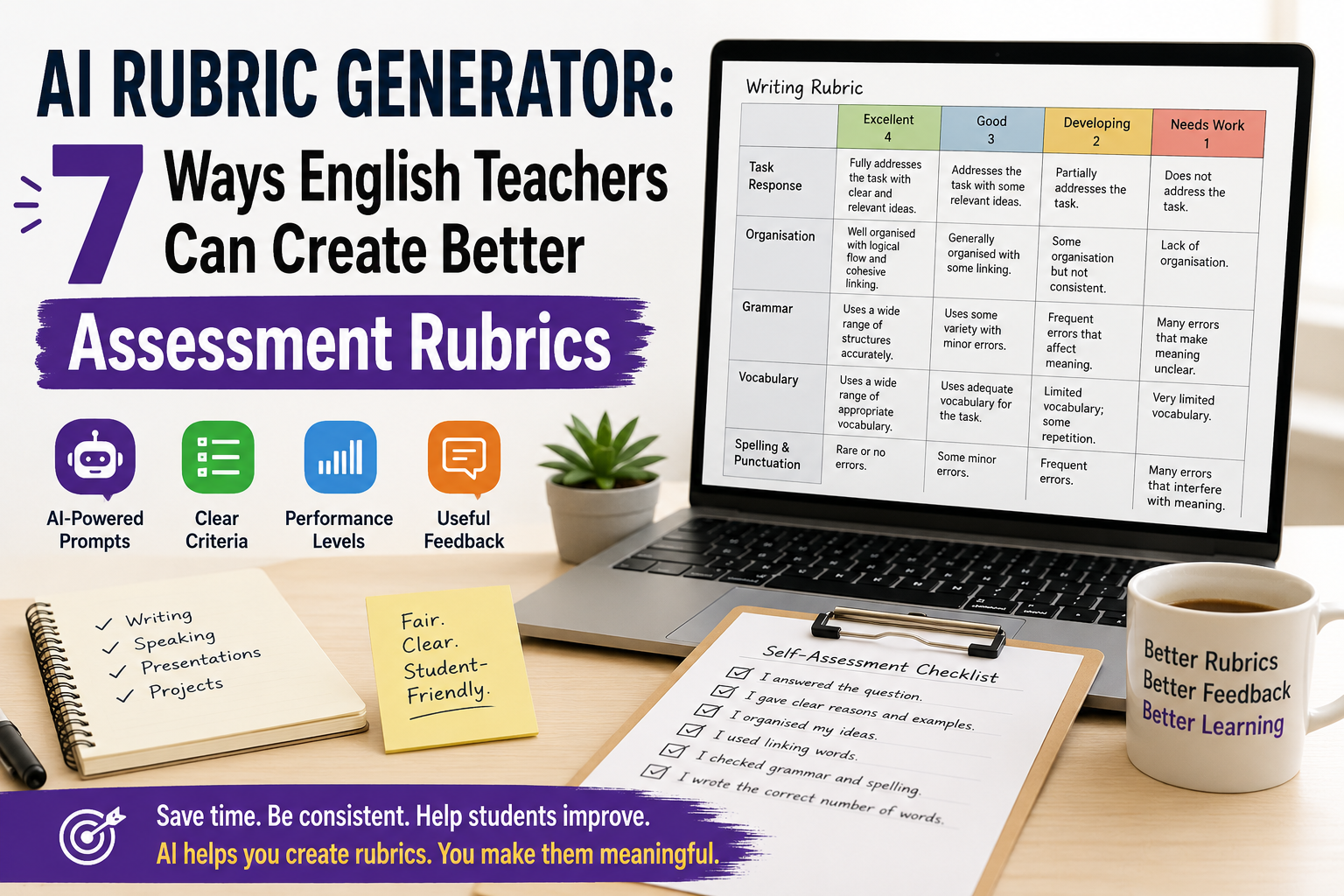
Tag: Writing Rubric

  • AI Rubric Generator: 7 Ways English Teachers Can Create Better Assessment Rubrics

    AI Rubric Generator: 7 Ways English Teachers Can Create Better Assessment Rubrics

    An AI rubric generator can help English teachers create clearer assessment rubrics for writing, speaking, presentations, projects, and classroom tasks. Instead of starting from a blank table, you can use AI to draft criteria, performance levels, descriptors, scores, feedback comments, and student-friendly checklists.

    But AI should not decide your assessment for you. A rubric affects how students understand success, how teachers mark work, and how feedback is given. That means every AI-generated rubric needs teacher review.

    For ESL/EFL teachers and language tutors, the best use of an AI rubric generator is simple: use it to create a strong first draft, then adapt it to your lesson aim, learner level, task type, and classroom context.

    In this guide, you will learn seven practical ways to use AI to create better English assessment rubrics, with copy-paste prompts and teacher-friendly examples.

    If you want a broader prompt-based guide, read Rubric Creator: 7 AI Prompts to Build Better English Marking Rubrics. If you want free template workflows, see Free Rubric Maker: 7 Ways English Teachers Can Create Better Rubrics.

    What Is an AI Rubric Generator?

    An AI rubric generator is a tool or prompt workflow that uses artificial intelligence to create assessment rubrics from your instructions.

    For English teachers, it can help create rubrics for:

    • ESL writing tasks;
    • speaking assessments;
    • oral presentations;
    • role-plays;
    • reading responses;
    • listening tasks;
    • projects;
    • portfolios;
    • peer assessment;
    • student self-assessment.

    A typical rubric includes:

    • assessment criteria;
    • performance levels;
    • descriptors for each level;
    • points or bands;
    • feedback guidance;
    • sometimes a student checklist.

    For example, a writing rubric may include criteria such as task response, organisation, grammar, vocabulary, and spelling. A speaking rubric may include fluency, pronunciation, interaction, vocabulary, and task completion.

    AI can draft these quickly, but the teacher must decide whether they are fair, level-appropriate, and useful.

    Why English Teachers Should Use an AI Rubric Generator

    Creating rubrics takes time. Many teachers know what they want to assess, but turning that into clear descriptors can be difficult.

    An AI rubric generator can help English teachers:

    • save time when creating first drafts;
    • turn lesson aims into assessment criteria;
    • create writing and speaking rubrics;
    • simplify rubric language for students;
    • adapt rubrics for different CEFR levels;
    • create feedback comment banks;
    • make self-assessment checklists;
    • improve marking consistency.

    This is especially useful for ESL/EFL teachers because English assessment is often complex. A student may communicate well but make grammar mistakes. Another student may be accurate but lack fluency. A good rubric helps make these differences clearer.

    Still, AI should support your assessment decisions, not replace them.

    What Makes a Good AI-Generated Rubric?

    A good rubric should be clear, practical, and connected to the actual task.

    Before using any AI-generated rubric, check these questions:

    • Does it match the assignment?
    • Is it appropriate for the learner level?
    • Are the criteria clear?
    • Are the descriptors easy to understand?
    • Is the scoring fair?
    • Does it assess what you actually taught?
    • Can students use it to improve?

    Avoid vague descriptors such as:

    • “excellent language ability”;
    • “good performance”;
    • “weak understanding”;
    • “limited communication.”

    Use clearer descriptors such as:

    • “gives a clear opinion and two reasons”;
    • “uses topic vocabulary accurately”;
    • “speaks clearly enough to be understood”;
    • “organises ideas with basic linking words.”

    A good rubric should help students understand how to do better next time.

    1. Use AI to Create a First-Draft Writing Rubric

    Writing is one of the best uses for an AI rubric generator because writing assessment often includes several criteria at once.

    Use this prompt when you want a first-draft ESL writing rubric:

    Act as an experienced ESL writing teacher.
    
    Create an analytic writing rubric for [LEVEL] English learners.
    
    Writing task:
    [DESCRIBE THE WRITING TASK]
    
    Text length:
    [WORD COUNT]
    
    Assess:
    1. task response;
    2. organisation;
    3. grammar accuracy;
    4. vocabulary;
    5. spelling and punctuation.
    
    Use 4 performance levels:
    Excellent, Good, Developing, Needs Work.
    
    Give a total score out of [POINTS].
    Use clear, student-friendly language.
    

    Example

    Create an analytic writing rubric for B1 ESL learners writing a 120-word opinion paragraph about whether students should use smartphones in class.
    
    Assess task response, organisation, reasons and examples, grammar, vocabulary, and spelling/punctuation.
    
    Use 4 levels and a total score out of 24.
    Use student-friendly language.
    

    This gives you a useful first draft. Then you can shorten, simplify, or adapt it.

    For example:

    Make this rubric shorter and easier for B1 students to understand. Keep the same criteria and score.
    

    2. Use AI to Create a Speaking Assessment Rubric

    Speaking assessment can be difficult because teachers need to listen for fluency, pronunciation, grammar, vocabulary, interaction, and task completion.

    An AI rubric generator can help you create a simple speaking rubric that focuses on the most important criteria.

    Create a speaking assessment rubric for [LEVEL] ESL/EFL learners.
    
    Speaking task:
    [DESCRIBE SPEAKING TASK]
    
    Assess:
    1. task completion;
    2. fluency;
    3. pronunciation;
    4. vocabulary;
    5. interaction.
    
    Use 4 levels:
    Excellent, Good, Developing, Needs Work.
    
    Give a total score out of 20.
    Use practical teacher-friendly descriptors.
    

    Example classroom task

    Students discuss this question in pairs:

    Should students use AI tools for homework?

    The rubric could assess whether students:

    • answer the question;
    • give reasons;
    • respond to their partner;
    • use topic vocabulary;
    • speak clearly enough to be understood.

    Teacher tip

    For informal speaking practice, do not use too many criteria. A short rubric is easier to use while students are speaking.

    3. Use AI to Create a Presentation Rubric

    English presentations assess both language and communication. Students need to organise ideas, speak clearly, use visuals, and engage listeners.

    Use this prompt:

    Create a presentation rubric for [LEVEL] English learners.
    
    Presentation task:
    [DESCRIBE PRESENTATION TOPIC]
    
    Presentation length:
    [TIME LIMIT]
    
    Assess:
    1. content and task completion;
    2. organisation;
    3. spoken English;
    4. pronunciation and clarity;
    5. visual support;
    6. audience engagement.
    
    Use 4 performance levels and a total score out of 24.
    Use clear descriptors suitable for [LEVEL] learners.
    

    Example

    Create a presentation rubric for B2 EFL learners giving a 5-minute presentation about an environmental problem.
    
    Assess content, organisation, language accuracy, vocabulary, pronunciation, visual support, and audience engagement.
    

    Teacher tip

    If the presentation is mainly a language task, make language criteria important. If it is mainly a project task, give more weight to content and organisation.

    4. Use AI to Adapt a Rubric by CEFR Level

    A common problem with rubrics is that they expect too much from lower-level learners. AI can help you adapt criteria for A1, A2, B1, B2, or higher levels.

    Use this prompt:

    Adapt this rubric for [CEFR LEVEL] English learners.
    
    Rubric:
    [PASTE RUBRIC]
    
    Make the descriptors realistic for [CEFR LEVEL].
    Use simple and clear language.
    Remove expectations that are too advanced.
    Keep the same total score.
    

    Example

    For A2 learners, descriptors should include realistic expectations such as:

    • uses simple sentences;
    • gives basic information;
    • uses familiar vocabulary;
    • makes mistakes, but meaning is usually clear.

    For B2 learners, descriptors can include:

    • supports ideas with examples;
    • uses a range of linking words;
    • expresses opinions clearly;
    • uses topic vocabulary accurately.

    Teacher tip

    Do not ask AI to “make it CEFR-aligned” and stop there. Always read the descriptors carefully. AI may still produce criteria that are too broad or too advanced.

    5. Use AI to Make Rubrics Student-Friendly

    Many rubrics are written for teachers, not students. If students cannot understand the rubric, they cannot use it to improve.

    Use AI to rewrite the rubric in simpler language.

    Rewrite this rubric in student-friendly language for [LEVEL] English learners.
    
    Keep the same criteria and score, but simplify the descriptors.
    
    Avoid technical terms. If a technical term is necessary, explain it simply.
    
    Rubric:
    [PASTE RUBRIC]
    

    Example changes

    Instead of:

    Demonstrates effective use of cohesive devices.

    Use:

    Uses linking words such as because, but, so, first, and finally to connect ideas.

    Instead of:

    Shows limited lexical range.

    Use:

    Uses only basic words and repeats the same vocabulary often.

    This makes the rubric more useful before, during, and after the task.

    6. Use AI to Create Feedback Comments from a Rubric

    A rubric gives structure, but students still need feedback. AI can help create a comment bank connected to each rubric criterion.

    Create a feedback comment bank based on this English rubric.
    
    Rubric:
    [PASTE RUBRIC]
    
    For each criterion, write:
    1. 3 positive comments;
    2. 3 improvement comments;
    3. 2 next-step suggestions.
    
    Use supportive teacher language.
    Keep the comments specific, short, and useful.
    

    Example feedback comments

    For organisation:

    • Your ideas are in a clear order.
    • Try to start with a clearer topic sentence.
    • Next time, use linking words to connect your reasons.

    For vocabulary:

    • You used useful topic words from the lesson.
    • Try not to repeat the same word too often.
    • Next time, add two new words from the topic list.

    Teacher tip

    Do not paste AI comments without checking them. Edit them so they match the student’s actual work.

    7. Use AI to Create Student Self-Assessment Checklists

    A rubric is not only for grading. It can also help students check their own work before submission.

    Use this prompt:

    Create a student self-assessment checklist for [LEVEL] English learners.
    
    Task:
    [DESCRIBE TASK]
    
    Use these criteria:
    [PASTE CRITERIA]
    
    Write 6–8 simple checklist statements beginning with “I...”
    
    Add one reflection question:
    “What should I improve next time?”
    

    Example checklist for writing

    Before I submit my paragraph, I checked that:

    • I answered the question.
    • I gave my opinion clearly.
    • I gave at least two reasons.
    • I used linking words.
    • I checked my verbs.
    • I checked spelling and punctuation.
    • I wrote the correct number of words.

    Why this works

    Students become more independent when they know how to check their own work. A self-assessment checklist can also reduce repeated teacher feedback because students notice problems earlier.

    Practical Example: AI Rubric Generator for an ESL Writing Task

    Imagine you are teaching B1 students and the writing task is:

    Write a 120-word opinion paragraph: Should students use AI tools for homework?

    You can use this prompt:

    Act as an experienced ESL writing teacher.
    
    Create an analytic writing rubric for B1 learners.
    
    Task:
    Students write a 120-word opinion paragraph answering:
    “Should students use AI tools for homework?”
    
    Assess:
    1. clear opinion;
    2. reasons and examples;
    3. organisation;
    4. grammar;
    5. vocabulary;
    6. spelling and punctuation.
    
    Use 4 levels:
    Excellent, Good, Developing, Needs Work.
    
    Total score: 24 points.
    Use student-friendly language.
    

    Then improve it:

    Create a shorter student checklist version of this rubric that students can use before submitting their paragraph.
    

    Then create feedback support:

    Create a feedback comment bank for this rubric with positive comments, improvement comments, and next-step suggestions.
    

    This gives you a complete assessment workflow:

    1. teacher rubric;
    2. student checklist;
    3. feedback comments.

    Common Mistakes to Avoid When Using an AI Rubric Generator

    Mistake 1: Using the first output without editing

    AI can create a useful draft, but it may be too generic, too long, or too advanced. Always edit before using it.

    Mistake 2: Including too many criteria

    A rubric with ten criteria is difficult to use. For most English classroom tasks, four to six criteria are enough.

    Mistake 3: Using the same rubric for every task

    A writing task, speaking task, presentation, and project need different rubrics. Start from the task.

    Mistake 4: Forgetting the learner level

    A2 students should not be assessed with B2 expectations. Always specify the level and check the descriptors.

    Mistake 5: Making the rubric too technical

    Students need language they can understand. Create a teacher version and a student version if necessary.

    Mistake 6: Scoring things you did not teach

    If you did not teach presentation structure, do not heavily penalise students for weak presentation structure. Assessment should connect to instruction.

    Mistake 7: Treating AI as the assessor

    AI can help create the rubric, but the teacher remains responsible for fair assessment, feedback, and final grading.

    Simple AI Rubric Review Checklist

    Before using an AI-generated rubric, check:

    • Does it match the task?
    • Is it suitable for the student level?
    • Are the criteria clear?
    • Are there too many criteria?
    • Are performance levels clearly different?
    • Is the scoring fair?
    • Can students understand the language?
    • Does it support feedback, not only grading?
    • Would another teacher understand how to use it?
    • Does it assess what was actually taught?

    This checklist helps you avoid weak AI-generated assessment materials.

    FAQ: AI Rubric Generator for English Teachers

    What is an AI rubric generator?

    An AI rubric generator is a tool or prompt workflow that uses AI to create assessment rubrics. English teachers can use it to draft rubrics for writing, speaking, presentations, projects, and classroom tasks.

    Can AI create rubrics for ESL writing?

    Yes. AI can create first-draft ESL writing rubrics if you provide the learner level, writing task, criteria, performance levels, and scoring system. Teachers should review and adapt the rubric before using it.

    Can AI create speaking rubrics?

    Yes. AI can help create speaking rubrics for fluency, pronunciation, vocabulary, grammar, interaction, and task completion. For classroom use, keep the rubric short and practical.

    Is an AI-generated rubric reliable?

    An AI-generated rubric can be useful as a draft, but it should not be used without teacher review. Check the task fit, level, clarity, fairness, and scoring before using it.

    What should an English writing rubric include?

    A writing rubric often includes task response, organisation, grammar, vocabulary, and spelling or punctuation. The exact criteria should match the writing task and learner level.

    How can I make an AI rubric student-friendly?

    Ask AI to rewrite the rubric in simple language, remove technical terms, and create a checklist version students can use before submitting their work.

    Should I use AI to grade student work?

    This article focuses on using AI to create rubrics, not to replace teacher grading. Teachers should be careful with student privacy, school policies, and fairness if using AI for feedback or assessment.

    Conclusion

    An AI rubric generator can save English teachers time and help create clearer assessment rubrics for writing, speaking, presentations, projects, and classroom tasks. It can draft criteria, performance levels, descriptors, feedback comments, and student checklists much faster than starting from a blank page.

    But the teacher must stay in control. A strong rubric needs to match the task, learner level, lesson aim, and classroom context. AI can help you create the first version, but your professional judgement makes it fair, useful, and student-friendly.

    Used well, an AI rubric generator does more than speed up marking preparation. It helps students understand expectations, reflect on their work, and improve their English more clearly.
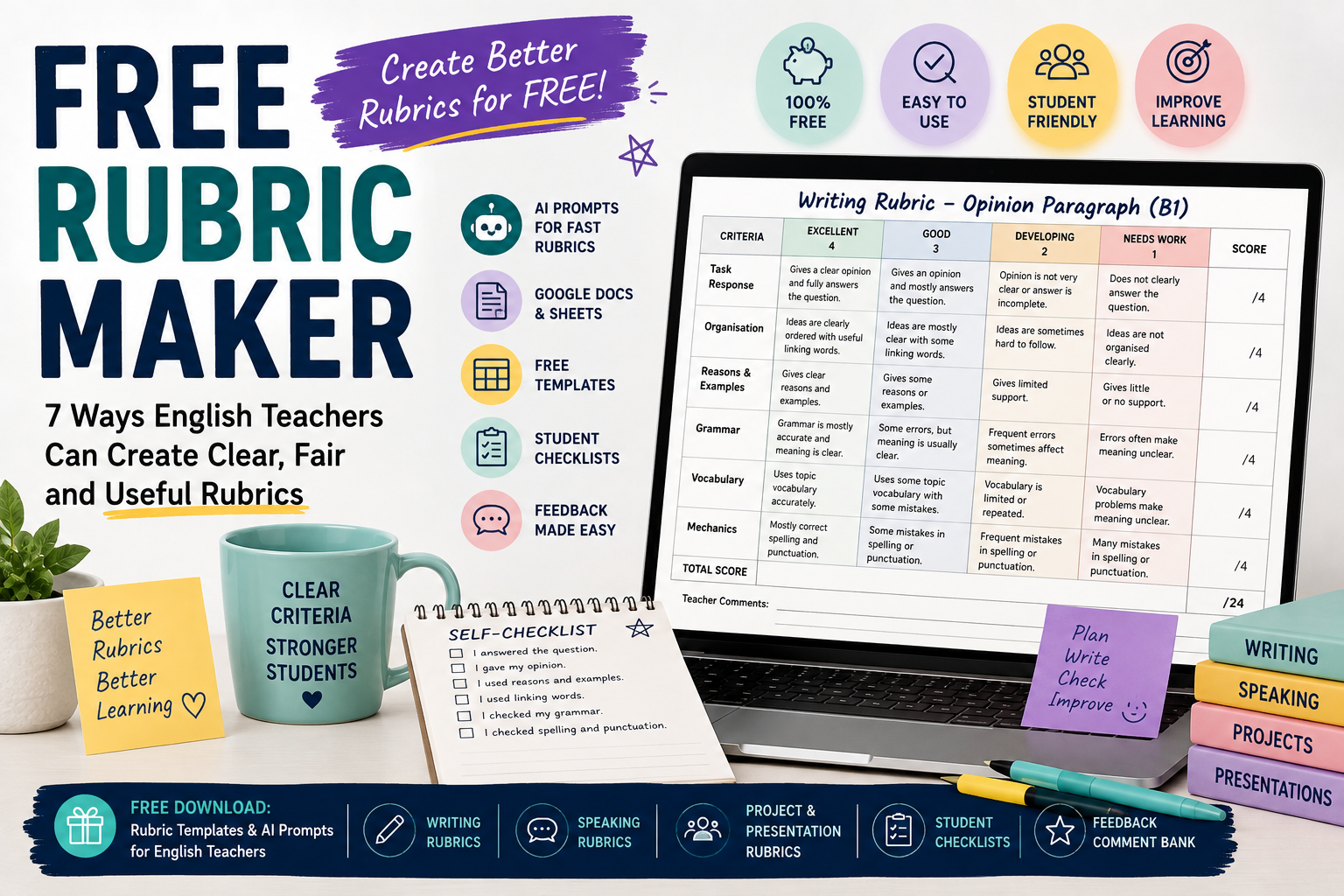
  • Free Rubric Maker: 7 Ways English Teachers Can Create Better Rubrics

    Free Rubric Maker: 7 Ways English Teachers Can Create Better Rubrics

    A free rubric maker can help English teachers create clearer assessment criteria without spending hours designing tables from scratch. Whether you teach ESL writing, speaking, presentations, projects, or classroom tasks, a good rubric helps students understand what is expected and helps teachers mark more consistently.

    But “free” does not automatically mean useful. Some rubric tools create generic criteria. Some templates look neat but do not fit your students’ level. Some AI-generated rubrics sound impressive but are too vague for real classroom use.

    For English teachers, ESL/EFL teachers, and private language tutors, the best approach is to combine simple free tools with clear teacher judgement. You can use AI prompts, Google Docs, Canva-style templates, spreadsheets, or basic tables to create rubrics that are practical, student-friendly, and connected to your lesson aims.

    In this guide, you will learn seven ways to create better English rubrics for free, with examples and copy-paste prompts you can adapt.

    If you want a deeper prompt-based guide, read Rubric Creator: 7 AI Prompts to Build Better English Marking Rubrics. If you are creating worksheets and assessment together, you may also find AI Worksheet Generator for English Teachers: 7 Ways to Create Better ESL Worksheets useful.

    What Is a Free Rubric Maker?

    A free rubric maker is any tool, template, or workflow that helps you create rubrics without paying for dedicated assessment software. It might be:

    • an AI chatbot;
    • a Google Docs table;
    • a spreadsheet;
    • a printable template;
    • a classroom resource generator;
    • a design tool;
    • a reusable rubric checklist;
    • a teacher-made prompt workflow.

    In English teaching, a rubric usually helps assess skills such as writing, speaking, presentations, projects, role-plays, or reading responses.

    A rubric commonly includes:

    • assessment criteria;
    • performance levels;
    • clear descriptors;
    • points or bands;
    • space for feedback;
    • sometimes a student self-assessment section.

    For example, a simple ESL writing rubric may assess:

    • task response;
    • organisation;
    • grammar;
    • vocabulary;
    • spelling and punctuation.

    A speaking rubric may assess:

    • fluency;
    • pronunciation;
    • grammar;
    • vocabulary;
    • interaction;
    • task completion.

    The tool you use matters less than the quality of the rubric you create.

    Why English Teachers Need Rubrics

    Rubrics are useful because they make assessment clearer. Instead of simply writing “good work” or “grammar problems,” a rubric shows students exactly what they did well and what they need to improve.

    For English teachers, rubrics help with:

    • more consistent marking;
    • clearer student expectations;
    • faster feedback;
    • better self-assessment;
    • fairer grading;
    • easier peer review;
    • stronger alignment between lesson aims and assessment.

    For example, if students write an opinion paragraph, the rubric can show that the task is not only about grammar. It may also assess whether students gave a clear opinion, used reasons, organised ideas, and checked punctuation.

    This is especially important in ESL/EFL classes because students may focus only on grammar accuracy. A good rubric helps them understand that communication, organisation, vocabulary, and task completion also matter.

    What a Free Rubric Maker Can and Cannot Do

    A free rubric maker can save time, but it cannot do everything for you.

    A free rubric maker can help you:

    • create a first draft;
    • format criteria in a table;
    • generate performance levels;
    • simplify rubric language;
    • adapt rubrics for different tasks;
    • create student checklists;
    • build feedback comment banks.

    A free rubric maker cannot fully decide:

    • what your students need most;
    • whether the rubric fits your exact lesson;
    • whether the level is fair;
    • whether the descriptors match your teaching context;
    • whether the final score reflects your school’s grading policy.

    This is why teacher review is essential. AI and free templates are useful starting points, not final authorities.

    1. Use AI as a Free Rubric Maker

    One of the fastest free or low-cost ways to create a rubric is to use AI. You can describe your task, student level, criteria, and scoring system, then ask AI to generate a rubric.

    This is especially useful when you need a first draft quickly.

    Copy-paste prompt

    Act as an experienced English teacher.
    
    Create an analytic rubric for [LEVEL] ESL/EFL learners.
    
    Task:
    [DESCRIBE THE TASK]
    
    Assess these criteria:
    1. task response;
    2. organisation;
    3. grammar;
    4. vocabulary;
    5. spelling/punctuation or pronunciation, depending on the task.
    
    Use 4 performance levels:
    Excellent, Good, Developing, Needs Work.
    
    Give a total score out of [POINTS].
    Use clear, student-friendly language.
    

    Example

    Create an analytic rubric for B1 ESL learners writing a 120-word opinion paragraph about online learning.
    
    Assess:
    1. clear opinion;
    2. organisation;
    3. reasons and examples;
    4. grammar;
    5. vocabulary;
    6. spelling and punctuation.
    
    Use 4 performance levels and a total score out of 24.
    Use language students can understand.
    

    Why this works

    This prompt gives AI enough detail to create something useful. It includes the level, task, criteria, score, and language style.

    Teacher tip

    Do not use the first AI output immediately. Ask AI to revise it.

    Make this rubric shorter, clearer, and easier for B1 ESL students to understand.
    

    Or:

    Create a compact teacher marking version of this rubric that fits on one page.
    

    For more prompt examples, link to your post on using a rubric creator for English marking rubrics.

    2. Use Google Docs as a Simple Free Rubric Maker

    Google Docs can work well as a free rubric maker because you can create simple tables, duplicate templates, and share rubrics with students.

    You do not need complex software. A clean table is often enough.

    Simple Google Docs rubric structure

    Use a table with these columns:

    CriteriaExcellentGoodDevelopingNeeds WorkScore

    Then add rows such as:

    • task response;
    • organisation;
    • grammar;
    • vocabulary;
    • mechanics.

    Example writing rubric row

    CriteriaExcellentGoodDevelopingNeeds WorkScore
    OrganisationIdeas are clearly ordered and easy to followIdeas are mostly clearSome ideas are hard to followIdeas are unclear or disconnected/4

    Best for

    Google Docs works well for:

    • writing rubrics;
    • speaking rubrics;
    • reusable templates;
    • student-friendly checklists;
    • peer review forms;
    • printable classroom handouts.

    Teacher tip

    Create one master rubric template and duplicate it for each task. This saves time and keeps your assessment style consistent.

    3. Use a Spreadsheet for Scoring Rubrics

    A spreadsheet can also work as a free rubric maker, especially when you want automatic totals.

    This is useful if you mark many students or want a simple scoring grid.

    Basic spreadsheet rubric columns

    You can create columns such as:

    • student name;
    • task response;
    • organisation;
    • grammar;
    • vocabulary;
    • mechanics;
    • total score;
    • feedback comment.

    For each criterion, use a score from 1 to 4 or 1 to 5.

    Example scoring system

    StudentTask Response /4Organisation /4Grammar /4Vocabulary /4Mechanics /4Total /20

    This is practical for classroom assessment because you can quickly record scores and identify common weaknesses.

    Best for

    Spreadsheets work well for:

    • class marking;
    • tracking student progress;
    • scoring speaking tasks quickly;
    • comparing performance across criteria;
    • storing feedback records.

    Teacher tip

    Use short descriptors in the spreadsheet and keep the full rubric in a separate document. This keeps your marking sheet clean.

    4. Use Free Rubric Templates, Then Adapt Them

    Free templates can be useful, but many are too generic. The key is to adapt them to your English lesson.

    A generic writing rubric may include broad criteria like:

    • content;
    • organisation;
    • grammar;
    • vocabulary.

    That is a good start, but you should make it task-specific.

    Generic criterion

    Content is clear and complete.

    Better English-task criterion

    The paragraph gives a clear opinion and includes at least two reasons.

    Generic criterion

    Uses good vocabulary.

    Better English-task criterion

    Uses topic vocabulary about online learning accurately.

    Generic criterion

    Grammar is good.

    Better English-task criterion

    Uses because, but, and so to connect ideas clearly.

    Best for

    Free templates are useful when you need:

    • a starting structure;
    • a printable layout;
    • a quick rubric for a familiar task;
    • a student-friendly version.

    Teacher tip

    Never use a template without adapting it to the task, level, and lesson aim.

    5. Create a Student-Friendly Rubric Checklist

    Sometimes students do not need a full scoring rubric. They need a checklist they can understand before submitting work.

    A student-friendly checklist can be more useful than a complex teacher rubric.

    Example: ESL writing checklist

    Before I submit my paragraph, I checked that:

    • I answered the question.
    • I gave my opinion clearly.
    • I gave at least two reasons.
    • I used linking words such as because, but, and so.
    • I checked my verbs.
    • I checked spelling and punctuation.
    • I wrote the correct number of words.

    Copy-paste prompt

    Create a student-friendly self-assessment checklist for [LEVEL] ESL learners.
    
    Task:
    [DESCRIBE TASK]
    
    The checklist should include 6–8 simple statements beginning with “I...”
    
    Use clear language and avoid technical terms.
    Add one reflection question: “What should I improve next time?”
    

    Best for

    Student-friendly checklists work well for:

    • writing tasks;
    • speaking presentations;
    • projects;
    • peer review;
    • homework submission;
    • exam preparation.

    Teacher tip

    Give students the checklist before they start. This turns the rubric into a learning tool, not just a grading tool.

    6. Create a Free Speaking Rubric for ESL/EFL Classes

    Speaking assessment can be difficult because teachers need to judge fluency, pronunciation, grammar, vocabulary, and interaction at the same time.

    A simple speaking rubric makes this easier.

    Example speaking rubric criteria

    For a B1 pair discussion, you might assess:

    • task completion;
    • fluency;
    • pronunciation;
    • vocabulary;
    • interaction.

    Copy-paste prompt

    Create a simple speaking rubric for [LEVEL] ESL learners.
    
    Speaking task:
    [DESCRIBE TASK]
    
    Assess:
    1. task completion;
    2. fluency;
    3. pronunciation;
    4. vocabulary;
    5. interaction.
    
    Use 4 levels:
    Excellent, Good, Developing, Needs Work.
    
    Total score: 20 points.
    Use teacher-friendly descriptors and simple language.
    

    Example task

    Students discuss this question in pairs:

    Should students use AI tools for homework?

    The rubric can help you assess whether students:

    • answer the question;
    • give reasons;
    • respond to their partner;
    • speak clearly;
    • use useful topic vocabulary.

    Teacher tip

    For informal speaking practice, use a short rubric. Too many criteria can make speaking assessment stressful and slow.

    7. Create a Free Feedback Comment Bank from Your Rubric

    A rubric helps with scoring, but students also need comments. You can use AI as a free rubric maker and feedback assistant by asking it to create a comment bank.

    This helps you avoid repeating the same comments again and again.

    Copy-paste prompt

    Create a feedback comment bank for this English rubric.
    
    Rubric:
    [PASTE RUBRIC]
    
    For each criterion, write:
    1. 3 positive comments;
    2. 3 improvement comments;
    3. 2 next-step suggestions.
    
    Use supportive teacher language. Keep the comments specific and useful.
    

    Example feedback comments

    For organisation:

    • Your ideas are in a clear order.
    • Try to start with a clearer topic sentence.
    • Next time, use linking words to connect your reasons.

    For vocabulary:

    • You used useful topic words.
    • Try to avoid repeating the same word many times.
    • Next time, add two new words from the lesson.

    Best for

    A comment bank is useful when marking:

    • essays;
    • opinion paragraphs;
    • speaking tasks;
    • presentations;
    • projects;
    • reading responses.

    Teacher tip

    Do not copy comments blindly. Adapt them to the student’s actual work.

    Example: Free Rubric for a B1 ESL Opinion Paragraph

    Here is a simple rubric structure you can adapt.

    Task: Write a 120-word opinion paragraph about this question:
    Should students use smartphones in class?

    Level: B1
    Total score: 20 points

    CriterionExcellent – 4Good – 3Developing – 2Needs Work – 1
    Task ResponseGives a clear opinion and fully answers the questionGives an opinion and mostly answers the questionOpinion is not very clear or answer is incompleteDoes not clearly answer the question
    OrganisationIdeas are clearly ordered with useful linking wordsIdeas are mostly clear with some linking wordsIdeas are sometimes hard to followIdeas are not organised clearly
    Reasons and ExamplesGives clear reasons and examplesGives some reasons or examplesGives limited supportGives little or no support
    GrammarGrammar is mostly accurate and meaning is clearSome errors, but meaning is usually clearFrequent errors sometimes affect meaningErrors often make meaning unclear
    Vocabulary and MechanicsUses topic vocabulary and mostly correct spelling/punctuationUses some topic vocabulary with some mistakesVocabulary is limited or repeatedVocabulary/spelling problems make meaning unclear

    This rubric is simple, but it gives students more guidance than a general score.

    How to Choose the Right Free Rubric Maker Workflow

    Choose your workflow based on what you need.

    Use AI when:

    • you need a first draft quickly;
    • you want descriptors for different performance levels;
    • you want to simplify language;
    • you want a student checklist;
    • you want a feedback comment bank.

    Use Google Docs when:

    • you want a clean printable rubric;
    • you want to share the rubric with students;
    • you want a reusable template;
    • you want to edit the rubric easily.

    Use spreadsheets when:

    • you are marking many students;
    • you want automatic totals;
    • you want to track performance;
    • you want to compare class results.

    Use templates when:

    • you need a quick structure;
    • you already know the criteria;
    • you want a printable design.

    The best free rubric maker is often not one tool. It is a workflow: AI for drafting, Google Docs for editing, and a spreadsheet for scoring if needed.

    Common Mistakes to Avoid When Using a Free Rubric Maker

    Mistake 1: Using generic criteria

    “Grammar,” “content,” and “vocabulary” are not enough. Make criteria specific to the task.

    Mistake 2: Making the rubric too long

    A rubric with too many criteria is hard to use. For most English classroom tasks, four to six criteria are enough.

    Mistake 3: Using teacher-only language

    Students may not understand technical terms. Create a simpler student version if needed.

    Mistake 4: Ignoring the learner level

    A rubric for A2 learners should not expect B2-level writing or speaking. Keep descriptors realistic.

    Mistake 5: Forgetting the lesson aim

    If the lesson aim is fluency, do not over-focus on small grammar mistakes. If the aim is accurate use of past tense, grammar should have more weight.

    Mistake 6: Not giving students the rubric before the task

    Rubrics are more useful when students see them before they work. This helps them understand expectations.

    Mistake 7: Treating AI output as final

    AI can create a helpful draft, but teachers should always review the rubric for clarity, fairness, and level.

    FAQ: Free Rubric Maker for English Teachers

    What is the best free rubric maker for English teachers?

    The best free rubric maker depends on your workflow. AI is useful for drafting rubric criteria, Google Docs is useful for formatting and sharing, and spreadsheets are useful for scoring and tracking. For many teachers, a combination of these works best.

    Can I create a rubric for free?

    Yes. You can create rubrics for free using AI prompts, Google Docs tables, spreadsheets, or downloadable templates. The most important part is adapting the rubric to your task and learner level.

    Can AI create rubrics for ESL writing?

    Yes. AI can create first-draft rubrics for ESL writing tasks. You should specify the level, task, word count, criteria, performance levels, and total score.

    What should an ESL writing rubric include?

    An ESL writing rubric often includes task response, organisation, grammar, vocabulary, and spelling or punctuation. The exact criteria should match the assignment.

    What should an ESL speaking rubric include?

    An ESL speaking rubric may include task completion, fluency, pronunciation, vocabulary, grammar, and interaction. For informal speaking tasks, use fewer criteria to keep assessment manageable.

    Should students see the rubric before the task?

    Yes. Rubrics are more useful when students see them before completing the task. This helps them understand what good performance looks like.

    Is a free rubric maker enough for serious assessment?

    For many classroom tasks, yes, if the teacher reviews and adapts the rubric carefully. For official exams or institutional assessment, follow your school’s required criteria and grading policy.

    Conclusion

    A free rubric maker can save English teachers time, but the real value comes from how you use it. AI, Google Docs, spreadsheets, and templates can all help you create rubrics without expensive software. However, your teaching judgement is what makes the rubric fair, clear, and useful.

    For ESL/EFL teachers and language tutors, the best rubrics are task-specific, level-appropriate, and easy for students to understand. Use AI to create a first draft, then revise the criteria, simplify the wording, add a clear scoring system, and create a student checklist when needed.

    A good rubric does more than help you mark faster. It helps students understand expectations, improve their work, and become more independent English learners.