An AI rubric generator can help English teachers create clearer assessment rubrics for writing, speaking, presentations, projects, and classroom tasks. Instead of starting from a blank table, you can use AI to draft criteria, performance levels, descriptors, scores, feedback comments, and student-friendly checklists.
But AI should not decide your assessment for you. A rubric affects how students understand success, how teachers mark work, and how feedback is given. That means every AI-generated rubric needs teacher review.
For ESL/EFL teachers and language tutors, the best use of an AI rubric generator is simple: use it to create a strong first draft, then adapt it to your lesson aim, learner level, task type, and classroom context.
In this guide, you will learn seven practical ways to use AI to create better English assessment rubrics, with copy-paste prompts and teacher-friendly examples.
If you want a broader prompt-based guide, read Rubric Creator: 7 AI Prompts to Build Better English Marking Rubrics. If you want free template workflows, see Free Rubric Maker: 7 Ways English Teachers Can Create Better Rubrics.
What Is an AI Rubric Generator?
An AI rubric generator is a tool or prompt workflow that uses artificial intelligence to create assessment rubrics from your instructions.
For English teachers, it can help create rubrics for:
- ESL writing tasks;
- speaking assessments;
- oral presentations;
- role-plays;
- reading responses;
- listening tasks;
- projects;
- portfolios;
- peer assessment;
- student self-assessment.
A typical rubric includes:
- assessment criteria;
- performance levels;
- descriptors for each level;
- points or bands;
- feedback guidance;
- sometimes a student checklist.
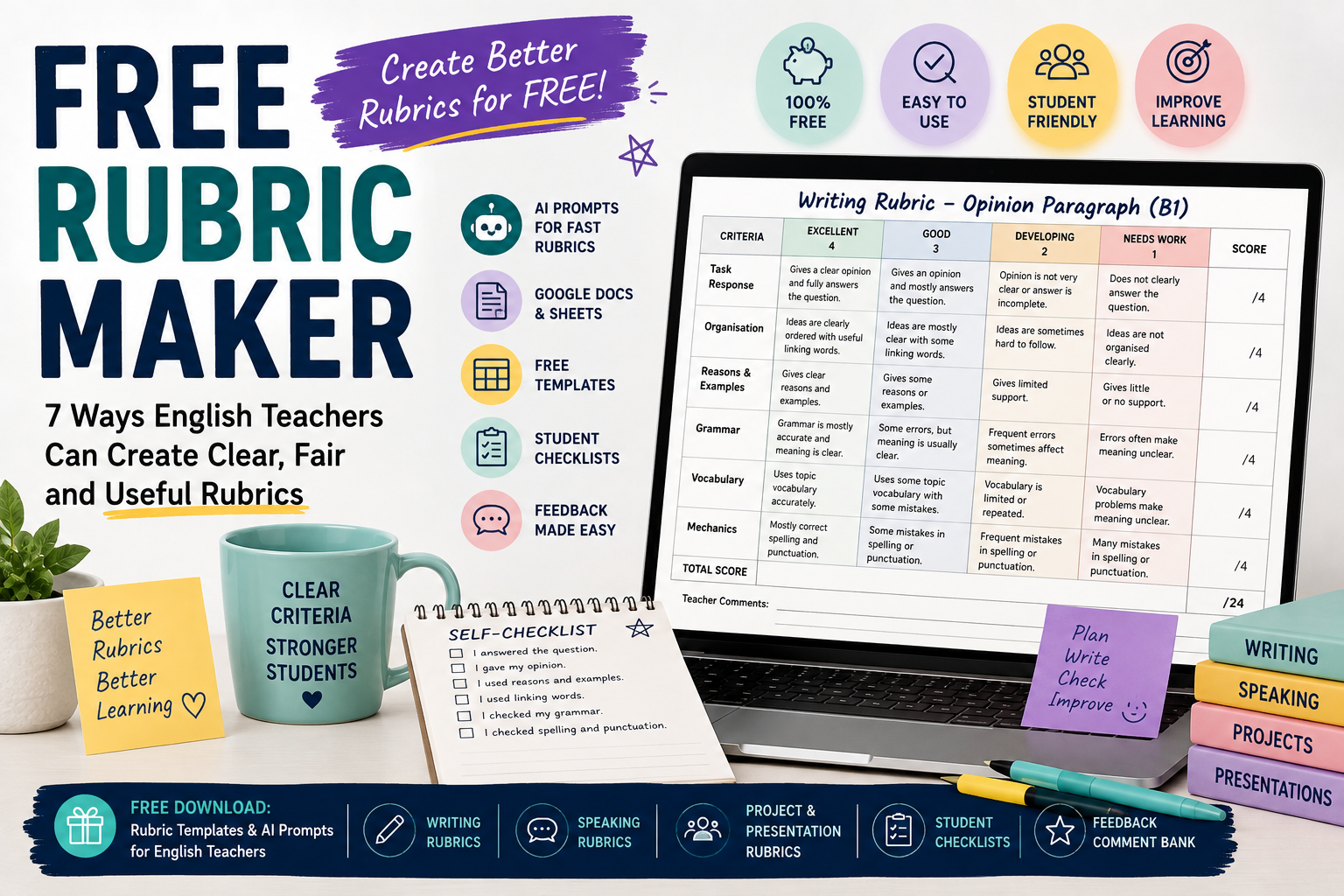
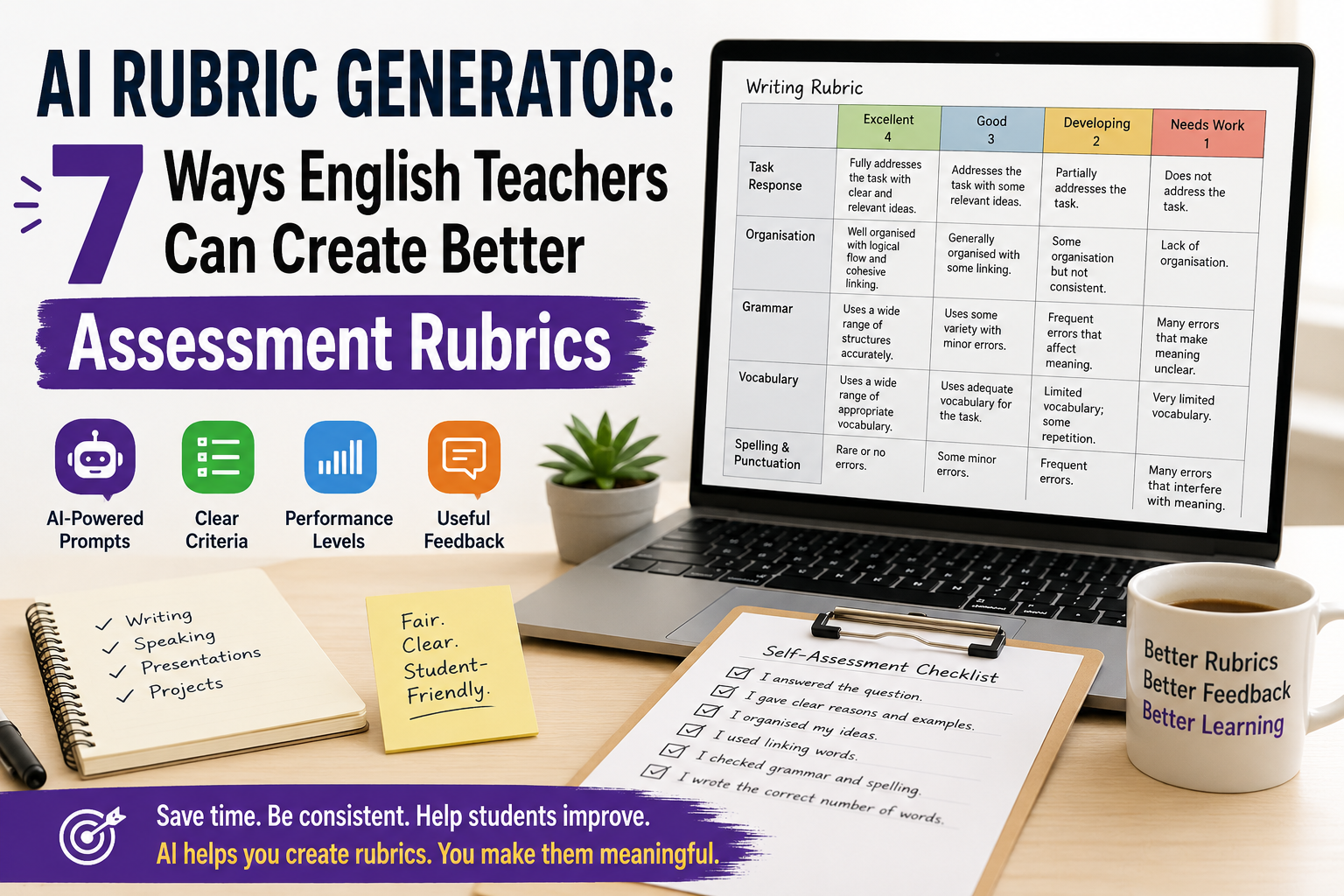
For example, a writing rubric may include criteria such as task response, organisation, grammar, vocabulary, and spelling. A speaking rubric may include fluency, pronunciation, interaction, vocabulary, and task completion.
AI can draft these quickly, but the teacher must decide whether they are fair, level-appropriate, and useful.
Why English Teachers Should Use an AI Rubric Generator
Creating rubrics takes time. Many teachers know what they want to assess, but turning that into clear descriptors can be difficult.
An AI rubric generator can help English teachers:
- save time when creating first drafts;
- turn lesson aims into assessment criteria;
- create writing and speaking rubrics;
- simplify rubric language for students;
- adapt rubrics for different CEFR levels;
- create feedback comment banks;
- make self-assessment checklists;
- improve marking consistency.
This is especially useful for ESL/EFL teachers because English assessment is often complex. A student may communicate well but make grammar mistakes. Another student may be accurate but lack fluency. A good rubric helps make these differences clearer.
Still, AI should support your assessment decisions, not replace them.
What Makes a Good AI-Generated Rubric?
A good rubric should be clear, practical, and connected to the actual task.
Before using any AI-generated rubric, check these questions:
- Does it match the assignment?
- Is it appropriate for the learner level?
- Are the criteria clear?
- Are the descriptors easy to understand?
- Is the scoring fair?
- Does it assess what you actually taught?
- Can students use it to improve?
Avoid vague descriptors such as:
- “excellent language ability”;
- “good performance”;
- “weak understanding”;
- “limited communication.”
Use clearer descriptors such as:
- “gives a clear opinion and two reasons”;
- “uses topic vocabulary accurately”;
- “speaks clearly enough to be understood”;
- “organises ideas with basic linking words.”
A good rubric should help students understand how to do better next time.
1. Use AI to Create a First-Draft Writing Rubric
Writing is one of the best uses for an AI rubric generator because writing assessment often includes several criteria at once.
Use this prompt when you want a first-draft ESL writing rubric:
Act as an experienced ESL writing teacher.

Create an analytic writing rubric for [LEVEL] English learners.

Writing task:
[DESCRIBE THE WRITING TASK]

Text length:
[WORD COUNT]

Assess:
1. task response;
2. organisation;
3. grammar accuracy;
4. vocabulary;
5. spelling and punctuation.

Use 4 performance levels:
Excellent, Good, Developing, Needs Work.

Give a total score out of [POINTS].
Use clear, student-friendly language.
Example
Create an analytic writing rubric for B1 ESL learners writing a 120-word opinion paragraph about whether students should use smartphones in class.

Assess task response, organisation, reasons and examples, grammar, vocabulary, and spelling/punctuation.

Use 4 levels and a total score out of 24.
Use student-friendly language.
This gives you a useful first draft. Then you can shorten, simplify, or adapt it.
For example:
Make this rubric shorter and easier for B1 students to understand. Keep the same criteria and score.
2. Use AI to Create a Speaking Assessment Rubric
Speaking assessment can be difficult because teachers need to listen for fluency, pronunciation, grammar, vocabulary, interaction, and task completion.
An AI rubric generator can help you create a simple speaking rubric that focuses on the most important criteria.
Create a speaking assessment rubric for [LEVEL] ESL/EFL learners.

Speaking task:
[DESCRIBE SPEAKING TASK]

Assess:
1. task completion;
2. fluency;
3. pronunciation;
4. vocabulary;
5. interaction.

Use 4 levels:
Excellent, Good, Developing, Needs Work.

Give a total score out of 20.
Use practical teacher-friendly descriptors.
Example classroom task
Students discuss this question in pairs:
Should students use AI tools for homework?
The rubric could assess whether students:
- answer the question;
- give reasons;
- respond to their partner;
- use topic vocabulary;
- speak clearly enough to be understood.
Teacher tip
For informal speaking practice, do not use too many criteria. A short rubric is easier to use while students are speaking.
3. Use AI to Create a Presentation Rubric
English presentations assess both language and communication. Students need to organise ideas, speak clearly, use visuals, and engage listeners.
Use this prompt:
Create a presentation rubric for [LEVEL] English learners.

Presentation task:
[DESCRIBE PRESENTATION TOPIC]

Presentation length:
[TIME LIMIT]

Assess:
1. content and task completion;
2. organisation;
3. spoken English;
4. pronunciation and clarity;
5. visual support;
6. audience engagement.

Use 4 performance levels and a total score out of 24.
Use clear descriptors suitable for [LEVEL] learners.
Example
Create a presentation rubric for B2 EFL learners giving a 5-minute presentation about an environmental problem.

Assess content, organisation, language accuracy, vocabulary, pronunciation, visual support, and audience engagement.
Teacher tip
If the presentation is mainly a language task, make language criteria important. If it is mainly a project task, give more weight to content and organisation.
4. Use AI to Adapt a Rubric by CEFR Level
A common problem with rubrics is that they expect too much from lower-level learners. AI can help you adapt criteria for A1, A2, B1, B2, or higher levels.
Use this prompt:
Adapt this rubric for [CEFR LEVEL] English learners.

Rubric:
[PASTE RUBRIC]

Make the descriptors realistic for [CEFR LEVEL].
Use simple and clear language.
Remove expectations that are too advanced.
Keep the same total score.
Example
For A2 learners, descriptors should include realistic expectations such as:
- uses simple sentences;
- gives basic information;
- uses familiar vocabulary;
- makes mistakes, but meaning is usually clear.
For B2 learners, descriptors can include:
- supports ideas with examples;
- uses a range of linking words;
- expresses opinions clearly;
- uses topic vocabulary accurately.
Teacher tip
Do not ask AI to “make it CEFR-aligned” and stop there. Always read the descriptors carefully. AI may still produce criteria that are too broad or too advanced.
5. Use AI to Make Rubrics Student-Friendly
Many rubrics are written for teachers, not students. If students cannot understand the rubric, they cannot use it to improve.
Use AI to rewrite the rubric in simpler language.
Rewrite this rubric in student-friendly language for [LEVEL] English learners.

Keep the same criteria and score, but simplify the descriptors.

Avoid technical terms. If a technical term is necessary, explain it simply.

Rubric:
[PASTE RUBRIC]
Example changes
Instead of:
Demonstrates effective use of cohesive devices.
Use:
Uses linking words such as because, but, so, first, and finally to connect ideas.
Instead of:
Shows limited lexical range.
Use:
Uses only basic words and repeats the same vocabulary often.
This makes the rubric more useful before, during, and after the task.
6. Use AI to Create Feedback Comments from a Rubric
A rubric gives structure, but students still need feedback. AI can help create a comment bank connected to each rubric criterion.
Create a feedback comment bank based on this English rubric.

Rubric:
[PASTE RUBRIC]

For each criterion, write:
1. 3 positive comments;
2. 3 improvement comments;
3. 2 next-step suggestions.

Use supportive teacher language.
Keep the comments specific, short, and useful.
Example feedback comments
For organisation:
- Your ideas are in a clear order.
- Try to start with a clearer topic sentence.
- Next time, use linking words to connect your reasons.
For vocabulary:
- You used useful topic words from the lesson.
- Try not to repeat the same word too often.
- Next time, add two new words from the topic list.
Teacher tip
Do not paste AI comments without checking them. Edit them so they match the student’s actual work.
7. Use AI to Create Student Self-Assessment Checklists
A rubric is not only for grading. It can also help students check their own work before submission.
Use this prompt:
Create a student self-assessment checklist for [LEVEL] English learners.

Task:
[DESCRIBE TASK]

Use these criteria:
[PASTE CRITERIA]

Write 6–8 simple checklist statements beginning with “I...”

Add one reflection question:
“What should I improve next time?”
Example checklist for writing
Before I submit my paragraph, I checked that:
- I answered the question.
- I gave my opinion clearly.
- I gave at least two reasons.
- I used linking words.
- I checked my verbs.
- I checked spelling and punctuation.
- I wrote the correct number of words.
Why this works
Students become more independent when they know how to check their own work. A self-assessment checklist can also reduce repeated teacher feedback because students notice problems earlier.
Practical Example: AI Rubric Generator for an ESL Writing Task
Imagine you are teaching B1 students and the writing task is:
Write a 120-word opinion paragraph: Should students use AI tools for homework?
You can use this prompt:
Act as an experienced ESL writing teacher.

Create an analytic writing rubric for B1 learners.

Task:
Students write a 120-word opinion paragraph answering:
“Should students use AI tools for homework?”

Assess:
1. clear opinion;
2. reasons and examples;
3. organisation;
4. grammar;
5. vocabulary;
6. spelling and punctuation.

Use 4 levels:
Excellent, Good, Developing, Needs Work.

Total score: 24 points.
Use student-friendly language.
Then improve it:
Create a shorter student checklist version of this rubric that students can use before submitting their paragraph.
Then create feedback support:
Create a feedback comment bank for this rubric with positive comments, improvement comments, and next-step suggestions.
This gives you a complete assessment workflow:
- teacher rubric;
- student checklist;
- feedback comments.
Save time on rubrics and feedback.
Download the free Rubric & Feedback Templates for English Teachers and get ready-to-use templates, AI prompts, student checklists, and feedback comment banks.
Common Mistakes to Avoid When Using an AI Rubric Generator
Mistake 1: Using the first output without editing
AI can create a useful draft, but it may be too generic, too long, or too advanced. Always edit before using it.
Mistake 2: Including too many criteria
A rubric with ten criteria is difficult to use. For most English classroom tasks, four to six criteria are enough.
Mistake 3: Using the same rubric for every task
A writing task, speaking task, presentation, and project need different rubrics. Start from the task.
Mistake 4: Forgetting the learner level
A2 students should not be assessed with B2 expectations. Always specify the level and check the descriptors.
Mistake 5: Making the rubric too technical
Students need language they can understand. Create a teacher version and a student version if necessary.
Mistake 6: Scoring things you did not teach
If you did not teach presentation structure, do not heavily penalise students for weak presentation structure. Assessment should connect to instruction.
Mistake 7: Treating AI as the assessor
AI can help create the rubric, but the teacher remains responsible for fair assessment, feedback, and final grading.
Simple AI Rubric Review Checklist
Before using an AI-generated rubric, check:
- Does it match the task?
- Is it suitable for the student level?
- Are the criteria clear?
- Are there too many criteria?
- Are performance levels clearly different?
- Is the scoring fair?
- Can students understand the language?
- Does it support feedback, not only grading?
- Would another teacher understand how to use it?
- Does it assess what was actually taught?
This checklist helps you avoid weak AI-generated assessment materials.
FAQ: AI Rubric Generator for English Teachers
What is an AI rubric generator?
An AI rubric generator is a tool or prompt workflow that uses AI to create assessment rubrics. English teachers can use it to draft rubrics for writing, speaking, presentations, projects, and classroom tasks.
Can AI create rubrics for ESL writing?
Yes. AI can create first-draft ESL writing rubrics if you provide the learner level, writing task, criteria, performance levels, and scoring system. Teachers should review and adapt the rubric before using it.
Can AI create speaking rubrics?
Yes. AI can help create speaking rubrics for fluency, pronunciation, vocabulary, grammar, interaction, and task completion. For classroom use, keep the rubric short and practical.
Is an AI-generated rubric reliable?
An AI-generated rubric can be useful as a draft, but it should not be used without teacher review. Check the task fit, level, clarity, fairness, and scoring before using it.
What should an English writing rubric include?
A writing rubric often includes task response, organisation, grammar, vocabulary, and spelling or punctuation. The exact criteria should match the writing task and learner level.
How can I make an AI rubric student-friendly?
Ask AI to rewrite the rubric in simple language, remove technical terms, and create a checklist version students can use before submitting their work.
Should I use AI to grade student work?
This article focuses on using AI to create rubrics, not to replace teacher grading. Teachers should be careful with student privacy, school policies, and fairness if using AI for feedback or assessment.
Conclusion
An AI rubric generator can save English teachers time and help create clearer assessment rubrics for writing, speaking, presentations, projects, and classroom tasks. It can draft criteria, performance levels, descriptors, feedback comments, and student checklists much faster than starting from a blank page.
But the teacher must stay in control. A strong rubric needs to match the task, learner level, lesson aim, and classroom context. AI can help you create the first version, but your professional judgement makes it fair, useful, and student-friendly.
Used well, an AI rubric generator does more than speed up marking preparation. It helps students understand expectations, reflect on their work, and improve their English more clearly.