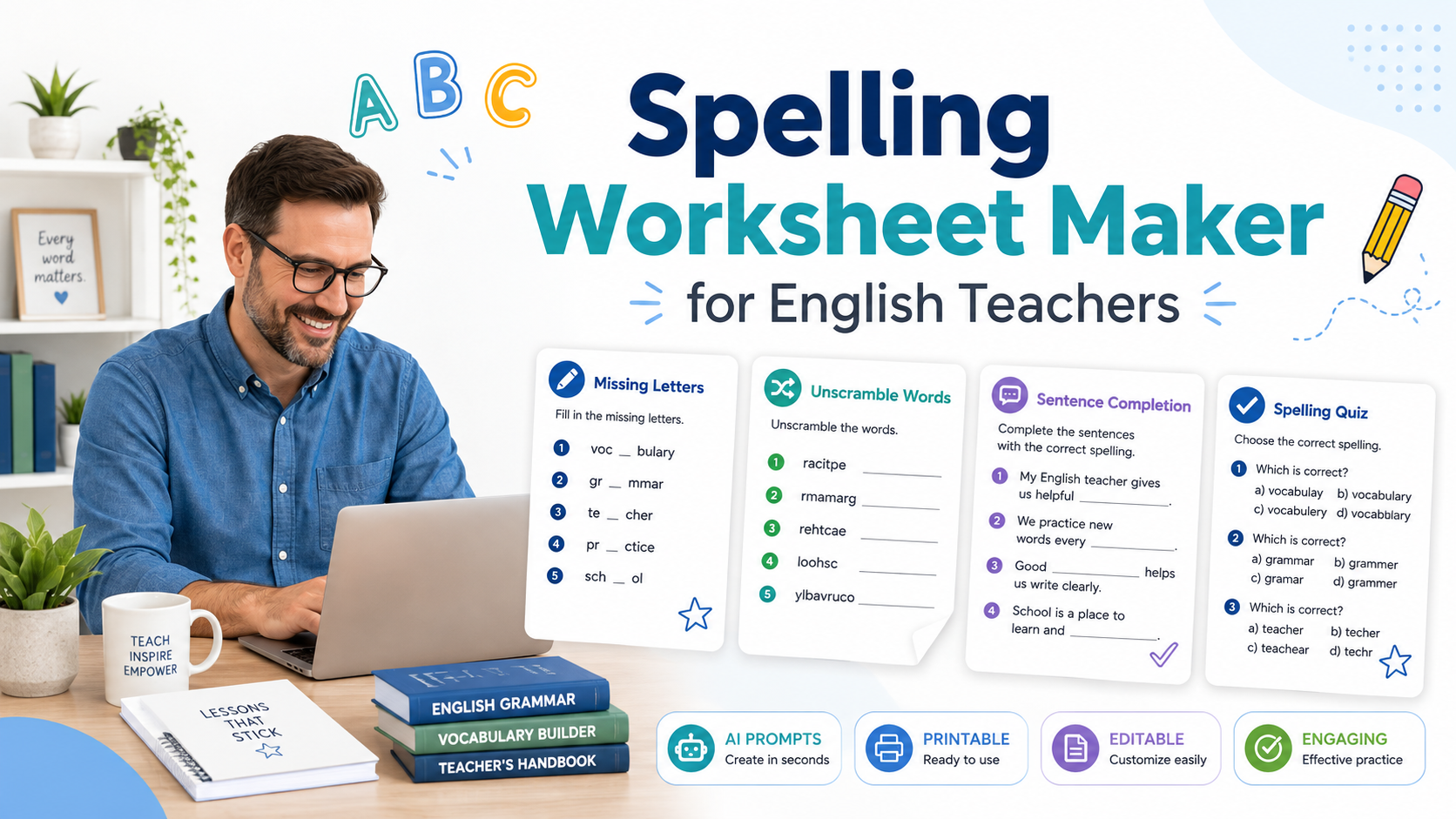
A spelling worksheet maker can help English teachers create spelling practice quickly, but the best worksheets are not just lists of words with blank lines. Good spelling worksheets help students notice sounds, patterns, meanings, word families, and correct usage in context.
For ESL/EFL teachers and language tutors, spelling practice is especially important because learners are not only memorising letters. They are also connecting spelling with pronunciation, vocabulary, grammar, and meaning. A student may spell a word correctly in isolation but still struggle to use it naturally in a sentence.
This is where AI can help. You can use AI as a spelling worksheet maker to create word practice, dictation tasks, missing-letter activities, sentence completion exercises, vocabulary review, and short quizzes. But you need to guide it carefully.
In this article, you will learn how to create better spelling worksheets with AI, using practical prompts you can copy, paste, and adapt for your own English lessons.
If you are new to AI worksheet creation, you may also want to read AI Worksheet Generator for English Teachers: 7 Ways to Create Better ESL Worksheets. If you are comparing different tools, see 7 Best Customizable Worksheet Software with AI for English Teachers.
What Is a Spelling Worksheet Maker?
A spelling worksheet maker is a tool or workflow that helps teachers create spelling activities from a list of words. Traditionally, this might mean a worksheet generator where you enter words and receive printable practice sheets.
With AI, a spelling worksheet maker can do more. It can help you create:
- missing-letter activities;
- word unscramble tasks;
- sentence completion exercises;
- dictation sentences;
- word-family practice;
- pronunciation-focused spelling practice;
- vocabulary review;
- differentiated spelling worksheets;
- answer keys;
- short spelling quizzes.
For English teachers, the advantage is flexibility. Instead of using the same worksheet format every time, you can ask AI to create spelling practice that matches the level, topic, and lesson aim.
For example, a spelling worksheet for A1 learners may focus on simple classroom words such as book, pen, desk, and teacher. A worksheet for B1 learners may practise more complex vocabulary such as environment, recycling, pollution, and solution.
Why English Teachers Should Use AI for Spelling Worksheets
Spelling worksheets can take time to prepare, especially if you want them to be more useful than simple copying practice. AI can help you create a first draft faster.
A spelling worksheet generator can help English teachers:
- prepare vocabulary review quickly;
- create practice from a word list;
- generate example sentences;
- make differentiated worksheets;
- create spelling quizzes;
- add answer keys;
- connect spelling with meaning and usage;
- adapt the same words for different student levels.
This is especially helpful for private tutors and busy classroom teachers. You can take words from a textbook unit, reading text, speaking lesson, or vocabulary list and turn them into a complete worksheet in minutes.
However, AI should not be used blindly. Teachers still need to check the spelling, sentence quality, word meaning, level, and answer key before using the worksheet with students.
What Makes a Good Spelling Worksheet?
A good spelling worksheet should do more than ask students to copy words five times. Copying can help with handwriting and memory, but it is not enough for meaningful vocabulary learning.
A useful spelling worksheet should include some of these elements:
- the target words;
- clear instructions;
- a simple task progression;
- spelling pattern practice;
- meaning-based practice;
- sentence-level use;
- pronunciation awareness;
- review or quiz section;
- answer key;
- optional speaking or writing follow-up.
For ESL/EFL learners, it is useful to connect spelling with meaning. For example, if the target word is improve, students should not only spell it correctly. They should also understand how to use it:
I want to improve my English speaking skills.
This is why AI can be helpful. It can quickly turn a spelling list into example sentences, short dialogues, matching tasks, or review questions.
How to Use AI as a Spelling Worksheet Maker
The quality of your spelling worksheet depends on your prompt. A weak prompt gives weak results.
A weak prompt would be:
Create a spelling worksheet.
A better prompt would be:
Create a spelling worksheet for A2 ESL learners using these words: improve, practise, mistake, listen, repeat, sentence, grammar, vocabulary.

Include:
1. missing letters;
2. word unscramble;
3. sentence completion;
4. a short dictation section;
5. an answer key.

Use simple instructions and natural example sentences.
The second prompt gives AI the information it needs: level, learner type, target words, activity types, and answer key.
Prompt 1: Basic Spelling Worksheet Maker Prompt
Use this prompt when you want a simple spelling worksheet from a word list.
Act as an experienced English teacher.

Create a spelling worksheet for [LEVEL] ESL learners using the following words:

[PASTE WORD LIST]

Include:
1. a word list section;
2. missing-letter practice;
3. word unscramble;
4. sentence completion;
5. an answer key.

Use clear instructions and keep the example sentences appropriate for [LEVEL] learners.
Example
If your students are A2 learners studying school vocabulary, you could use:
Create a spelling worksheet for A2 ESL learners using these words:

subject, classroom, homework, notebook, teacher, student, lesson, question

Include missing-letter practice, word unscramble, sentence completion, and an answer key.
This gives students different ways to practise the same words. They recognise the spelling, reconstruct the spelling, and use the words in context.
Prompt 2: Missing-Letter Spelling Worksheet
Missing-letter activities are useful because students have to pay attention to word structure. They are also easy to adapt for different levels.
Create a missing-letter spelling worksheet for [LEVEL] English learners.

Target words:
[PASTE WORD LIST]

For each word:
1. remove 2–4 letters depending on word difficulty;
2. provide a short clue or simple definition;
3. include space for students to write the full word.

Add an answer key at the end.
Example
For the words weather, cloudy, rainy, and sunny, AI might create:
- w _ _ th _ r — the condition outside, such as rain or sun
- c _ ou _ y — when there are many clouds
- r _ _ ny — when water falls from the sky
- s _ nn _ — when there is a lot of sun
This works well for younger learners, beginner ESL students, and quick review activities.
Teacher tip
Do not remove too many letters. If the word becomes impossible to recognise, the activity becomes frustrating rather than useful.
Prompt 3: Word Unscramble Worksheet
Word unscramble tasks are simple but effective for spelling recognition. They work well as warm-ups, revision tasks, or homework.
Create a word unscramble spelling worksheet for [LEVEL] ESL learners.

Use these words:
[PASTE WORD LIST]

For each item:
1. scramble the letters;
2. give a short meaning clue;
3. leave a blank line for the correct spelling.

Add an answer key.
Example
For a travel lesson, you could use:
Create a word unscramble worksheet for A2 ESL learners using these words:

ticket, airport, luggage, passport, hotel, journey, tourist, station

Add simple meaning clues and an answer key.
This helps students review vocabulary while focusing on correct spelling.
Prompt 4: Spelling Worksheet Generator for Spelling Words in Context
A common problem with spelling worksheets is that words are practised in isolation. But English learners need to use words in meaningful sentences.
Use this prompt when you want spelling and vocabulary practice together.
Create a spelling worksheet for [LEVEL] ESL learners using these spelling words:

[PASTE WORD LIST]

For each word:
1. write one natural example sentence with a blank;
2. provide the first letter of the missing word;
3. make sure the sentence gives enough context;
4. include an answer key.

After the sentence section, add 5 personalised questions using the same words.
Example
Target words:
- improve;
- practise;
- mistake;
- remember;
- difficult.
AI could create sentences like:
- I want to i________ my English speaking this year.
- It is normal to make a m________ when you learn a new language.
- This word is d________ to spell.
This kind of worksheet is more useful because it connects spelling with meaning.
Prompt 5: Dictation-Based Spelling Worksheet
Dictation is useful for connecting spelling with listening. For English learners, this is important because English spelling and pronunciation are not always simple.
Use this prompt to create a spelling worksheet with dictation sentences.
Create a dictation-based spelling worksheet for [LEVEL] ESL learners.

Target words:
[PASTE WORD LIST]

Include:
1. a short preparation section where students read the words;
2. 8 dictation sentences using the target words;
3. a student self-check section;
4. a short reflection question;
5. an answer key for the teacher.

Keep the sentences natural and appropriate for [LEVEL].
Example classroom use
You can use this in three steps:
- Students read the target words silently.
- You read the sentences aloud.
- Students write the full sentence or only the missing target word.
- Students compare with a partner.
- You review common spelling mistakes on the board.
This is especially useful for words that students often hear but misspell.
Prompt 6: Differentiated Spelling Worksheet
If you teach mixed-level classes, one spelling worksheet may not fit everyone. AI can help create easier and harder versions from the same word list.
Create two versions of a spelling worksheet using the same word list.

Target words:
[PASTE WORD LIST]

Version A:
For lower-level students. Include missing letters, matching, and simple sentence completion.

Version B:
For stronger students. Include word families, sentence writing, and a short paragraph task.

Add answer keys for both versions.
Why this works
This allows all students to practise the same vocabulary, but at different levels of challenge.
For example, with the word communicate:
- Version A may ask students to complete: c _ m m _ n _ c _ t e
- Version B may ask students to write a sentence using communication or communicative.
This is much more useful than giving every student the exact same task.
Prompt 7: Spelling Quiz Maker Prompt
Sometimes you do not need a full worksheet. You need a quick quiz or review sheet. AI can help create one from your word list.
Create a short spelling quiz for [LEVEL] ESL learners.

Target words:
[PASTE WORD LIST]

Include:
1. 5 missing-letter questions;
2. 5 sentence completion questions;
3. 5 choose-the-correct-spelling questions;
4. a bonus sentence-writing question;
5. an answer key.

Make the quiz clear and printable.
Example quiz item types
Missing letters:
v _ c _ b _ l _ r y
Sentence completion:
I keep new words in my __________ notebook.
Choose the correct spelling:
a) grammer
b) grammar
c) gramar
These item types are easy to mark and useful for review.
A Complete AI Spelling Worksheet Workflow
Here is a simple workflow English teachers can use.
Step 1: Choose the words
Use words from your lesson, reading text, coursebook unit, or student errors. Avoid random word lists unless your goal is general review.
Step 2: Decide the purpose
Ask yourself:
- Is this for vocabulary review?
- Is this for spelling correction?
- Is this for pronunciation support?
- Is this for homework?
- Is this for a quiz?
- Is this for weaker students or stronger students?
Step 3: Choose the activity types
For a balanced spelling worksheet, include three types:
- recognition activity;
- controlled spelling practice;
- meaningful sentence use.
For example:
- word unscramble;
- missing letters;
- sentence completion.
Step 4: Generate the worksheet with AI
Use one of the prompts above.
Step 5: Review the output
Check:
- Are all words spelled correctly?
- Are the example sentences natural?
- Are the clues clear?
- Is the level appropriate?
- Is the answer key correct?
- Is there enough space for students to write?
- Are the instructions simple?
Step 6: Add a communicative follow-up
Even a spelling worksheet can end with speaking or writing.
For example:
Add a short pair-work activity where students ask and answer questions using five of the spelling words.
This helps students move from spelling practice to real language use.
Example: AI Spelling Worksheet for ESL Vocabulary Review
Let’s say you are teaching A2 students vocabulary about daily routines.
Target words:
- breakfast;
- shower;
- school;
- homework;
- evening;
- usually;
- sometimes;
- early.
You could use this prompt:
Create an A2 ESL spelling worksheet about daily routines.

Target words:
breakfast, shower, school, homework, evening, usually, sometimes, early

Include:
1. missing letters;
2. word unscramble;
3. sentence completion;
4. 4 speaking questions using the target words;
5. an answer key.

Use simple instructions and natural examples.
The result could include spelling practice and questions like:
- What do you usually do in the evening?
- Do you sometimes wake up early?
- When do you do your homework?
- What do you usually eat for breakfast?
This makes the worksheet more communicative and more useful for English learning.
Common Mistakes to Avoid When Creating Spelling Worksheets with AI
Mistake 1: Using random word lists
A spelling worksheet should connect to your lesson. If the words are random, students may practise spelling but not improve useful vocabulary.
Mistake 2: Making students only copy words
Copying words can be part of the worksheet, but it should not be the whole worksheet. Add meaning, sentence use, or dictation.
Mistake 3: Ignoring pronunciation
English spelling is connected to sound, even when the connection is difficult. For ESL/EFL learners, dictation and pronunciation awareness can make spelling practice stronger.
Mistake 4: Not checking the answer key
AI can make mistakes. Always check the spelling, grammar, and answers before using the worksheet.
Mistake 5: Making the worksheet too long
A spelling worksheet does not need to be huge. A short, focused worksheet is often better than a long worksheet with repeated tasks.
Mistake 6: Forgetting student level
Words like environment, achievement, and communication may be useful, but they are not suitable for every level. Always tell AI the learner level.
Mistake 7: Not adding context
Students remember spelling better when words appear in meaningful sentences, topics, or personal questions.
Mini Template: Printable Spelling Worksheet Structure
You can use this structure for many English lessons:
Title: Spelling Practice: [Topic]
Section 1: Read the Words
Students read the target words.
Section 2: Complete the Missing Letters
Students complete partial words.
Section 3: Unscramble the Words
Students put letters in the correct order.
Section 4: Complete the Sentences
Students choose the correct word from the list.
Section 5: Use the Words
Students write their own sentences or answer speaking questions.
Section 6: Check Your Work
Students compare answers with a partner or use a teacher-provided answer key.
This structure is simple, but it works well for ESL/EFL classes.
FAQ: Spelling Worksheet Maker
What is a spelling worksheet maker?
A spelling worksheet maker is a tool or workflow that helps teachers create spelling practice activities from a list of words. With AI, it can also create missing-letter tasks, word scrambles, sentence completion exercises, dictation sentences, quizzes, and answer keys.
Can AI create spelling worksheets?
Yes, AI can create spelling worksheets from your word list. For best results, give the AI the learner level, target words, topic, activity types, and answer key requirements.
How do I create spelling worksheets with AI?
Start with a word list, choose the learner level, decide the activity types, and ask AI to create a worksheet with clear instructions and an answer key. Then review the output before using it with students.
What is the best spelling worksheet format for ESL students?
A useful format includes word recognition, spelling practice, and sentence use. For example: missing letters, word unscramble, sentence completion, and a short speaking or writing task.
Can I make spelling worksheets for different levels?
Yes. You can ask AI to create easier and harder versions of the same worksheet. Lower-level students can practise missing letters and matching, while stronger students can write sentences or short paragraphs.
Should spelling worksheets include answer keys?
Yes. An answer key saves time and helps teachers check the worksheet for mistakes before using it.
Are spelling worksheets useful for adult English learners?
Yes, if they are meaningful and relevant. Adult learners usually benefit more from spelling practice connected to useful vocabulary, work situations, travel, study, or real communication.
Conclusion
A spelling worksheet maker can save English teachers time, but the goal is not just to generate a printable page. The goal is to create spelling practice that helps students notice word forms, understand meaning, use vocabulary in context, and become more confident English learners.
AI can help you create missing-letter tasks, word scrambles, dictation sentences, spelling quizzes, and differentiated worksheets. But your teaching judgement is still essential. Choose useful words, set a clear level, review the answer key, and add meaningful sentence or speaking practice.
Used well, AI becomes more than a spelling worksheet generator. It becomes a practical assistant that helps you create better vocabulary and spelling materials for your English lessons.